Men’s Fashion on Noon UAE: account eligibility — coupon eligibility
When you’re ready to grab a deal on men’s fashion at Noon UAE, the first step is to confirm whether your account makes you eligible for the TAR66 coupon.
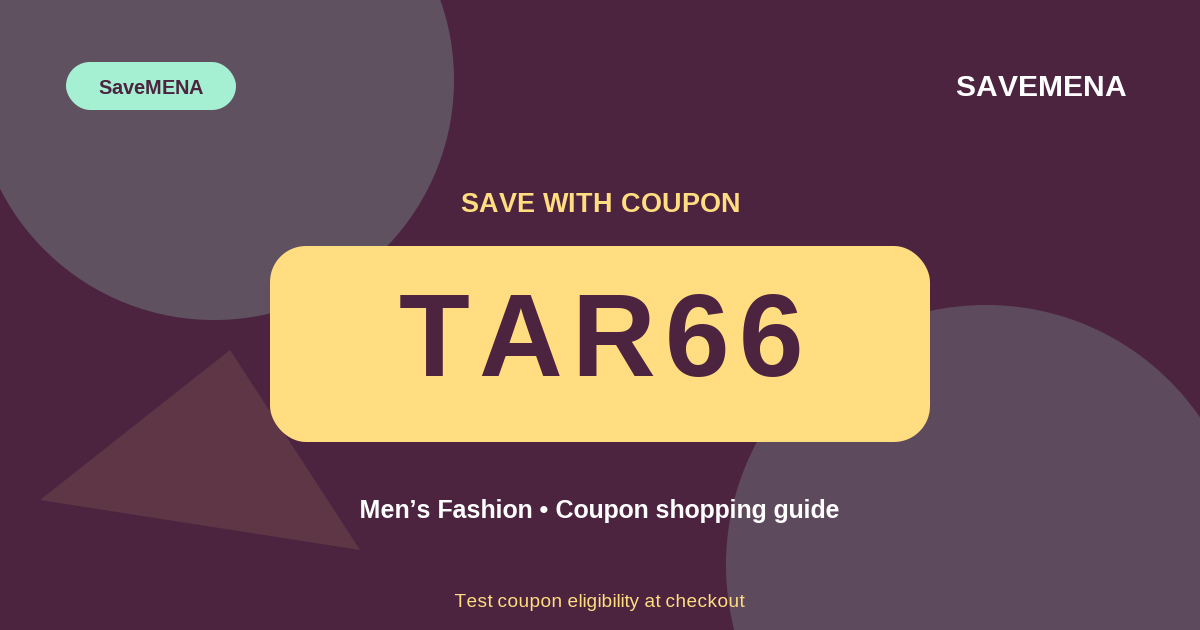
Codes available to try while comparing
These codes are not guaranteed for the article topic or listed brands; test them at checkout and use the live result.
1. Ensuring Your Noon UAE Account Is Active and Verified
Before any coupon can be tested, the account you log in with must be in good standing. Open the Noon UAE app or website and sign in with the credentials you use for checkout. If you haven’t verified your mobile number or email address through the “Account” settings, you’ll encounter a prompt that stops the payment flow. Make sure you see a “Verified” stamp next to each contact detail; otherwise, place a hold on the coupon until verification completes.
In the UAE market, Noon’s policies require that a user’s account has no pending issues such as unresolved returns or payment disputes. A simple navigation to the “Order History” page will show if there are any critical flags. If your account displays a notice for “Account under review,” you’ll need to resolve that before you can confirm coupon eligibility.
2. Signing In on the Front‑End Before Adding TAR66
Correlation between account context and coupon validity means you must be logged in every time you add items to the cart. After logging in, add your chosen men’s fashion pieces and proceed to the cart page. The cart will display a summary of all selected items, and a note will appear stating “Coupon applied” only after you enter TAR66 in the “Coupon & Gift” field. If the note never shows, you know a further screen‑level check is required.
At this point, look for any messages that reference “Eligibility not met.” These can arise from restrictions on new‑user coupons, or from when the account is flagged for low‑volume activity. Simple re‑login sometimes refreshes cookies and clears the message, but if the message persists, you’ll need to scrutinise the next step.
3. Verifying Cart Items Against Coupon Conditions
Now that TAR66 has been entered the cart will calculate the tentative final price. The “Coupon & Gift” area will only offer a “Use coupon” button if the items in the cart meet the coupon’s base eligibility. For example, some coupons require that a minimum number of items be present. If you only see a gray slider, it signals that the chosen items do not satisfy the coupon’s constraints.
It’s essential to check each men’s fashion item for the seller’s idiosyncratic “Coupon Eligibility” tags, if any. These tags are typically located beneath the product names. If an item is listed as “Coupon not applicable” or “Promotion not valid,” you’ll need to adjust the cart either by adding qualifying items or removing the problematic ones. Once all ids in the cart pass the eligibility filter, the “Use coupon” button will enable.
4. Understanding Delivery Fees and Payment Method Restrictions
A hidden variable that can break coupon eligibility is missing delivery fees. Noon UAE’s payment flow requires that the total—including shipping—must be finalised before a coupon is processed. The cart page displays the fee next to the “Subtotal,” and the final “Grand Total” updates live. If a delay in delivery fee calculation prevents the coupon from applying, you’ll see a “Coupon could not be applied” message.
Likewise, some coupons are limited to specific payment methods. While you won’t see a list of eligible methods on the coupon page itself, the payment step will highlight restricted methods with a small warning icon. If you notice a discount disappears after selecting a particular card, that card might not be on the coupon’s list. Switching to an alternative payment method typically restores the discount.
5. Checking Eligibility for Men’s Fashion Category
Because your focus is men’s fashion, you’ll want to confirm if this category is generally permitted for TAR66. In the Noon UAE app, navigate to “Categories” and click on “Men’s Fashion” before adding items. On this page, each product may list a “Coupon Eligibility” image or text. If no such indicator is present, it’s a neutral sign: the coupon may still work, but there is no explicit statement of disallowance.
Another verification tool is the “Help & Support” chat. If you suspect a category-level restriction, a quick message to Noon’s support can clarify whether TAR66 is universally available or blocked for a particular array of men’s fashion items. That perspective provides a clear account context check before you finalize the cart.
6. Proceeding to Checkout and Watching the Final Payable Total
With all prior steps completed, move to the “Checkout” button. This transition is your final checkpoint where Noon processes all outstanding eligibility checks. The screen will present the “Payable Total” as computed by Noon’s checkout engine. If TAR66 has been applied successfully, the discount will already appear in the calculations—as a negative line item or a % reduction—before you confirm the final amount.
Notice carefully the “Summary” section at the bottom of the checkout page. If you see a line reading “Coupon not valid for this order,” it means a constraint was still violated. In that case, adjust the cart accordingly or try a different coupon—though remember only TAR66 is available to try as per the instructions. If no lines mention a problem, your eligibility is confirmed and the coupon is active.
7. Troubleshooting Common Coupon Acceptance Issues
Occasionally, the Noon app shows a non‑responsive “Apply coupon” button, or a glitch appears where the screen freezes after entering TAR66. Common causes include pending mobile verification, a session timeout, or an issue with the internet connection. Logging out and back into the app or refreshing the page can reset the session and allow the coupon to register correctly.
In some situations, even though all conditions seem met, the coupon fails at the final step. This is often because the account has an unpaid invoice or pending return. Clearing any outstanding balances in the “Payments” section can resolve the problem. If the issue persists, the next step is to contact Noon UAE’s customer service via the in‑app chat for real‑time assistance.
8. Maximizing Savings: Alternate Ways to Save on Men’s Fashion
Even if TAR66 does not activate after all account‑centric checks, there are still pathways to save on men’s fashion at Noon UAE. Browse the “Deals” tab for flash sales or time‑limited offers that don’t rely on a coupon code. In addition, Noon’s wallet credits or “Cashback” features can add to your overall discount, and these usually form part of the account reward system. Checking the “Wallet” section before proceeding to checkout can reveal these alternatives.
Another angle is to watch for bundle discounts or pick‑up‑in‑store promotions that allow you to combine free shipping with a different coupon. By aligning your purchase strategy with Noon’s multi‑stage discount structure—account verification, bundle pricing, and wallet credits—you can still reach a very competitive price for men’s fashion without relying solely on TAR66.
Related SaveMENA pages
Related articles
Official sources to check
Frequently asked questions
A coupon is not guaranteed; verify its result at the retailer checkout.
No. The code is only available to try. Eligibility can vary with the live account, basket, item, seller and campaign context, so checkout is the final reference.
Where should I confirm the coupon result?
Apply the code in the Noon basket and review the live message and final payable total before payment. Do not rely on an undocumented percentage or condition.
Can the result vary by product or seller?
Yes. Eligibility and offer context can vary with the current basket details, so compare the exact item, seller, variant and final total before purchasing.
What should I do if the code does not work?
Check the market, account, item, seller, basket and payment context, then try another code available to try without guessing an unsupported reason.