Anker Mobile Accessories on Noon UAE: account eligibility — coupon eligibility · TAR73
In a digital marketplace that thrives on convenience and savings, UAE shoppers who navigate Noon UAE are often eager to maximize every purchase, especially when
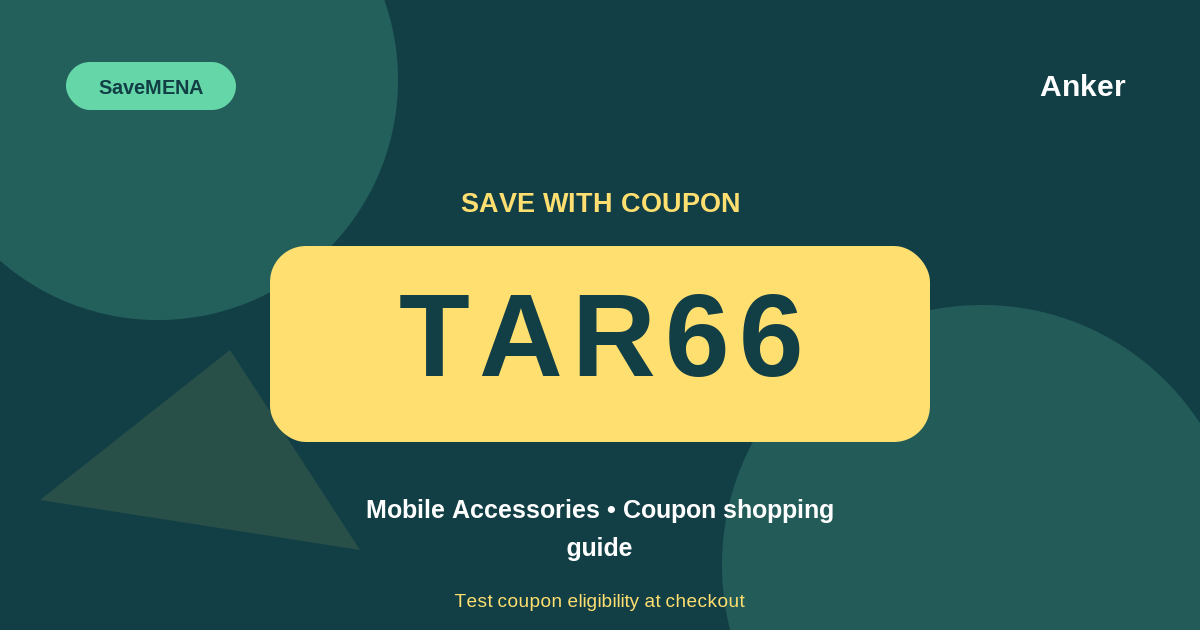
Codes available to try while comparing
These codes are not guaranteed for the article topic or listed brands; test them at checkout and use the live result.
Why Checking Coupon Eligibility Matters in Mobile Accessories Shopping
When adding mobile accessories to your cart, the temptation to claim a discount can be strong, particularly if you’re looking for a reputable brand like Anker. However, without confirming a coupon’s viability beforehand, you risk seeing a “Not applicable” flag only after you have already committed to final payment. That delay can trigger frustration—especially if you are comparing similar products from different sellers. By inspecting eligibility early, you save time, avoid wasted shipments, and keep your list of rewards intact for future purchases, ensuring your spending power stays intact.
Beyond the emotional smoothness, pre‑payment checks also aid in budgeting. Knowing that a coupon such as TAR73 is set to apply keeps your cash flow predictable. If you find that the coupon does not work for a specific Anker item—perhaps due to a seller restriction or item category mismatch—you can immediately adjust your selection or appraise an alternative brand. This proactive review reduces the chance of ending up overpaying, keeping your shopping experience efficient and cost‑effective.
Understanding the Account Context: Different Noon UAE Membership Levels
At Noon UAE, your account profile often dictates what coupons and discounts load onto your cart. Some codes may be available only to premium members, while others are open to all registered users. When you log into your Noon account, the dashboard usually displays a membership badge—standard, Gold, or Platinum—alongside offers that automatically tuck into your cart. These badges change the pool of eligible coupons that appear for certain products, especially when the item belongs to a specific category like mobile accessories.
Thus, before hunting for a TOTAL discount, you should examine the banner that appears after logging in. If your account status appears unchanged from a previous session, you can trust that the same coupon offerings apply. If you upgraded recently, check whether the new level re‑applies coupons previously unavailable.A coupon is not guaranteed; verify its result at the retailer checkout.
Pinpointing Your Order: Mobile Accessories & Anker Products
To loosen the cookie‑cutter categorization that might block a coupon, it’s essential to double‑check the exact product category of your desired mobile accessories. In Noon’s search, the filter panel typically lists the primary category—phones, accessories, chargers, cables—followed by sub‑categories such as “Power Bank” or “USB-C Hub.” If an Anker product appears under a sub‑category that steals visibility from the main “Accessories” umbrella, it could inadvertently block a coupon that only applies to the broader classification.
Therefore, before adding an Anker charging pad or a USB‑C wireless charging stick to your cart, tally the product icon and its parent categories. This overview lets you determine whether a coupon, such as TAR73, aligns with the cumulative tags of the item. Double‑checking the category also ensures there are no hidden seller‑specific restrictions that could reveal a mismatch when you step into checkout.
Inspecting the Cart: How to Verify Coupon Availability
Once your selected Anker gear sits in the cart, tap the “Apply Coupon” button located beside your cart totals. The field typically requests a passcode like TAR73. After entry, the platform runs an eligibility check—splitting “Eligible” or “Ineligible” messages to inform you. If it declines, it usually hints at a reason: Item category, account level, or another conflicting discount. Most of the time, you’ll see a color change or a small banner that gives you a quick affirmative or negative signal before proceeding.
At this stage, take a moment to scrutinize the technician details. Some platforms require you to be online and logged in to validate the code; others allow guest users but support only certain coupon types. Verify you are signed in, your profile status is correct, and that no other active promotions shadow the code. When you consistently see “Eligible” after entering TAR73, you can confirm that your coupon will be applied at checkout—comfortably existing within your account context.
Handling Potential Pitfalls: Unavailable Coupons and Exceptions
If the coupon appears ineligible, identify the first rule that might be broken. Check if the cart contains multiple Anker items, as some codes limit usage to a single brand purchase. In other cases, certain sellers might not allow coupon stacking, so if you’re purchasing from a third‑party vendor, the code may be disregarded. Noticing these patterns early prevents an oversight during the final payment stage.
Occasionally, noon may restrict a coupon during high‑traffic periods or during flash sales, labeling it as time‑bound. Even though such restrictions are not guaranteed, because the coupon remains testable, you should handle it by tweaking your cart composition. For instance, you could remove a non‑Essential item that might cross the maximum quantity threshold. Understanding this nuance allows you to adapt your cart so that a previously invisible coupon can resume eligibility.
Finalizing Your Purchase: Checkout Confirmation and Coupon Activation
When checkout starts, the system aggregates all discount components in real‑time. Scroll to the “Discounts” subsection, and you’ll see a list that includes the TAR73 code if it remains valid. The discounted amount will have a provisional mark until you confirm your payment method. If Tokyo’s key sales or multi‑SKU promotions are overlapping, the final total will reflect only the highest-eligibility discount—this is why pre‑payment validation matters.
A natural reference point is the final payable total displayed just before shipping choices. If you still see a line reading “Coupon Applied: TAR73,” you can proceed with confidence that the coupon stands through to payment. If you notice it has vanished during this stage, either due to account level changes or an unseen rule, pause to adjust your billing details or reorder the same product from a different seller who accepts the code.
Post‑Purchase Considerations: Receipt, Re‑ordering, and Customer Support
After payment, your receipt visibly lists all coupon applications. This receipt is your administrative audit trail—serve it to customer support if a refund or replacement is required. Ideally, the receipt should include a coupon reference, reinforcing that the discount was realized in the order process.
For future purchases, record effective patterns—such as which Anker product categories consistently work with TAR73. If you encounter new products or seller changes, revisit the cart‑stage eligibility before finalizing to prevent re‑occurring pitfalls. Your account history file can reveal which warranties align best with discounted items, guiding smarter shopping decisions down the line.
Summing It Up: The Smart Shopper’s Path to Discounted Mobile Accessories
Mapping out the journey from log‑in, through category check, to coupon application creates a reliable framework for UAE shoppers.A coupon is not guaranteed; verify its result at the retailer checkout. ” By recognizing account contextual factors, product tags, and seller exceptions, you sharpen your purchasing acumen and protect your budget.
In the long term, a disciplined approach to coupon validation yields tangible returns: minimized wasted shipping, simplified accounting, and continuous savings. Chatting with support when uncertainties arise is always a viable second step, but the bulk of customer relief resides in a robust pre‑payment eligibility inspection. Armed with these steps, your next mobile accessory purchase can be both confident and cost‑effective.
Related SaveMENA pages
Related articles
Official sources to check
Frequently asked questions
What should I do if the code TAR73 doesn’t show as eligible during checkout?
If you see it as ineligible, first review your cart for incompatibilities: other active coupons, multi‑seller items, or bundle restrictions.A coupon is not guaranteed; verify its result at the retailer checkout. If the issue persists, contacting Noon customer support can clarify any hidden restrictions.
Can I use the TAR73 coupon on a phone screen protector from a third‑party seller?
Coupon applicability depends on the seller’s permit settings. If the screen protector falls under a different category or comes from a seller that disables third‑party coupons, TAR73 may not apply. Verify the items’ eligibility before payment for accurate discount confirmation.
Does my account context change after a major shopping event?
After large sales or Noon-exclusive events, your account might shift status automatically—for example to a temporary promotional tier. Check your profile banner each time you log in; if a new level appears, it may affect coupons like TAR73. Re‑check eligibility to ensure consistency.
Is the coupon code TAR73 exclusively for Anker products?
The code is not brand‑specific; it applies broadly based on your account eligibility and the product’s category. However, some Anker accessories may not trigger the code by default, depending on seller rules. Always check cart eligibility before placing the order.