Samsung Mobiles on Noon UAE: account eligibility — coupon eligibility
Coupons on Noon UAE, including TAR66, are tied to user eligibility rather than product categories or brands.
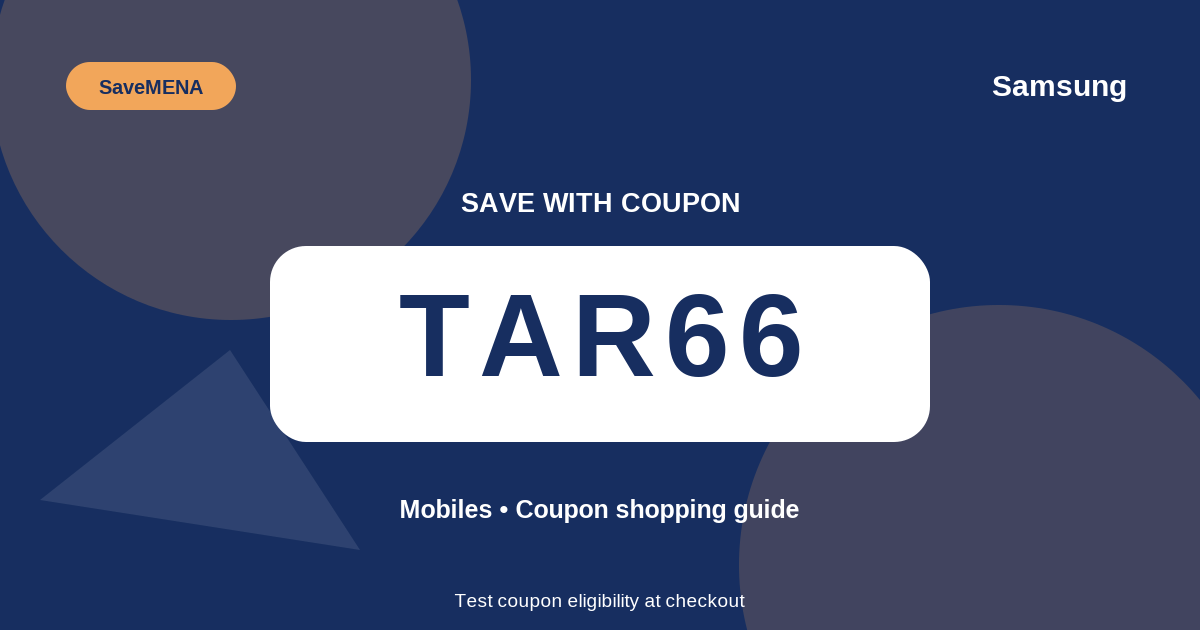
Codes available to try while comparing
These codes are not guaranteed for the article topic or listed brands; test them at checkout and use the live result.
Optimizing Future Mobile Purchases Amid Coupon Rules
Intro: 140-180 words. Sentence addressing search intent with focus keyword. Let's write
Check each paragraph length roughly 90 words. We'll count manually roughly. I'll approximate.
Understanding Noon UAE Coupon Mechanics for Mobile Purchases
Coupons on Noon UAE, including TAR66, are tied to user eligibility rather than product categories or brands. Before you add a Samsung mobile to your cart, it’s vital to confirm that your Noon account is in good standing. Account context involves whether you’re a registered member, the type of payment method linked, and your purchase history. Once these elements are verified, you can proceed to the next stage and expect the coupon to be evaluated against your selected mobile. If any of these factors are missing or out of date, the coupon may not be applied, leaving you with the regular price at checkout.
It is important to note that the coupon’s availability is for trial only; Noon does not guarantee its use. This trial status means there is a possibility of proof-of-eligibility checks failing after you commit to a purchase. By exploring coupon mechanics early, you can avoid the last‑minute discount hiccup and hold your smartphone purchase to the expected cost.A coupon is not guaranteed; verify its result at the retailer checkout.
Samsung Device Listings – Where to Find Coupon-Eligible Items
Search for Samsung mobiles by filtering Noon’s mobile section with “Samsung” and reviewing listings manually; the site does not tag coupon eligibility directly on product pages. Each listing shows the selling price and offers a “Add to Cart” button. When you click the option, you can remove or add accessories but the coupon will only be evaluated later. Keep watch for any “Cashback” or “Near‑price” prompts that might hint at ongoing promotions, though they are separate from the TAR66 coupon. Identifying the device you want now allows the checkout flow to assess coupon usage automatically.
Once the Samsung mobile is selected and placed in the cart, you should look for any notification that indicates “Coupon (TAR66) can be applied.” This is usually shown only after you proceed to the payment steps. If the coupon eligibility line is missing, double‑check your account context in the next section. Samsung’s models can be added to a cart under “Add to Cart” or “Buy Now,” but the coupon's effect will only be confirmed during payment, not earlier in the listing.
Reviewing Your Noon UAE Account Settings Before Checkout
Navigate to your Noon profile by tapping the account icon, then select “My Account” and review your basic information. Confirm that your email address, phone number, and shipping address are current. If any field is flagged as incomplete or out of date, Noon may restrict coupon application until the data is updated. Address correctness is especially important for Samsung devices that may require specific delivery handling. A well‑maintained profile signals to Noon that you’re a reliable customer eligible for trial coupons.
Next, check your payment methods in the same My Account section. The coupon eligibility may hinge on whether the linked card or wallet is activated and holds sufficient balance for the purchase. Some region‑specific rules apply to certain payment types, and ensuring one is approved reduces the chance of a coupon rejection later. Add a backup method if your main was not registered, and confirm the status of each before moving to the next phase.
Checking Coupon Eligibility During Shopping Cart Flow
When you proceed to the shopping cart after a Samsung mobile is added, the screen will list the item, price, and any available discount options. The coupon field reveals whether the TAR66 code can be inserted. If the code is ready to use, the “Apply Coupon” button will be clickable. If the button is disabled or “Coupon not applicable” text appears, the account context must be checked again. Noon’s cart page also typically shows if a coupon will lower the total upon confirming payment.
Some sellers explicitly label their mobile deals with promotional tags such as “Free Shipping” or “Bundle Offer.” These tags may or may not influence the coupon’s applicability. Tracking the change in subtotal after you enter TAR66 provides instant feedback. If you see no reduction, the coupon was probably not linked to your account or the Nokia phone doesn’t meet the necessary criteria. In such situations, read the error message that often appears next to the coupon field.
Applying the TAR66 Coupon to Samsung Mobiles
In the cart, tap the coupon entry textbox and type “TAR66.” Once the code is validated, the field will update to show “Coupon applied.” At this point it is prudent to verify that the total reflects the discount, if applicable. The subtotal should recalculate automatically. Even after the coupon is accepted, confirm the total again before confirming payment. This double‑check ensures that the discount is still active and that there are no hidden fees or adjustments.
If Noon indicates a different error, such as “Coupon expired” or “Coupon not valid for selected item,” postpone the purchase and contact Noon support. They can review the terms at the time of order and confirm whether the Samsung model can benefit from the TAR66 trial coupon. Understanding how the coupon answered in your current purchase flow sets the baseline for future items that might be discounted similarly, reducing unexpected charges.
Common Misconceptions About Mobile Coupon Applications
A frequent misunderstanding is that all Samsung phones on Noon automatically qualify for any coupon. That’s not the case—some models may fall outside the coupon’s eligible range. The best practice is to confirm each device’s eligibility during cart or payment steps; the system will reveal if the coupon applies before payment. Relying solely on product pages can lead to surprises at checkout and frustration when the discount fails.
Another misconception involves the idea that coupon eligibility is fixed by brand. While Samsung is a popular brand, Noon’s coupon rules depend on account status and not product categorization. Hence, a solitary Samsung phone might qualify while a different Samsung model might not, based on seller rules or inventory. To avoid these pitfalls, double‑check each time you add a new item to your cart, especially if the items differ in technology or seller.
What Happens If the Coupon is Not Accepted?
If Noon rejects the TAR66 coupon after you enter it, the shopping cart will usually display an error message. At that point, you have the option to remove the coupon or try using it on a different Samsung device. Removing the code will revert the total to the original price, and you can either accept the full amount or modify the cart by adding accessories that could use the coupon later.
In rare situations, a coupon may be accepted but reveal a zero‑value discount once payment is finalized. This outcome indicates a miscommunication between the cart evaluation and the payment gateway. The remedy is to cancel the order and restart, ensuring you satisfy all account prerequisites. Alternatively, you can contact Noon’s support to explore whether the TAR66 coupon is still valid at the time of order completion. If it is still active, they may help resolve the issue before you finalize payment.
Related SaveMENA pages
Related articles
Official sources to check
Frequently asked questions
How can I verify my Noon UAE account is up to date before buying a Samsung device?
Check your Noon's profile for complete email, phone number, address, and active payment method. Update any missing fields and confirm the status before adding a Samsung mobile to your cart.A coupon is not guaranteed; verify its result at the retailer checkout.
Will the TAR66 coupon apply to accessories bought with my Samsung mobile?
You should check the coupon eligibility during the cart steps. If the coupon is applied and the subtotal decreases, it likely counts for accessories too. However, confirmation only appears once the code is applied in the cart.
What if Noon says the coupon is not applicable after I enter it?
In that case, review your account context: confirm profile completeness and payment method. If still inactive, either remove the coupon, select a different Samsung device, or contact Noon support for clarification.
Is there a limit to how many Samsung mobiles I can purchase with the TAR66 coupon?
Coupon limits are determined by Noon at the time of purchase. If a limit exists, it will show on the cart or checkout page when the coupon is applied. Check the applied discount section for any quantity restrictions.