Logitech Office on Noon UAE: account eligibility — coupon eligibility · TAR71
Want to know how to check coupon eligibility before payment on Noon UAE, especially when you’re using your Logitech account to buy office supplies?
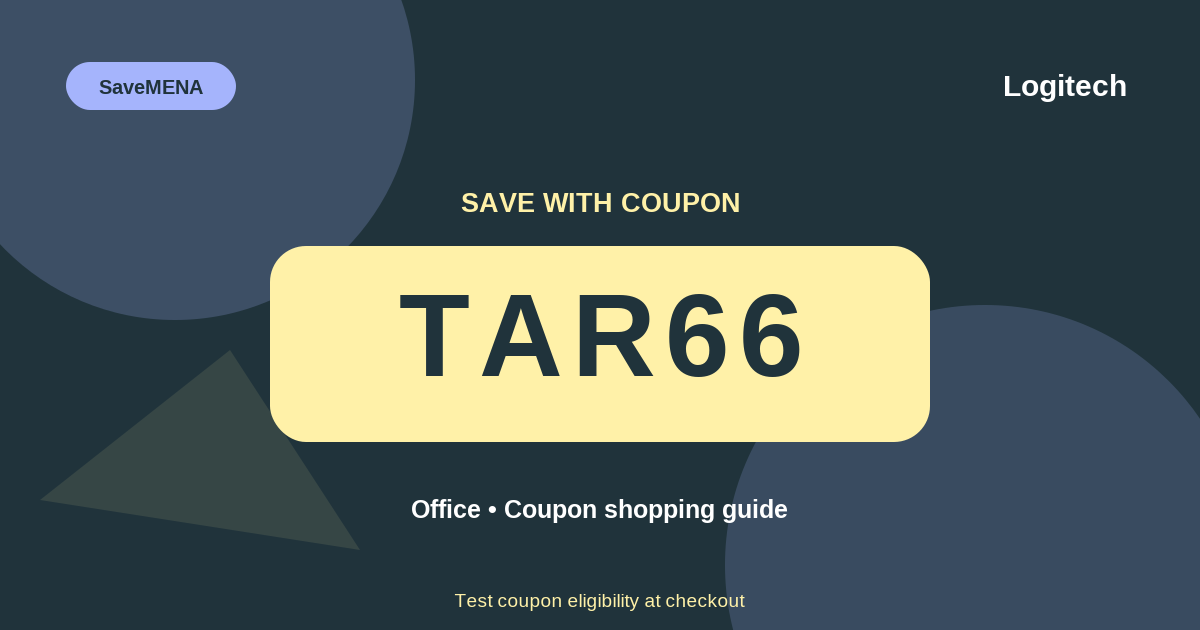
Codes available to try while comparing
These codes are not guaranteed for the article topic or listed brands; test them at checkout and use the live result.
Understanding Noon UAE Coupon Eligibility for Office Purchases
Coupon eligibility on Noon UAE depends on a few overarching factors: the type of item, the seller, and the account status of the shopper.A coupon is not guaranteed; verify its result at the retailer checkout. If the item’s seller does not accept Noon coupons, attempting to apply a code will result in an automatic rejection at checkout.
Additionally, each coupon carries its own set of constraints that may be visible only during the checkout process. The code TAR71 might be eligible for certain product families within the Office section, but it will only be recognized after you add items to the cart and proceed to the payment screen. At this point, the system will alert you if the coupon does not meet the product criteria or if the account does not qualify.
The Role of Your Logitech Account Context
Your Logitech account context becomes relevant when you’re purchasing branded office equipment. If you’re logged into a Logitech premium account or a corporate subscription, Noon UAE will display your account status during the checkout flow. This status can influence whether a coupon like TAR71 is accepted, especially if there are seller partnerships or special loyalty programs in place.
Because some sellers may offer exclusive discounts to users with certain Logitech account privileges, it is essential to verify that your Logitech profile is fully synchronized with Noon before attempting to apply the coupon. Missing or mismatched account information can cause eligibility checks to fail, even if the product's category and the coupon code itself are valid.
Step‑by‑Step: Logging into Noon UAE Before Checkout
Start by opening Noon’s UAE website or app and ensuring you are logged into your personal Noon account. If you also want to leverage your Logitech account rewards, log in to your Logitech account separately and, if possible, link the two profiles. This linkage should happen in the account settings, where Noon may prompt you to sync with external profiles.
Once both accounts are authenticated, navigate to the Office category and select the pieces of hardware you want to purchase. Adding items to the cart will activate the eligibility check for any coupon you plan to use. At this early stage, you can preview the total cost and keep an eye on any associated fees, which will remain the same whether or not the coupon applies.
Adding Office Products to Your Cart – A Quick Review
When selecting office equipment, stall to confirm that each product lists a “Coupon Eligible” tag on its detail page. This visual cue, when present, tells you that Noon’s system will recognize a coupon code during checkout. For items from the Office section, most sellers display this tag, but double‑check just in case, especially for high‑end peripherals or bundles.
After confirming eligibility, add the required quantity to your cart and proceed to the shopping bag. At this point, you can look back at the cart summary to see the subtotal and any included shipping charges. This check ensures that no hidden costs will alter the coupon’s applicability later on.
Navigating the Coupon Field – Where and How to Enter TAR71
In your cart at Noon UAE, locate the coupon field typically labeled “Enter your code” or “Apply coupon.” Input TAR71 exactly as it appears, paying attention to capitalization and spacing. The system will immediately validate the code against your order’s product list and your account details.
If the code is accepted, Quick Confirmation text will appear, and you’ll see the discount reflected in the order summary. If not, a message explains that the coupon isn’t eligible for your current cart. Since the tool can only inform you of broad eligibility, any nuanced rules will become evident only at the payment step.
Checking Eligibility Before Final Payment – What to Look For
When you’re ready to proceed to payment, Noon UAE presents the final summary, including the applied coupon impact, shipping, taxes, and total payable amount. At this juncture, the platform performs a last‑minute eligibility audit. If TAR71 has been accepted, the summary will show a reduced total; if it hasn’t, the discount line will be absent or marked as “Not applicable.”
To confirm that everything is in order, review each line item in the summary. Pay attention to any “Coupon applied” tag, as this indicates successful eligibility. If the tag is missing, double‑check the product category, quantity, and your Logitech account linking; sometimes small adjustments can shift the eligibility status.
Common Issues and How to Resolve Them
Sometimes the code fails because the selected product is not part of the seller’s eligible inventory, or because the Logitech account is not sufficiently verified. Refreshing your cart after adjusting the quantity, or removing and re‑adding the product can trigger a new eligibility check. If the problem persists, contact Noon support to verify the product and seller status.
Another frequent hiccup arises if you attempt to use the coupon after the battery session has expired or after logging out of your Noon account. In that case, simply re‑log in and repeat the add‑to‑cart steps.A coupon is not guaranteed; verify its result at the retailer checkout.
Final Verification: Ensuring the Coupon Slides Into Your Account
Before you hit the final “Place Order” button, take a moment to confirm that the total payer amount in the summary reflects the coupon deduction. This is your last assurance that the coupon code TAR71 has been applied under your Logitech account context and that Nunon’s system recognizes it.
Once the order is placed, you’ll receive a confirmation email summarizing the purchase, any discounts applied, and the final payment amount. Keep this email for future reference; if you notice any discrepancies after shipping, it can serve as evidence that the coupon did or did not apply.
Related SaveMENA pages
Related articles
Official sources to check
Frequently asked questions
How can I determine if my Logitech account qualifies for the coupon before checking out?
Verify that your Logitech profile is fully linked within Noon’s account settings and that the profile is active. Only then will Noon’s system incorporate the Logitech context into the coupon eligibility check.
What happens if the toolbar says the coupon isn't eligible but I see a discount in my cart?
When discrepancies arise, refresh the cart or remove and re‑add the product. Then re‑enter the coupon code. The final checkout screen will confirm whether the discount applies.
Can I use the TAR71 code on items from different sellers in the Office section?
Eligibility rules are set by each seller. If a seller does not accept theater coupons, the code will be rejected during checkout, even if the product is in the Office category.
What should I do if I accidentally place an order without applying the coupon?
Contact Noon support immediately after the order confirmation. Tell them your order ID and the intended coupon code; they may be able to adjust the payment if the coupon was still valid at the time of order placement.