Perfumes on Noon UAE: account eligibility — coupon eligibility · TAR73
Coupon eligibility is decided at checkout, when the system checks your account status and the items added to your cart.
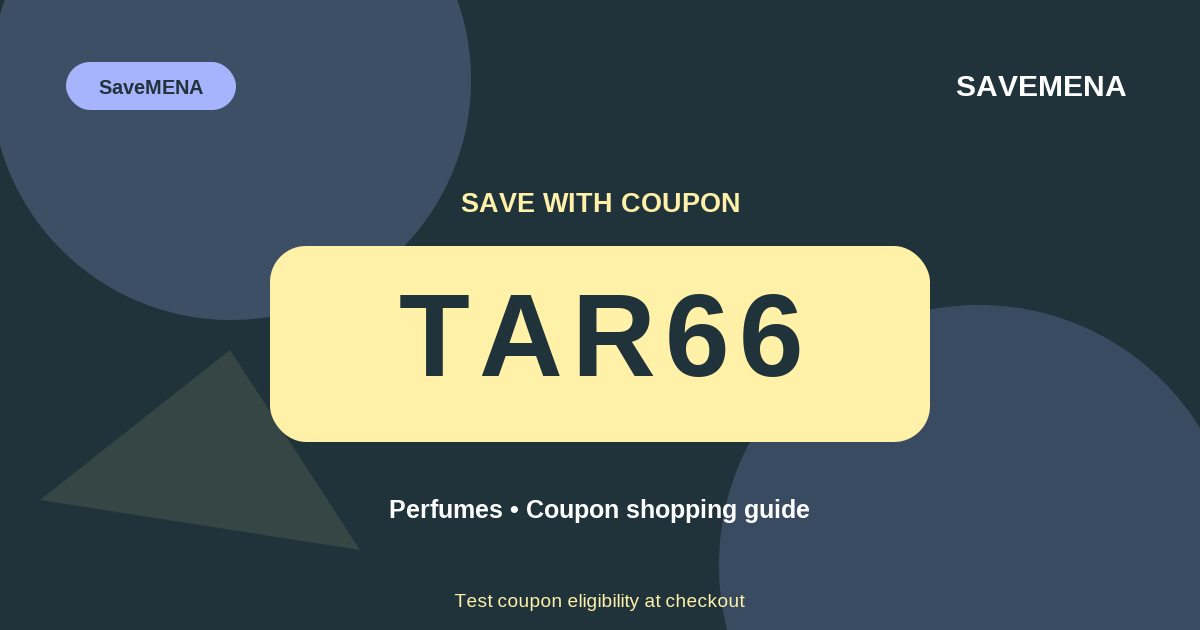
Codes available to try while comparing
These codes are not guaranteed for the article topic or listed brands; test them at checkout and use the live result.
1. Understanding Coupon Eligibility in Perfume Shoppers' Accounts
Coupon eligibility is decided at checkout, when the system checks your account status and the items added to your cart. The first place to start is the search bar, where you’ll locate the perfume you wish to buy. Once you’ve added it to the cart, the platform will prompt you to log in if you haven’t already; only a logged‑in account can trigger eligibility checks for promotional codes. This is the foundation of the account context: your membership, saved payment methods, and any stored addresses play a role in the algorithm that tests if the code is valid for your specific transaction.
Having the correct account logged in ensures the system can reference your purchase history, subscription tier, and any restrictions that might apply to perfume items—like purchase limits or brand-only promotions. The code TAR73 is entertained once the system registers your login credentials, at which point it can cross‑check whether your cart items match the criteria for a coupon. If the code is not eligible, the platform will offer a brief explanation or will simply deny the discount during the subsequent confirmation step.
2. Logging into Your SaveMENA Account for Accurate Eligibility
Before any discount logic takes place, verify that you’re accessing your SaveMENA account through the official portal or app. Use the “Login” button, entering your registered email or phone number and password. A secure login session allows the platform to pair the coupon code with your account’s profile—something that anonymous guests lack. This ensures the system has your data on hand for immediate eligibility evaluation.
After logging in, double‑check your profile details. Ensure that the account is active, the email address is verified, and the shipping address field is complete; incomplete data can lead to a misinterpretation of eligibility. You can also confirm that your preferred payment method is saved—some promotions restrict use to particular cards or wallet balances, or require a stored payment that matches regional criteria. Making sure all these account components are correct increases the likelihood the coupon will be successfully applied.
3. Navigating the Perfume Catalog and Checking Bundle Restrictions
On the perfume catalog page, filter by scent families, brand, or price range to locate the exact bottle you need. Once you’ve found it, click ‘Add to Cart’ and wait for the confirmation banner to appear. If you’re added a bundle (e.g., a set of perfumes or a gift set), be aware that some coupons accept individual units but not bundled offers. The cart view will instantly reflect the items and any sub‑totals before you proceed to checkout.
When you’re ready to apply a coupon, see if the platform indicates a limitation on the product type or quantity. In many cases, the site will reveal a short note such as “This offer applies only to select perfume sizes” or “Bundle purchases are outside the discount parameters.” If your cart is flagged, the final assignment of the code will occur at the next page, after you’ve confirmed that the items meet the permissible list for the coupon.
5. Interpreting Checkout Messages: What “Not Eligible” Means
When you click “Proceed to Checkout,” the system re‑evaluates the code. If the code seems ineligible, the page will display a concise notification. If the system says “Not eligible for this coupon” or “This coupon cannot be applied to your selected products,” it indicates that either the item list or the account type does not match the rule set for TAR73. This is where the account context is central, because the software checks stored membership level, shipping location, and whether you have confirmed any promotional conditions.
If a message lists a reason—for example, “Coupon limited to single perfume purchases” or “Bundle offers excluded”—you can adjust your cart accordingly. This might involve removing bundled sets, applying the code to a single item, or choosing a different perfume. The platform’s references to such constraints help guide you to a configuration in which the coupon’s conditions are satisfied.
6. Account-Based Conditions that May Affect the Coupon
SaveMENA sometimes applies coupon restrictions tied to the account’s registration level. For instance, accounts with a verified phone number, a recurring payment plan, or a loyalty tier might be prioritized for certain promotions. Check your account dashboard to confirm that you have met any prerequisites before trying the code at checkout. These account markers are essential for eligibility but are not always disclosed until the payment step.
Additionally, some coupons are available to customers who have completed a certain amount of previous purchases or who have used specific payment instruments. Because the platform checks these criteria during the final eligibility validation, it’s possible for a coupon to be flagged as ineligible if your account history doesn’t contain those actions. The “Account Context” lens means that your purse‑holistic profile shapes the path a promotional code takes to activation.
7. Troubleshooting Common Account Issues
If you see a warning that the coupon cannot be applied, revisit your profile to ensure your email is linked and your billing address is current. Often, incomplete addresses or missing verification lead the system to hold off on coupon validation. Make sure the address you want to ship to is selected in the cart before proceeding to checkout because shipping‑related restrictions can trigger eligibility failures.
In some instances, logging out and back in or refreshing the page can resolve transient glitches. Should the code still refuse to apply, it is wise to contact SaveMENA’s help centre for a quick review. Customer support can confirm whether your account meets the necessary conditions or if an error exists in the promotion’s configuration, giving you a definitive next step before finalizing your purchase.
8. Final Checkout Confirmation: Ensuring the Coupon Was Applied
Once you’re on the payment page, the platform displays a final summary of all items, shipping fees, and any discount that the system has applied. If TAR73 was valid, you should see a line item or a note indicating that the coupon has been processed. The total displayed here is what you’ll be charged, formatted clearly so you can double‑check the reduction against your expected price.
If this last step shows no discount, re‑examine the earlier stages: maybe you used an earlier add‑on or bundle that removed the code’s validity, or perhaps another condition in your account was recently disabled. At this point, the best approach is to go back to the cart, tweak the cart items or account details, and run the coupon again. When the final total reflects the coupon, it guarantees that your account, product, and code all aligned as intended.
Related SaveMENA pages
Related articles
Official sources to check
Frequently asked questions
What should I do if the coupon doesn’t appear to apply at checkout?
If the system denies the coupon during checkout, first verify that you’re logged into the correct account, your address is accurate, and the chosen perfume meets any quantity or bundle restrictions. Check for any account benefits or verification steps that might still be pending. The platform’s message usually indicates why the code failed, guiding the next adjustment.
Can I use multiple coupons on the same perfume purchase?
SaveMENA typically permits only one coupon code per order. If you try to enter a second code, the platform will usually indicate that only one promotional code can be applied. Therefore, choose the coupon that offers the best value or matches your current account eligibility.
Does my payment method affect coupon eligibility?
The coupon’s eligibility may depend on the chosen payment method, such as a local bank card or a digital wallet that’s linked to your account. Make sure the payment option you select is saved and verified, as some promotions restrict use to particular instruments or account types.
Will the coupon work if I’ve used it in a previous order?
Coupons often have usage limits per account or per transaction. If you’ve already applied TAR73 in a recent purchase, the system might reject it again until the limit resets. Check the order history for previous usage of the code to confirm whether it’s still available.