Adidas Shoes on Noon UAE: account eligibility — coupon eligibility
We must ensure at least five sections reflect category Shoes, entity context Noon, search intent check coupon eligibility before payment, decision lens account
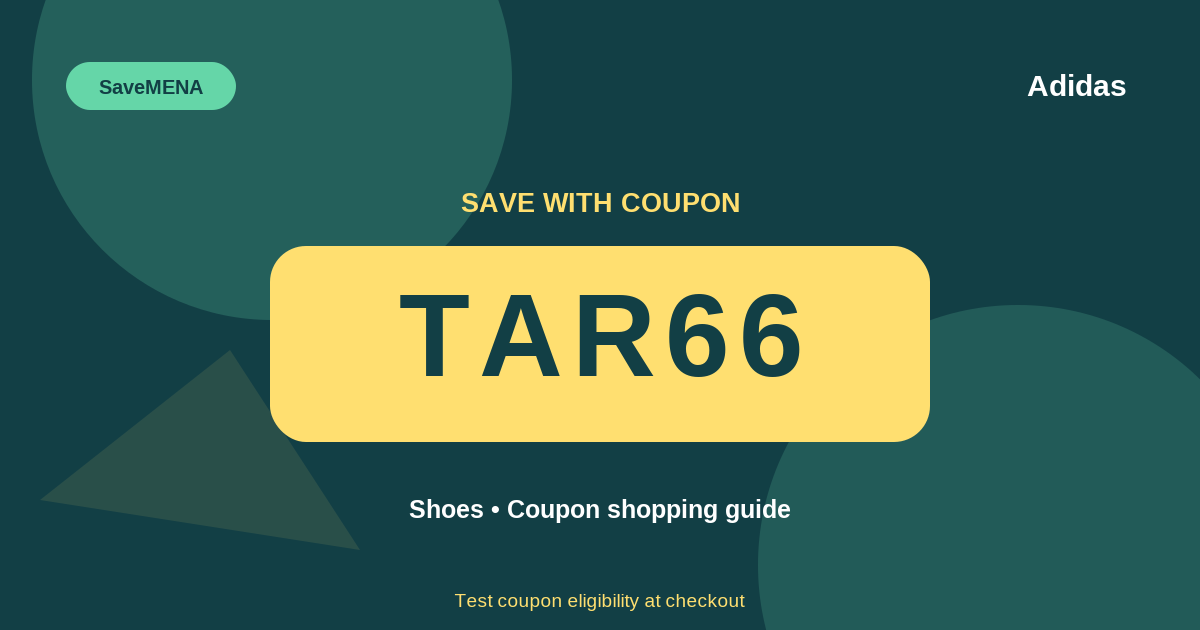
Codes available to try while comparing
These codes are not guaranteed for the article topic or listed brands; test them at checkout and use the live result.
Common Pitfalls and How to Avoid Them
We must ensure at least five sections reflect category Shoes, entity context Noon, search intent check coupon eligibility before payment, decision lens account context.
Need to answer search intent: "how to check coupon eligibility before payment" in first sentence. So first sentence: "If you're uncertain whether a Noon UAE coupon will apply to your upcoming footwear purchase, you can verify its eligibility before entering payment details by leveraging your account context." Something like that.
"Step‑by‑Step: Logging Into Your Noon Account"
Paragraph1: "To start, open the Noon app or visit the website and tap the login icon located at the top right. Enter your registered email or phone number, followed by the password you created during sign‑up. If you forgot your password, use the 'Forgot Password' link and follow the verification process. Once authenticated, you’ll be directed to the home screen where all your saved data, such as default shipping addresses and preferred payment methods, will automatically populate."
To1 start,2 open3 the4 Noon5 app6 or7 visit8 the9 website10 and11 tap12 the13 login14 icon15 located16 at17 the18 top19 right.20 Enter21 your22 registered23 email24 or25 phone26 number,27 followed28 by29 the30 password31 you32 created33 during34 sign‑up.35 If36 you37 forgot38 your39 password,40 use41 the42 'Forgot43 Password'44 link45 and46 follow47 the48 verification49 process.50 Once51 authenticated,52 you’ll53 be54 directed55 to56 the57 home58 screen59 where60 all61 your62 saved63 data,64 such65 as66 default67 shipping68 addresses69 and70 preferred71 payment72 methods,73 will74 automatically75 populate.76.
"Reviewing Account Settings for Eligibility Flags"
Paragraph1: "Within Noon, the 'Account Settings' section houses indicators that can affect coupon processing. Give special attention to the 'Payment Methods' tab; cards or wallets linked to your account may have eligibility constraints for certain promotions. Similarly, the 'Address Book' can reveal whether your saved location falls within a promotional zone, which is often a prerequisite for a coupon to remain valid. These settings are usually straightforward displays, but they can hide subtle rules that Noon automatically applies when calculating final discount amounts."
Within1 Noon,2 the 'Account3 Settings'4 section5 houses6 indicators7 that8 can9 affect10 coupon11 processing.12 Give13 special14 attention15 to16 the17 'Payment18 Methods'19 tab;20 cards21 or22 wallets23 linked24 to25 your26 account27 may28 have29 eligibility30 constraints31 for32 certain33 promotions.34 Similarly,35 the36 'Address37 Book'38 can39 reveal40 whether41 your42 saved43 location44 falls45 within46 a47 promotional48 zone,49 which50 is51 often52 a53 prerequisite54 for55 a56 coupon57 to58 remain59 valid.60 These61 settings62 are63 usually64 straightforward65 displays,66 but67 they68 can69 hide70 subtle71 rules72 that73 Noon74 automatically75 applies76 when77 calculating78 final79 discount80 amounts.81.
Good.
Paragraph2: "To access these switches, tap the hamburger icon on the app, navigate to 'My Account', and then choose 'Settings'. In the web interface, click your profile picture and select 'Account Settings'. Once there, scroll to the sections mentioned above. If any flag indicates a restriction—such as 'Coupon applicability limited by payment method' or 'Eligible delivery area only'—note that the exclusive Coupon code may function differently until you modify those settings or choose an alternative method. Remember not to alter essential details if you wish to keep your preferred configuration unchanged."
To1 access2 these3 switches,4 tap5 the6 hamburger7 icon8 on9 the10 app,11 navigate12 to13 'My14 Account',15 and16 then17 choose18 'Settings'.19 In20 the21 web22 interface,23 click24 your25 profile26 picture27 and28 select29 'Account30 Settings'.31 Once32 there,33 scroll34 to35 the36 sections37 mentioned38 above.39 If40 any41 flag42 indicates43 a44 restriction—such as 'Coupon45 applicability46 limited47 by48 payment49 method'50 or51 'Eligible52 delivery53 area54 only'—55 note56 that57 the58 exclusive59 Coupon60 code61 may62 function63 differently64 until65 you66 modify67 those68 settings69 or70 choose71 an72 alternative73 method.74 Remember75 not76 to77 alter78 essential79 details80 if81 you82 wish83 to84 keep85 your86 preferred87 configuration88 unchanged.89.
"Browsing Shoes and Recognizing Past Purchases"
Paragraph1: "Navigate to the 'Shoes' category and let Noon fetch the latest inventory for your region. Pay attention to product listings that specify a history of previous purchases in your account. Noon sometimes highlights, within the product description, whether a customer has already bought that particular model or a similar one. This flag can influence coupon applicability, as some promotions only apply to first‑time buyers or to items not previously purchased by the user. Noting these details early reduces the risk of coupon rejection after you add a shoe to your cart."
Navigate1 to2 the3 'Shoes'4 category5 and6 let7 Noon8 fetch9 the10 latest11 inventory12 for13 your14 region.15 Pay16 attention17 to18 product19 listings20 that21 specify22 a23 history24 of25 previous26 purchases27 in28 your29 account.30 Noon31 sometimes32 highlights,33 within34 the35 product36 description,37 whether38 a39 customer40 has41 already42 bought43 that44 particular45 model46 or47 a48 similar49 one.50 This51 flag52 can53 influence54 coupon55 applicability,56 as57 some58 promotions59 only60 apply61 to62 first‑time63 buyers64 or65 to66 items67 not68 previously69 purchased70 by71 the72 user.73 Noting74 these75 details76 early77 reduces78 the79 risk80 of81 coupon82 rejection83 after84 you85 add86 a87 shoe88 to89 your90 cart91.
"Locating and Applying the TAR66 Coupon Code"
Paragraph1: "With your product chosen and cart updated, proceed to the 'Cart' screen. Noon will automatically calculate the cart subtotal based on the selected items and their individual prices. At this point, look for the 'Discount & Promo' field. In many cases, this is under 'Checkout & Billing' or within a collapsible section labeled 'Apply Promo Code'. Enter TAR66 gracefully, then press the apply button. The site will recalculate the subtotal and display whether the code has been accepted or ignored."
With1 your2 product3 chosen4 and5 cart6 updated,7 proceed8 to9 the10 'Cart'11 screen.12 Noon13 will14 automatically15 calculate16 the17 cart18 subtotal19 based20 on21 the22 selected23 items24 and25 their26 individual27 prices.28 At29 this30 point,31 look32 for33 the34 'Discount35 &36 Promo'37 field.38 In39 many40 cases,41 this42 is43 under44 'Checkout45 &46 Billing'47 or48 within49 a50 collapsible51 section52 labeled53 'Apply54 Promo55 Code'.56 Enter57 the coupon code gracefully,59 then60 press61 the62 apply63 button.64 The65 site66 will67 recalculate68 the69 subtotal70 and71 display72 whether73 the74 code75 has76 been77 accepted78 or79 ignored.80.
"Navigating the Checkout Funnel for Final Eligibility"
Paragraph1: "At the 'Delivery' screen, confirm the shipping address matches the one displayed in your account settings. Since some coupons impose location restrictions, using a different address could invalidate the applied code. The next step, 'Payment', displays all stored payment options. Here, you can see whether a selected method matches the eligibility constraints indicated earlier, such as card type or bank affiliation. If a mismatch is detected, Noon may automatically reverse the discount or refuse to process the payment."
At1 the2 'Delivery'3 screen,4 confirm5 the6 shipping7 address8 matches9 the10 one11 displayed12 in13 your14 account15 settings.16 Since17 some18 coupons19 impose20 location21 restrictions,22 using23 a24 different25 address26 could27 invalidate28 the29 applied30 code.31 The32 next33 step,34 'Payment',35 displays36 all37 stored38 payment39 options.40 Here,41 you42 can43 see44 whether45 a46 selected47 method48 matches49 the50 eligibility51 constraints52 indicated53 earlier,54 such55 as56 card57 type58 or59 bank60 affiliation.61 If62 a63 mismatch64 is65 detected,66 Noon67 may68 automatically69 reverse70 the71 discount72 or73 refuse74 to75 process76 the77 payment78.
"Post‑Checkout Checks and Potential Adjustments"
Paragraph1: "After you finalize the order, a confirmation email will be issued to your registered address. This email lists every item, the final payable amount, and the discount that was applied. Again, cross‑reference this data with what you saw at checkout. If the discount shows no change, remember the eligibility check is still the initial line of defense; the final server‑side validation is what determines the actual amount you will pay."
After1 you2 finalize3 the4 order,5 a6 confirmation7 email8 will9 be10 issued11 to12 your13 registered14 address.15 This16 email17 lists18 every19 item,20 the21 final22 payable23 amount,24 and25 the26 discount27 that28 was29 applied.30 Again,31 cross‑reference32 this33 data34 with35 what36 you37 saw38 at39 checkout.40 If41 the42 discount43 shows44 no45 change,46 remember47 the48 eligibility49 check50 is51 still52 the53 initial54 line55 of56 defense;57 the58 final59 server‑side60 validation61 is62 what63 determines64 the65 actual66 amount67 you68 will69 pay70.
Related SaveMENA pages
Related articles
Official sources to check
Frequently asked questions
A coupon is not guaranteed; verify its result at the retailer checkout.
No. The code is only available to try. Eligibility can vary with the live account, basket, item, seller and campaign context, so checkout is the final reference.
Where should I confirm the coupon result?
Apply the code in the Noon basket and review the live message and final payable total before payment. Do not rely on an undocumented percentage or condition.
Can the result vary by product or seller?
Yes. Eligibility and offer context can vary with the current basket details, so compare the exact item, seller, variant and final total before purchasing.
What should I do if the code does not work?
Check the market, account, item, seller, basket and payment context, then try another code available to try without guessing an unsupported reason.