Smart Watches on Noon UAE: account eligibility — coupon eligibility · TAR71
If you’re looking to snag a smart watch on Noon, the first thing you should know is how to verify coupon eligibility before you actually tap “Pay.” The Noon UAE
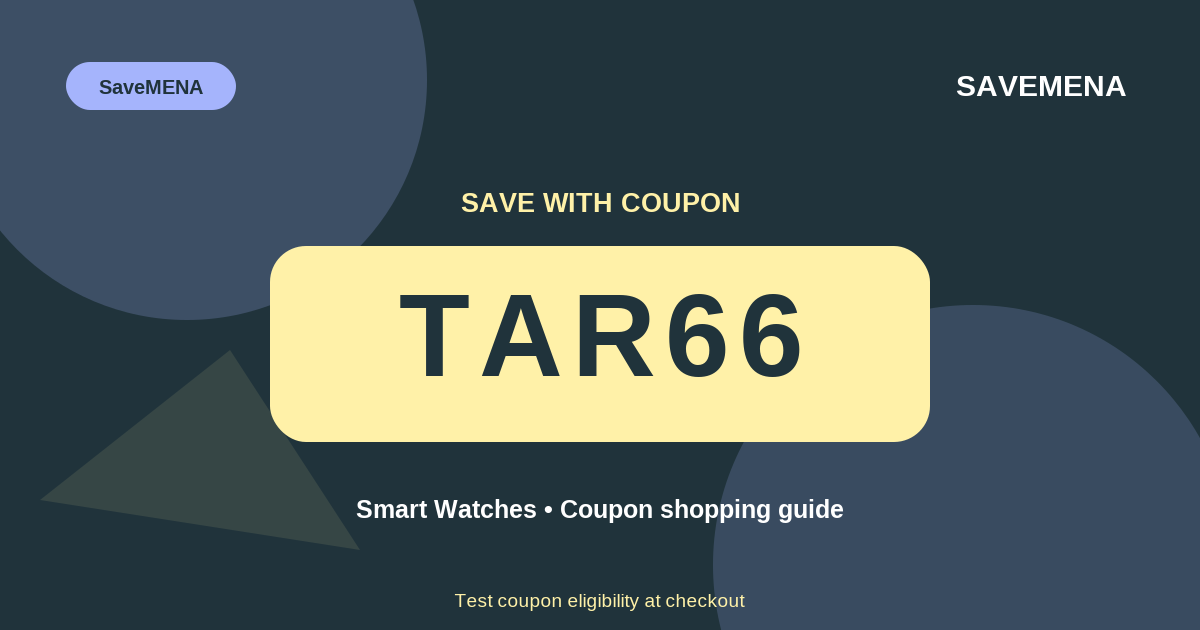
Codes available to try while comparing
These codes are not guaranteed for the article topic or listed brands; test them at checkout and use the live result.
Understanding Noon UAE Coupon Stages for Smart Watches
When you browse smart watches on Noon, the first layer of coupon visibility appears on the product page as a prompt: “Do you have a coupon?” This prompt does not guarantee applicability; it merely lists available codes that the platform has detected in your browsing history or account. The system may flag TAR71 as a candidate, but that flag often depends on the seller, the specific smartwatch model, and whether your cart qualifies for a minimum spend. Until you add items to your cart and proceed to checkout, the coupon remains a potential rather than an assured discount.
In the cart, the coupon field is usually displayed under the subtotal, providing a place to paste the code. Even here, the market’s engine may show “This coupon is not yet eligible” if either the product type is unsupported or your account status does not match the coupon’s constraints, which are still processed only at the final payment step. Keeping this two‑stage perspective in mind will help you avoid late‑stage surprises and let you act preemptively.
Setting Up Your Noon Account for Coupon Readiness
Your Noon account acts as the gatekeeper for coupon eligibility. Log in using a credible email address, and ensure your profile is complete—full name, contact number, and a registered address. Although the platform typically does not require a verified phone number to apply a coupon, some offers can be limited to users who have confirmed their phone contact, allowing the system to confirm identity before discount processing. Since you’re focusing on smart watches, double‑check that the region you’ve selected (United Arab Emirates) is set correctly; cross‑border accounts often face different coupon pools.
Once the account is populated, navigate to the “Account Settings” section and review any loyalty tiers or “Noon Rewards” status you may hold. While the TAR71 code does not explicitly the coupon code loyalty points, some coupons may auto‑apply a small discount to members. By having your account fully configured, you give the platform full context to evaluate whether the coupon can be activated during checkout, reducing the chance that the code will be rejected at the payment screen.
Adding Smart Watches to the Cart: Choices & Variants
Select the smartwatch model that best fits your needs—whether it’s a fitness tracker, a multi‑sport watch, or a luxury timepiece with smart features. Notice the options like color, strap type, and storage capacity; each of these variants may belong to a different seller. The Noon platform organizes deals by seller, and a coupon’s eligibility can depend on which seller’s inventory you are adding to your cart.A coupon is not guaranteed; verify its result at the retailer checkout.
When you add multiple watches or accessories, the platform may prompt you to confirm that you wish to proceed with all items. Keep an eye on the cart summary, as the subtotal is the key figure that will later be compared against any coupon conditions. Stick to one seller if you want to avoid cross‑seller restrictions that could de‑activate the TAR71 code. This last‑minute cross‑check aligns with the account context lens: your session’s seller history can influence eligibility.
Applying the TAR71 Coupon Virtually: What to Inspect
Navigate to the checkout page, where you’ll encounter the field marked “Enter coupon code.” Here, type TAR71, then hit “Apply.” The system will display a brief message under the subtotal: “Coupon application in progress” or “Coupon applied successfully.” These feedback signals do not yet confirm final eligibility; they are merely UI flares that the coupon exists in Noon’s database and that initial syntax checks succeeded.
Immediately after applying, look for a note that says “Coupon will be applied at payment” or “Coupon could not be applied” and the reason if given. If the system tells you that the coupon is pending because of eligibility checks, you’ve entered the pre‑payment screening stage. At this point, review whether the smart watch’s seller matches the application rules— some bots automatically negate coupons when sold by a third‑party vendor or on certain inventory lines. The account context remains pivotal; if your Noon account is flagged as new or has limited browsing history, the algorithm may still hold the coupon on hold.
Reviewing Coupon Eligibility at Checkout: Critical Checks
The final eligibility stamp appears just before you select a payment method. Noon’s checkout page usually rerenders the cart subtotal, shipping fee, and any coupon deduction aura under a consolidated “Total”. At this juncture, the platform performs a final verification against all coupon constraints: seller restrictions, product type, minimum subtotal, and your account status. If TAR71 is still eligible, the discount will subtract from the subtotal, and a line item entitled “Coupon Discount” will appear.
However, if the coupon fails any of the automated checks, Noon will display a red text: “Coupon not applicable" or "This coupon does not apply to your current cart." In that case, your wallet is saved from an unexpected charge but the original subtotal remains. It’s important to note that this check is irreversible; if the coupon fails at this point you cannot revive its applicability without altering the cart (for example, adding or removing a smartwatch). Always read the final “Total” summary carefully before moving on to payment.
Navigating Payment Options While Holding the Coupon
Once you are satisfied that the coupon is applied, you can choose any available payment method—credit/debit card, Noon wallet, or UAN. The coupon’s status remains tied to the checkout session; some payment modes (for instance, bank transfer) may not support the final deduction context properly, leading Noon to suspend the coupon temporarily. Selecting a standard card or Noon wallet typically lets the discount auto‑deduct during the authorization phase, to avoid mismatched totals.
Before you finalize payment, double-check the transaction preview: the “Total” amount displayed on the payment screen should match the last visible total from the checkout page, absent any new fees or tax adjustments that may appear only at payment time. If there’s a discrepancy, pause and review why the coupon might have been revoked— it could be due to shipping changes, tax recalculations, or a mid‑transaction shipping cost addition that altered the subtotal below the coupon’s minimum threshold.
Post‑Purchase: Tracking Confirmation & Coupon Impact
After authorizing the payment, your order confirmation page should recount the final discount used. Look for a line that reads “Coupon used: TAR71” and confirm the adjusted total. The receipt email you receive from Noon will mirror this information, along with the itemized list of smart watches purchased and the final price paid. Even though the coupon is flagged as “available to try”, its actual usage will be reflected here, confirming whether it had any real financial impact.
If the confirmation page still lists the original total without a “Coupon” line, the code was not accepted during payment. While this means you paid full price, you can analyze whether the failure was due to account, seller, or item-level restrictions, and adjust your next order accordingly. Tracking the coupon’s performance across different smart watch models will give you a clearer picture of when and where TAR71 can actually save you money.
Common Pitfalls When Using Noon UAE Coupons With Smart Watches
One frequent mistake is mixing smart watch sellers: when your cart includes items from two or more sellers, Noon may process the coupon against only one seller’s inventory, causing a mismatch and eventual refusal at checkout. Ensuring that all items in your cart belong to a single seller can increase the odds that the coupon remains active.
Another pitfall is ignoring the “minimum spend” rule that some coupons implicitly enforce, even if not shown. If the combined price of your smart watches dips below a hidden subtotal threshold, the coupon code can get revoked during payment. Always double‑check your cart total before applying the code. Also, avoid adding high shipping costs that shift the total outside acceptable ranges, as Noon often recalculates the final amount after shipping is added, potentially nullifying the discount.
Related SaveMENA pages
Related articles
Official sources to check
Frequently asked questions
What does “TAR71” mean in the context of smart watches?
TAR71 is a coupon code listed as available to try for smart watches on Noon. It may or may not apply, and no discount percentage is guaranteed. Customers should verify its eligibility during checkout.
Can I use the TAR71 code on multiple smart watches in one purchase?
The code can be applied once per checkout session. If the coupon is valid for smart watches, it should apply to the entire cart, not just a single item. Always confirm at checkout.
Will my Noon account status affect the coupon’s use?
Yes. Account completeness, such as a verified email and address, and any loyalty tier may influence coupon eligibility, since Noon’s system checks account context during the final verification stage.
Do I have to pay shipping before the coupon can be applied?
No. The coupon is evaluated after cart items and before shipping is added. Once shipping is calculated, the final total reflects any coupon discount if the coupon remains valid.