Huawei Tablets on Noon UAE: account eligibility — coupon eligibility
At the moment you’re looking at their tablet listings on Noon UAE, a coupon code pops up with a promise of extra savings.
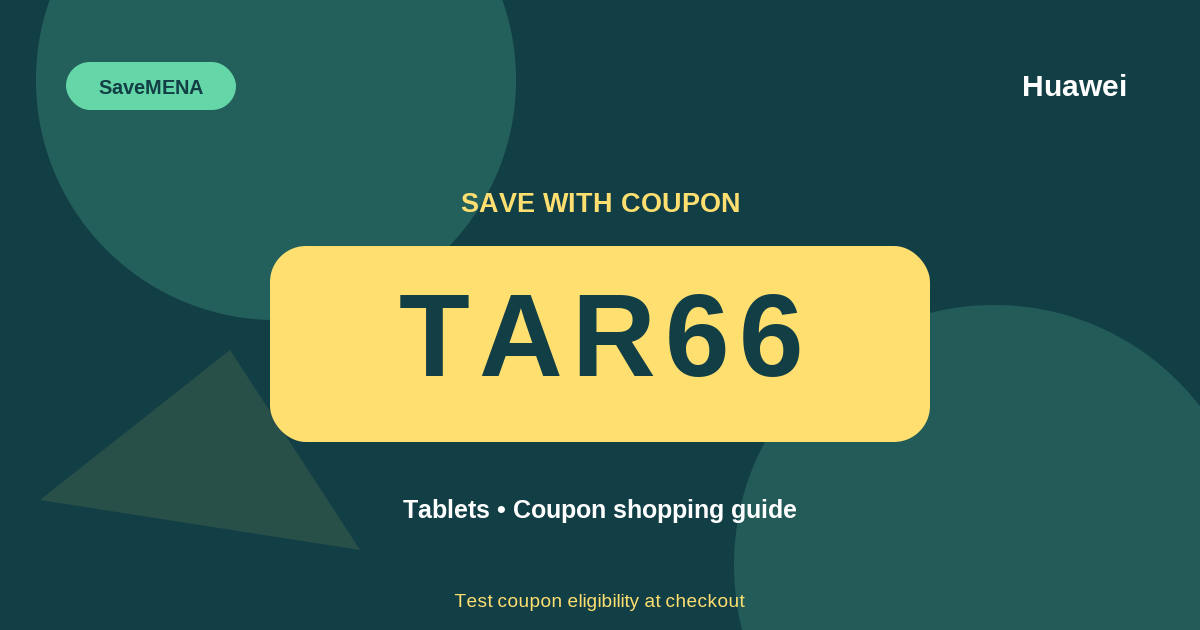
Codes available to try while comparing
These codes are not guaranteed for the article topic or listed brands; test them at checkout and use the live result.
Understanding Noon UAE’s Coupon Mechanics
Noon UAE’s coupon system is built on a set of rules that are applied during the checkout flow. The platform evaluates each coupon against the cart’s contents, the user’s account settings, and sometimes market-wide restrictions. A code like TAR66 is entered on the basket page and immediately triggers a check for eligibility, displaying a message that either confirms the discount or explains why it does not apply. This instant feedback allows buyers to adjust their order before any payment is processed, avoiding unexpected charges at the gateway.
Because coupon applicability may vary between devices, you’ll often see notes beside specific tablet listings that indicate the necessary conditions—such as a minimum order value or a required device category. These are the same conditions Noon uses to validate a code on the server side. If the conditions are not met, the coupon will be flagged as ineligible, and the cart will revert to the original price total. Knowing this, a quick check of those conditions can save you a lot of hassle later.
Signing In: Why Your Huawei Account Matters
Noon UAE requires you to be logged into a personal or business account before you can apply coupons. The account context includes your saved payment methods, delivery addresses, and order history; each of these can influence the coupon’s validity. When you log in, Noon checks whether your account has any pending issues—such as unpaid balances or recent returns—that might disqualify coupon usage. For customers who use their Huawei account to sync rewards or loyalty points, these points can also factor into the eligibility window for certain promotional codes.
In many cases, merchants align coupons with specific account levels. For example, a prime or premium account might unlock special discounts, whereas a standard account might not. By verifying that your Huawei-based account falls within the required tier before attempting to apply TAR66, you ensure that you encounter no surprise rejections later in the process. This pre-check is a protective step that aligns your profile with the coupon’s intended audience.
Adding the Tablet to Your Cart: First Checks
Once you’ve logged in, navigate to the tablet category you’re interested in, such as Huawei M12 or Huawei MatePad, and add the desired variant to your cart. At this point, Noon’s interface shows the running subtotal and highlights any active promotions applied automatically—though these auto-applied deals sometimes fall short of the discount one expects from a code like TAR66. The key is to keep an eye on the “eligible for coupon” indicator that appears next to the tag line, clarifying whether the selected product can be paired with a discount code.
Before proceeding to the basket, make sure the tablet’s price meets the minimum threshold for coupons. Even if the tag line says the device is “eligible,” Noon often enforces a floor amount that must be met by the cart total for a coupon to activate. If your cart falls short, you’ll see a gentle reminder. Adding a second tablet or a complementary item can bridge that gap, turning a non-eligible cart into a coupon-eligible one.
Applying TAR66: Eligibility Confirmation at Basket
On the basket page, locate the “Enter coupon code” field and type TAR66 exactly as displayed. The system then communicates with Noon’s backend to verify the code against the current cart state and your account. A message will appear almost instantly—sometimes within one or two seconds—stating whether the coupon is valid, invalid, or partially applied. If it’s marked valid, the discount amount will appear as a deduction in the order summary; if not, a note will describe the condition that failed.
Because Noon does not publish precise ingredient lists for each coupon, you’ll have to rely on the real-time response to understand the spot of failure. For example, if your cart is eligible but the account has an open return, the platform will flag an eligibility error due to account context. Knowing this helps you rectify the issue—like settling the return—before moving to payment.
The Role of Account Settings and Order History
Once a coupon is accepted, Noon’s checkout page re‑calculates the payable amount, factoring in your payment method and any account‑specific rules. For instance, a Huawei account may hold certain benefits that enhance the discount, or conversely, a recent large order might temporarily freeze the usage of new promotional codes to prevent abuse.A coupon is not guaranteed; verify its result at the retailer checkout.
Your order history can also influence coupon validity. Noon tracks repeat purchases, and some codes are designed for one‑time use per loyalty tier. A prior usage of TAR66—or any similar promotion—might render the code ineligible for the current transaction. Checking your purchase history for previous redemption of similar coupons can save you from unexpected benchmarks at checkout.
Final Payable Total: What Checkout Shows
After confirming the coupon’s legality, the final review screen consolidates all cost components: item subtotal, delivery fees (if any), and the discount derived from TAR66. Noon’s payment gateway displays the net amount to be charged, which you must authorise. At this juncture, the coupon’s status cannot change unless you alter the cart—by removing an item—or update your account details. If an issue arises at this stage, the system typically provides a short explanation, prompting you to tweak your order.
A coupon is not guaranteed; verify its result at the retailer checkout. If the discount is absent, either the eligibility condition has shifted—perhaps due to a new inventory item added to your cart—or your account may have recently changed its status, rendering the code inapplicable. A quick tweak or a revisit of your account profile can often resolve the situation.
Troubleshooting Common Coupon Issues
Sometimes, even after a thorough pre‑checkout check, you may hit a snag. In these cases, start by verifying that the code is typed correctly; Noon’s system is case‑sensitive for custom coupons. If you’re still facing hurdles, clear your browser cookies or try a different browser. Cache or device‑specific glitches can sometimes masquerade as eligibility problems, especially on mobile devices where the web version can behave differently from the app.
Should you suspect an issue tied to your Huawei account—like an unsettled balance or a missing verification step—contact Noon’s customer support through the live chat or help center. Provide them with the coupon code, the item SKU, and the error message you received. They can often adjust your account status or offer a direct resolution, ensuring the discount is applied if it indeed qualifies.
Best Practices for Tablet Purchases on Noon
Keep your cart lean and straightforward: if your goal is a specific Huawei tablet, select the most relevant variant and double‑check its coupon eligibility before adding it to the basket. Remember, every additional item can alter the cart’s subtotal, potentially affecting the coupon’s eligibility in a way that you cannot foresee until you see the real‑time feedback.
Finally, stay informed. Noon often changes coupon rules on a weekly or monthly basis. Flagging your purchase as “watch” in your order history, or setting reminders before major holiday sales, keeps you on the right side of the policy curve. Coupled with a thorough pre‑checkout review, these small habits turn a simple tablet purchase into a guaranteed-savings experience.
Related SaveMENA pages
Related articles
Official sources to check
Frequently asked questions
How can I quickly check if TAR66 will work for my Huawei tablet on Noon?
You can add the tablet to your cart, navigate to the basket page, and enter TAR66 in the coupon field. The system will immediately inform you whether the code is valid for the selected item and account context.
Does my account type affect the use of TAR66 on tablets?
Yes, Noon reviews your account status, such as pending orders or loyalty tier, when validating coupon codes.A coupon is not guaranteed; verify its result at the retailer checkout.
What should I do if TAR66 is rejected even though I think the tablet qualifies?
Double‑check that you typed the code correctly and that the cart’s subtotal meets any minimum thresholds. If the problem persists, reach out to Noon’s support with details of the error message for assistance.
Are there delivery fees that might affect whether the coupon is applied?
Delivery fees are calculated after coupon validation. The discount will still apply to the item price, but overall totals will reflect any shipping charges added afterward.