Samsung Tablets on Noon UAE: account eligibility — coupon eligibility
To truly get the best deal on a Samsung tablet from Noon UAE, the first step is to verify your coupon eligibility before you hit the payment button.
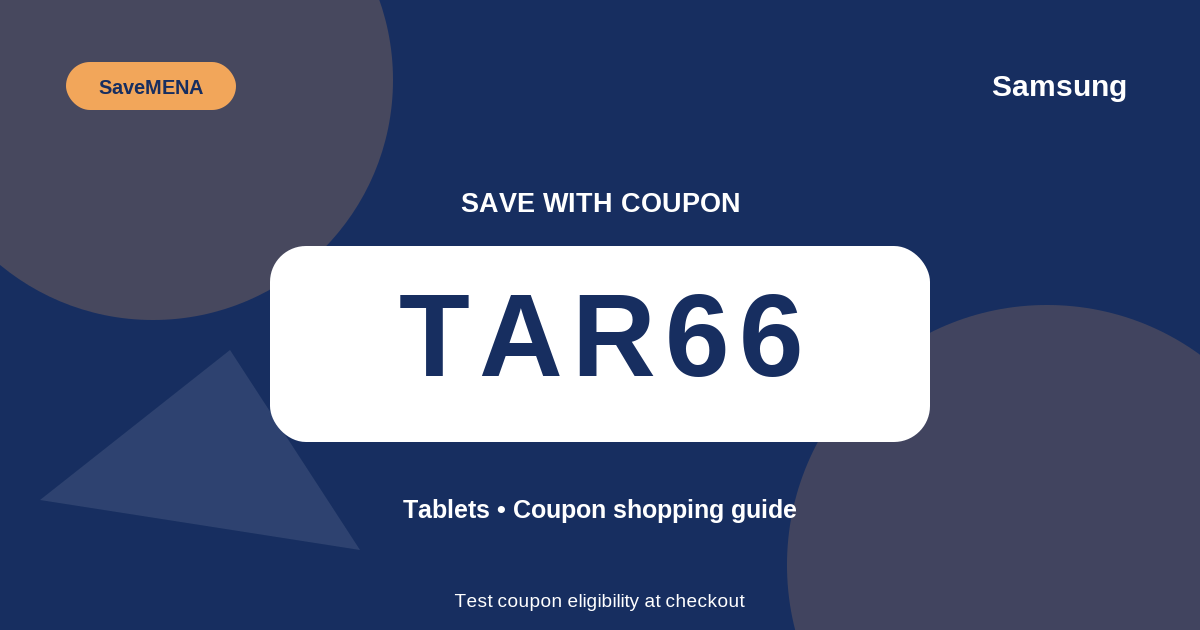
Codes available to try while comparing
These codes are not guaranteed for the article topic or listed brands; test them at checkout and use the live result.
1. Grasping Noon UAE Coupon Eligibility Fundamentals
Every coupon on Noon UAE has a set of eligibility criteria that may be tied to your account status, cart value, or promotional terms. These conditions are defined by Noon’s system and can change over time, so it is important to understand that the coupon’s validity will be confirmed at the point of purchase, not before. The TAR66 code is offered as a try‑out, meaning its acceptance depends on the calculation that Noon performs during checkout; the code itself may be accepted or rejected based on current store policies. Thus, verifying eligibility at checkout is the definitive test.
The account context is crucial: Noon distinguishes between individual accounts, corporate or family guest accounts, and users logged in through social media. Each profile type can affect how coupons are applied. For instance, a loyalty‑member account might have different rules for stacking discounts compared to a new‑user account. Your profile type and its associated status are considered automatically by Noon’s system when you enter the code, which means you need to ensure you are logged in with the correct credentials before proceeding to the next phase of the process. This streamlining reduces the risk of a coupon being deemed ineligible due to a silent account mismatch.
2. Selecting the Right Samsung Tablet for Your Needs
When you narrow your search to Samsung tablets, you’ll encounter a range of sizes, memory configurations, and accessory options. The model you pick may influence the final price, which in turn can determine whether the coupon code is applied. Noon’s catalog lists each device’s specifications, brand edition, and any available promotions, allowing you to compare the base price of a 7‑inch model against a flagship 10 inch version. This comparison helps set realistic expectations for the purchase amount and the potential impact of the coupon.
Additionally, Samsung tablets often feature optional accessories such as styluses or keyboard covers. Adding these items increases the cart total, and the coupon may be restricted to certain categories or product tiers. Knowing the exact SKU you intend to buy – including color or storage variant – prevents surprises when Noon evaluates eligibility.A coupon is not guaranteed; verify its result at the retailer checkout.
3. Locating the TAR66 Coupon in the Noon App
Once you’ve chosen your tablet, launch the Noon UAE app and sign into your account. From the home screen, navigate to the “Promotions” or “Coupons” section in the menu; this is where codified offers appear. The TAR66 coupon should be listed alongside other active offers, tagged with a brief description and any relevant usage limits. If it is not visible, double‑check that you are logged in with the correct account since the app may filter coupons based on your profile. The visibility of the coupon in the app confirms that it remains active and ready to be entered when you reach the checkout stage.
In the Noon app, you can also view a “Coupon Details” page by selecting the code. This provides context such as whether the offer is limited to specific brands, payment methods, or if there is a minimum cart value. While the app may not disclose the full technical eligibility logic—reserved for backend calculations—reading these details helps you assess whether the coupon is likely to be accepted. If the details all line up with your purchase (e.g., Samsung tablets, standard payment, cart total above any implied thresholds), you’ll be in a strong position to apply the TAR66 code successfully.
4. Applying the TAR66 Code: A Step‑by‑Step Guide
With your tablet in the cart, proceed to the “Review Order” screen. The Noon app displays your selected items, the subtotal, shipping option, and any taxes. Below the pricing summary, you’ll find an “Enter Coupon” field. Type TAR66 exactly as shown, ensuring no extra spaces or characters. After entering the code, tap the apply button. The app will instantly recalculate the visible totals; you may see a temporary “processing” shimmer while the system validates the coupon against the current cart contents and your account status.
If the code is accepted, the new reduced subtotal will be displayed, and a small tag indicating the coupon has been applied will appear beside the item line. Conversely, if the code is rejected, the screen will generally show an explanatory message such as “Unable to apply coupon” or a generic error. This immediate feedback lets you determine if you need to adjust the cart contents or account details before proceeding to payment. Remember that Noon’s validation is performed in real time, making it essential to act promptly after application.
5. Verifying Eligibility and Final Totals at Checkout
After the coupon is applied, advance to the “Checkout” phase. Noon lists all applicable charges: item cost, shipping, taxes, and any applied discounts. The final payable amount will be explicitly shown; it represents the amount that will be charged to your chosen payment method. If the TAR66 code is still recognized, you will see a positive offset; otherwise, the discount line remains empty and the amount stays unchanged. This is the definitive confirmation of eligibility: only after the system re‑calculates during checkout does it finalize the final amount.
In addition to totals, the checkout screen confirms that your delivery address and payment method are accepted. Certain offers may be limited to specific payment options, such as Noon Pay or UAE credit cards. If the coupon is applicable only to select methods, you’ll notice a prompt or a warning. Make sure your chosen payment method aligns with any such restrictions; otherwise, the discount may be lost even if the coupon code had previously shown as valid on the cart page.
6. Key Factors That Influence Coupon Eligibility
Eligibility hinges on several intertwined factors: the user’s account type (e.g., regular, corporate, family), the exact product variant selected, the chosen payment method, and the cart’s total value. Noon’s algorithm checks that all these criteria match the coupon’s hidden parameters before applying it at checkout. If your cart contains a mix of eligible and ineligible items, or if you switch between payment methods mid‑process, the coupon may drop out of scope. Staying consistent throughout the process reduces the chance of accidental ineligibility.
Another critical point is that Noon automatically disables coupons if the cart contains items subject to high‑value segments that conflict with certain discount rules. For a Samsung tablet, this is uncommon unless you add a high‑priced accessory. Technical issues—such as browser or app caching for web shoppers—can also prevent the coupon from being recognized. If such glitches arise, refreshing the page, clearing the cache, or re‑logging may reset the state and allow eligibility to be reassessed correctly.
7. Debunking Common Misconceptions About Coupon Usage
A coupon is not guaranteed; verify its result at the retailer checkout. In reality, Noon’s system reserves the right to evaluate each transaction individually during checkout. Thus, a code that seems active in the promotions list may still be rejected if your cart or account deviates from the hidden rules. Relying on first‑hand visibility alone can lead to disappointment when the final amount shows no discount.
Another misbelief is that one coupon can be stacked with another indiscriminately. Noon specifies stacking limits in the coupon details, but if the site does not explicitly state a “no stack” policy, it might still disallow additional offers. Attempting to apply multiple coupons simultaneously may trigger a failure for both. The safest practice is to apply the intended code, confirm its success on checkout, and then opt out of any other offers that could conflict.
8. Your Final Pre‑Payment Checklist to Lock in the Discount
A coupon is not guaranteed; verify its result at the retailer checkout. Verify that your chosen shipping destination is valid and that any required delivery options are selected. Double‑check that the payment method is one supported under the coupon’s terms, as Noon might restrict certain cards or wallets.
After confirming these details, take a moment to review the retail assurance and return policy associated with your tablet. A discount is valuable only if you can confirm the product meets your expectations. Complete the purchase, and your order confirmation will include a line summarizing the discount applied, serving as your final record of eligibility and savings for your reference.
Related SaveMENA pages
Related articles
Official sources to check
Frequently asked questions
How do I confirm my Noon UAE account type is eligible for the TAR66 coupon?
You can check your profile settings in the Noon app; it indicates whether you are a standard, corporate, or family account.A coupon is not guaranteed; verify its result at the retailer checkout.
Can I combine the TAR66 coupon with a Noon Pay reward?
Check the coupon details for stacking rules, but Noon typically prohibits simultaneous usage of a specific discount code and reward points. If your cart still shows “Unable to apply coupon” after adding rewards, the combination is likely disallowed.
What should I do if the coupon appears valid but the checkout screen shows no discount?
Refresh the checkout page or clear any app cache; sometimes a transient glitch can cancel the discount. Re‑enter the code after refreshing to trigger a new eligibility check.
Is there a minimum cart value requirement for the TAR66 coupon?
The coupon’s eligibility is determined by the checkout system, and no explicit minimum is advertised in the app. If your cart total falls below the applied threshold, Noon will automatically reject the code at checkout.