Adidas Women’s Fashion on Noon UAE: account eligibility — coupon eligibility · TAR71
To know if your Noon UAE coupon, TAR71, will apply before you hit the final payment button, perform a quick eligibility check while still holding the shopping cart
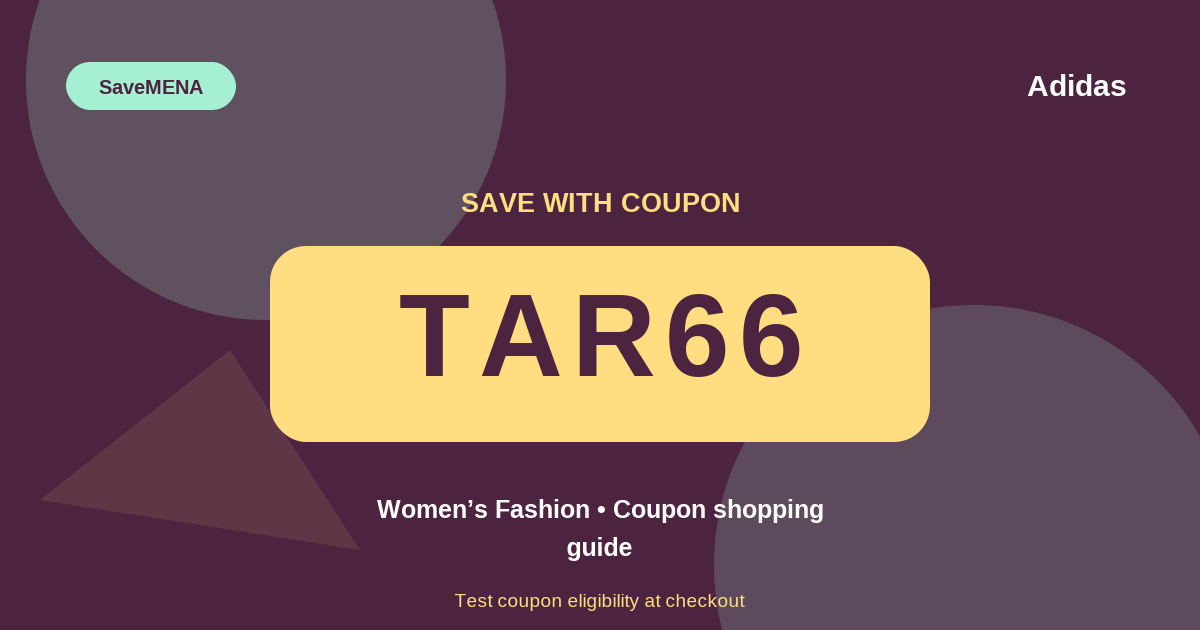
Codes available to try while comparing
These codes are not guaranteed for the article topic or listed brands; test them at checkout and use the live result.
1. Understand the Core Eligibility Rules
The Noon platform calculates coupon eligibility based on three core variables: the product category, the current cart subtotal, and the user’s account commerce state. For women’s fashion, the eligibility rule sits under a dedicated category flag, ensuring that only items tagged as “Women’ s Fashion” are considered. The product’s seller and SKU must similarly identify themselves as part of that category for the coupon to recognize them as qualified.
In addition to category compliance, Noon requires a minimum cart value threshold that is set by the coupon’s definition. Although the specific numeric value is not disclosed publicly, only orders that reach or exceed this threshold will receive the promotional discount. Checking your cart subtotal against the threshold is thus a quick way to know if the coupon might work before you proceed to checkout.
2. Verify Product Tagging and Brand Visibility
When you browse adidas women’s fashion items, each product listing contains a metadata tag indicating the brand name, size, color, and category. This tag should expose “adidas” and “Women’s Fashion” within the same record. A product that displays both tags is logically eligible for a coupon the coupon code the women’s fashion category, even if the brand focus is not explicitly mentioned in the coupon’s description.
To ensure the tag is accurate, open the product detail page, scroll to the attributes section, and confirm the presence of “Women’s Fashion” and “adidas.” If either attribute is missing or displayed incorrectly, the coupon may be rejected during checkout. This simple check avoids the frustration of a last‑minute discount denial.
3. Examine Your Account Commerce Context
Coupon eligibility can vary depending on whether the shopper’s account is classified as “Personal” or “Business.” The Noon app associates a commerce type with each registered profile, affecting how promotional codes are evaluated. A personal account generally has broader eligibility, whereas a business account may be subject to additional verification steps that can influence coupon applicability.
Access your account settings in the Noon app, locate the “Commerce Type” under Profile Settings, and confirm that your profile is set to the required type for the coupon. If your account differs from the recommended type, consider creating a temporary personal profile or contacting Noon support to discuss potential adjustments before applying the code.
4. Inspect the Coupon Availability Per Item
The Noon platform dynamically calculates coupon impact per SKU before the final order confirmation. When you add an adidas women’s fashion item to your cart and input the code TAR71, the app will display the adjusted line total instantly if the coupon is applicable to that line. A non‑applicable SKU will keep its original price with no discount visible beside it.
To confirm that the entire cart benefits from the coupon, examine the subtotal after all items are entered and the discount is applied. If you see a single line discount or no discount, trial other qualifying items or check whether additional items bring the cart to the required threshold.
5. Confirm No Min‑Spend or Stock Limitations
Noon’s discount system is designed to be transparent because it differentiates between category‑based and threshold‑based coupons. If the card as a whole reaches the threshold needed for a women’s fashion coupon, the system will allocate the discount to the entire collection of qualifying items. This rule is independent of individual stock limits, so you can add as many items as you want up to the allowed order volume.
Even though the coupon is open for trial usage, it does not impose exclusive purchase limits. If your cart includes out‑of‑stock items, those particular SKUs simply remain at their listed price. The rest of the qualifying items will still receive the discount if the overall amount meets the eligibility rule.
6. Seek Confirmation Via the Checkout “Review” Stage
Before finalizing payment, Noon presents a comprehensive review page that sums your shipping details, cart items, applied discounts, and total payable amount. This “Review” section is the point where you should verify the discount display before confirming the order. The coupon subtotal will appear underneath the itemized list.
If the discount line is missing, it indicates that Noon did not validate the coupon at the account, category, or product level. A common reason for failure is a mismatch between the coupon’s eligible category and the product’s tags. In that case, revising the cart or trying an alternative coupon is necessary.
7. Pay Attention to Time‑Sensitive Conditions
Coupon applicability on Noon can be subject to time constraints imposed externally by the store or by internal promotional windows. Even though the TAR71 code is available to try, it does not guarantee perpetual validity. If a time window has closed or the promotional event has ended, the coupon may not redeem at checkout.
A coupon is not guaranteed; verify its result at the retailer checkout. The code should still accept input, but an on‑screen message will inform you if the coupon has expired or if it is no longer eligible for your current cart.
8. Adjust Your Cart Strategy Accordingly
Once you have validated the coupon scope against your items, balancing the cart for maximum benefit becomes a deliberate strategy. For example, if your cart only includes a single adidas women’s fashion tennis shoe and the threshold for discount is high, supplementing your order with an additional size or color may bring your total to a qualifying level.
Keep in mind that the checkout remains the final reference for debit, tax, ancillary fees, and the ultimate discount amount. The app’s pre‑checkout checks are a helpful guide, but the final tally at payment determines the real savings or lack thereof.
Related SaveMENA pages
Related articles
Official sources to check
Frequently asked questions
What happens if my Noon UAE account is a Business account?
A Business account may apply additional verification steps that could impact coupon eligibility. Confirm your account type in Profile Settings and consider creating a Personal profile if you encounter unexpected restrictions during checkout.
A coupon is not guaranteed; verify its result at the retailer checkout.
Adding items helps cross the threshold, but the coupon will apply only if the total reaches the required minimum and all SKUs are tagged correctly. Check the Review page after adding items to confirm the discount line appears.
Can I rely on the coupon code if it was already applied in a previous session?
Past successful validation does not guarantee future applicability; promotional rules can change. Always re‑enter the code before checkout to verify current eligibility.
What should I do if the discount does not appear on the Review page?
Verify the product tags, your account type, and cart subtotal against the coupon’s requirements. If discrepancies remain, try an alternative coupon or adjust your cart composition.