ASUS Computer Accessories on Noon UAE: basket contents — coupon eligibility
When you’re ready to upgrade your work‑station, the first question you’ll face is whether Noon UAE’s coupon can cut costs on your computer accessories.
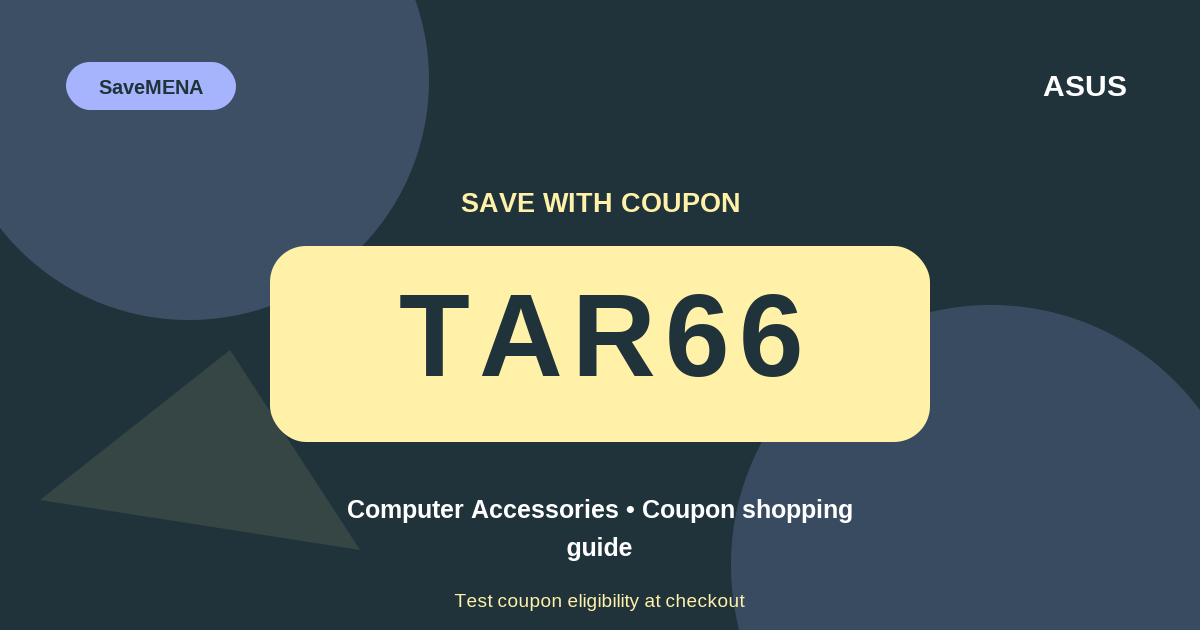
Codes available to try while comparing
These codes are not guaranteed for the article topic or listed brands; test them at checkout and use the live result.
Understanding Basket Composition: The First Step
Basket composition refers to the entire list of items you’ve added to your Noon cart. For a coupon designed to apply to all computer accessories, every eligible ASUS accessory—keyboards, mice, laptop stands, USB hubs—must appear in the same cart. If you mix a non‑accessory item, such as a headset that isn’t classified as a computer accessory, the total might fall out of the coupon’s scope. Thus, before you even consider coupon entry, examine each item’s category label in the cart; only those under “Computer Accessories” qualify for a potential discount under TAR66.
Additionally, watch the quantity of each product. Some coupons count each unit separately while others may require a minimum of one of each type. Even though we cannot guarantee TAR66’s specific rules here, you should verify that every ASUS accessory you intend to buy appears in the cart and that the overall list stays within the accessory category.A coupon is not guaranteed; verify its result at the retailer checkout.
Choosing the Right ASUS Accessories for Your Collection
Start by selecting ASUS accessories that align with your workflow goals. High‑resolution RGB keyboards, ergonomic mice, and supportive laptop stands are common picks. While Noon offers many variants, each supplier may list different sub‑categories (e.g., “Gaming” vs “Office”). Since the coupon eligibility is linked to the “Computer Accessories” tag, look for items labeled with that tag rather than generic product names. Pay special attention to the product description and seller notes, which often clarify the exact category used by Noon.
Once you’ve identified the ASUS items, add them to your cart. Keep the total number of items manageable; an overly large basket can make it harder to track eligibility when the checkout screen appears. Remember, you want a clear, concise list of eligible accessories before you test the TAR66 code.
Preparing Your Noon Cart: Checking Items Before Coupon Application
Open the Noon app or website, navigate to your cart, and review the item list. Each product should display its category and seller. Hover or tap the product title to ensure it shows “Computer Accessories” in its details. This verification step is critical because sometimes product categories are mislabeled or hidden behind other tags. If you find an item outside this category, consider removing it or keeping it in a separate basket for a different purchase if you still want it.
Scroll through the full cart to confirm no stray items slip in. A clean basket increases the likelihood that Noon will recognize the coupon as applicable. Once the list looks correct, it’s time to try the discount code before you finalize the payment.
How to Enter the TAR66 Coupon at Checkout
Proceed to the checkout page. When the payment summary appears, locate the “Enter Discount Code” field. Type TAR66 exactly as shown—case sensitivity often matters. After pressing “Apply,” Noon will process the code against the current cart contents. If the coupon is invalid for your basket composition, a message typically appears indicating why, such as “Coupon not applicable” or “Missing required items.” If it’s accepted, the discount will reflect immediately in the total price, but do not finalize the payment yet.
It’s common for Noon to display an intermediate deduction, but this is not the final confirmation of eligibility. Only after you confirm the payment details and proceed to the final summary screen does the platform lock the coupon’s status. Keep this step separate from the final “Place Order” action.
Verifying Eligibility: What Noon Shows at Checkout
After you apply TAR66, the checkout page should update the subtotal and show a “Discount applied” indicator if the coupon is active. A checkmark or a small note beside the discount amount often confirms validity. If Noon labels the discount as “Pending” or simply does not show any deduction, it means the coupon could not be validated for your current cart composition.
At this final step, look for any red or warning texts that reference the coupon. These messages instruct the buyer on what needs to change—such as adding a specific ASUS accessory or removing a non‑eligible item. Once the checkout panel confirms the discount, click “Continue” or “Proceed to Pay” to lock in the coupon.A coupon is not guaranteed; verify its result at the retailer checkout.
Common Pitfalls When Mixing Brands in Your Cart
Coupon eligibility can sometimes be confused by brand diversity. Even when TAR66 is advertised as a general computer accessories coupon, Noon may have specific restrictions that apply only to ASUS products. Adding a third‑party mouse or a generic SSD into the same cart can trigger a rule that reclassifies the entire basket as non‑eligible.A coupon is not guaranteed; verify its result at the retailer checkout.
Another pitfall is adding a product with a “bundled” status. Some sellers bundle an ASUS headset with a gaming headset, and Noon may label the bundle as a “Gaming” item. The last word is whether the bundle is considered a single accessory for eligibility. Review the bundle details, and if uncertain, remove one part from the cart until the coupon gets triggered by the clear ASUS accessory.
Ensuring Delivery Compatibility and Fees
Coupon eligibility assessments often ignore delivery logistics, but you still need to confirm that the courier and shipping fees won’t invalidate the offer. Noon calculates delivery charges after the discount is applied. Therefore, once you see the discounted price, check the “Delivery” section on the same page. If the delivery fee is high enough to offset the discount, the overall savings might be negligible.
Also verify that your delivery address is eligible for the same shipping options as the rest of your items. Mixed shipping zones can result in a different fee structure that could shift the final payable amount. Ensure all ASUS accessories share the same delivery region to keep fees predictable before you finalize the order.
Final Thoughts: Making the Most of Your Computer Accessories Purchase
With the coupon applied successfully, you need only two final steps: confirm the payment method and ensure you’ve verified the final total. Noon’s payment screen will show the full amount including any shipping and tax. If something seems off—such as a sudden increase in delivery cost—double‑check the cart to ensure no new items were added automatically during checkout.
Once you hit “Place Order,” the coupon’s benefit is locked in. Should the coupon fail for any reason, Noon typically shows a notice on the confirmation page, giving you a chance to remove the discount or adjust your cart. In any case, the organized approach of focusing on basket composition and the step‑by‑step checks above will give you the best chance to successfully apply TAR66 to your ASUS computer accessories purchase.
Related SaveMENA pages
Related articles
Official sources to check
Frequently asked questions
How do I know if the TAR66 coupon will work on my chosen ASUS accessories?
Check each product’s category tag on your cart—only items listed under “Computer Accessories” should count. After applying TAR66 at checkout, look for a “Discount applied” notifier. If it’s missing, the coupon does not meet the basket’s current composition.
Can I add a non‑ASUS accessory to my cart and still use the TAR66 coupon?
The coupon is intended for computer accessories in general, but many platforms reserve it for specific brands. If Noon’s eligibility check fails after adding a non‑ASUS item, remove it or keep it in a separate basket to preserve the discount.
Does adding more ASUS accessories increase my discount with TAR66?
Each additional eligible item may trigger the coupon, but the benefit typically depends on Noon’s hidden thresholds. Use the checkout screen to see how the discount adjusts as you add or remove items.
What if I see a delivery fee increase after applying the coupon?
Delivery fees are applied after discounts. If the fee rises, it will still count toward the final total. Ensure all items share the same delivery zone to avoid unexpected cost spikes.