HP Computer Accessories on Noon UAE: basket contents — coupon eligibility
A coupon is not guaranteed; verify its result at the retailer checkout. This guide explains exactly how to verify coupon compatibility at every stage of the
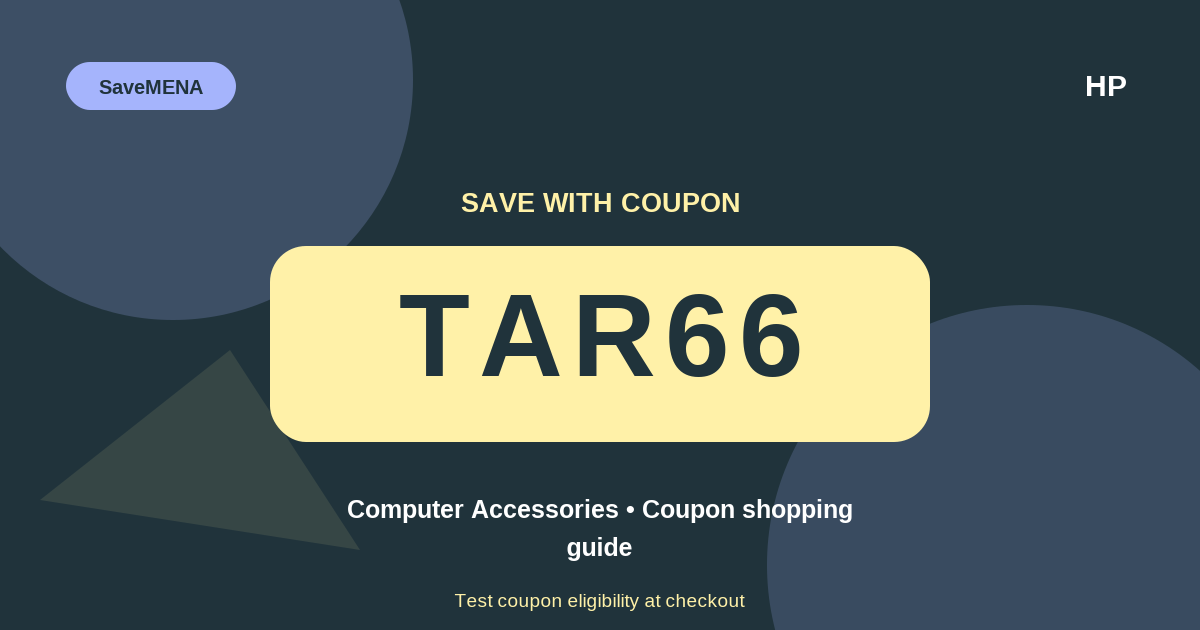
Codes available to try while comparing
These codes are not guaranteed for the article topic or listed brands; test them at checkout and use the live result.
1. Understanding Noon’s Coupon Mechanism for Computer Accessories
Noon’s coupon system evaluates eligibility based on the cumulative value and type of items added to the cart, not solely on individual product prices. For computer accessories like HP USB hubs or external SSDs, the system compares the basket composition against the coupon’s hidden criteria, such as category inclusion or total cart value threshold. Even if a single product meets the criteria, the final basket as a whole determines whether the code will activate.
Because each shopper’s basket can differ, the only reliable way to learn eligibility is to add the intended items, enter the code, and observe whether the discount appears. If it does not, you can adjust the basket composition—add or remove items—re‑enter the code, and test again until the coupon status aligns with your shopping goals.
2. Why HP Accessories Matter in Your Shopping Basket
HP offers a wide range of computer accessories, from ergonomic keyboards to high‑resolution monitors. When you include HP products, you are following a brand that Noon often partners with for exclusive promotions, so the likelihood of coupon compatibility can increase. However, eligibility still hinges on the overall value and mix of your basket.
To maximize chances of approval, you should include at least one HP accessory that is clearly marked as belonging to the computer accessories category.A coupon is not guaranteed; verify its result at the retailer checkout.
3. The First Step: Build Your Basket with the Right Items
Begin by adding each HP accessory you intend to purchase. List the items in a spreadsheet to keep track of SKU numbers, quantities, and retail prices. Common picks include an HP RoyalOS keyboard, a wireless mouse, or a 27” HP monitor—each item should list “Computer Accessories” as its primary category.
To see if the coupon will accept this mix, enter the code TAR66 into the coupon field. If the offer does not activate, remove one HP item, add a different HP accessory, or change the quantity. Re‑apply the code after each adjustment to test eligibility while maintaining a consistent basket structure.
4. Checking Eligibility: The Technical Process on Noon’s Site
Noon’s website will instantly display a “Coupon not valid” notification if the basket does not meet the unseen rules. This prompt appears before the product page even loads, indicating that the coupon’s prerequisites are not satisfied. See the message to choose which part of the basket requires change—whether quantity, category, or total amounts.
It’s best to keep the “Search” and “Category” parameters active while testing eligibility. If the system stops recognizing the code after clearing filters, re‑apply them and re‑enter the coupon. This quick loop helps you pinpoint the exact basket element preventing coupon activation.
5. What the Coupon Code TAR66 Can Be Tested For
The TAR66 offer remains a trial code; there are no guaranteed savings guarantees. By applying it at each checkpoint, you can see whether it triggers an implicit discount. If it does, your basket meets the eligibility conditions—otherwise, you’ll need to adjust your HP product mix to meet unseen thresholds.
Because the code is volatile, test it in a “guest” checkout first if you want to avoid analytics in your user account. This step helps you learn eligibility without tying any discounts to your main purchase history.
6. Common Eligibility Pitfalls for Computer Accessories
Higher quantities of single items can sometimes violate a “minimum order quantity” rule that a coupon might implicitly require. Likewise, mixing HP accessories with non‑HP items from unrelated categories can dilute the “Computer Accessories” basket, causing the coupon engine to fail.
Another frequent stumbling block is shipping fees; some coupons allow only orders above a certain spend threshold after subtracting delivery charges. To avoid being caught off guard, add delivery to your basket before testing the coupon, ensuring budgeting accuracy.
7. Final Checkout Verification and Payment Flow
Once the coupon activates—signaled by a red line indicating a discount—Go to the summary page to confirm that the final payable total reflects the coupon deduction. If the discount isn’t shown, the ballot has failed and you must revisit the basket composition.
At this final turn, review all payment options. The coupon’s impact should be reflected in the subtotal before you confirm the order. If no discount appears, double‑check that the pad price blocks haven’t changed during price updates.
8. Tips for Optimizing Your Purchase Post‑Checkout
Even if the coupon remains inactive, a disciplined approach to building your hip‑pease computer accessories basket can still bring value. Group HP accessories by delivery channel—home or office—to compare shipping times, and monitor price changes throughout the week to see if a later coupon becomes active.
Use the Noon app to stay notified of new flash deals, especially for HP brand categories. The app’s coupon FAQ often updates outdated information, giving you a clear path to re‑try the TAR66 code whenever it re‑opens eligibility.
Related SaveMENA pages
Related articles
Official sources to check
Frequently asked questions
How can I verify if the TAR66 coupon will apply to my HP accessories before checking out?
Fill your cart with your chosen HP accessories, then enter TAR66 in the coupon field. If a “Coupon not valid” message appears, adjust the basket—add/remove items or change quantities—until the coupon activates in the verification screen.
What happens if I add both HP and non‑HP items to my computer accessories basket?
Adding non‑HP items can dilute the basket’s category focus, making the coupon engine less likely to see the purchase as a pure computer accessories order, thereby reducing eligibility chances.
Do I need an account to test the coupon TAR66 on Noon?
Noon allows coupon testing as a guest, but you’ll get the best visibility of eligibility by logging in, as the site sometimes shows extra eligibility details only to registered users.
Is the coupon TAR66 tied to a minimum spend or specific seller?
No explicit minimum or seller is required for the TAR66 trial. Its eligibility depends solely on the current basket composition and category alignment as perceived by Noon’s algorithm.