ASUS Gaming on Noon UAE: basket contents — coupon eligibility
At checkout on Noon UAE, the first thing you need to confirm is whether the coupon code you plan to use actually applies to the items in your gaming basket.
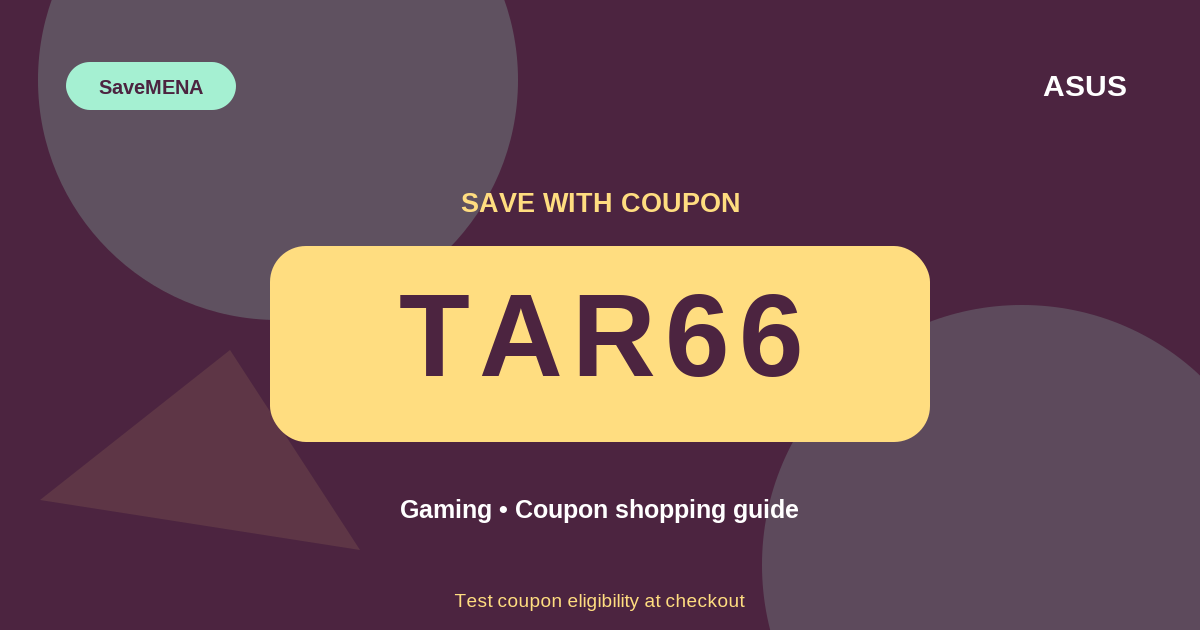
Codes available to try while comparing
These codes are not guaranteed for the article topic or listed brands; test them at checkout and use the live result.
Noon UAE Coupon Eligibility Unpacked
Noon UAE lists the eligibility of each coupon on the checkout page, usually under the “Apply Coupon” field. The description tells you whether there’s a minimum spend, a specific category, or a brand limitation. In gaming ASUS cases, you want to verify that the coupon’s terms do not exclude the hardware line you’re after, such as laptops, GPUs or accessories. Even a small wording like “Brand Exclusion” can rule out your purchase, so read it carefully. By paying close attention to this information before you finalize the basket, you reduce the risk that the coupon will be blocked at the last step.
Once you scroll to the bottom of the confirmation screen, the platform will display a color‑coded message if the coupon does not apply. A red notification means it’s ineligible, while green shows eligibility. Some coupons may appear in the list but will still be invalidated if you add an item that falls outside the acceptable criteria. You should check that every component—CPU, monitor, headset—fits within the “Allowed Categories” section of the coupon’s description. This early verification step will save you a lot of frustration later on.
Gaming ASUS Basket Composition Essentials
When assembling a basket for gaming, the choice of ASUS components matters a lot. Start with the main unit: a gaming laptop or desktop that meets your performance needs. Then add peripherals such as a high‑refresh‑rate monitor, mechanical keyboard, and headphone. Each of these items may come with different sellers, shipping options, and return policies that influence the overall cost. In Noon UAE’s interface, each product’s details are clearly labeled—seller name, delivery time, and whether the item ships free or not. Keep these details in mind when you add items to your cart.
Basket composition also includes quantities and configurations. If you’re buying a multi‑card GPU or an overclocked processor, ensure that the seller’s specifications match your expectations. In some cases, two identical items from separate sellers will be treated as separate line items during checkout, which could affect coupon eligibility. Make sure that the SKU codes are correct, and that no hidden bundle offers are altering your final price. By double‑checking these details, you protect yourself against later surprises.
How to Check Eligibility Before Payment
Before you proceed to the payment screen, load your cart and press “Proceed to Checkout.” On the next screen, you will find an “Apply Coupon” box. Enter the code TAR66, which is the coupon you intend to try. Notice whether the platform automatically shows a green check if the code is accepted. If you see a grey warning like “Coupon code not applicable to selected products,” you know it’s ineligible before you finalize. This is the first concrete opportunity to adjust your basket.
If the code seems accepted, scroll to the final details section. Here, Noon UAE lists subtotal, shipping, taxes, and other fees. The coupon discount, if any, will also be applied at this point. The best practice is to confirm that the coupon’s effect is reflected in the totals, and that no hidden fees appear after the deduction. If you see a misalignment—say the total did not decrease—you should edit your basket or seek alternative coupon codes.
Assessing Component Compatibility in Your Basket
One common challenge is that some ASUS gaming items may come in bundles that the coupon system treats as a single product. If your basket contains a pre‑built gaming PC and a separate GPU, the coupon checker might not see them as a unified “gaming build” category. In such cases, the coupon can be rejected unless you keep them under the same seller or combine them into a single listing, if the platform allows. Checking the seller information before adjusting quantities helps prevent this.
Another compatibility factor is the variant type—mid‑range versus high‑end processors, for example. The coupon’s eligibility might be limited to certain performance tiers. You should verify whether the specific variant you’re buying meets the coupon requirements. If you are unsure, it is safer to either choose a variant that explicitly states eligibility or to test a different code at checkout.
Applying TAR66: What to Expect
The TAR66 code can be applied freely in the coupon field as long as your basket fits the eligibility rules Tot note. If the code triggers approval, you will see an updated estimate of the final payable amount. The discount is applied on the subtotal of eligible items. Because it is a try‑out coupon, its effect may be variable and is not guaranteed for every combination. UAE shoppers should always be prepared for a case where the code is accepted but the coupon does not produce a substantial saving.
When you place the order, check the “Order Summary” again to see how the discount applied. This summary will show the amount before the coupon and the final amount after the coupon, but again no specific number will be given. If the code ends up not reducing the price, you still have the chance to remove an item or adjust your basket for a potentially more compatible coupon.
Maximizing Value with Multiple Items
Even if a single ASUS part is not eligible, combining it with other gaming accessories might cross the necessary thresholds. For instance, adding a gaming headset or a high‑refresh‑rate monitor can adjust the basket to meet the “Minimum Spend” or “Required Category” of a coupon. VAT and shipping costs may also be affected by basket size, which influences the visible totals after coupon application. Use the system’s real‑time calculator to see how the cumulative totals change as you add each item.
When dealing with multiple sellers, some coupons apply only to a single seller’s items. That means you might need to split your purchase or consolidate it through one seller to keep the coupon active. Keep an eye on the seller badge and the product rating in your cart. When you hit “Checkout” the platform prompts you if the coupon will be available for each seller individually. Adjusting these details before final payment can improve your savings.
Handling Promo Code Expiry and Rules
A coupon is not guaranteed; verify its result at the retailer checkout. This date is not listed in the article to avoid misinformation, so check the Sho& copy at the time of checkout. If the deadline has passed, the code will automatically show a red error message. In such a case, you will need to look for alternative discount methods.
If the coupon has usage limits like “one per customer,” you should confirm that you have not already applied it in a prior purchase. The platform tracks coupon usage per account and will prevent duplicates. To avoid being blocked, keep note of any past orders that used the same coupon and choose a different promotional strategy if necessary.
Final Checklist Before Finalizing Checkout
Before you hit “Place Order,” run through a quick audit of your basket. Make sure every ASUS item has the correct variant, and that all items are sorted under sellers that allow coupon usage. Uncomment preview the order summary, confirming that the coupon was applied correctly and that there are no hidden fees. Pay attention to the delivery window, and ensure it aligns with your availability.
In case you discover eligibility issues at this last step, it is still possible to edit the cart or remove items outright. The interface allows you to apply new coupon codes even after the initial attempt, but any changes could invalidate the current code. Hence, finish the cart one final time, then confirm the purchase. By following this workflow, UAE shoppers can confidently use Noon UAE coupons for gaming ASUS products.
Related SaveMENA pages
Related articles
Official sources to check
Frequently asked questions
How do I know if TAR66 applies to my ASUS gaming laptop?
At checkout, enter TAR66 in the coupon field. If the platform displays a green check and the total reflects a discount, the code applies. If it shows a warning or no change, the code does not apply to that item. Check the coupon's description for brand or category restrictions.
Can I combine TAR66 with other discounts or free shipping?
Coupon codes on Noon UAE are typically applied before shipping fees. If free shipping is part of another promotion, it may still apply after the coupon deduction. Be sure to review the final order summary to confirm both discounts are reflected.
What happens if my order is split between multiple sellers?
Some coupons apply only to one seller’s items. If your basket contains items from different sellers, the coupon might not apply to all of them. Review the summary for each seller and adjust if needed.
Is the TAR66 coupon valid for all gaming accessories on Noon UAE?
Only items that match the coupon’s eligibility criteria will benefit. Usually this includes certain ASUS gaming components or accessories as listed in the coupon’s details. Check the description for exact applicability before purchasing.