Anker Headphones on Noon UAE: basket contents — coupon eligibility · TAR64
Want to know how to check coupon eligibility before payment? This guide takes you straight through the Noon UAE checkout steps for headphones, focusing on basket
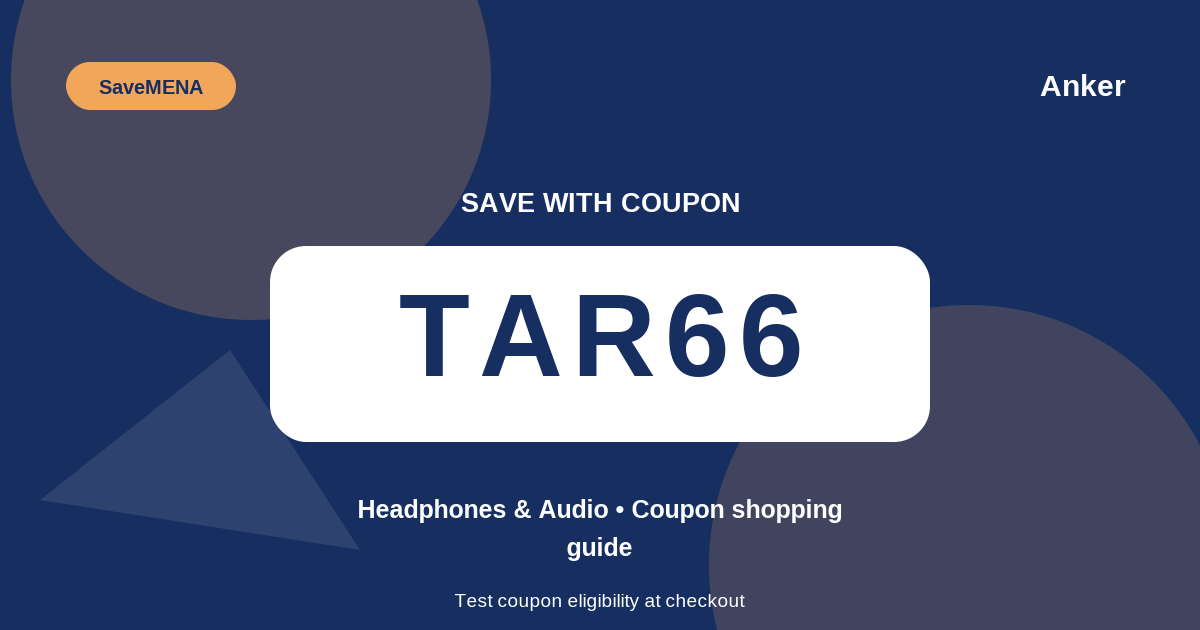
Codes available to try while comparing
These codes are not guaranteed for the article topic or listed brands; test them at checkout and use the live result.
1. Why Coupon Checks Are Crucial for Headphone Purchases
Online shoppers often assume discount codes work automatically once applied, but the reality is that each retailer has a unique set of restrictions that can change at any time. By checking your eligibility before the final payment step, you can avoid the frustration of a sudden price hike or a denied coupon at the last minute. For headphones, a considerable portion of buyers use specific brands like Anker, so confirming that your headset is supported by the coupon before you reach the cart helps you stay one step ahead of potential eligibility hiccups.
Another benefit of a pre‑payment check is that it gives you the chance to restructure your basket composition if necessary. If the coupon requires a single‑item purchase or excludes bundled accessories, you can relocate items to another cart or remove them before cashing out. This flexibility can help you preserve the discount you’re hoping for by simply adjusting what’s currently in the basket.
2. Building the Right Basket for Headphone Deals
The composition of your basket is one of the most influential factors in coupon eligibility. For headphones, especially those from popular brands, ensuring that each product meets the unspoken rules of a coupon can have a direct effect on whether the discount applies. If you’re shopping on Noon UAE, look out for any product restrictions that may be listed in the promo description or on the checkout page. Verifying the presence or absence of such constraints is the first part of the eligibility puzzle.
When you add Anker headphones to your basket, also pay attention to whether the product listing notes any special conditions, such as “not compatible with certain coupons.” This information is typically found beneath the price. If the listing is silent, it often implies that the item can be paired with promotions; however, this is not guaranteed, so stepping through the subsequent checkout steps remains essential.
3. Noon UAE’s Checkout Flow for Headphone Orders
Noon’s checkout interface is divided into clear stages: cart overview, delivery details, payment method, and final confirmation. In each of these stages, the system checks the basket for any coupon restrictions that might prevent the discount from applying. The cart overview lets you see the total cost of each headphone, while any applicable coupon eligibility tags are shown next to the item. If the tag indicates “not eligible,” the system will automatically remove the coupon from the total.
Once you have confirmed the delivery date and method, the payment screen shows the final payable amount. This is the checkpoint where you will confirm any discount from the TAR64 coupon and see whether it has been granted or rejected. If the discount is not applied, a note will appear next to the coupon field explaining the ineligibility reason, such as an incompatible category or composition issue.
4. A Practical Guide: Verifying Coupon Eligibility in Your Basket
Start by selecting the headphones you want—let's say an Anker model. Add it to your cart and click the checkout button. On the cart page, search for the coupon field. If you’ve already applied the TAR64 code, the system will show whether the code is recognized or rejected. If the code is unrecognised or you see a “Not eligible” note, compare that to the official description attached to the coupon. This description is usually displayed on Noon’s coupon page before you copy the code.
Next, look for any indicators stating “eligible only for single‑item purchases” or “excludes accessories.” If your basket contains more than one headphone, or you have added an accessory like a wireless charging pad, the coupon may be automatically disabled. Remove or move those items out of the basket, then refill the coupon field to see if the discount now appears. This iterative process guarantees you see the real-time impact of basket composition on your final price.
5. Anker Headphones: Combining Quality with Coupon Potential
When you’re comparing headphones, brand reputation often comes first—but cup eligibility plays a hidden role too. Anker headphones are frequently chosen for their sound quality and reasonable pricing, but you must verify if the TSA-only coupon allows those products. If you locate a clearance flight for a new Anker model, adding it to a basket that contains only eligible headphones will likely keep the coupon active.
Comparing multiple Anker models side‑by‑side can also help you determine which pair fits your basket’s eligibility restrictions. For instance, a mid‑range Anker headphone might allow the coupon under a minimum purchase rule, whereas a premium model might not. Use Noon’s filter options to run a “coupon eligible” search if the platform offers it, but remember any filtering that refers to grey‑listed products usually indicates a coupon incompatibility. Confirm before you add.
6. Debunking Common Misconceptions About Coupon Applicability
Some shoppers believe that all coupons are universally valid, especially when they’re shared on social platforms. For Noon UAE, you’ll discover that many coupons only apply to certain product categories, and that basket composition—such as product quantity or accessories—matters a great deal. If you’ve seen a coupon note that says “All headphones” but the checkout denies it, that shows that the description may not always match the real check.
Another myth is that coupons auto‑apply if present in your cart. The reality is that you must actively enter your code in the coupon field and hit “apply.” Even then, the system cross‑checks the code against the current cart composition and if any parameter doesn’t match, you’ll see no benefit. Understanding this nuance prevents wasted time on a coupon that will simply be turned off.
7. Using SaveMENA’s Resources for Smarter Cart Management
SaveMENA publishes frequent updates on coupon availability, but it remains an independent source with no direct ties to Noon. Their articles can act as a reference checklist for what a "coupon eligible" checkout might entail. Use the SaveMENA guidance to cross‑reference your perpendicular sources but always confirm at Noon’s final checkout step before you finalize payment.
If there’s ever a discrepancy between the coupon eligibility shown in the cart and the final payment screen, the latter is decisive. SaveMENA acts as a preliminary guide, while Noon’s checkout design is the ultimate authority on whether your chosen headphones qualify for the TAR64 discount. So when you’re stuck, rely on the official page for the final verdict.
8. What to Do if the Coupon Doesn’t Apply in the Final Payment
Should the TAR64 code be ruled out after you hit checkout, your first step is to read the message that appears next to the coupon field. It typically states the reason—whether it’s an incompatibility with an accessory, a minimum spend requirement, or a restricted product category. Once you know the exact hurdle, you can adjust your basket accordingly by removing or moving the problematic item.
In some cases, an eligible bundle or single‑product purchase may still qualify, but not if you’ve added extras like a protective case. Removing those extras, then retrying the coupon field, can quickly clear the way for the discount. If all adjustments fail, use this as a reminder that the coupon is available to try but not guaranteed to work for your specific basket.
Related SaveMENA pages
Related articles
Official sources to check
Frequently asked questions
How can I confirm the coupon code works before I hit the final payment?
You can verify by entering the TAR64 coupon in the “Coupon” field on the cart or checkout page. If the system accepts it, a savings figure will appear next to your total. If it’s rejected, a note will explain the ineligibility reason.
Can I apply the coupon to any headphones brand?
Coupon eligibility depends on the retailer’s current policy, which isn’t publicly disclosed beyond the coupon description. Only items that match the listed conditions will apply. Check the cart screen for eligibility tags next to each headphone.
Does the coupon work if I buy multiple headphones in the same order?
That depends on the unseen coupon rule. Some coupons require a single-item purchase, while others are open to multiples. The checkout screen will show whether the discount applies to the whole order or not.
What if my coupon is stated as “available to try” but never applies?
“Available to try” means the code is honored in the system but doesn't guarantee a discount. The final checkout step is the definitive check—if it shows no savings, the coupon didn’t apply for that particular order.