Makeup on Noon UAE: basket contents — coupon eligibility
When you shine out a new beauty product on Noon, the temptation to use every coupon you can find rises.
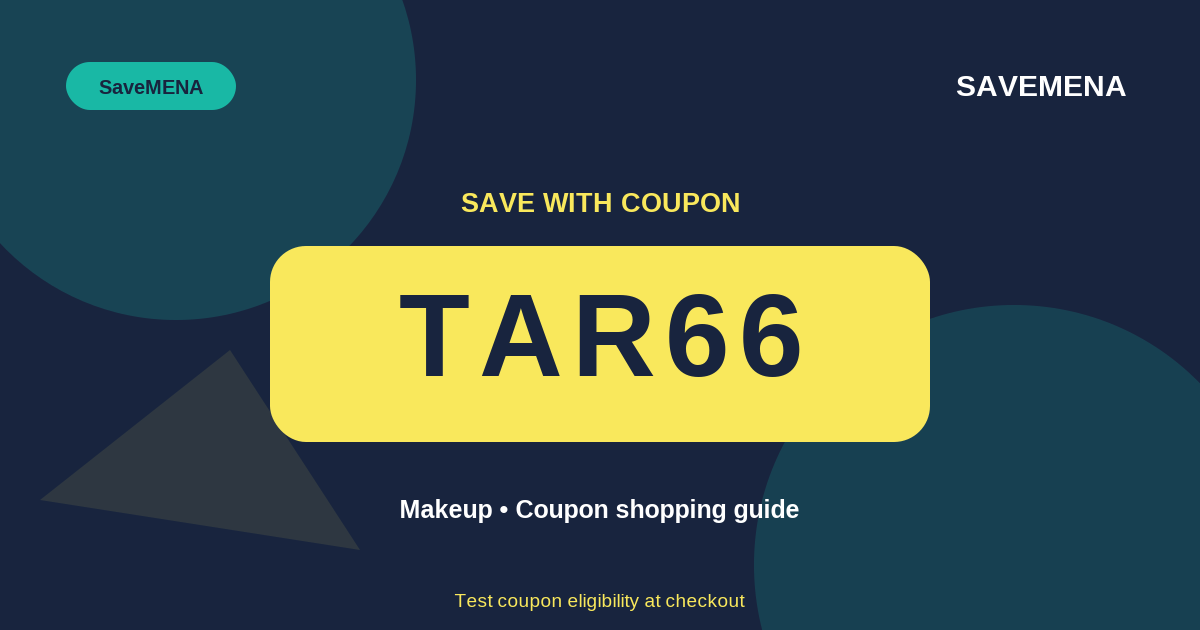
Codes available to try while comparing
These codes are not guaranteed for the article topic or listed brands; test them at checkout and use the live result.
1. Understanding Noon UAE Coupon Eligibility Rules for Makeup
Coupon eligibility on Noon is governed by a set of conditions that tie the code to product categories or specific items. For makeup, the coupon may accept a range of categories such as foundations, lipsticks, or eyeshadow palettes, but may exclude highly discounted or clearance items. Since the focus is on makeup basket composition, you should check that every product you intend to buy falls within the coupon’s “eligible” list before proceeding.
Furthermore, some coupons have size or variant restrictions – for instance, a particular shade of a lipstick might not be covered. Make sure to review the product description or the “Eligible for coupon” tag on Noon’s product page; this will reduce the risk of a coupon being rejected when you finalize your payment.
2. Mapping Your Makeup Basket: Essential Items for Coupon Eligibility
Start by listing all makeup items you plan to buy. Group them into broad categories: foundations, concealers, palettes, mascaras, primers, and finishers. Any item that falls into these boxes is more likely to be accepted by the coupon. However, beware of sub-categories: a “Sun Protection Primer” might be excluded if the coupon is only for pure makeup coverage. This mapping step ensures you are aware of any possible exclusions.
When you add a product to the cart, Noon automatically flags it as “Eligible” or “Not Eligible.” Pay special attention to this flag; it reflects the exact basket composition that the coupon will evaluate at checkout. If a marker shows “Not Eligible,” move it to an alternative product or remove it from the basket to safeguard the coupon’s applicability.
3. Step-by-Step: Verifying Coupon Eligibility Before Checkout
Once your basket is populated, open the cart screen on Noon’s website or app. Here you’ll see a summary of items, prices, and any discount that becomes active after applying your coupon code. At this point, type “TAR66” into the coupon field and hit apply. The system will process the code and instantly recalculate the total. Observe if the discount appears; if not, a red flag appears indicating that one or more items are ineligible.
If the discount is applied, double-check that the amount shown matches the basket’s composition. Should the coupon not be applied, hover over the “Coupon not applied” notice to identify which products triggered the failure. Adjust the basket’s composition by swapping excluded items or altering the quantity, then reapply the code until the coupon is successfully recognized.
4. Common Misconceptions About Coupon Validity for Makeup Products
A frequent belief is that all makeup items automatically qualify for every coupon. In reality, Noon may whitelist certain brands or product lines; the “eligible” label on product pages confirms this. Misreading a coupon’s terms often leads to disappointment at checkout, when the discount vanishes on the payment page.
Another misconception is that coupons apply to sales prices. Some coupons only activate on the regular list price and may ignore items already on clearance. Therefore, always verify the list price, not the discounted price, when assessing eligibility. If you’re unsure, contact Noon’s customer support to confirm the coupon’s exact scope before finalizing purchase.
5. Tips for Managing Your Makeup Basket Composition to Maximize Savings
Strategically arranging items in your basket can increase the probability of coupon acceptance. One tactic is to place high‑value, frequently used products like foundations or shades of contour pencils first; these often trigger coupon eligibility. Next add limited‑edition or seasonal palettes, which may still qualify if the coupon the coupon code the palette category.
To further refine the basket, remove any product that is marked “Not Eligible” prior to checkout. Savings are usually determined after all eligible items are added; thus, keeping the basket lean removes the risk of an unexpected disqualification due to a single excluded item.
6. How to Handle Excluded Items and Stock Variants in Your Makeup Basket
When a makeup item is flagged as excluded, explore alternative variants that might be covered. For instance, a high‑coverage foundation shade might be excluded, but its matte counterpart could be eligible. Selecting the correct variant from Noon’s selector can turn a non‑eligible item into a qualifying one.
Stock limitations can also affect eligibility. If a specific shade has run out, Noon sometimes substitutes a similar shade that is still in stock and might qualify for the coupon. However, the substitution may change the product’s eligibility status; always review the updated item information before finalizing the order.
7. Using the Noon App: Best Practices to Confirm Coupon Eligibility
The Noon mobile app offers a streamlined coupon application interface. After adding all makeup products, navigate to the cart icon, then tap “Apply Coupon.” Enter “TAR66” and observe a real‑time update. If the discount isn’t applied, use the “Help” icon to view a tooltip explaining why the coupon failed.
Mobile users benefit from instant push notifications that alert you to changes in product status, such as a newly eligible item or a price adjustment that reinstates coupon capability. Keeping the app up to date ensures you receive the latest eligibility visual cues.
8. Final Checklist: Ensuring Your Makeup Basket Meets Coupon Criteria
Before you proceed to checkout, run through a quick checklist: 1) Verify every product is marked eligible; 2) Apply the coupon “TAR66” in the cart; 3) Confirm the discount appears in the order summary; 4) Check the final payable amount matches expectations; and 5) Review any hidden fees or charges that may affect the total.
After the discount is confirmed, scroll to the payment method page. Noon’s checkout is the endpoint that validates coupon applicability; if you see a green tick next to “Coupon applied,” you can safely complete the purchase. Otherwise, revisit your appliance process or consider removing the problematic item.
Related SaveMENA pages
Related articles
Official sources to check
Frequently asked questions
What should I do if my receipt shows the coupon was not applied at checkout?
If the receipt indicates the coupon was not applied, revisit the cart and ensure “TAR66” was entered correctly. Confirm each item remains eligible and that no inventory changes occurred. If the issue persists, reach out to Noon’s customer service through the app or website for clarification.
Can I use the TAR66 coupon on a product I’ve already purchased?
Coupons typically apply only to the current transaction at the time of purchase. If you want to use TAR66 on a previously bought item, you would need to reorder it or request a re‑delivery, subject to Noon’s return and exchange policies.
Does the SKU or variant of a makeup product affect its coupon eligibility?
Yes; certain SKUs or shades may be excluded. The product page on Noon will display an “Eligible for coupon” indicator for each variant. Always select the variant that carries the eligibility flag before adding it to your cart.
Will the TAR66 coupon apply to my next purchase if I don’t complete the current order?
Coupons on Noon may be single‑use or time‑bound. The best practice is to apply and confirm the discount while you remain logged into your account. Saving a cart for later does not guarantee the coupon will still be valid at checkout.