Samsung Mobile Accessories on Noon UAE: basket contents — coupon eligibility
A coupon is not guaranteed; verify its result at the retailer checkout. This guide walks UAE shoppers through every step of the process, from verifying Samsung
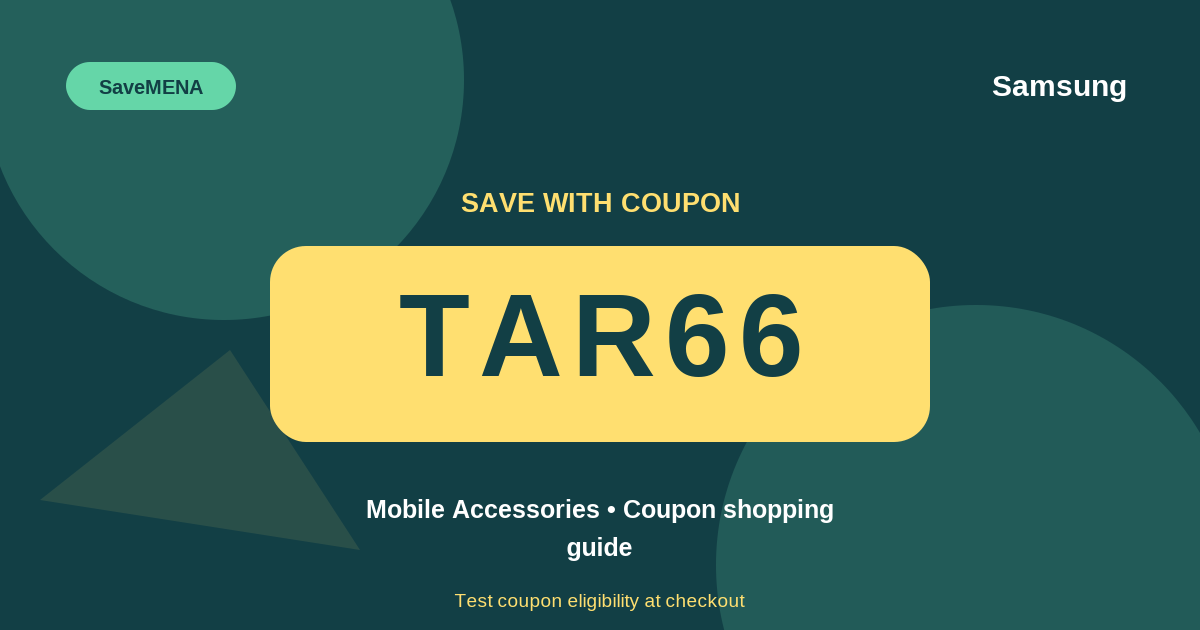
Codes available to try while comparing
These codes are not guaranteed for the article topic or listed brands; test them at checkout and use the live result.
Understanding Coupon Eligibility Basics
Before even opening your cart, it’s helpful to know the typical criteria that coupons rely on. For Noon UAE, eligibility usually hinges on the presence of certain categories or brands in the basket, a user’s account status, and sometimes a minimum spending threshold. Although the coupon code TAR66 is offered for a “try” experience, it’s not guaranteed to trigger a discount. Knowing the broad rule set can help you snapshot whether the code should react positively when it runs through the checkout engine.
Coupon logic is invisible once you hit “Checkout.” The only accurate indicator that a coupon is eligible sits in the final payment screen, where the discount line appears or disappears. If you notice the code isn’t applied, you can double‑check the pieces that normally drive eligibility—such as the total amount of items you’ve added, the nature of those items, and the selected payment method—before spending time troubleshooting late in the process.
Checking Basket Composition for Samsung Mobile Accessories
Because Samsung mobile accessories fall under the broader mobile accessories umbrella, the first thing you’ll want to do is confirm that all Samsung products in your basket truly qualify. In your cart summary, review every item’s brand field and product category. If you see a mix of branded and generic accessories, note that some merchants might apply different terms to each SKU. For this coupon, any Samsung accessory—case, charger, or audio gear—should ideally be present to maximize your chances of eligibility.
Basket composition is more than a brand filter; it also considers the quantity of items. If you’ve added only a single Samsung accessory, the checkout engine may still consider the basket eligible, but the code’s trial nature means you cannot rely on a discount. Aim to have at least a couple of items or a combination of a Samsung product plus a complementary accessory from the same category in your cart.
Using the SaveMENA Guide to Verify Coupon Application
SaveMENA serves as an independent overview of what you might expect from the coupon code TAR66. The guide advises shoppers to paste the code into the discount field during the final payment step and watch for the real‑time response. If the code is validated, the discount line will appear, signalling that the coupon is eligible for the current basket composition. If nothing happens, the code is simply not applicable.
Because the coupon is “available to try,” SaveMENA highlights that the absence of a discount does not automatically mean the product or basket is ineligible; it may be a temporary engine glitch or a short‑term restriction on the code. Always confirm the status at checkout rather than relying solely on the guide’s suggestions, as live server data can change with each session.
Recognizing Seller and Product Constraints
On Noon, sellers may set specific restrictions that override generic coupon eligibility. These include vendor‑specific expiry dates or minimum order amounts that are not publicly exposed. After filling your cart with Samsung mobile accessories, examine the seller’s name in the cart details. To avoid surprises, note whether the seller is a merchant you have dealt with before or a new vendor, as new merchants may impose stricter checkout rules.
Another consideration is product variation. A Samsung charger might come in two variants—wired and wireless—each listed under the same brand but as separate SKUs. If you add only a wireless charger that’s not recognized under the coupon’s logic, the code might fail. Checking the variant ID in the cart can reveal whether the merchant allows the coupon for that specific SKU.
Managing Cart Totals and Delivery Fees
In online marketplaces, the total amount shown before checkout typically reflects only the product price. Delivery fees, especially for the UAE market, can be added at the final payment screen or calculated separately based on the delivery address. Since coupons are processed against the final payable total, the inclusion of delivery costs can affect eligibility.
To maintain a consistent basket composition, keep an eye on the running total in the cart page and compare it with the final total once you’re in the payment module. If delivery charges push the amount over a threshold, the coupon might still apply, but it’s wise to double‑check the subtotal before confirming your order.
Handling Payment Method Nuances
Checkout engines sometimes tie discount codes to specific payment methods. When you’re ready to apply TAR66, ensure that the payment method chosen aligns with the code’s applicable channels. For example, if the coupon was initially tested with a card payment, try the same method before switching to e‑wallet or cash on delivery, which may not support the discount logic.
Each payment channel may trigger a slightly different validation backend, and slight variations in the user’s checkout flow can influence whether the coupon is accepted. Use the same method that you used in earlier trial runs of the coupon, so you don’t inadvertently switch to a channel that silently ignores the discount.
Final Checkout Confirmation and Common Pitfalls
When you reach the final summary, you’ll see a breakdown of product prices, delivery charges, taxes, and any discount applied. This is the definitive place to verify that the coupon code TAR66 has been accepted and that your basket composition meets the necessary thresholds. If you don’t see a discount line, the code wasn’t applied, and the final payable total will reflect your full basket cost.
Common pitfalls include forgetting to clear the cart of unrelated items, which can inadvertently alter the basket composition. Another frequent issue is not refreshing the checkout page after adding a new item. Make sure the cart updates fully before submitting the coupon code to avoid missing a valid discount application.
When to Seek Additional Help or Support
If after several attempts the coupon code TAR66 still doesn’t apply, it may be wise to contact Noon customer support. They can confirm whether the code is active for your region, whether it has a temporary restriction, or whether your order’s composition has been flagged. A support ticket or live chat can provide clarification that the checkout page alone may not reveal.
In cases where you can’t resolve the issue directly, you might consider checking the SaveMENA community forums or social media channels. Though SaveMENA is independent, many users share real‑time updates on coupon performance and can help validate whether you’re encountering a broader issue with the code’s availability in the UAE market.
Related SaveMENA pages
Related articles
Official sources to check
Frequently asked questions
What does "coupon available to try" mean for TUR66?
Categorizing the code as "available to try" indicates that you can input TAR66 during checkout to confirm eligibility, but there is no guarantee it will provide any discount on your order.
A coupon is not guaranteed; verify its result at the retailer checkout.
Not necessarily. Eligibility depends on current coupon logic and seller restrictions, so adding more items can increase the chance, but it’s not a guarantee.
Can I use the coupon with any payment method?
The coupon may perform differently based on the payment method used. To maximize chances, use the same method that was originally tested.
Where can I check if my coupon code was accepted?
Review the final payment screen. If a discount line appears beneath the total, the coupon was accepted; if not, it was not applied.