Huawei Mobiles on Noon UAE: basket contents — coupon eligibility
How to check coupon eligibility before payment for your Noon UAE mobile basket is crucial when looking to save on Huawei phones.
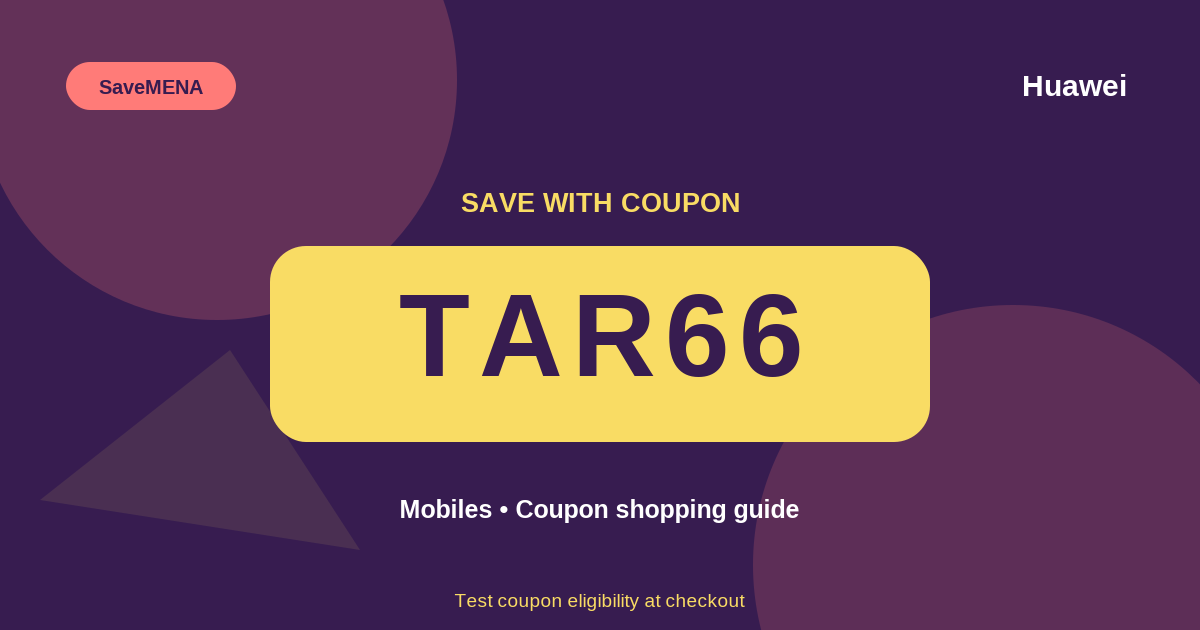
Codes available to try while comparing
These codes are not guaranteed for the article topic or listed brands; test them at checkout and use the live result.
1. Understanding Noon UAE Coupon Eligibility
On Noon, coupon eligibility is governed primarily by the seller’s policy and the product category. For mobile phones, the seller must have designated coupons as selectable during payment. The TAR66 code is listed as available to try, which means it can be entered, but the platform will validate if it applies after the basket is formed. You should verify that your chosen Huawei model is sold by a seller who supports the coupon before proceeding. This initial check eliminates the risk of a failed application at the last moment.
Keep in mind that Noon’s coupon engine doesn’t disclose discount percentages, minimum spends, or expiry details publicly. Therefore, every user must rely on the checkout screen to confirm activation. Once the basket contains eligible items, the code entry field will reveal whether the coupon has been accepted or rejected. This dynamic validation is essential to avoid unexpected payment overloads after confirming a purchase. Users should always stay prepared for the possibility that the coupon will not apply to the specific Huawei device or bundle chosen.
2. The Role of Basket Composition in Coupon Application
Basket composition—meaning the exact mix of products, quantities, and sellers—directly influences coupon activation. A Huawei phone alone may be eligible, but adding a protective case or screen protector from a different seller could alter the total eligibility. Coupons on Noon typically apply only to the sum of items sold by qualifying sellers in a single transaction. If a third‑party accessory is added from a seller that has not tied the coupon to their catalog, the discount may be voided.
To maintain eligibility, keep the basket focused on items from the same seller whenever possible. If you must mix items from multiple sellers, double-check each seller’s policy in the product detail page or by contacting customer support before adding to the cart. This proactive step ensures that the basket does not inadvertently become ineligible due to a non‑qualifying accessory or bundle. A clear view of the basket composition reduces the chance of a surprise rejection when you attempt to use TAR66.
3. Steps to Add Huawei Mobiles to Your Basket
Begin by searching for “Huawei” on Noon and filtering by brand. Each product listing will show the seller’s name, phone specifications, and price. Add the desired Huawei model to your basket directly from the product page. When adding, you can specify the quantity and confirm any optional add‑ons that are included in the same seller’s offer. These options should be visibly listed on the product detail page, not during checkout.
After adding the Huawei phone, review the basket summary. The interface will display each item, the seller, the quantity, and the subtotal. Verify that the phone appears under a single seller consistent with the coupon’s eligibility. If you plan to add more Huawei devices for a bulk discount, ensure they all come from the same seller. This uniformity is a key factor for the TAR66 code to recognize the basket as eligible at the checkout.
4. Checking Eligibility Mid‑Add‑On: Quick Tips
While adjusting your basket, Noon allows you to view an instant eligibility warning. If the selected items include multiple sellers, a small notification may appear, indicating that coupon applicability is uncertain. Hovering over or clicking the notice typically reveals a brief explanation that the coupon has not been confirmed due to the seller mix. This real‑time feedback saves you from proceeding with an ineligible basket.
Use this feedback proactively: if you notice a warning, either remove the offending item or replace it with an equivalent from the same seller. Adjusting the bag before finalizing the payment is the simplest method to keep the TAR66 coupon’s potential intact. Always double‑check the final basket view before leaving the product page; this is the last chance to correct composition errors before checkout.
5. Finalizing Basket: Avoiding Common Pitfalls
Before hitting “Proceed to payment,” scroll through the checkout screen to review seller details, the total amount, and delivery options. Noon sometimes inserts sold‑by‑third‑party shipping fees or separate delivery charges that can affect coupon applicability. Checking that all items share the same seller and that no unsaved add‑ons are hidden is critical. If a hidden fee appears, the coupon may no longer apply.
Another frequent pitfall is neglecting to verify the delivery address. If the address changes the shipping location, the platform may re‑evaluate eligibility because some coupons are location‑specific. Ensure that the chosen delivery option reflects the address you intend to use. Misaligned details can lead to a checkout failure or a coupon denial right at the payment stage.
6. Applying TAR66 Coupon Safely
In the payment window, locate the coupon field often labeled “Enter coupon code.” Type „TAR66“ exactly as shown, respecting upper or lower case. The system will auto‑validate, displaying either activation of the discount or a rejection message. If the code is accepted, the discount amount will adjust the total before you confirm the order.
If the platform indicates the coupon is not eligible, you’ll see a brief explanatory note. Review the note and consult the basket composition. It may mention that the code only applies to items from a single seller or that the total does not meet a needed threshold. Do not attempt to force the coupon on a non‑eligible order; it will be rejected during payment, which may delay your transaction.
7. Monitoring Eligibility During Checkout
Once the coupon is entered, keep an eye on the dynamic total. The interface will recalculate the price instantly. Confirm that the new total reflects a reduction. This visual cue confirms eligibility. Nonetheless, the final check arrives when you tap “Place Order.” If the coupon sees a final mismatch—perhaps due to a discount on a free shipping threshold—the order may revert to the original price at that point.
If you encounter such a scenario, the checkout will prompt you to re‑enter the coupon or remove an item. Reshuffle items as necessary: either remove the non‑qualifying product or replace it with another from the same seller.A coupon is not guaranteed; verify its result at the retailer checkout.
8. Post‑Purchase: What to Do If Coupon Was Ineligible
If the order completes without the discount, you still have a few recourse options. Usually, Noon’s return policy allows refunds or credits for coupon misapplications. Contact customer support within the specified timeframe and explain that the coupon was deemed ineligible after purchase. They may offer a partial refund equivalent to the coupon value or another form of compensation, depending on current policies.
Before initiating, gather your order number, transaction screenshot, and proof of coupon usage. Provide clear documentation to support your claim. Even though the coupon was not recognized, being proactive and maintaining a detailed record increases the chance of a favorable resolution. These steps ensure you do not miss out on deserved savings in future Noel purchases with Huawei mobiles.
Related SaveMENA pages
Related articles
Official sources to check
Frequently asked questions
Can I use the TAR66 coupon on a bundle that includes accessories from a different seller?
Typically, Noon applies coupons only to items sold by the same qualifying seller. If accessories are sourced from a separate seller, they may disqualify the entire bundle from using the coupon. Always verify seller consistency before adding items.
What if the coupon is rejected during payment?
You will see a rejection message on the payment screen. Review the basket composition and seller details; remove any non‑qualifying items, then re‑enter the code. If the issue persists, contact Noon support for clarification.
Does the CART value impact coupon activation?
While discount percentages are not disclosed, the platform may require a minimum spend. If this threshold is not met, the coupon will not activate even if the basket composition is correct.
Is there a time limit for using the TAR66 code?
The platform does not provide an expiry date for this coupon in the listing. Nonetheless, it is advisable to use the code soon after adding items to the basket to avoid last‑minute eligibility changes.