Samsung Mobiles on Noon UAE: basket contents — coupon eligibility
The first cue in evaluating coupon eligibility is the collection of your mobiles on the cart page. Locate every Samsung device you intend to buy, noting the exact
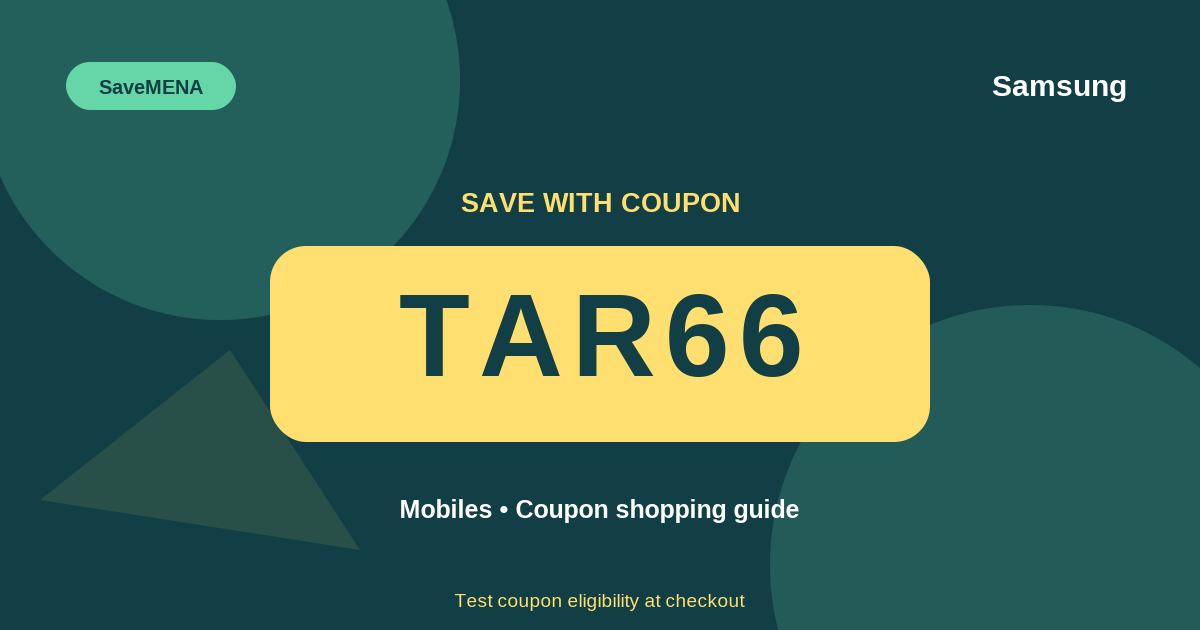
Codes available to try while comparing
These codes are not guaranteed for the article topic or listed brands; test them at checkout and use the live result.
Collecting Your Mobile Basket: A Preliminary Checklist
The first cue in evaluating coupon eligibility is the collection of your mobiles on the cart page. Locate every Samsung device you intend to buy, noting the exact model numbers, storage variants, and color choices. Pay special attention to the product description, seller name, and any seller rating icons that appear beside each item. If a seller has a lower rating or an uncommon fulfillment center, some coupons might be restricted from applying, so flag these lines for a later review. Capturing this detail early avoids surprises when you load the checkout page. Each item should have a precise line item, enabling you to toggle quantities or remove a product before you proceed to the next step.
Next, confirm that the seller listed is the same for all mobiles in your basket. Coupon eligibility can shift when products are shipped from different sellers under the same code; Noon’s system sometimes treats each seller’s inventory separately. If you notice two distinct sellers, note if one is a highly rated reseller while the other is a marketplace vendor. This distinction will guide you in correspondingly adjusting your cart or choosing a single seller to keep the coupon family consistent. Most importantly, keep a snapshot of the cart page for reference after you’ve factored in shipping and payment conditions. This snapshot will be your anchor point when you review other eligibility conditions on the checkout screen.
Examining Product Variants & Quantities for Ticket Alignment
Once your basket is populated, inspect each mobile’s variant features: color, RAM, and storage options. Noon’s coupon engine sometimes aligns with certain variants that meet pre‑defined criteria. For example, the Samsung Galaxy S series in a particular memory size or color may partner with the campaign, while other variations don’t. While the exact selection is unknown for “TAR66”, a careful scroll through each variant listing lets you verify whether the chosen model appears in a known eligible format, based on vendor listings or any promotional text near the product name. If you see a model that deviates in memory or color from the advertised eligible product, you might anticipate an eligibility slip.
Quantity control follows close behind. Some coupons require a minimum number of items or disallow bulk orders beyond a certain threshold. Log in with a standard user account and review the quantity widget for each mobile. If the system declines a multiple‑unit purchase, the checkout panel will often highlight a restriction or propose a lower quantity to satisfy the coupon’s logic. An alternative to bypassing the restriction is to split the batch across two carts—though this may increase shipping or payment steps.A coupon is not guaranteed; verify its result at the retailer checkout. If you later decide to increase quantity after checkout, the coupon might already have been applied, forcing you to recalculate or start a new transaction entirely.
Interpreting Seller Reputation and Affiliate Status
Seller reputation has an outsized influence on coupon application. Noon occasionally partners with top‑rated sellers to guarantee a streamlined buyer experience; coupons may be selectively unavailable for lower‑rated, or less‑established marketplace sellers. On the cart page and during checkout, note the seller badges: “Gold Seller,” “Verified Vendor,” or “Top Rated.” When you see a Gold Seller badge on every Samsung item, this typically signals a higher likelihood that the coupon will succeed. Conversely, if one or more items lack such badges, the coupon may automatically get rejected for that item. Sticking to one consistent seller cluster can reduce complexity, and is especially useful when multiple mobiles in the basket come from different sellers. Remember, the checkout stage is the final gatekeeper for this verification.
Affiliate status also plays a role. Some sellers run affiliate programs to extend discounts; these can coexist or conflict with coupon eligibility. In practice, Noon’s payment interface may display a small note about “Affiliate Partner” next to a seller name. When a product shows that label, double‑check this with your intended coupon. Coupon usage may be blocked if the vendor is not part of a partner ecosystem that supports the “TAR66” coupon. The safest approach is to keep all mobiles sourced from a single, non‑affiliate seller—provided that seller’s inventory is current and stocked. You can verify this by checking the seller’s store page for any affiliate links or partnership details. A clean, single-seller basket reduces the risk of a hidden conflict that denies your coupon post‑submission.
Assessing Extra Costs: Shipping Fees and Delivery Constraints
Noon’s coupon system isn’t affected by the presence of shipping fees, but certain free‑delivery thresholds might influence whether the coupon can be applied at all. When you click through to the checkout page, pay close attention to the “Free delivery threshold” banner. If each Samsung device is individually priced, you might still hit a threshold that grants free shipping. Yet if the total falls short, the coupon code will still be available—though the checkout screen will add an extra line item for delivery charges. Avoiding a hard stop in the coupon application by ensuring that your basket is above the threshold is sometimes a useful tactic, especially for consumers using credit cards that reap reward points for free shipping. Nonetheless, the coupon’s eligibility remains independent of the shipping status; only the final scrolling through the “You Pay” section will confirm this nuance.
Delivery location restrictions can also pop up subtly. Some coupons only allow application when the shipping address falls within certain UAE zones (e.g., Dubai, Abu Dhabi). If your address is in a remote UAE city or a specialized neighborhood, the checkout flow may present a mismatch notification, or simply hide the coupon field. Always confirm that your saved address matches a zone that is known to carry Noon’s national delivery plan. If you’re planning to pick up at a Noon Express hub, note that the coupon may still be applied normally. However, make sure you cross‑verify the displayed ZIP or area code against Noon’s shipping coverage map; otherwise, the coupon could be automatically rescinded after payment despite entering the code correctly.
Final Payment Verification: Currency, Wallet, and Card Acceptance
While Noon primarily operates in AED for UAE shoppers, the coupon’s eligibility is not influenced by the amount of remaining credit in a Noon Wallet or the type of credit card you use for payment. Nonetheless, the payment method can trigger a configuration check; for example, a gift card or a corporate card may be flagged for security reasons and override coupon application. Test the checkout page with a regular debit or credit card first, then repeat with the intended card. The order subtotal will update instantly. If the code “TAR66” type in and the coupon light icon turns green before you hit pay, you’re in good shape. Should it remain grey or show a message, the system will reveal a brief explanation that the coupon is incompatible with the selected payment method, prompting you to retry with another option.
Check for promotional terms around “cashback” or “reward points” that could cross‑impact with the coupon. Noon often ties rewards to certain payment methods; coupons can coexist only if the rewards framework permits dual discounts. If a reward program conflicts, Noon typically shows a warning before the final payment button. At that point, close the dialogue and glance back at your cart total. The system will either let you procced with the discount retained, or it will step you out of the coupon path altogether. In many cases, the remedy is to remove the rewards option if you wish to preserve the coupon benefit; you can always claim the reward later by re‑adding the mobile to your cart.A coupon is not guaranteed; verify its result at the retailer checkout.
Why the Checkout Page Is the Final Decision Hub
The checkout screen is Noon’s most reliable checksum for all the conditions we've built into your basket. It consolidates product details, seller identities, quantities, shipping rules, and payment method compatibility into one single checkpoint—and it is at this point that the coupon code “TAR66” must pass all filters to remain active. If the code is invalid or ineligible, the checkout interface will display an error message stating why it couldn’t be applied, such as “Coupon not applicable to your selected items” or “Must meet minimum spend.” These alerts are real-time and immune to pre‑checkout assumptions: the final totals and eligibility ceilings are recalculated just seconds before you confirm your order. That’s why it’s prudent to keep a live screenshot of the basket state before you actually reach the checkout, allowing you to compare what’s displayed with what is finalized on the page.
In the event the coupon is rejected after you’ve already entered “TAR66,” you can still attempt to apply an alternative strategy—such as splitting the items across multiple transactions or resetting the cart and re‑adding items in a supported configuration. Keep the checkout page’s “Adding to bag” restrictions handy: this can save you from duplicate orders or missed offers. In any scenario, the checkout page’s status indicator and message will be your final oracle for deciding whether you can proceed. If the code remains active, the “Place Order” button is unlocked; otherwise, you may need to manually remove the coupon field or adjust your basket to meet a merchant‑specific threshold. This focus on basket composition last but not least helps UAE shoppers navigate any uncertainty and act precisely at the point of purchase.
Step‑by‑Step Checklist Before You Hold the “Pay” Button
Gather all items, confirm each Samsung mobile’s exact variant and quantity, and verify that every seller is a reliable, top‑rated source. Then head to the checkout screen, where you check shipping and delivery status against your address. Once you’re ready, type “TAR66” into the coupon field and observe whether the discount icon changes from grey to green. If green, the coupon is accepted; if it stays grey or an error appears, it means the basket does not meet the code’s visibility criteria. Adjust the cart accordingly—swap variants, reduce quantity, or unify sellers—then double‑check the new subtotal. Only when the discount is active do you click the final “Place Order” button. This last‑minute validation reduces the risk of unexpected payment surcharges or coupon invalidation.
If after clicking “Place Order” the coupon is disqualified, halfway through the process you might still see a prompt to adjust the cart. In such an event, consider removing the problematic item, especially if it’s a Samsung model from a lower‑rated seller or a variant that may be excluded. Retest the code and confirm it activates before reinserting the item. Remember that picker flaws exist only once the system has re‑calculated the totals; even a small variant change can shift the logic. Keeping this cycle repeatable ensures you maintain coupon eligibility every time you shop for mobiles at Noon, a common situation for UAE customers who want the best from Samsung in a single transaction without extra cost surprises.
Long‑Term Tips for Coupon-Ready Mobile Shopping on Noon
To reduce coupon misfires, consider marking your favorite Samsung models in Noon’s “Favorites” or “Wishlist” galleries. When you later go to the cart, you’ll have a curated list of your desired items and the understanding that these models have historically proven compatible with a variety of discount codes, including “TAR66”. This proactive curation saves time, reduces the need for on-the-fly basket reshuffling, and provides a clear line between eligible and ineligible products. By integrating your buyer preferences with the templated coupon logic, you transform the procurement experience from guesswork to streamlined planning—even in the high‑velocity marketplace where UAE shoppers may wish to secure a device right when a price dips or a coupon propagates.
Your account settings also play a role. Regular users who have confirmed their contact number and email tend to experience a smoother Lap-to-Delivery flow; if you’re a first‑time seller or have a pending verification, Noon may flag your order for additional security checks that can delay or invalidate coupons inadvertently. Keep your profile up to date, and review any “wallet balance” or “loyalty points” status before placing an order. These data points may indirectly influence whether a coupon is presented as available—particularly if the order total lands near a promotional threshold. For long‑term convenience, build a routine that checks the eligibility status ahead of high‑traffic sales events, ensuring that whenever you business-shop for Samsung mobiles at Noon, your coupon code remains viable from basket to final confirmation.
Related SaveMENA pages
Related articles
Official sources to check
Frequently asked questions
Does the “TAR66” coupon work on all Samsung mobiles listed on Noon?
No, eligibility depends on specifics such as variant type, seller rating, quantity, and shipping location. Check each cart line for these factors and confirm the coupon light turns green on the checkout page before completing the purchase.
Will adding shipping cost or altering my address affect the coupon’s eligibility?
Shipping fees and address zones can impact coupon applicability if free‑delivery thresholds or zone restrictions are in play. Verify that your chosen location is covered and that any delivery charges are factored into the subtotal before you apply “TAR66.”
What if the coupon is rejected after entering the code?
On rejection, the checkout will display an error message explaining the cause—often a bulk order limit, a seller incompatibility, or a quantity mismatch. Adjust the cart accordingly, then reapply the code.
Can I combine “TAR66” with Noon’s wallet or reward points?
Coupons may coexist with reward points depending on the coupon's terms. If the checkout blocks the coupon because of a wallet or reward selection, try canceling that benefit and retrying; success will be indicated by a green discount icon.