Nike Shoes on Noon UAE: basket contents — coupon eligibility
When you’re ready to shop for sports footwear on Noon in the UAE, knowing how to check if a coupon will apply before you hit “Pay” saves a lot of frustration.
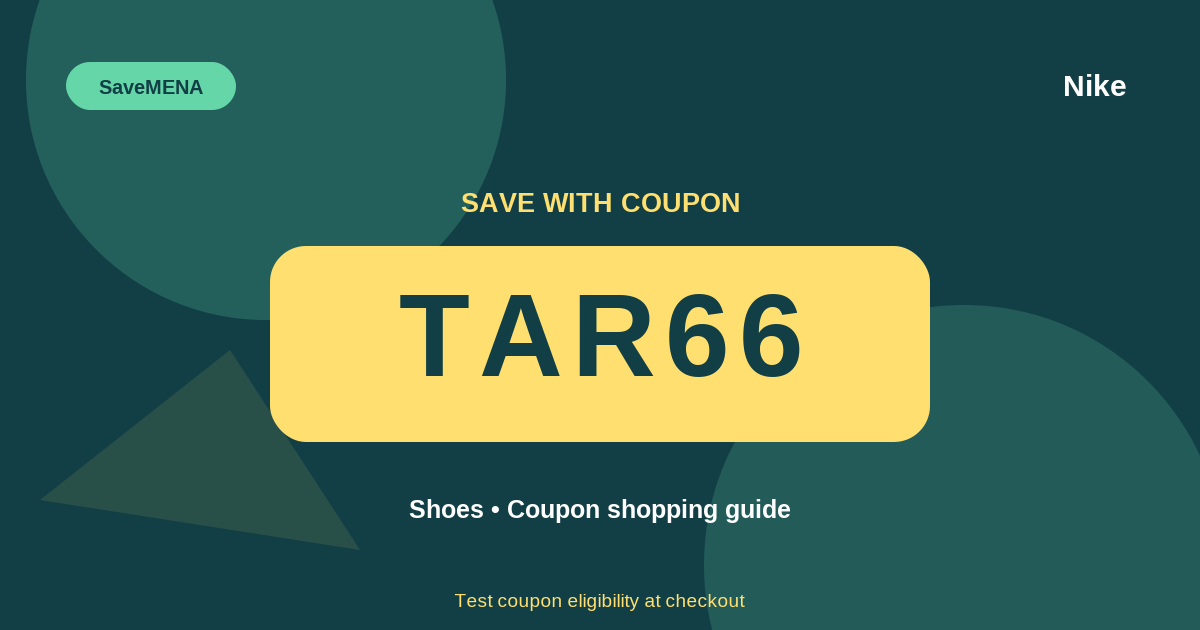
Codes available to try while comparing
These codes are not guaranteed for the article topic or listed brands; test them at checkout and use the live result.
1. Understanding the Checkout Flow for Coupon Eligibility
Before anything else, it’s important to recognize that Noon’s checkout is designed to validate coupons in real time. Once you add a product to your basket and proceed to the “Review Order” screen, the platform shows the total along with any available shipping fees. At this point the system can evaluate whether the coupon you plan to use falls within the eligibility criteria. Because the checkout validates against the actual items and any modifiers such as quantity, the indicator of binary approval or denial is shown in the payment section; no other pre‑checkout signals exist that guarantee eligibility.
This flow means you can’t rely on a simple “coupon available” banner after login. Instead, you need to trigger the verification by navigating to the payment page after your Nike shoes have been added. Only then will the site present the final amount that the coupon can affect. It’s useful to keep this in mind: coupon eligibility is a final checkpoint before you commit to the purchase and no earlier step reliably guarantees success.
2. Preparing Your Basket with Nike Footwear
When selecting Nike sneakers or boots, notice each listing’s default variant. Nike products often have multiple options, such as size, color, or material, and the variant you pick will remain locked in the basket unless you choose otherwise. Add the exact size you need, and double‑check the displayed description in the basket to confirm that the chosen version matches your preference; any change you make after adding will require you to delete and re‑add the item.
Basket composition is crucial because some coupons only apply to a certain brand or a subset of product types. While the TAR66 coupon is not publicly dedicated to Nike, the system still evaluates the basket line items individually. If you add more than one Nike item, the system calculates on a per‑product basis, so each entry must be compatible with the coupon. If you’re buying a mix of brands, you’ll see the system flag only the eligible items for the discount, while the rest remain at full price. This process underscores the need for precise inventory control in the basket before payment.
3. Viewing Basket Composition Before Finalizing
On the “Review Order” page you’ll see a detailed list of all items: brand, model, size, quantity, and subtotal for each entry. This is your public basket composition view. Ensure that every Nike shoe you intend to purchase is correctly represented and that no unintended items are included. Mis‑entries – such as a casual slip‑on instead of a performance sandal – can unintentionally break coupon eligibility if the discount is tailored to a specialized product type.
If you find discrepancies, delete or replace the wrong items directly from the review screen. This stage does not yet lock the coupon; it simply sets the content that will be evaluated when you click “Proceed to payment.A coupon is not guaranteed; verify its result at the retailer checkout.
4. Applying the TAR66 Coupon Code
When you reach the payment screen, locate the “Coupon Code” field. Enter TAR66 without any leading or trailing spaces. The platform verifies the code instantly after pressing “Apply.” The confirmation message will appear with either “Coupon applied successfully” or “This coupon does not match your order.” If the coupon is rejected here, you’ll see no discount shown; the total remains unchanged. If it’s accepted, the system recalculates the order total, factoring in the coupon application. This recalculated total is the final amount that will be charged.
Be aware that the applicability of the coupon is interpreted on the individual line level, not globally across the entire basket. If only a subset of items qualifies – for example, a specific Nike sneakers but not a pair of Nike trainers – the system will deduct accordingly from those eligible items only. It will still display the uncapped prices for non‑eligible items. Thus, the same basket can still result in an overall discount, even if a fraction of the purchases remain fully priced.
5. Verifying Eligibility at the Payment Stage
Once the system has recalculated the order with the coupon applied, you reach the final review of the payment details. This area shows the calculated total, any shipping fees, and the final payable amount. It’s the only spot where coupon approval is absolute – the system no longer changes the total after the payment button is pressed. Anything that appears here must match the outcome of the earlier validation, because the checkout sticks to this snapshot until payment is processed.
If before this step you noticed a discrepancy – perhaps the coupon was accepted earlier but not shown on this screen – double‑check that you are on the last page and not accidentally viewing an intermediate draft. In some rare cases, if you return to a previous page or refresh, the reconciliation may reset and the coupon may need to be applied again. At the very end, the payment screen will require card or digital payment details; ensure your payment method is ready, as the coupon will not be re‑validated once the payment process has begun.
6. Handling Common Basket Composition Constraints
Some scenarios naturally prevent coupon eligibility even with the TAR66 code. A popular issue is mixing free shipping or premium shipping services in the basket with items that are already qualified for discount. In such cases, the discounted items may stay at full price if a shipping service imposes its own qualification requirements. Likewise, if you have a bundled set that includes items from different categories, the system might treat the bundle as a single line that fails the coupon prerequisite, even if each component separately would qualify.
Another condition to watch for is purchasing a limited‑stock or pre‑order Nike release. If the product is marked as “Pre‑order” or “Pending Shipment,” the platform may exclude it from coupons until the item is in full inventory. Likewise, items flagged for special sale periods may fall outside the coupon’s scope. In any of these situations, remove or replace the item and verify the discount again; if the issue persists, contact Noon support for clarification before proceeding to payment.
7. Alternative Methods to Test Coupon Availability
If you’re unsure whether a coupon will work, you can try adding a single Nike shoe in the same size and color that you plan to purchase, and then proceed to checkout. This test basket is smaller and helps confirm the coupon’s compatibility without affecting your actual order. Once you confirm the coupon works with the test product, you can rebuild your original basket knowing the code is functional.
Another workaround is to utilize the website’s “Apply coupon” button before adding a second item. By first verifying the discount on one shoe, you create a baseline price and then add new items. If the coupon re‑applies successfully, you have evidence that the basket composition is not blocking the discount. However, remember that the final eligible total will still be reviewed when you hit the final payment; use this method as a preview only.
8. Ensuring a Seamless Shopping Experience
A key part of confirming coupon eligibility is staying organized throughout your shopping session. Keep a note of any special attributes like colorways or custom sizes, because these can affect the final eligibility for proprietary discounts. If you’re browsing from multiple devices or browsers, use the same logged–in account to avoid discrepancies in the basket composition between sessions.
After you place the order, the station will send a confirmation email containing the final total and payment details.A coupon is not guaranteed; verify its result at the retailer checkout. If the email indicates a different amount than shown at checkout, please reach out to customer support promptly, as the issue would have occurred in the final reconciliation stage and might affect your refund or return rights in the event of a sale discrepancy.
Related SaveMENA pages
Related articles
Official sources to check
Frequently asked questions
What must I do if the coupon code TAR66 does not apply during checkout?
If the code is rejected on the payment page, double‑check that the basket contains only items compliant with Noon’s coupon rules. Remove any non‑Nike or special category products, confirm the quantity and size matches the listing, then reapply TAR66. If problems persist, contact Noon support for assistance.
Can I use the TAR66 coupon on multiple Nike pairs in the same order?
The coupon can be applied across all eligible line items in the basket. It is not restricted to one pair, but the system evaluates each Nike item individually. If certain items fail eligibility, only the qualifying shoes receive the discount.
Will the coupon affect shipping fees or does it only apply to product price?
Coupon eligibility is generally calculated against the product total, not the shipping fee. Shipping charges will remain unchanged unless it is specified otherwise in the checkout page. Verify the final payment screen for total amounts.
Is there a limit on how many times I can use TAR66?
The coupon’s usage limit is determined by Noon’s internal policy and is indicated only at the moment of application. If you attempt to apply it multiple times, the system may invalidate additional uses. If you encounter an error, check the notification or reach out to support.