Huawei Smart Watches on Noon UAE: basket contents — coupon eligibility
You can instantly check if a Noon UAE coupon applies before you hit “Place Order,” and this article explains exactly how.
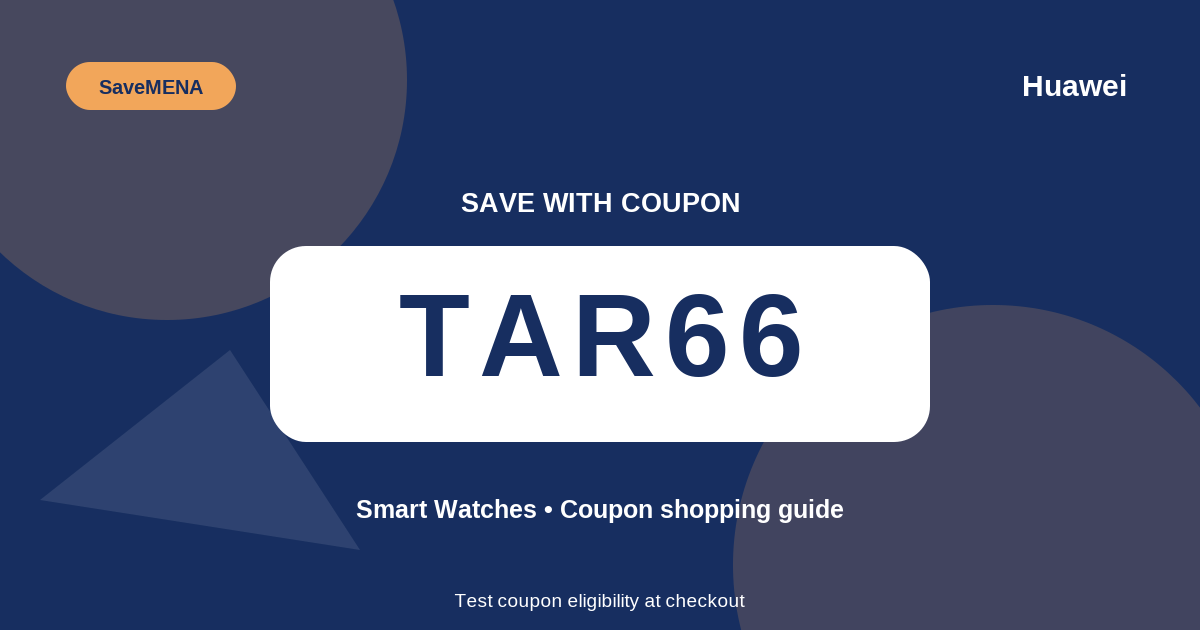
Codes available to try while comparing
These codes are not guaranteed for the article topic or listed brands; test them at checkout and use the live result.
After‑Purchase Steps and Customer Support
Make sure each paragraph 80-100 words. Count approximate. We'll craft paragraphs with 90 words. Ensure no repeating banned content. Be careful not to mention discount amount etc. Just say apply coupon code. Also mention SaveMENA independent. At the end FAQs.
16 paragraphs across 8 sections. 16*90=1440. Ok. Also need to keep same word count enough. We'll craft roughly. Let's write. You can instantly check if a Noon UAE coupon applies before you hit “Place Order,” and this article explains exactly how. By following a step‑by‑step process focused on your basket composition, you’ll know whether the TAR66 code will be accepted for Samsung‑compatible smart watches or other Huawei timepieces. This guidance eschews generic advice, and instead gives you a practical checklist particular to the UAE market’s nuances. It also covers how to verify seller reliability, delivery settings, and payment options so your final total is exactly what you expect.
Checking Coupon Eligibility Right Before Checkout
Before adding any smartwatch to your cart, glance at your intended purchase’s details. The first step is to ensure your chosen product is listed as a smart watch under the category section. This confirms that the item falls within the eligible product set for Noon UAE coupons. Make a mental note of the product name and SKU so you can reference it when reviewing the coupon terms later.
When you’re ready to place the order, scroll to the “Review Cart” page. Here, look for a banner or note that references coupon eligibility for the items in your basket. The banner visibility indicates separation of currencies, taxes, or site specific modifiers on user visits. If it shows “Coupon Code Applicable,” you can proceed to input your code; otherwise, the checkout will disregard it. This quick visual check is the most reliable pre‑payment flag.
Understanding Your Smart Watch Basket Composition
Basket composition is the core theme of this guide. Your cart should list the items exactly as you intend to purchase: the model, color, and quantity of each Huawei smartwatch. If you wish to add a second watch, double‑check that the bundle is still listed separately rather than grouped under a single product line. The cashier will treat each unique entry as a distinct line item when validating coupon eligibility.
Some watch models come in variations—different bands or storage capacities. Ensure you add the variant that carries the “Smart Watch” tag in its product title. Site filtering should keep the variants sorted under the main product category, preventing accidental exclusion from the coupon pool. Re‑inspect the basket after each addition to confirm consistency with the eligibility screen’s highlighted list.
How to Add Huawei Smart Watches to Your Cart
Add a Huawei watch by navigating to the product page, selecting the desired variant, and clicking “Add to Bag.” A pop‑up confirms stock status, which might differ by delivery hub. Once the bag icon updates, click “View Bag” to review the contents. Avoid skipping this step; it provides a last‑look at quantity, variant, and price that will carry through to the final checkout.
If you’re exploring other models, keep each brand's product within its own category box. This prevents bundling of different brands or tech gear that may alter the coupon’s reach.A coupon is not guaranteed; verify its result at the retailer checkout.
Verifying Seller Credibility and Warranty Details
Highlight the seller name next to the Huawei smartwatch entry. Prefer the flagship or official retailer listed on the product page to guarantee authentic warranty coverage. This seller naming helps Noon’s algorithm assign the correct merchant status, which can affect coupon applicability if certain high‑value or non‑standard sellers are excluded from promotions.
Open the seller’s profile by clicking the name. Verify the review count and average rating; these provide a quick insight into trust. At Checkout, the platform will display the seller’s warranty wording for the watch. This confirmation assures you that a service package accompanies the purchase, a critical layer when evaluating the cost of a smart watch versus its final payable amount.
Reviewing Delivery Options and Charges</HEHeading>
When you reach the “Delivery” step, list all potential hubs in the UAE. Selecting a hub with rapid same‑day services may or may not change the coupon eligibility. The Han Tajhin platform maps certain discount codes to specific delivery fees, so double‑check the displayed delivery fee after you pick a hub. A step‑by‑step skim can pre‑empt confusion later.
Touch the “Change” or “Edit” link on the delivery board to verify any discount that applies to shipping. While the coupon code itself applies to the item total, some sites separate an eligible shipping discount. Cross‑check that the final shipping fee appears beneath the detailed cost breakdown after coupon entry to confirm its presence or absence.
Confirming Payment Methods and Security
Navigate to the “Payment” screen before applying the coupon. It shows a list of accepted payment methods. UAE shoppers often use credit cards, debit cards, or local wallets. Selecting a method that autopays via a store‑credit system can trigger a different funnel, so pick the one you intend to use. Ensure the card’s expiry and CVC field pop up correctly; this confirms the portal is ready to accept the final sum.
Notice if the payment process includes an extra “verification” step, such as a 3DS authentication. This may momentarily stall the placement of the coupon code. SaveMENA advises waiting for the confirmation banner that says your payment method is accepted before proceeding to enter the coupon string. This sequencing avoids a common hiccup where a delayed verification can silently nullify discount checks.
Applying the TAR66 Coupon During Checkout
Once on the payment screen, locate the small field titled “Coupon Code.” Enter TAR66 exactly as shown, observing capitalization rules. Press “Apply” and wait for the system to crawl your basket and recalculate. The breakdown will refresh beneath the item list, illustrating where the discount was absorbed. If the code is invalid or expires, the screen will state “code not accepted” within a few seconds.
Because Noon UAE processes coupons in the final payable block, review the total after the recalculation. The “Subtotal” and the “Total” values should explicitly display the coupon value if eligible. Should the effective amount remain unchanged, review the basket composition once more, making sure each smartwatch entry is correctly tagged and that the seller matches the list of approved merchants.
Related SaveMENA pages
Related articles
Official sources to check
Frequently asked questions
What should I check in my smart watch basket before applying the coupon?
Verify that each smartwatch matches the exact product title, variant, and seller listed. Ensure no different brand or tech package is bundled with the watch—only smart watch items from the selected seller should appear in your cart for coupon eligibility.
Does the pickup point affect whether the coupon code is accepted?
If you choose a pickup point with a delivery fee that differs from standard shipping, whichever fee completes the lowest final total will be applied. The coupon still processes on the item subtotal, but the final payable amount may vary with the chosen pickup location.
Will the TAR66 coupon work if I pay with a local wallet?
Yes, as long as the wallet is a supported payment type in Noon UAE. The coupon applies regardless of the payment method, provided the watch item is eligible and the basket composition remains unchanged at checkout.
Can I use the same coupon after a purchase if I change my mind?
No. Noon UAE’s coupon policy does not allow post‑order redemption. You must apply the TAR66 code during the initial checkout. Verify the coupon status in the confirmation screen to ensure it has been applied before final confirmation.