Huawei Tablets on Noon UAE: basket contents — coupon eligibility
To determine if the Noon UAE coupon TAR66 can apply to your Huawei tablet order, you must review each item in the basket for eligibility before proceeding to
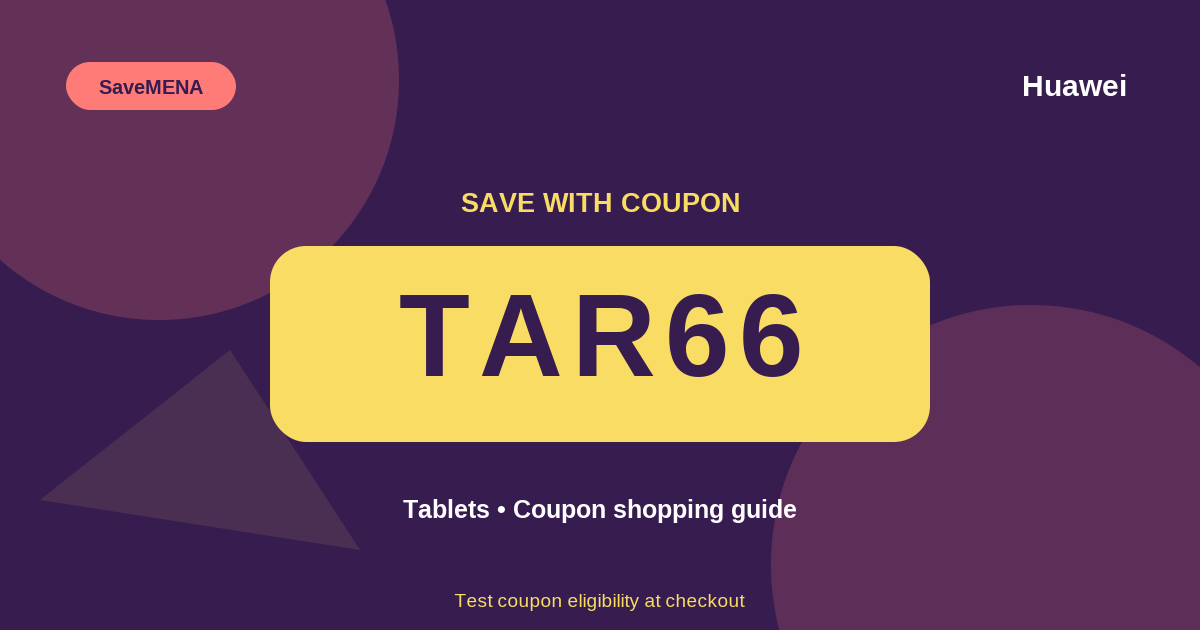
Codes available to try while comparing
These codes are not guaranteed for the article topic or listed brands; test them at checkout and use the live result.
Adding the Huawei Tablet to Your Noon UAE Basket
Start by locating the Huawei tablet you wish to purchase on the Noon UAE website or app. Use the search bar with a clear keyword such as "Huawei tablet" and review the listings for the exact model, screen size, and specifications that meet your needs. Once you have chosen a listing, click “Add to Basket.” This action records the chosen product’s unique identifier and variant, ensuring that the basket’s composition accurately reflects the item you intend to buy. Keep the page open so you can monitor the item’s status as you proceed.
After adding the tablet, verify that the basket icon updates and shows the correct quantity and product name. It’s advisable to click on the basket and double-check the details such as the model number, color, and any optional accessories you may have selected. If you notice a mismatch or a different variant appearing, remove the item and re-add the correct one. These small checks preserve the basket’s integrity and prevent later confusion during the coupon application stage.
Ensuring the Tablet Basket Composition Meets Coupon Criteria
Basket composition refers to the complete set of items, sellers, and selected options present before you apply a coupon. The Noon UAE coupon rules often reference this combination; for instance, some coupons only work if the basket contains a single product from a specific brand. To confirm, examine the product list in the basket, noting any accompanying accessories, extended warranties, or bundling offers. If your purchase includes multiple items or mixed brands, the coupon’s eligibility may be reduced or nullified.
Ignore any automatic suggestions from the site that add unrelated items to the basket. These additions can alter the composition unexpectedly and make a coupon invalid. Remove such items before proceeding to the coupon field. By leaving only the Huawei tablet (and any desired accessories that are known to coexist with the coupon), you enhance the likelihood that the TAR66 code will recognize your basket’s eligibility in the next step.
Applying the TAR66 Coupon Code: Step‑by‑Step Guidance
Navigate to the coupon entry field in the checkout section, typically labeled “Enter Coupon Code” or “Discount Code.” Paste or type TAR66 exactly as presented, ensuring no extra spaces or characters. The system will then evaluate the code against current coupon logic, taking into account the basket’s composition, seller, and product variant. The response will usually appear instantly, displaying either “Applied” or a brief message indicating why the coupon does not activate.
If the system indicates eligibility, you should see an updated subtotal in real time, reflecting the applied discount. Keep in mind that the confirmation is provisional at this point; the final payable amount will be recalculated once you proceed to payment. If the code fails, double‑check that you entered it correctly, that the basket still only contains the Huawei tablet, and that no additional items have been added inadvertently. If issues persist, it’s prudent to contact Noon customer support, as the coupon may simply not be active for that product category at that moment.
Seller and Product Variant Checks That Influence Eligibility
Coupons on Noon UAE often have restrictions tied to specific sellers or product variants. A tablet sold by an authorized Huawei distributor might be treated differently from one offered by a third‑party seller. To confirm that the chosen seller complies with the coupon, look for the seller’s name or store badge next to the product description. Some coupons are exclusive to items listed under certain seller labels, like “Authorized Huawei Seller.A coupon is not guaranteed; verify its result at the retailer checkout.
Similarly, product variants—such as different memory capacities or colors—can affect coupon applicability. If the coupon logic is sensitive to the exact model, a variant that falls outside the code’s intended range may cause the discount to not apply. Review the variant selection you made; if you see a note next to the item stating “This model is not eligible for discounts,” consider switching to a different configuration or exploring alternative tablets that align with inclusive coupon criteria.
Managing Delivery Fees and Hidden Charges Before Redemption
Delivery fees can sometimes sway coupon eligibility, especially when a coupon only applies to orders excluding shipping charges. Check the delivery options selected for your Huawei tablet. If you opt for free shipping, the fee appears as “0” and generally does not affect discount eligibility.A coupon is not guaranteed; verify its result at the retailer checkout.
Some checkout flows calculate coupons after the shipping fee is applied, which may reduce the final discount. By reviewing the cost breakdown early, you can decide whether a different shipping method (e.g., economy versus express) might alter the outcome. If you’re uncertain about the fee’s impact, confirm with Noon’s help center or read the coupon terms in the discount section before finalizing payment. This pre‑emptive check can prevent frustration later.
Combining Coupons with Loyalty Points or Cashback
While the TAR66 coupon is one means of saving, Noon UAE also offers loyalty points and cashback offers that can stack with certain discounts. Verify whether the Huawei tablet purchase is eligible for loyalty points by looking for a “Earn Points” indicator on the product page. If points accrue, you can decide whether to use them at checkout, either alone or together with the coupon, depending on the platform’s stacking policy.
In some cases, cashback rewards are offered for specific brands or product categories. Check the cashback section in your account dashboard for any ongoing offers related to tablets or Huawei products. Some cashback types funnel through a separate redemption step, while others integrate automatically into the final payable amount. Ensuring you understand the sequence—applying the coupon first then the cashback—helps avoid conflicts that would otherwise invalidate one of the offers.
Final Checkout Confirmation: What to Look For
At the point of payment, examine the order summary carefully. It should list each line item—the Huawei tablet and any accessories—alongside the applied coupon code, any loyalty points used, and the resulting payable total. If the TAR66 coupon has been accepted, the discounted amount should be reflected above the final total. This visual confirmation lets you verify that every discount was correctly applied before you complete the transaction.
If the final total does not match the expected reduction, return to the coupon field and re‑enter the code or remove it and retry. Should the coupon still fail to appear, contact the Noon UAE support desk to confirm that the code is active and that your basket satisfies all eligibility conditions. Checkout success hinges on a clear, confirmed summary, reassuring you that the purchase proceeds without unexpected charges or last‑minute changes.
Common Misconceptions and Final Tips
A frequent misunderstanding is that a coupon applied to one product automatically extends to all items in the basket. On Noon UAE, coupon eligibility is evaluated per product and per seller; a different tablet or an added accessory can invalidate the discount. Always double‑check the eligibility of each line item before adding new products to the basket, especially when exploring bundle offers that might alter the overall composition.
Another pitfall is assuming that a coupon code will always work irrespective of timing. Unlike many retailers that enforce strict usage windows, Noon UAE does not guarantee that a coupon will be valid at any given day. The TAR66 code may be temporarily inactive or require specific qualifying purchases. If the code appears unresponsive, confirm with support or wait for the next promotional cycle before retrying.A coupon is not guaranteed; verify its result at the retailer checkout.
Related SaveMENA pages
Related articles
Official sources to check
Frequently asked questions
What should I check right after adding the tablet to the basket?
Verify the product’s model, seller name, and any accessories are correctly listed. Confirm that the basket reflects only the Huawei tablet (and any chosen add‑ons) before proceeding to the coupon field.
Can I apply multiple coupons for the same purchase?
Noon UAE generally allows only one discount code per transaction. If a second coupon is entered, the site will usually reject it or override the first. Use the most valuable coupon available.
Will delivery fees affect whether TAR66 can be applied?
Delivery charges are sometimes considered after the coupon is calculated. If your shipping option results in a fee, the system may recalculate the discount. Check the order summary to see if the coupon still appears valid.
Is the TAR66 coupon brand‑specific or category‑specific?
The code is not guaranteed to be exclusive to Huawei tablets or any other single category. Its applicability depends on the current coupon rules, which can change.A coupon is not guaranteed; verify its result at the retailer checkout.