LG TVs on Noon UAE: basket contents — coupon eligibility
tags. We must keep tags correct. Ok. Proceed. To check coupon eligibility before payment on Noon UAE for TVs, start by adding your chosen LG models to the basket
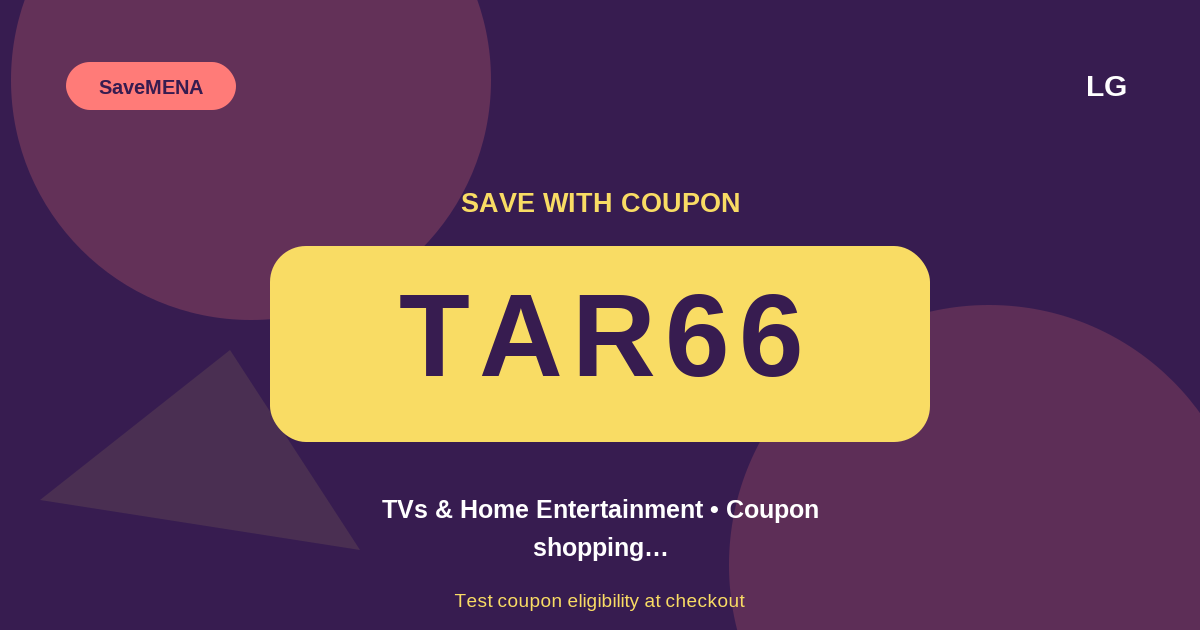
Codes available to try while comparing
These codes are not guaranteed for the article topic or listed brands; test them at checkout and use the live result.
Understanding Noon UAE Coupon Eligibility for TV Purchases
tags. We must keep tags correct. Ok. Proceed. <INTRO>To check coupon eligibility before payment on Noon UAE for TVs, start by adding your chosen LG models to the basket and reviewing the coupon section at checkout. This approach lets you see whether the code TAR66 applies to your specific basket composition before you finalize the purchase. Pay close attention to seller details, delivery options and any hidden fees that could affect eligibility. By reviewing these factors early, you avoid surprises and ensure a smooth payment flow. While the coupon is available to try, remember that eligibility can depend on the exact product mix and seller chosen for each LG TV. </INTRO>
While the terms for TV categories are not publicly listed, the checking process is identical to other product lines. After adding LG TVs to your basket, login to Noon, go to the basket overview, and look for the coupon code field. Enter TAR66 and observe the system response: if the field accepts it and you see a discount or a green tick, it indicates eligibility. If the code is rejected or marked in red, the basket composition or seller choice likely does not meet the current conditions for activation.
Building a Cashback-Ready LG TV Basket
To create a basket that stands a good chance of qualifying for the TAR66 coupon, start by focusing on one LG TV model at a time. Pay special attention to the exact variant you select—screen size, resolution, and connectivity features can differ between listings. When a single, well-defined product is inside the basket, Noon’s fulfilment algorithm can more reliably determine coupon applicability. If you add multiple variants or combine different brands, the system may flag the bundle as ineligible.
Also, review the seller information before finalizing the basket. Noon displays multiple sellers for the same product; choosing a seller with a consistent delivery footprint and favourable history can positively influence coupon eligibility. In addition, confirm that the seller offers delivery to your address and has an active stock record. A disrupted delivery deal can inadvertently disqualify the entire ticket, rendering the coupon unused during checkout.
Adding LG TVs to Your Basket: Avoiding Common Pitfalls
When adding LG TVs, check the product detail page for the “Add to Basket” button. Click it only after verifying that the model number matches the exact specification you desire—nol. The system often lists “LG 55" OLED” and “LG 55" LED” as separate entries; missing this distinction could result in an unintended item and later coupon disqualification.
Many shoppers mistakenly add an LG TV to a wish list instead of the basket. The wish list does not affect the active cart, and any coupon attempt will fail to count the passively listed item. Additionally, avoid double-clicking the add button; this could create duplicate entries that may fail eligibility checks or inflate shipping fees, thereby altering the final bill and potentially nullifying the coupon code.
Navigating Seller Variants and Availability
The Noon platform lists each LG TV variant under separate seller profiles. To keep the coupon eligibility strong, look for sellers that offer “Verified Seller” badges or high review counts. These sellers are more likely to have streamlined fulfilment that aligns with Noon’s promotion processing system. Additionally, sellers that specify same-day or next-day shipping within the UAE may have better inventory control, making the coupon application more consistent.
Read the seller’s return and cancellation policy directly on the product page. If a seller’s policy is overly restrictive, Noon may flag the item for promotion review, causing a failure of the TAR66 code during checkout. In contrast, sellers that offer flexible return windows often respond better to checkbox queries about promotions, thereby preserving coupon eligibility.
Checking Delivery Fees and Shipping Options Early
Delivery fees can subtly influence whether a coupon is accepted; some promotions have minimum basket values excluding shipping. Check the delivery fee for each seller by hovering over the “Delivery” badge on the product overview. If a particular seller charges a premium, consider switching or placing a separate order to maintain eligibility.
On Noon, shipping links are listed under the “Seller” section and may vary by region. Confirm that the selected seller’s shipping option aligns with your location within the UAE. If the chosen seller cannot deliver to your address, the basket will be flagged as incomplete and the coupon may be invalidated at checkout. Ensuring all delivery conditions are satisfied before proceeding reduces the risk of post-checkout surprises.
Applying Code TAR66 and Seeing Real-Time Discounts
After confirming the seller, variant, and delivery details, navigate to the basket summary. Locate the coupon field, paste TAR66, and press “Apply.” The interface will display the discount in real-time if the code matches the current composition. A prompt indicating “Coupon applied” signals that the code has been accepted; if it displays “Invalid code” or “Not eligible,” revisit the previous steps.
Pause a moment to scan the updated total before moving windows. The bounce of the discount might not be displayed immediately due to server latency, especially after adding new items or changing shipping methods. Waiting a few seconds, then reviewing the total ensures you have the correct figure for the final payment. If the discount doesn’t materialize, it is advisable to re-enter the code or consult Noon’s help center for clarification.
Final Checkout Verification: Ensuring Coupon Acceptance
When you reach the payment screen, the final payable amount is locked down. This section displays every charge—product cost, shipping, tax, and promotional credits. Verify that the TAR66 discount is present in the breakdown. If it is, you have successfully checked eligibility each step of the way. If it’s missing, investigate whether the discount was rescinded by a change in delivery method or by a new item addition.
Be aware that Noon’s system may recalculate totals based on latest seller updates. Once you confirm the amount, lock the transaction by proceeding with the payment. If any discrepancy arises after the final confirmation, contact Noon’s customer service for resolution before the payment gateway finalizes. Remember, this is the only point where coupon eligibility becomes billable, so thorough verification is essential.
Optimizing Your LG TV Shopping Experience for Loyalty Points
Beyond coupon eligibility, Noon offers a loyalty program that can accumulate points on each purchase. These points may later be swapped for discounts or free shipping. When creating your LG TV basket, keep an eye on the “Points Worth” indicator next to each TV model. The combined points from a single LG TV can help offset future shopping costs while simultaneously ensuring coupon applicability.
Integrate all these checks—seller, variant, shipping, coupon—into a streamlined routine that you can repeat for future orders. Building a systematic habit reduces errors and improves overall shopping satisfaction. While the coupon may remain a trial offer, the disciplined approach ensures you are never caught off guard by hidden fees or ineligible products at noon’s checkout stage.
Related SaveMENA pages
Related articles
Official sources to check
Frequently asked questions
How do I know if the TAR66 coupon will work on my selected LG TV?
Before checking out, add your chosen TV to the basket, chose the seller, and apply TAR66 in the coupon box. If the system accepts it, the discount will display immediately. If it is rejected, try a different seller variant or verify that your delivery address is supported.
Can I use the TAR66 code for multiple LG TVs in the same order?
Coupon codes on Noon typically apply once per transaction. Adding multiple LG TVs won’t trigger several discounts unless announced, so only one flash of the code will be counted toward your total.
What if the coupon appears to work but my total price changes after I add shipping?
Once you change the seller or shipping method, the discount is recalculated. Re‑enter the code after adjusting shipping, or rearrange your basket before submission to prevent retraction.
Will using the TAR66 coupon affect my loyalty points earned on an LG TV purchase?
The points earned on the TV remain unaffected by the coupon. The discount directly reduces your payable amount, while points are accumulated based on the TV’s location in the product catalog, not the discount applied.