Samsung TVs on Noon UAE: basket contents — coupon eligibility
Checking coupon eligibility on Noon UAE before you make a payment is crucial for getting the best possible price on your TV purchase.
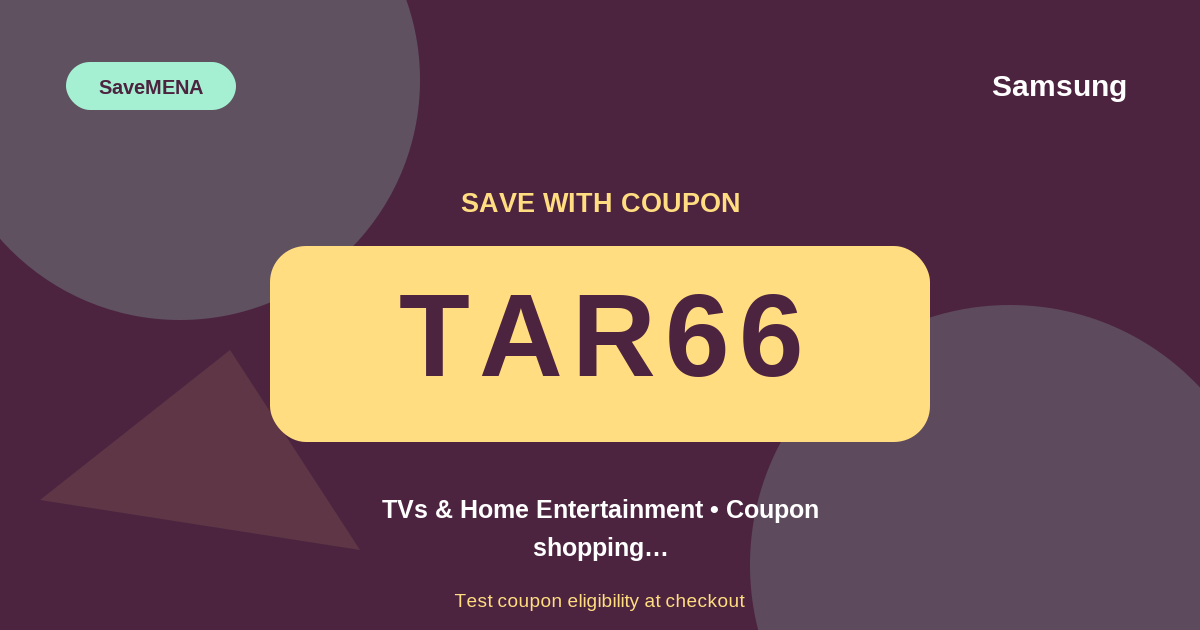
Codes available to try while comparing
These codes are not guaranteed for the article topic or listed brands; test them at checkout and use the live result.
Know Your Cart: Basket Composition Matters
The concept of basket composition is essential for checking whether a coupon like TAR66 will apply. Your basket’s composition reflects both the kinds of products and the amount you have added. For TVs, the primary product is the Samsung unit itself. However, your basket may still include a streaming media player, HDMI cables, or a wall‑mount bracket. The presence or absence of these items can alter the final price and thereby the eligibility of the coupon.
In practice, the checkout page on Noon UAE pulls together all cart entries before validating coupon codes. It refuses to apply a coupon if any product in the basket explicitly disqualifies that coupon, often visible in a brief warning message. Since you cannot see these internal rules, the safest approach is to verify that each added item is currently marked as “eligible for all discount codes” on the product page. If in doubt, you can remove suspected exclusions and retry the coupon code.
Step‑by‑Step: Checking Coupon Eligibility Before Checkout
Begin by reviewing each product detail page for your Samsung TV and any accessories. Look for a statement or icon indicating that the item supports promotional codes. This indicator is often placed near the price or in the product specification section. If you see an absence of such a cue, the product may not be eligible to trigger the coupon.
Next, add all desired items to the cart, then go to the mini‑cart view at the top of the page. Scroll before proceeding to the full checkout, and note the subtotal. At this point, enter the coupon code TAR66 in the dedicated field. Even if the platform does not change the subtotal immediately, it will usually show a temporary banner stating whether the coupon is accepted or rejected. If rejected, the page might prompt you to remove an item that is causing an issue. If accepted, the banner will advise you that the discount will apply at final payment.
Samsung TV Options: Choosing the Right Model for Your Basket
Samsung offers a broad spectrum of TVs, each differing in size, display technology, and bundled accessories. Selecting the correct model will impact your basket composition, as larger screen sizes often have higher corresponding warranty or optional accessories that could affect eligibility. Choose your preferred screen size and verify that the model’s product page notes its compatibility with coupons.
Because the Samsung lineup includes offerings such as the QLED, 4K Ultra HD, and standard LED categories, your final tape should reflect your viewing habits. The more detailed technical specs may also appear in the product description; reading through them helps you anticipate if your purchase might include mandatory accessories like a docking unit that could shift your total price close to a threshold used by the coupon rule.
Adding Essentials to Your Basket: Streaming Devices, Cables, and More
Many consumers add a streaming Mirrored Video player, an HDMI‑to‑USB adapter, or a high‑frequency wall‑mount bracket to their tennis basket. Each addition increases the total cost, which can either help or hinder coupon eligibility. When adding these items, read the brief “discount eligibility” note found on each product page; absence of such a note often indicates a safe bet.
Modifying your basket after initial inclusion can cause the coupon code to become invalid if an offending item is present. Therefore, it’s wise to make a single first pass of adding all essential items, then use the coupon code, and only proceed to far‑final checkout if the discount is reflected in the window. If an item causes failure, remove it and re‑apply the coupon code to see if the status updates accordingly.
Navigating Noon UAE’s Checkout Flow for Coupon Verification
The checkout page offers a clear, stepwise separation between delivery choice and payment method. Typically, the coupon code input appears under the “delivery options” column, before payment occurs. Inputting TAR66 here is the first step the platform uses to recalculate the final payable amount. Notice that the user interface will often print the discount amount next to the total or within a temporary pop‑up.
If the code seems rejected outright, check the red text or alert that appears, which might reference “invalid code” or “not applicable.” In many cases, the platform will automatically remove the reason and allow the code to be re‑entered. Always confirm that your browsing session is not outdated; a fresh page load ensures Noon reads the latest coupon database during each validation attempt.
What to Do if the Coupon Doesn’t Apply: Alternatives and Timing
When a coupon appears invalid, it suggests that at least one basket component is disallowed by the discount server. The next step is to isolate the issue by removing potential offenders one at a time—either the Samsung TV or a particular accessory—and re‑applying the code. This diagnostic approach isn’t exclusive to Noon; most e‑commerce sites accept a trial‑and‑error method before startup offers complete checkout options.
Also consider that coupons may have patronage periods or may not be simultaneously available on a particular seller’s storefront. If the coupon does not apply, consider alternatives such as contacting Noon customer support or checking if an additional coupon becomes available during the same session—some promotional codes have a short activation window before priming the platform.
Final Checklist: Ensuring a Successful Discount Application
Before pressing the final “Place Order” button, give your basket a once‑more review. Open the detailed cart view and double‑check that every line item at the bottom reflects the same price from the product page, that no hidden fees are added, and that the total matches the expected amount for a coupon‑eligible transaction. Run the coupon code again in the separate field if available; many sites will not re‑validate automatically.
Once the coupon code has been confirmed—whether it shows a discount amount or a free text notice—proceed to select a delivery method that is within the same vendor's logistics network. Finally, confirm that the payment gateway reflects the discounted price, then submit the order. If at any point the discount disappears, pause and review the cart for unscheduled items, then retry the coupon until a stable final total is displayed.
Related SaveMENA pages
Related articles
Official sources to check
Frequently asked questions
How can I be sure my Samsung TV is eligible for the TAR66 coupon?
Check the product page for any statement like “eligible for promo codes.” If such a note is missing, the item may not trigger discounts, so consider removing or replacing it in your basket.
Do accessories, like a wall mount, affect the coupon’s applicability?
Yes, accessories add to your total and may disqualify the coupon if they carry an exclusion flag. Verify their eligibility on each item’s page before adding.
What happens if I enter TAR66 and it’s rejected at checkout?
In that case, try removing one uncertain item from your basket, then re‑apply the coupon. If it still fails, it’s likely that at least one component of your cart conflicts with the coupon’s conditions.
Is there a way to see the discount amount before final payment?
During checkout, after entering the code, Noon UAE displays a temporary banner or updates the total to show the discount. If no change appears, the code is not currently valid for the basket.