Sony TVs on Noon UAE: basket contents — coupon eligibility · TAR64
Checking your coupon eligibility before you hit “Pay” is the key to turning a wish into a deal, especially when shopping for high‑end products like Sony TVs on Noon
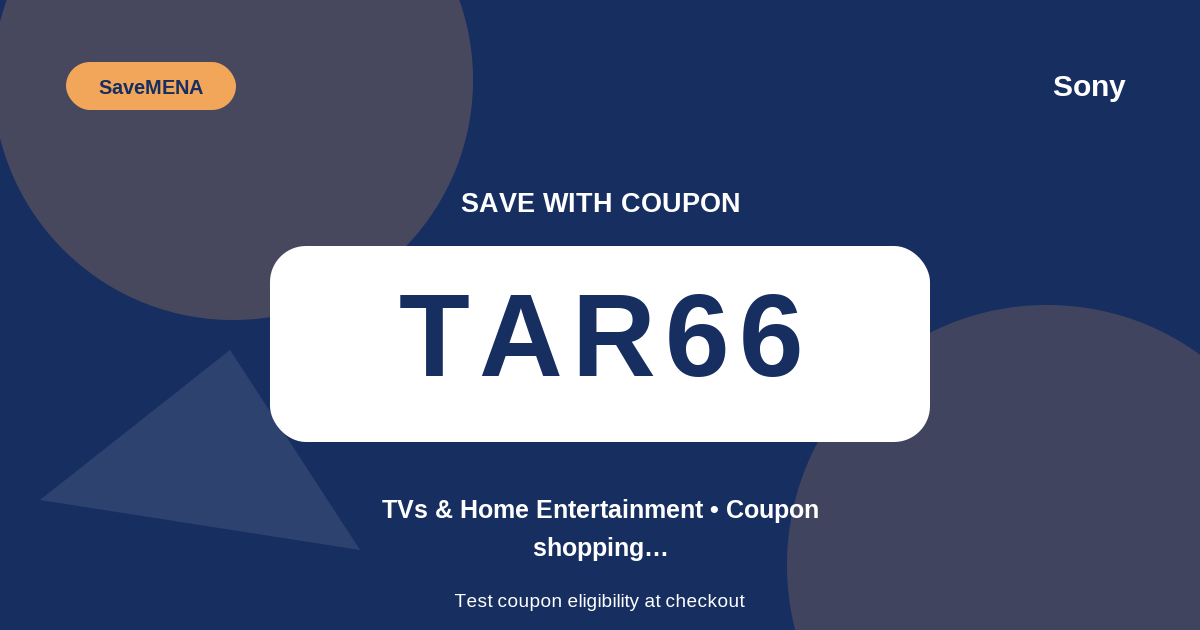
Codes available to try while comparing
These codes are not guaranteed for the article topic or listed brands; test them at checkout and use the live result.
Checking Noon UAE Coupon Eligibility for TV Purchases
When you browse a Sony TV on Noon UAE, the platform shows a “Coupon Available” tick if any promo\’s are lined up for that product. However, seeing this icon doesn’t automatically mean the coupon will apply at checkout. The decision to give you a discount is calculated by evaluating your entire basket. Factors such as the specific variant, its seller, and any other concurrent promotions all play a part. To avoid disappointment, you should perform a quick eligibility preview before you finalize your cart.
Take note that the check isn’t performed until you reach the payment page. When you click “Proceed to Pay”, Noon pauses briefly to confirm all items in the basket meet the coupon’s conditions. If the bundle fails any condition—for instance, if the seller’s rating is too low or the variant is on a different promotional list—the coupon will be rejected. Knowing this workflow lets you tweak your basket in real time while still on the same screen.
Sony TV Series – What Matters in the Basket Composition
In the Sony lineup, models range from compact 32‑inch displays to large 77‑inch smart TVs. Each variant can have a slightly different base price and feature set, affecting not only its appeal but also eligibility for a coupon. When you add a Sony TV to your basket, your cart records the exact variant code, which Noon uses downstream to cross‑reference the coupon’s applicable criteria.
Basket composition is the aggregate of all those variant codes plus seller identifiers. Manufacturers sometimes offer exclusive promotional terms per seller. If you switch from a Sony session with a reputable-restaurant seller to a store marked “Mark-5”, the bundle’s eligibility can shift. Checking the basket for consistency—ensuring all Sony items come from the same seller or from sellers with compatible reward tiers—helps keep the coupon on side. A simple visual cue in the cart shows which seller each Sony product comes from.
Step‑by‑Step: Verifying Eligibility Before Final Pay
Begin by populating your cart with the Sony TV(s) you want. While items are still on the product page, look for the “Check Coupon” button. Tap it to trigger a quick eligibility check that highlights any immediate conflicts such as quantity limits or incompatible sellers. This pre‑checkout check is optional, but it can save you a costly redo.
Once you click “Proceed to Pay,” the system re‑validates the entire basket. Notice the window that appears immediately below the payment options; it displays whether the coupon will be applied or not, and if not, it typically offers a brief note about the reason. If the coupon is denied, this is the only time you can amend the basket—so use this outcome as your go‑or‑no‑go screen.
Common Pitfalls That Can Spoil Your Coupon Attempt
A frequent mistake is overlooking the seller’s inventory date. Sony TVs may be listed under a high‑quality seller who offers a different discount platform than the coupon engine. If the seller’s “Inventory Freshness” tag is older than the coupon’s active cycle, the coupon will be ignored even if the product itself qualifies.
Another pitfall is bundled additions that inadvertently break the bundle size rule. Some coupons only apply when the basket contains a single Sony TV and no accessories. If you add a remote controller or a soundbar from a different seller, the system may recalculate and disqualify the coupon. Keeping the cart focused avoids accidental disqualifications.
The Role of Seller and Variant in Eligibility
Noon’s coupon system records each Sony TV’s seller ID as part of the eligibility matrix. When you check out, the algorithm matches each seller ID against the coupon’s licensed seller list. A partial match—where some Sony TVs come from a qualified seller and others from an unqualified one—will still cause the coupon to be rejected for the entire basket.
Variant codes are equally important. Sony offers OLED, LED, and curved models. Some variants might be promotion‑exclusive. If you see a “Not Eligible” warning next to a specific TV, it means that particular variant was excluded in the coupon’s design. Reviewing the product detail page helps you confirm whether you’re selecting an eligible variant.
Time to Launch Checkout: Seeing the Final Totals
After you hit “Proceed to Pay,” the checkout page consolidates all items, the seller contribution, and the coupon application status. Pay close attention to the “Total Price” line: it will display the final amount the coupon has reduced or kept unchanged. If the coupon does not apply, the line remains unchanged and you see the coupon icon disabled.
If the coupon applies, the reduction will appear as a separate line item just above “Total Price.” You can confirm the discount by verifying that the numbers match the pre‑checkout preview. If there is a mismatch, you will have a brief window to remove or retrieve an item before finalizing the payment.
Using the Coupon Code TAR64 – Try It With Caution
When you input TAR64 in the coupon field, Noon’s system attempts to match the code against the eligibility rules for TV purchases. Because the code is only offered as a try‑out, the system may declare it ineligible at the moment you press “Apply.” That’s why it’s vital to read the accompanying note that appears—specifying whether the coupon is presently active or waiting for a future activation cycle.
If the code is accepted, you will see a “Coupon Applied” banner. The banner can be removed by changing the basket composition (for example by deleting a Sony TV or swapping to a different seller). This exercise is useful to test whether a particular Sony model or seller combination will let you use TAR64 before committing to payment.
Making an Informed Decision: Basket Composition Review
Before you double‑click “Pay,” you should review the entire basket: variant selection, seller names, quantity, and any added accessories.A coupon is not guaranteed; verify its result at the retailer checkout.
Once all items are aligned with the coupon’s constraints, the final “Pay” button lifts any remaining doubt. If you’re uncertain, jot down the item identifiers and seller names, then clip the page.A coupon is not guaranteed; verify its result at the retailer checkout.
Related SaveMENA pages
Related articles
Official sources to check
Frequently asked questions
What usually causes a coupon not to apply to Sony TVs?
A mismatch in the seller listing or selecting a variant that isn’t part of the coupon’s eligible set are common reasons. Extra items like accessories or changing the quantity can also break the coupon’s conditions.
Can I use the same coupon code for multiple Sony TVs in the same order?
If the coupon’s rules permit multiple items in the cart, they all must meet the eligibility criteria simultaneously. Mixing models or sellers that fall outside the rule will cause the entire discount to be rejected.
Is the coupon available for both physical and digital Sony TVs?
Noon treats physical and digital bundle variants identically in terms of coupon eligibility; the key is the variant code and seller, not the product’s aftermarket type.
How do I know if the coupon is still valid before adding it?
Before applying the code, you can view the coupon’s description on the Noon app, which indicates its active status and eligibility details. If the status readouts are blank, treat the code as unverified.