Puma Women’s Fashion on Noon UAE: basket contents — coupon eligibility
To check coupon eligibility before payment on Noon UAE, you need to verify that your basket composition meets the conditions linked to the coupon code TAR66.
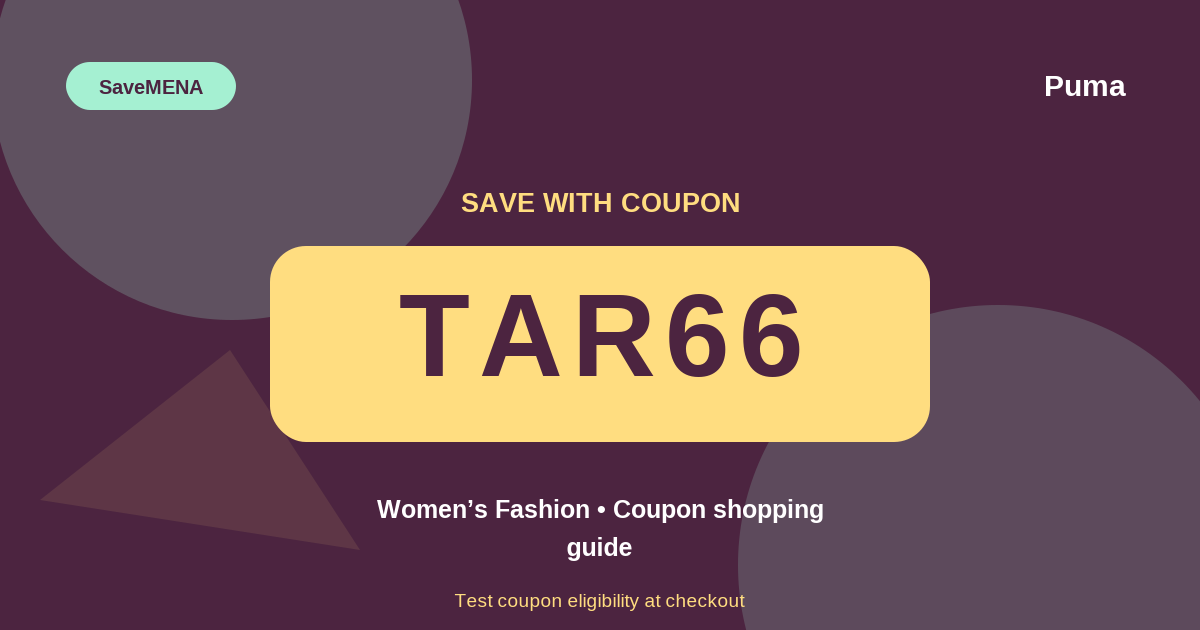
Codes available to try while comparing
These codes are not guaranteed for the article topic or listed brands; test them at checkout and use the live result.
Spotting the Coupon on Noon UAE’s App
The first task is to browse the “Coupons” section inside Noon UAE’s mobile app or website. Here you’ll find a list of active codes, including TAR66. Tap the specific coupon entry to view its details. The interface typically displays a brief eligibility description and possible restrictions, which may mention categories such as “women’s fashion.” If the description is absent or vague, note that this does not confirm eligibility; it merely indicates the coupon’s existence for potential future use.
While exploring the coupon profile, check for any icon or text that hints at a “basket composition” requirement. Sometimes, icons like a shopping bag or a brand logo appear beside the coupon name. Even if these visual cues are missing, make a mental note to verify each item you plan to add to your shopping basket before attempting to redeem TAR66 during checkout. Activities like marking items as favorites can give you a preview of the coupon’s effect without committing to addition to the cart.
Verifying Basket Composition: The Core Ingredient
Basket composition refers to every detail in your cart—the product type, brand, size, variant, quantity, and chosen delivery option. Before activating TAR66, confirm that your cart contains at least one women’s fashion item. If your basket includes multiple categories, the coupon may still apply only to the eligible items. For example, a mix of apparel and accessories might reduce the scope of the discount. A clear view of the cart page will reveal which items trigger the eligibility flag.
Notice that some items might share the same brand but differ in style (e.g., a Puma active tee versus a Puma soccer jersey). Both can belong to women’s fashion, yet the coupon might recognize only certain variants.A coupon is not guaranteed; verify its result at the retailer checkout. When all chosen elements align, the eligibility indicator will usually appear alongside the pricing summary.
How Brand and Product Variants Affect Eligibility
Even within the same brand, not every product type is eligible for a coupon. For a women’s fashion cole, a Puma collection might include activewear, jumpsuits, and accessories. The glue that determines eligibility is the specific tag that Noon applies to each product. In many cases, the coupon code will only apply to apparel items, not to bags or shoes. Therefore, before you add a new Puma product, double‑check its tag by tapping its details page—look for descriptors like “women’s apparel” or “activewear.”
When you add a product to the basket, the cart page often updates its eligibility status in near real time. Some items may trigger a “Not eligible for coupon” label directly in the cart. Keep an eye on this message: if the button that signifies coupon applicability disappears or turns grey, the item alone does not meet the necessary composition. Adjust your order accordingly by selecting an eligible variant, or removing the ineligible one, to restore full coupon eligibility.
Considering Seller Reputation and Shipping Options
Seller ratings and fulfillment choices can subtly influence eligibility checks. Products sold by verified Noon sellers often carry a higher likelihood of supporting coupons, whereas third‑party or local sellers may have different policies. For a women’s fashion purchase, verify the vendor’s status by viewing the product page. A badge of “Noon Verified” suggests a strong chance of smooth coupon application, but it is not a guarantee.
Similarly, the delivery option you choose can affect eligibility. Certain localized shipping lanes or mid‑night delivery windows might exclude coupon usage. On the cart screen, a small note below the shipping method may indicate “Coupon not valid for selected delivery.” If such a note appears, either switch to an alternative shipping option or accept the pack of items that remain eligible. These nuances in basket composition—seller and delivery—are sometimes overlooked but can cost a discount at checkout.
Using the Checkout Page to Confirm Eligibility
Once you add all your items, proceed to the checkout and the “Apply Coupon” field will appear. Here you can type TAR66. The system will then reevaluate the basket composition against its eligibility rules. If the cart still satisfies the required conditions, a message such as “Coupon eligible for applied items” will show up near the total. The price adjustment, if any, will be visible instantly, allowing you to confirm success before confirming payment.
If the coupon fails at this stage, the checkout will display a plain note: “Coupon not applicable to your basket.” At this point, you cannot proceed to payment unless you modify the cart. A quick way to identify the culprit is to hover over the message; an expandable tooltip often says “Review item eligibility.” Using that link redirects you back to the cart view where you can see which items blocked the coupon, allowing the coupon code edits.
Handling Eligibility Scenarios During Payment
Sometimes the eligibility status changes after you have entered your payment information but before you finalize the purchase. To avoid losing the coupon, keep the checkout window open and resubmit the coupon after each section of the payment process. Refreshing the page or closing and reopening the app can also trigger a re-evaluation, but this may reset your payment details, requiring re-entry. Hence, save your payment data before refreshing.
If you find that the coupon stops applying after you have chosen a payment method, double-check whether your bank or card issuer has any restrictions that could interfere with online promotions. These restrictions are independent of Noon’s eligibility criteria, but they can manifest as a sudden “Coupon not applicable” warning during payment. If the issue persists, contact Noon customer support; they can clarify whether a shipping destination or payment mode disqualifies the coupon.
Final Tips to Maximize Your Noon UAE Shopping Experience
Work backwards from the checkout: start by selecting footwear or accessories you are sure are eligible, then progressively add more items. This reduces the chance that the basket composition drifts into ineligible territory. Consider saving your cart for review later—noon’s “saved for later” feature maintains the items you have in mind while you verify eligibility.
Periodically revisit the “Coupons” section. Coupon availability can change between sessions, and new coupons may appear with broader or narrower eligibility. The presence of a previously disabled coupon code (like TAR66) might re‑activate if your basket composition realigns. By regularly checking the status of active coupons, you ensure that you never miss a chance to apply an eligible discount during checkout.
Compare alternatives without guessing
When you compare another option in puma, keep the specifications, quantity and seller as consistent as possible and compare the total shown at checkout. A different coupon does not automatically make a deal better because delivery, fees and the live basket context can change the outcome. Use the final payable total as the practical comparison point.
If the retailer shows a specific condition, rely on that visible message; if it does not, do not turn an assumption into a general rule. Test available options one at a time and note any real change in the total or eligibility message. That creates a verifiable shopping comparison instead of a recommendation built on an unsupported marketing claim.
Related SaveMENA pages
Related articles
Official sources to check
Frequently asked questions
How can I be sure that my basket composition meets the coupon requirements?
Check the cart page for an eligibility icon or text. It usually updates in real time as you add or remove items. The absence of this indicator means the basket does not meet the necessary composition.
What does it mean if the coupon disappears from the cart after I add a new item?
The coupon may apply only to specific product types or brands. Adding an ineligible item changes the basket composition and can disable the coupon until the composition is amended.
Can I use the same coupon with different shipping options?
Not always. Some shipping methods do not support coupons. Re-selecting a different delivery option can restore eligibility if the coupon was previously disabled due to the shipping choice.
Is it safe to refresh the checkout page to re‑apply the coupon?
Refreshing may re‑evaluate your basket and restore eligibility, but it can also reset payment details. Save your card information before refreshing, or use the app’s “Apply” button again immediately after re‑opening the checkout page.