Apple Headphones on Noon UAE: bundle contents — coupon eligibility
Noon UAE coupon eligibility Headphones Apple bundle and accessories: How to check coupon eligibility before payment can turn an ordinary headphone purchase into a
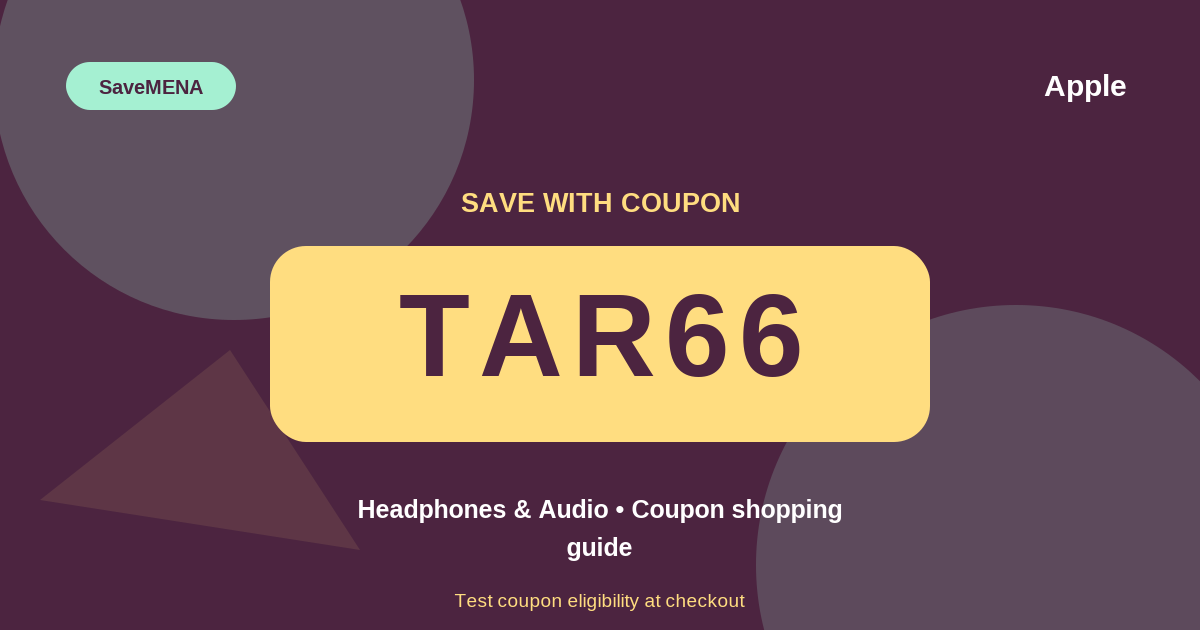
Codes available to try while comparing
These codes are not guaranteed for the article topic or listed brands; test them at checkout and use the live result.
1. Verify Bundle Composition and Apple Accessories Compatibility
When selecting an Apple headphone bundle, ensure the package includes all components you need—be it an AirPods Pro set, MagSafe charging case, or extra ear tips. List every item you expect in the bundle and cross‑check the product description for identifiers such as model number or included accessories. This upfront verification guarantees the bundle truly contains what you want and prevents disappointment at checkout. A missing element might affect eligibility for certain store‑wide promotions, so confirm the full list before adding to cart.
Next, assess device compatibility. Apple bundles often hinge on operating systems or other Apple devices. Verify that the headphones pair cleanly with your iPhone, iPad, or Mac. Compatibility issues can invalidate certain promotional offers tied to specific Apple ecosystems. Check support sheets or Apple’s compatibility guide in the product FAQ section before finalizing your purchase to avoid any surprises during or after delivery.
2. Confirm Product Availability and Seller Trustworthiness
Scroll down within the product page to check the “Available” status and the donor’s trust rating. Seller credibility can impact shipment speed and after‑sales support, especially for bundles that require restocking if any component is scarce. Reviewer feedback on delivery reliability is invaluable when building confidence in a high‑value bundle. Ensure the display of user‑generated ratings and comments that match your bundle expectations. This step protects you from delays that could delay coupon eligibility checks during the final checkout process.
Additionally, review return and warranty policies specific to the seller. Apple bundles typically come with an Apple warranty; verify that the seller offers a full warranty or a right of return within a standard period. Unsuitable return terms can force you to remember the coupon apply status only after receiving the product. Safeguarding this at the product listing stage preserves your right to contest non‑eligible purchases later.
3. Review Wallet Settings and Account Eligibility
Before adding any bundle to your cart, log into your Noon UAE account and examine the “Wallet” section. Ensure you have sufficient balance to cover the potential purchase, excluding shipping. Account type—whether a regular or premium member—can determine processing speed and eligibility for exclusive coupons. Double‑check your membership status since certain promotions may be available only to verified customers. The more detail you have on your account, the smoother you can apply and track the TAR66 coupon later.
Confirm that your payment method is active and that the store accepts it. If you are using a credit card, verify that it has enough credit to accommodate a bundle and any incidental shipping charges. Some payment methods require a pre‑authorization step that could influence coupon eligibility checks. Ensuring the payment method is fully authorised avoids a decline at the final payment screen and keeps your coupon verification process uninterrupted.
4. Inspect Delivery Options and Shipping Fees
On the product page, review available shipping options and associated costs. Because bundle prices may vary depending on shipping method, a higher shipping fee might push the total beyond a threshold required for the coupon to apply. Note that some shipping choices are exclusive to certain sellers, so confirm that the selected seller offers free or low‑cost delivery. Understanding these costs ahead of time ensures you don’t accidentally disqualify the TAR66 coupon by exceeding the required spend range.
Also pay attention to estimated delivery times. Bundle components might ship from different locations, potentially leading to staggered arrival. If the first item arrives late, it can affect your decision to continue the promotion or adjust the bundle. Keep this log handy so that when you reach the checkout, you are ready to confirm whether the the coupon code‑adjusted total still falls within coupon eligibility.
5. Check Cart Totals and Applied Discounts
Once you add all desired bundle items to your cart, click on the cart icon to see subtotals. In the cart view, verify each item’s price, quantity, and the precise total. Check for any automatically applied store offers or bundle promotions that may affect the final amount. These pre‑applied discounts often adjust the hard‑price before you enter a coupon code. Knowing the baseline total sets the stage for comparing the final payable sum after the TAR66 coupon is entered.
Account for any tax or service fees that may alter the cart total. Since some fees are added only at checkout, review the tax section in the cart to anticipate the eventual carry‑over amount. This helps you decide whether the TAR66 coupon feasibly brings the total within your budget. If the projected total appears high, consider removing a bundle component or adjusting quantity as a last resort.
6. Examine Coupon Code Entry and Activation Steps
In the cart, locate the “Enter Coupon Code” field and type in TAR66 exactly as displayed. Pay close attention to uppercase, spaces, or special characters—an incorrect format will prevent coupon activation. After submitting, the cart should recalculate and display the discount amount, usually next to the coupon label. This recalculated total is the most accurate indicator of actual coupon eligibility for the bundle. If nothing changes, double‑check your cart items and retry, as some promotional restrictions may apply.
Once the cart reflects the discount, scroll to the bottom to view the final payable amount. Compare it to the originally estimated total to verify that the coupon applied successfully. If the coupon is not reflected or an error appears, confirm that the bundle still meets all selling condition thresholds, such as minimum spend or specific product codes. If issues persist, consider contacting Noon customer support for immediate clarification.
7. Re‑evaluate Bundle Value After Checkout
After confirming the final payable total and the application of the TAR66 coupon, revisit the receipt that appears post‑payment. This screen drops the final subtotal, any applied discounts, shipping, and taxes. Confirm the discount line appears in the same entry as “TAR66” for full confidence. The receipt also includes an order ID—a vital reference for any future disputes or returns. Keep this screen as a backup, especially when multiple bundles or accessories are involved.
Use the receipt as an audit trail to evaluate whether the bundle truly delivered value relative to its cost. If the final amount feels disproportionate despite the discount, consider reviewing seller ratings or product reviews again. This step ensures you are not only checking coupon eligibility but also that your bundle purchase remains a sound investment.
8. Secure Payment Confirmation and Final Receipt Review
Before concluding your purchase, confirm that the “Confirm Payment” button is available and that all bank messages indicate a successful transaction. Noons often shows a pending status, so allow a short window for the settlement to complete. Once the order confirms, you’ll receive a final email receipt from Noon. Cross‑reference the amounts: final payable total, applied discount, and shipping charges. If any figure differs from what you saw at checkout, contact Noon to rectify. Ensuring this alignment seals the coupon eligibility verification.
Keep the email receipt stored digitally, especially if you plan to return or exchange later. This record shows that the TAR66 coupon was active at the time of purchase and preserves your right to claim refunds or adjustments if the bundle fails to meet expectations. By completing these steps, UAE shoppers can confidently navigate Noon’s checkout process, knowing the coupon was validated and the bundle meets all compatibility and value criteria.
Related SaveMENA pages
Related articles
Official sources to check
Frequently asked questions
How can I verify if the TAR66 coupon will be applied to my bundle before I pay?
At the cart stage, enter TAR66 in the coupon field, observe the updated total, and confirm the discount label appears below the price. If nothing changes, double‑check that your bundle meets all coupon conditions like minimum spend or product eligibility.
Will shipping fees affect the coupon eligibility for the bundle?
Yes, shipping may be added after coupon application. If the new total exceeds any required threshold that the coupon covers, it might be deactivated. Review shipping costs before checkout to ensure eligibility remains intact.
What if my coupon does not appear on the final receipt?
Check the receipt’s discount line for “TAR66”. If missing, contact Noon support with your order ID. They can confirm whether the coupon applied or if it was a system glitch that needs resolution.
Can I use the TAR66 coupon with other promotional offers?
Coupons on Noon are typically separate, and most cannot be stacked. Verify on the coupon terms in the cart or contact Customer Service to confirm whether combining is allowed for your bundle.