Men’s Fashion on Noon UAE: delivery timing — coupon eligibility
Noon UAE coupon eligibility Men’s Fashion estimated delivery timing: Checking whether a Noon UAE coupon is valid before you hit the “Pay” button is essential for
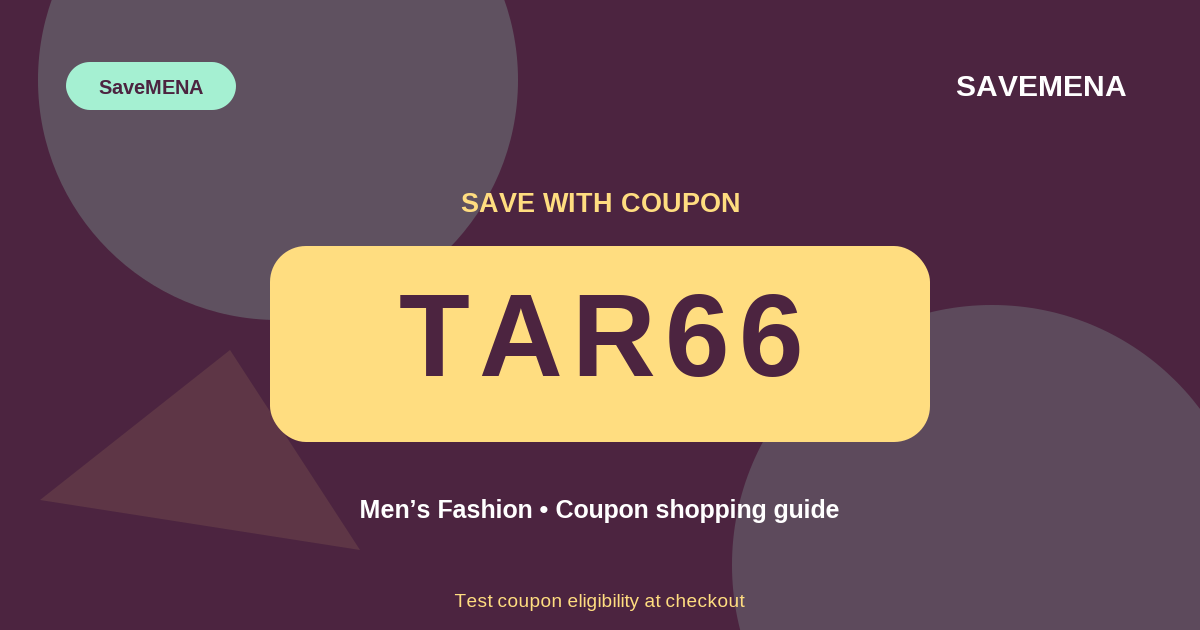
Codes available to try while comparing
These codes are not guaranteed for the article topic or listed brands; test them at checkout and use the live result.
1. Spotting Reliable Men’s Fashion Listings on Noon UAE
Begin by browsing Noon’s dedicated men’s fashion section and filter results for items that fit your size and style preferences. Pay close attention to the product title and description, which often include the fabric, fit, and care instructions. Before adding anything to your cart, check the seller icon next to each listing: a seller logo that includes “Noon Certified” or “Trusted Seller” generally indicates a reputable source, while listings from unknown or unverified boutiques should be approached with caution.
While navigating, note any mention of “Limited Stock” or “Exclusive Release.” These tags can hint at potential stock depletion before shipping. If a listing mentions a production or restock date, it may affect the estimated delivery window. Use these early signals to prioritize items that are in stock and likely to hit your delivery window, giving you a clearer idea of when you can expect your purchase.
2. Adding Items to Your Cart with Compatibility Checks
When you click the “Add to Basket” button, a small confirmation box will appear listing the chosen size, color, and quantity. Here you can correct any mismatches before proceeding. For men’s fashion, verify that the size you’ve selected is available for each variant. If the item is out of stock in the chosen size, the platform will indicate an alternate pickup date or a restock notification.
In many cases, the cart will automatically recalculate the total price, including any applicable shipping fee. This is an opportunity to spot potential changes in your order total that could affect your coupon’s eligibility. Make sure the price shown aligns with the one you saw on the product page to avoid surprises later.
3. Reviewing Your Cart for Accurate Totals and Coupon Checks
Your cart page aggregates all chosen items and displays each product’s price, quantity, and a running subtotal. Scroll to the bottom where the total includes both product cost and shipping fees. Remember, the shipping cost can change with selected delivery speed or wallet balance usage, which sometimes influences coupon eligibility.
If you see a discount banner that mentions “Noon UAE coupon eligibility,” it is only a preparatory hint. The final validation of the TAR66 code will happen during the checkout process. Even if the cart shows “TAR66 eligible,” do not assume the discount will automatically apply; be prepared to confirm its application later.
4. Determining Estimated Delivery Timing Before Applying a Coupon
On the cart or checkout page, Noon UAE typically provides a delivery date estimate based on your location and the selected shipping option. Tap the “Choose delivery option” area to view alternative windows—express delivery might push the arrival closer while economy options could extend it. The estimate generally shows a range, e.g., “24 – 48 hrs” or “2 – 3 business days.”
It is important to note that this date is provisional and contingent on the product’s current availability. If an item’s stock is low or the seller’s fulfillment center is busy, the estimate may shift toward the longer end of the range. Capturing this date now helps you anticipate when the TAR66 discount will actually influence your payable balance, especially if the courier’s cost is affected by the total shipping weight.
5. Launching the Coupon Verification Stage During Checkout
Proceed to the checkout page and locate the “Enter coupon code” field just beneath the total price. Input “TAR66” and observe the platform’s response. A successful application usually triggers an immediate reduction in the subtotal reflecting the discount, while an unsuccessful code may prompt a brief error message. At this juncture, Noon UAE will then re‑calculate the postage if the discount influences the overall order value or freight costs.
It is essential to note that coupon eligibility can differ for certain items, especially if they are flagged as “Non‑eligible” under the platform’s terms. If the code does not apply, you will see a “Coupon not eligible for this item” message. Verify that the entire cart remains eligible, then continue to the next steps to avoid last‑minute changes that could alter the discount status.
6. Selecting the Payment Method that Supports Your Coupon
Nach Abschluss der Coupon‑Prüfung können Sie die Zahlungsart auswählen. Einige Zahlungswege, wie die Direktüberweisung über Noon Wallet, ermöglichen zusätzliche Rabatte oder niedrigere Transaktionsgebühren, wenn ein gültiger Kupon eingesetzt wird. Andere – etwa Kreditkarte oder Paypal – berechnen Gebühren, die das Gesamtergebnis beeinflussen können. Stellen Sie sicher, dass die Gebührenstruktur nicht die Gültigkeit des TAR66-Codes beeinträchtigt.
Bedenken Sie, dass einige Zahlungsmethoden zusätzliche Verifizierungsprozesse erfordern. Damit das Angebot zuverlässig steht, müssen Sie eventuelle Bestätigungslinks in Ihrem E‑Mail‑Postfach oder in der mobilen App sofort öffnen. Sobald die Zahlung abgeschlossen ist, wird die endgültige Summe inklusive Versandkosten und Kuponrabatt angezeigt. Überprüfen Sie diese Zahl, bevor Sie den Bestellbutton drücken.
7. Final Checkout Review: Total, Delivery, and Coupon Status
In the final review screen, Noon UAE aggregates the subtotal, the applied coupon discount, shipping fee, and any tax or surcharge. The total figure shown is the amount that will be deducted from your account or card at the point of payment. At this stage, the platform locks in the estimated delivery time, reflecting the current inventory levels and selected shipping option.
If the displayed coupon has not reduced the total, review the eligibility criteria again. You may need to remove or replace a non‑eligible item, or perhaps the checkout requires a different coupon prefix. In any case, this is the last chance to confirm that the TAR66 code will impact your final payable amount before the transaction is finalized.
8. Tracking and Adjusting Estimated Delivery Post‑Purchase
After completing the purchase, Noon UAE provides a shipment tracking link in the confirmation email and on the “Your Orders” page within the app. This link pulls live status updates that can confirm or adjust the originally displayed delivery window. Monitoring the SMS or push notifications from Noon’s logistics partners will inform you of any carrier‑initiated delays or expected arrivals.
Should the delivery date shift beyond the initial estimate, you can note the new date and compare it with your living arrangements. If you need the items urgently, consider contacting Noon’s customer support; while the coupon’s effect is already applied, changes in shipping speed may still be negotiated for express upgrades if the carrier allows it. Track the queue status, keep the authorisation ID handy, and always verify through the official Noon UAE channels before making any additional payment alterations.
Related SaveMENA pages
Related articles
Official sources to check
Frequently asked questions
How can I confirm that my Noon UAE coupon is valid before checkout?
Before submitting payment, enter the coupon code in the dedicated field during checkout. A successful application will reduce your subtotal instantly; any red‑zone error means the code is currently ineligible for your cart.
Will my estimated delivery timing change after I apply a coupon?
Noon typically updates shipping estimates based on final order weight and total. If the coupon lowers the total below a threshold, it might affect the shipping class, thus slightly tweaking the delivery window.
Can I use the TAR66 coupon with any men’s fashion item at Noon?
Coupon applicability depends on the seller’s eligibility settings. Items marked “Non‑eligible” will prevent the discount from applying, so check each product’s description or central coupon eligibility notice during checkout.
What should I do if the order delivery date slips after checkout?
Contact Noon’s support via the app or website and refer to your order ID and tracking number. They can confirm if an adjustment is possible and provide a revised delivery estimate.