Samsung Mobiles on Noon UAE: delivery timing — coupon eligibility
Noon UAE coupon eligibility Mobiles Samsung estimated delivery timing: To know if the Noon UAE coupon eligibility for Samsung mobiles will work before you finish
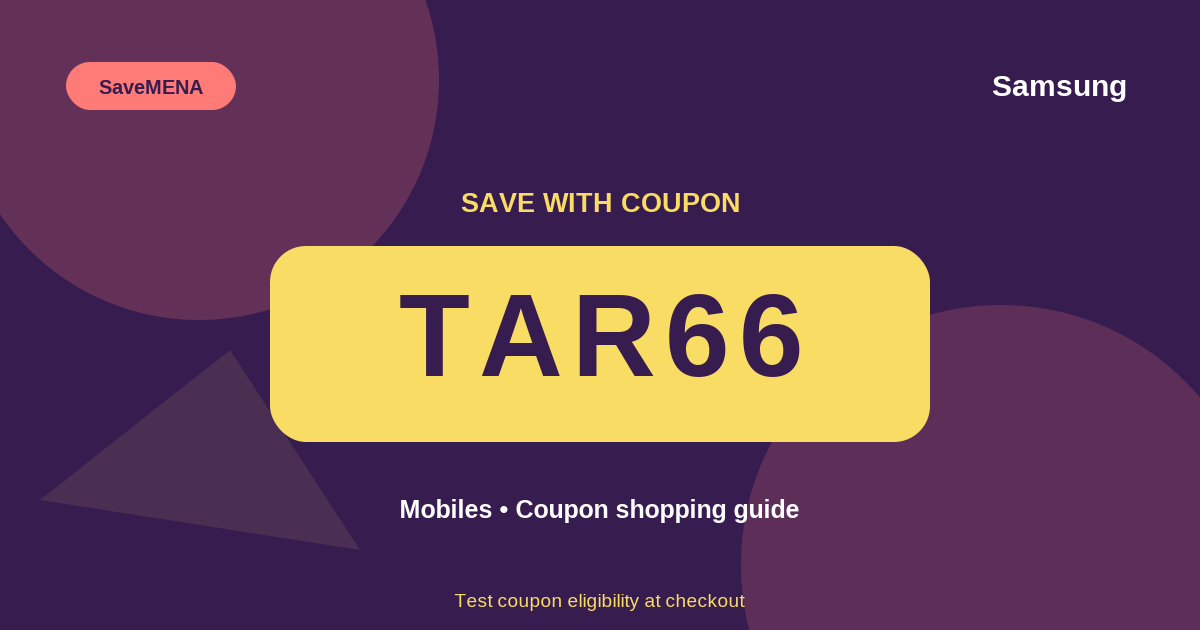
Codes available to try while comparing
These codes are not guaranteed for the article topic or listed brands; test them at checkout and use the live result.
1. Start with the Samsung Mobile Selection
Begin by searching for the specific Samsung model you want on Noon’s UAE site. Once you find the product page, confirm the variant, colour, and storage options that match your preference. Samsung often offers multiple versions of a single model; selecting the exact one is crucial because coupon eligibility can vary between variants. Take note of any seller‑specific notes about shipping, as some third‑party sellers handle delivery differently than Noon’s own inventory.
After choosing the desired variant, add it to your cart. If the item shows a “Add to Cart” button, you’ve likely landed on a Noon‑stocked listing. Check the seller badge; a Noon‑verified badge can hint at more reliable shipping times, but it does not guarantee coupon applicability. Proceed to the cart page to review the item details before moving to the next step.
2. Verify Order Details and Quantity
On the cart page, ensure the quantity, variant, and price displayed match what you intended. Samsung mobiles aren’t typically sold in bulk, so the quantity should usually be one. The price listed will be the base price before any coupons or fees. Sometimes, a temporary discount or promotional banner may appear—though it’s unrelated to the TAR66 code, it still affects the final amount you’ll pay.
Scroll to the bottom of the cart to find any available coupons or promotional codes. Notice the prompt that says “Enter Coupon Code”. This is where you’ll later input TAR66 if you believe it applies. Keep in mind that not all coupons will appear for every product; the interface will only reveal codes that are potentially valid for the items in your cart.
3. Review Estimated Delivery Timing
Before applying any coupon, look for the estimated delivery window displayed on the cart or product page. Noon will typically show a range, such as “Delivery 2‑4 days”, based on the seller’s location and your shipping address. This estimate is dynamic; it adjusts if you change your address or if National post dynamics alter.
Click the “Delivery Details” link to see a more granular view. Here you can verify the earliest and latest possible dates, and any additional service fees that might apply based on the selected speed. If the Samsung model is stocked in multiple warehouses across the UAE, the estimate may vary accordingly.
4. Check Coupon Eligibility Before Applying
On the same cart page, find the “Enter Coupon Code” input. Enter TAR66 exactly as it appears, then press the apply button. Noon will instantly strip any hidden verification logic before moving to checkout; you’ll see an immediate message indicating whether the coupon is eligible for the current cart.
If the coupon is valid, a savings amount appears under the price, and the total will adjust accordingly. If not, the platform will display a brief explanation—often noting that the coupon cannot be applied to this item or category. This step is essential because it lets you confirm coupon eligibility without progressing to the payment gateway.
5. Confirm Coupon Application on the Checkout Page
Proceed to the checkout by clicking “Check Out” on the cart page. On the checkout screen, a final summary will list the item, the applied coupon (if any), shipping fees, and the total payable amount. Beneath the coupon area, Noon might reiterate the validity of TAR66 in the context of the current order.
At this juncture, the coupon’s effect on the final amount is definitive, but the crucial detail is the delivery estimate that appears beneath the shipping summary. Confirm that the delivery dates shown match those you saw in the cart. If there’s a discrepancy, it often signals a logistic change that could affect your receipt of the Samsung phone.
6. Verify the Final Estimated Delivery Date
Once the checkout page has loaded, scroll to the “Estimated Delivery” section. It will display the earliest and latest dates projected for your purchase. These dates are calculated based on the courier’s schedule and shipment processing time at Noon’s fulfillment center or partner warehouse.
Notice whether any delays are indicated, such as “Gold Shipping” or “Express”. If your Samsung phone is high‑value or bulky, the shipping fee may be higher; however, it typically does not change the estimated delivery window unless there is a courier constraint.
7. Final Payable Total and Checkout Confirmation
Check the final total you’ll be charged. This amount combines the product price, shipping fee, any discount from TAR66, and a potential tax or government fee. Ensure the coupon savings are reflected; if not, revisit the coupon entry step to double‑check spelling or seller restrictions.
Before confirming the purchase, review all details—product, price, coupon savings, shipping fee, and delivery window—once more. If everything aligns with your expectations, submit the order using your preferred payment method. The confirmation screen will reaffirm the estimated delivery dates and the coupon’s effect.
8. Post‑Purchase Tracking and Future Savings Planning
After you’ve placed the order, Noon sends an email with an order summary and a tracking link. Click that link to monitor the courier’s progress; most UAE couriers will update the status from “In Transit” to “Out for Delivery” in near real‑time.
To prepare for future Samsung or other mobile purchases, note which sellers already appeared eligible for TAR66 and whether they maintained consistent delivery estimates. Storing those preferences can save you time when you revisit Noon for next upgrades or replacements.
Related SaveMENA pages
Related articles
Official sources to check
Frequently asked questions
How can I confirm whether TAR66 will work for my Samsung mobile on Noon?
Enter TAR66 in the “Enter Coupon Code” field on your cart page before proceeding to checkout. Noon’s interface will instantly notify you if the coupon is applicable to the selected Samsung model.
Can I change the delivery date after applying the coupon?
No, the estimated delivery window is set before checkout and linked to the seller’s logistics. The coupon only affects pricing, not shipping timelines.
What if Noon displays a different delivery estimate at checkout?
Re‑verify the dates in the “Estimated Delivery” section of the checkout screen. If it differs, double‑check your shipping address; Nord logic may shift when the address is updated.
Will Samsung sellers always show the same price on Noon?
Prices can vary slightly between Samsung variants or seller stocks. Always confirm the exact model and price on the product page before adding to cart.