Watches on Noon UAE: shipping responsibility — coupon eligibility
Noon UAE coupon eligibility Watches fulfilment and shipping context: Are you an UAE shopper hunting for the perfect watch and hoping a Noon UAE coupon can make your
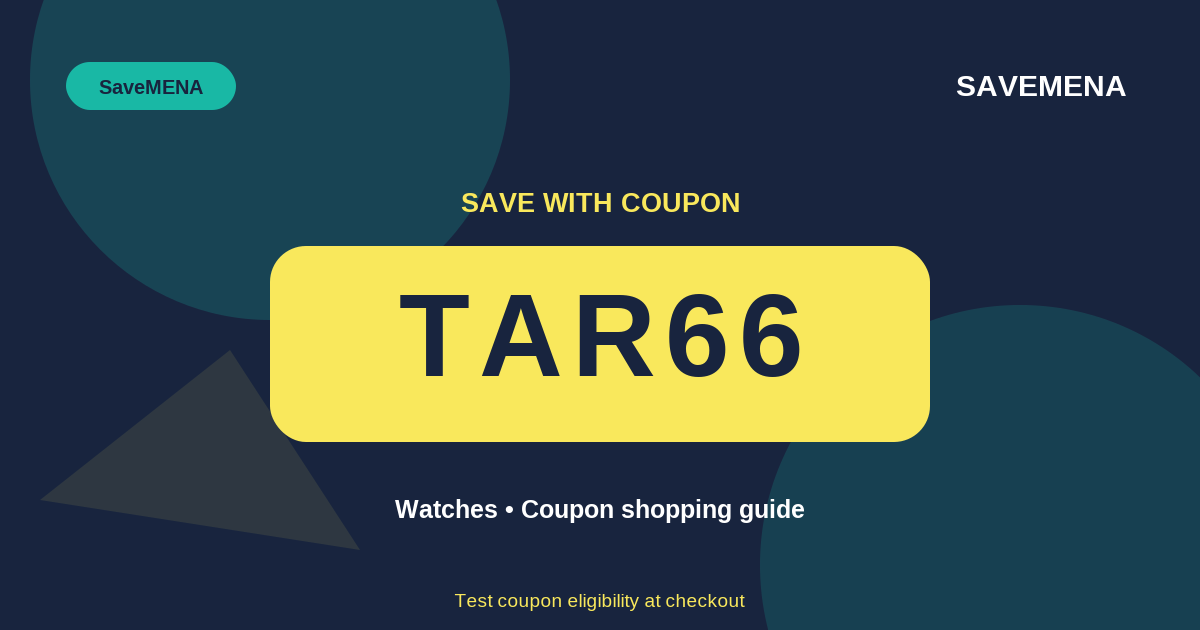
Codes available to try while comparing
These codes are not guaranteed for the article topic or listed brands; test them at checkout and use the live result.
1. Check the Coupon Eligibility Tag on the Watch Listing
Every watch product page on Noon UAE typically shows a badge indicating whether coupon codes can apply. Look for a tag that reads “Coupon Eligible” or a small note next to the price. Ensure that this tag appears before you add the watch to your cart, as it confirms that the seller is supporting any applicable discount codes, including TAR66.
After you add the item to the cart, navigate to the cart page and double‑check the eligibility label. If the badge disappears or converts to “Coupon Not Eligible,” the product likely moved to a different seller or inventory batch that does not support promotional codes. In that case, the coupon will not be applied at checkout, so consider picking a different watch or waiting for the original listing to become available again.
2. Validate the Seller’s Shipping Method Compatibility
Coupon eligibility can be limited by the seller’s shipping method. Some sellers offer only standard delivery, while others provide express or in‑store pickup options. Make sure the chosen shipping method matches the seller’s mention of coupon-compatible shipments. If a watch only ships through an express window that excludes coupon usage, you might need to select a different seller or payment option.
To verify, click on the seller’s name in the cart, then review the “Shipping Options” dropdown. The valid options will list whether coupon codes can apply. If “TAR66” is not allowed with the selected courier, you can switch to a standard courier at no extra cost, depending on the seller’s flexibility.
3. Confirm the Watch Category Alignment
The Noon UAE platform sometimes restricts coupons to specific product categories. A watch falls under the “Watches” category, but you should check that the catalogue tag on the listing says “Watches” and not a sub‑category that might be excluded. This distinction is key when the platform filters eligibility based on hierarchy, not just the final category name.
Return to the watch page, locate the breadcrumb trail at the top (e.g., “Home > Accessories > Watches”). Ensure the second link is “Accessories,” and the third is “Watches.” If the breadcrumb shows a sub‑category such as “Digital Watches” that might have distinct rules, double‑check with the seller or the platform’s help center for any coupon restrictions tied to that sub‑line.
4. Inspect the Shipping Cost Structure
Often, a coupon will only apply if the total contains a shipping fee. Some sellers waive the shipping fee if you meet a certain threshold. Make sure the shipping fee component is present before the coupon line is added. On the cart summary, you’ll see a separate entry for “Shipping.” This is crucial because a zero‑shipping scenario can automatically block coupon applicability.
If the shipping fee is hidden or set to zero, contact the seller’s chat or reference the shipping policy page. Certain promotions may allow free shipping while still honoring the coupon, but this is not guaranteed and should be confirmed during the cart review stage.
5. Assess the Return Policy and Time-to-Delivery Window
Some sellers enforce a return policy that changes based on the delivery timeframe. Watches that arrive overnight may not allow the same return window as those delivered within 5–7 days. Check the seller’s return policy to understand how the delivery time could influence your final purchase decision.
On the product page, scroll to the “Return Policy” section. It often states the permissible return period (e.g., “Return within 30 days of delivery”). Confirm that the product’s shipping method aligns with this period, and note any mentions of “delivery time and return eligibility.”
6. Choose a Payment Method That Supports Coupons
Coupon eligibility can vary between payment methods. Some platforms allow coupons to apply only when using a particular payment type—credit card, debit card, or wallet. Verify that the payment option you plan to use is listed on the display “Accepted Payment Methods” near the bottom of your cart.
When the checkout prompt appears, there will be a list of payment channels. If “Coupon” is shown to apply only to “Credit Card” payments, and you intend to pay via wallet, adjust your selection accordingly before adding the TAR66 code.
7. Preview the Final Price in the Cart Before Applying the Coupon
For a final verification step, view the cart summary just before the coupon input box becomes available. Sometimes the price shown before applying the code includes hidden fees like handling or surcharges that can affect the final discount amount.
Click the “Edit” option next to the watch, then return to the cart. The subtotal, fees, and total are displayed. If the subtotal after adding TAR66 falls below the minimum threshold established by the seller, the coupon may not reflect on the final total. Ensure all conditions are satisfied before proceeding.
8. Double‑Check at Checkout for Final Confirmation
When you hit “Proceed to Checkout," a new screen loads where you must enter the coupon code TAR66. Input it in the provided field and the system will instantly recalculate your total. This is the last checkpoint to see if the platform accepts the coupon in the context of your chosen seller, shipping method, and payment option.
At this phase, notice if a red banner says “Coupon not applicable” or a similar warning. If that appears, you’ve already matched the purchase criteria, but the platform has determined a conflict—perhaps the coupon applies to a different product line. In that case, you may need to remove the watch and look for an alternative listing that maintains eligibility.
Related SaveMENA pages
Related articles
Official sources to check
Frequently asked questions
What if the TAR66 coupon does not apply once I hit checkout?
If the code shows as “not applicable” at checkout, verify that the seller, shipping method, and payment type still match the earlier eligibility checks. Timing issues can arise if the seller switches inventory batches; contacting seller support can resolve such conflicts.
Can I combine the TAR66 coupon with other promotions on watches?
Multiple promotions typically cannot stack. The platform will apply only the discount that meets the highest priority among listed coupons or promotions. Check the “Promotions” section for guidance.
Is there a delivery fee for watching trucks chosen?
Delivery fees vary per seller. The cart summary before applying a coupon will show any associated cost. If you see no fee, the seller may be offering free shipping for that order or shipping method.
Does the watch’s return policy influence coupon eligibility?
Coupon eligibility is separate from the return policy. However, sellers sometimes restrict coupon usage on products with limited return windows to prevent abuse. Confirm the seller’s stated return terms during your cart review.