Braun Home Appliances on Noon UAE: model specifications — coupon eligibility · TAR78
When you browse a Braun refrigerator, microwave, or washing machine on Noon, the first indicator of coupon compatibility is the item's product page.
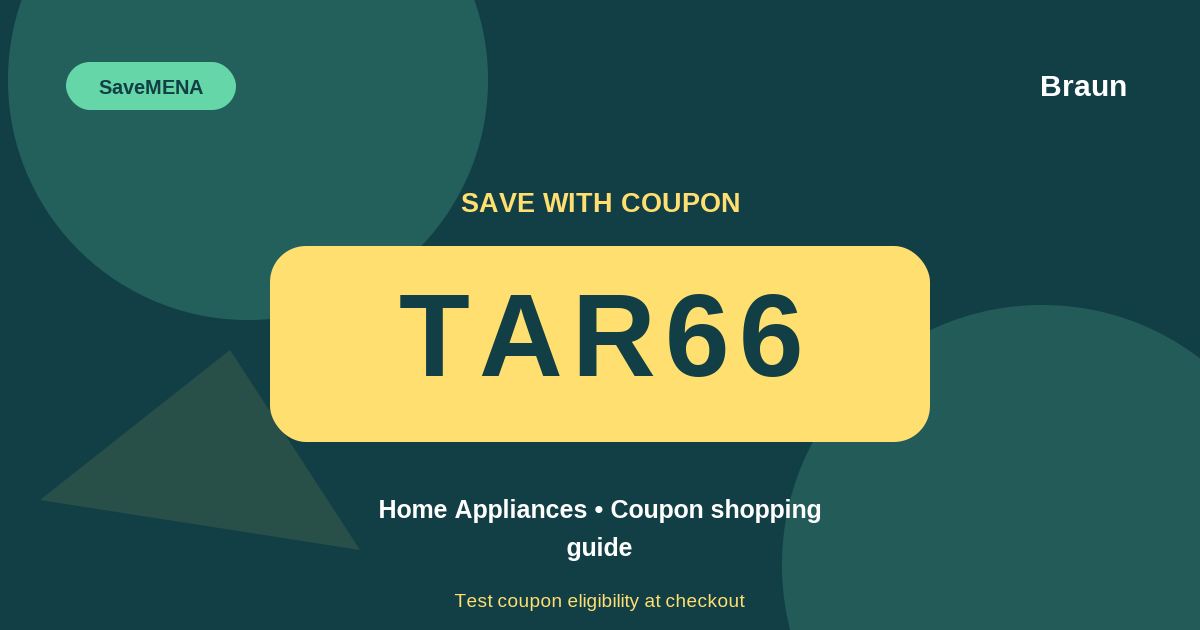
Codes available to try while comparing
These codes are not guaranteed for the article topic or listed brands; test them at checkout and use the live result.
Exploring Coupon Acceptance for Braun Models on Noon
When you browse a Braun refrigerator, microwave, or washing machine on Noon, the first indicator of coupon compatibility is the item's product page. Look for a language note that states “Coupon applicable” along with the code, or a green checkmark next to the coupon field. If the banner is blank, the coupon is likely ineligible for that particular model or in that region. Always confirm this before you add the product to your cart to avoid future confusion.
Now that you know where to look on the product page, add your chosen Braun appliance to the cart. At this moment, Noon does not yet validate the coupon for the checkout. The real test comes when you hit the payment page, where the platform cross‑checks the coupon with the cart’s content. The outcome of this step determines whether the coupon is actually applied.
Choosing the Braun Model That Meets Your Needs
Braun offers a spectrum of appliances, from compact dishwashers to full‑size range ovens. Each model carries distinct specifications such as capacity, energy rating, and smart connectivity.A coupon is not guaranteed; verify its result at the retailer checkout. Inspect the model number and compare it against the coupon eligibility description found on the Noon site or in the coupon terms box.
While reviewing specifications, keep in mind that features like “quiet‑operation” or “LED display” do not affect eligibility. Only the essential product attributes—model, category, and price—are used to determine if the coupon will be accepted. Make sure the variant you choose (storage capacity, color, attachments) is the exact one you intend to buy, as other variants may fall outside the coupon’s scope.
Detailed Spec Checks That Affect Coupon Validity
Some coupons on Noon are conditioned on specific technical specs such as a minimum energy‑efficiency rating or a particular installed power capacity. Look for any mention of such specifics on the product page or in the coupon eligibility statement. For instance, a coupon might be valid only for Braun refrigerators with an A++ efficiency rating and a minimum 300 L capacity, not for smaller models. Confirm these details before adding the item to your cart.
If a Braun appliance includes optional attachments or upgraded firmware, the base model might still be eligible while the variant with attachments is not. In these situations, the site will usually display a distinct product title or subtitle clarifying the variant. Verify that the item you are about to purchase exactly matches the title that the coupon indicates as eligible to prevent a rejection at checkout.
Adding Braun Appliances to Cart and Seeing Coupon Eligibility
Once the Braun model’s specifications align with the coupon conditions, sequence a simple test: add the appliance to your cart, proceed to the cart summary, and then input “TAR78” into the coupon field. Noon will reflect the coupon’s status with either a green confirmation icon or a red error message. If the coupon is recognized, a “Coupon applied” tag will appear in the cart breakdown.
At this stage, note that Noon may still show a pending status if the coupon’s conditions have not yet been fully verified—such as a region‑specific restriction. If the coupon shows as pending, proceed to the checkout page and let the system complete the validation. This final step ensures that any backend adjustments are accounted for before payment is processed.
Evaluating the Checkout Page for Final Coupon Acceptance
When you reach the payment screen, the Noon system performs its most stringent check. The banner above the payment options will display the coupon status: “Coupon applied,” “Coupon not applicable to this item,” or any error message. If the coupon is successful, the discount appears beneath the item total, reducing the payable amount. If it fails, the banner explains why the coupon was rejected, often with a single-word notice like “ineligible.”
Remember that the checkout page is the ultimate reference for coupon eligibility. Any changes to the product (e.g., a different variant or shipping destination) or alterations in the cart (such as adding a second Braun item with different specs) will affect the coupon’s validity at this point. Check the final amount before completing the transaction; this is your last chance to confirm that the coupon has been applied.
Common Issues When Applying Coupons to Braun Home Appliances
One frequent hiccup is placing a Braun appliance in the cart while using a coupon that only applies to a specific category or model range. Users sometimes mix the product with unrelated Braun items in one transaction, which cancels the coupon due to crossover restrictions. Always double‑check that your cart contains only the eligible Braun models before applying the coupon.
Another subtle issue arises from using private‑browse or incognito windows where cookies are not persisted. Noon may treat each session as new, causing the coupon to be rejected upon return to the checkout. To prevent this, log in to your Noon account before starting the purchase so that your cart and coupon status are properly stored and recognized across pages.
Strategic Cart Management for Future Savings
If you plan to purchase multiple Braun appliances, keep the coupon separate. Place each eligible Braun model into its own cart or remove competing items linked to a different brand or specification that are not covered by the coupon. Once the coupon has been applied successfully to one Braun model, you may walk away from the cart or add more non‑Coupon‑eligible goods if Noon allows stacking coupons for different items.
Another useful practice is to monitor your cart’s updated total after each addition. Many shoppers overlook how a new Braun appliance entry can cause the coupon’s eligibility to reset. By reviewing the coupon banner immediately after any cart change, you avoid the cost of a final payment that does not reflect the intended discount.
Final Tips: Keeping Your Checkout Smooth with Noon Coupons
A coupon is not guaranteed; verify its result at the retailer checkout. Use the coupon field to check eligibility at each stage—cart page, checkout banner, and payment confirmation. If the coupon shows as ineligible at any point, double‑check the product variant, region, and any coupon terms. This method prevents last‑minute surprises.
After a successful purchase, record the coupon result within your order history. This record can help you verify future use or report discrepancies. Additionally, keep a small mental note: Noon’s coupon validation occurs at checkout; earlier checks are only conditional. By staying vigilant throughout the process, UAE shoppers can maximize the benefit of every Braun appliance purchase.
Related SaveMENA pages
Related articles
Official sources to check
Frequently asked questions
What if Noon says the coupon is not applicable after I enter it?
Check that the Braun model you selected meets the exact specifications indicated in the coupon condition. Verify you are using the correct product variant, that regional restrictions aren’t blocking eligibility, and that you haven’t added non‑eligible items to the cart. If the issue persists, contact Noon support for clarification.
Can I apply the TAR78 coupon to more than one Braun appliance in the same order?
Noon generally limits a single coupon to one eligible item per order unless the coupon description allows multiple uses. The checkout banner will indicate if the coupon was applied to each Braun appliance or only to the first eligible one. If in doubt, separate your purchases into distinct orders.
Does my purchase location affect STM78|TAR78 coupon eligibility for Braun appliances?
Some coupons are region‑specific, meaning they only apply to orders shipped within certain UAE cities or to a specific delivery provider. Verify the region requirement on the coupon page or at checkout. If your delivery address falls outside the eligible zone, the coupon may be rejected.
Will using a different browser or device change the coupon result?
Yes, because Noon’s coupon validation is session‑specific. Browsers that don’t store cookies or have ad‑blockers can interfere with the coupon’s recognition. Always use the same browser, stay logged in, and avoid pop‑up blockers when attempting to apply the coupon.