Dyson Beauty on Noon UAE: payment method — coupon eligibility · TAR84
To determine if a coupon will apply to your beauty purchase on Noon UAE, you must first verify its eligibility before you select your payment method.
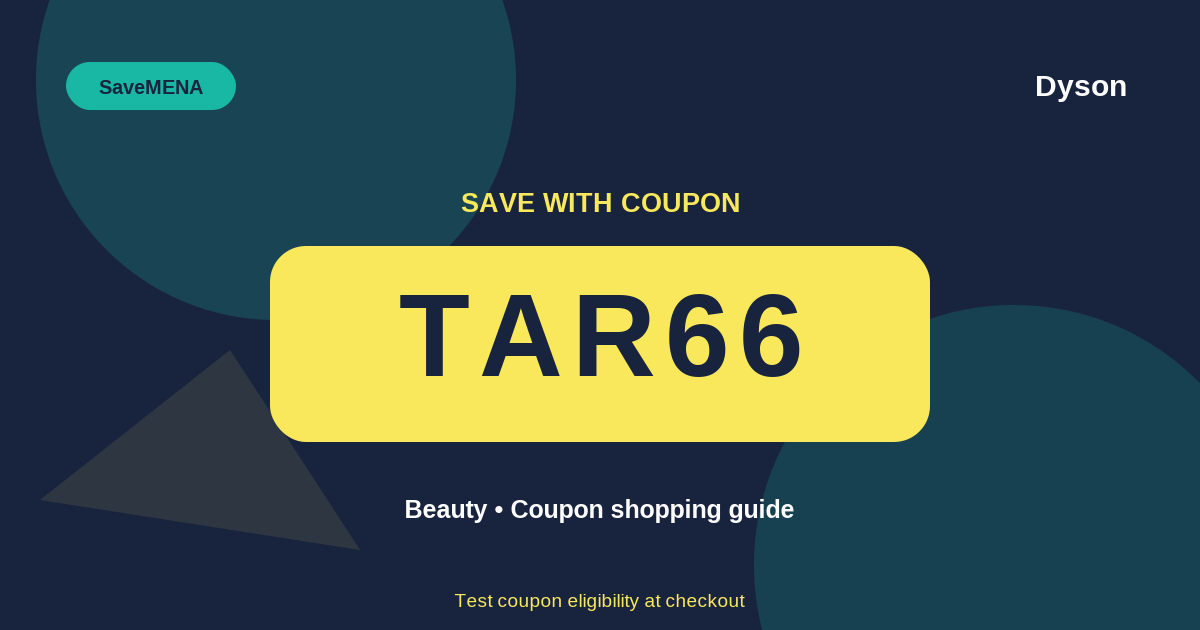
Codes available to try while comparing
These codes are not guaranteed for the article topic or listed brands; test them at checkout and use the live result.
Pre‑Payment Coupon Checks: Why It Matters on Noon UAE
Before you even add a beauty product to your cart, the first question is whether the coupon you plan to use is eligible for that item. On Noon UAE, eligibility is tied to the specifics of each listing, including brand, seller, and sometimes the quantity you’re adding. If a coupon is not recognized at checkout, you may not weather the payment method prompt until you realize the discount didn’t apply, which can be inconvenient and frustrating.
Checking eligibility early also protects you from potential payment method restrictions. Some payment options on Noon have limits that can interfere with coupon application, such as certain credit card issuers or wallet services. Verifying that the coupon will work with your chosen payment method removes a layer of uncertainty and lets you focus on keeping your beauty budget intact.
Discovering the TAR84 Coupon: What It Can Do For Your Beauty Order
The TAR84 code is presented as a bonus opportunity for Noon UAE shoppers, and it is explicitly stated that the coupon is available to try. This means that while the code may bring a special offer, there are no guarantees regarding the discount amount, applicability to a particular brand—such as Dyson—or specific beauty products. The code’s status may vary depending on inventory and seller agreements.
When viewing a beauty product page, search for a coupon field where you can enter TAR84. If the field is present but the verification icon does not flash green immediately, the discount may still be pending affirmation by the seller’s terms. In that scenario, you know the coupon is “trial‑ready,” and you should keep a vigilant eye on the checkout stage for final confirmation.
Scanner Stage: Finding Coupon Eligibility on Product Pages
On the product detail page, look for an “Enter coupon code” button. When you click it, the interface typically prompts you to type in a code. Fill in TAR84 and press apply, then note whether the interface confirms, rejects, or remains blank. A positive confirmation suggests the coupon is eligible for this item, but it does not yet guarantee the discount will survive the checkout process.
Some sellers may not allow coupon usage on certain product variants or for specific quantities. In such cases, the “cannot apply” message indicates a mismatch between the coupon conditions and the product details. Avoid adding the product to your cart if you see persistent errors, as this will save time during payment.
Payment Method Significance: How Card Choices Influence Coupon Activation
Many minority coupon programs on Noon UAE depend on the payment method you ultimately use. If you buy with a standard debit card, the system typically honors the coupon. However, using a store credit wallet or a prepaid card might trigger additional verification steps. In these scenarios, the coupon could be temporarily locked until the payment method clears, which may delay final confirmation.
To mitigate payment‑related ambiguity, cross‑check the payment method’s settings in your Noon app before finalizing the order. Some payment methods require an active internet connection or a specific country flag, and those conditions can influence whether the coupon affirms at checkout. Adjusting your payment option to the most straightforward one—such as a direct debit from your bank account—is often the safest route.
The ‘Try’ Option Explained: Trial Use and Payment Compatibility
Because TAR84 is said to be “available to try,” shoppers must recognize that the discount’s realization is not guaranteed. This “trial” status means the coupon might be available for specific inventory types or seller agreements that could shift during the checkout stage, especially if the order proceeds with a payment method that differs from the one originally authorised.
A coupon is not guaranteed; verify its result at the retailer checkout. Some shoppers skip this step, assuming the coupon has already been validated, which can lead to the coupon being discarded if the payment method changes after the initial application. Keeping the field visible until the order confirmation page finalises the payment method is the best practice.
From Cart to Checkout: Step‑by‑Step Verification Of Coupon Status
Once you’ve added a beauty item to your cart, proceed to the cart summary page. Most e‑commerce sites will recalculate totals, including any validated coupon. Screen your eligibility by re‑entering TAR84 if the interface shows the field again and check for a green tick or a discount badge. A missing tick indicates the coupon did not re‑validate.
#### Checkout Confirmation On the final confirmation page, before landing on the payment method wizard, you should see the total amount reflected with or without the coupon discount. If the coupon is successfully applied, the Total line will clearly display the final amount after discount. If not, an explanation or an option to re‑enter the coupon will appear, allowing you to choose whether to proceed without the offer.
Final Pay‑Lan: Confirming Coupon Eligibility at Confirmation
During the final pay‑lan step, Noon’s system performs a last check of coupon eligibility, cross‑referencing the selected payment method. If the coupon has lulled into invalid status—perhaps due to a change in seller rules or inventory levels—an error will surface before your payment details are securely transmitted. At that point, you can either retry a different coupon or switch payment options to match the coupon’s requirements.
Noon UAE’s checkout engine typically offers an “adjust plan” feature that allows you to revisit your payment method or adjust the order before finalising. Using this feature means you can address any coupon rejections immediately, thereby avoiding missed savings or cancelled payments.
Best Practices To Avoid Payment Mismatches and Unreached Discounts
To reduce the chance of a coupon conflict at the payment stage, keep your Noon app updated and verify your payment method is active and funded. Clean up any pending sessions from previous purchases, ensuring no residual verification tokens might interfere with the current order.
A checklist for the checkout process: 1) Confirm coupon status at the cart page, 2) Enter payment method, 3) Review total amount, 4) Double‑check for a discount badge. By following these steps, you maximise the likelihood that the TAR84 code—and any other coupon you use—will apply correctly to your beauty purchase.
Related SaveMENA pages
Related articles
Official sources to check
Frequently asked questions
How do I know if my payment method will support the TAR84 coupon?
During the checkout process, Noon UAE will verify the coupon against your chosen payment method. If the method conflicts, the system will notify you before you finalize payment. Choosing a standard debit or credit card often avoids these conflicts.
What happens if the coupon does not apply during checkout?
Should the TAR84 code fail to validate at checkout, you’ll receive a notification and you can either attempt a different coupon or proceed with your order without the discount. The checkout page will clearly show the final payable amount.
Can the coupon be used with a store wallet or digital payment?
Some coupons on Noon UAE may require a regular card or bank transfer. It is best to check the coupon details in the product page or consult customer support if the coupon field shows a limitation regarding wallet or digital payment options.
Is there a time limit for using the TAR84 coupon?
Noon UAE does not disclose a specific expiration date for the TAR84 code. It is advisable to apply and confirm the coupon as close to the checkout moment as possible to ensure its current validity.