ASUS Computer Accessories on Noon UAE: payment method — coupon eligibility · TAR84
When you head to Noon UAE to buy computer accessories—especially ASUS branded gear—one of your first questions is whether a coupon will apply.
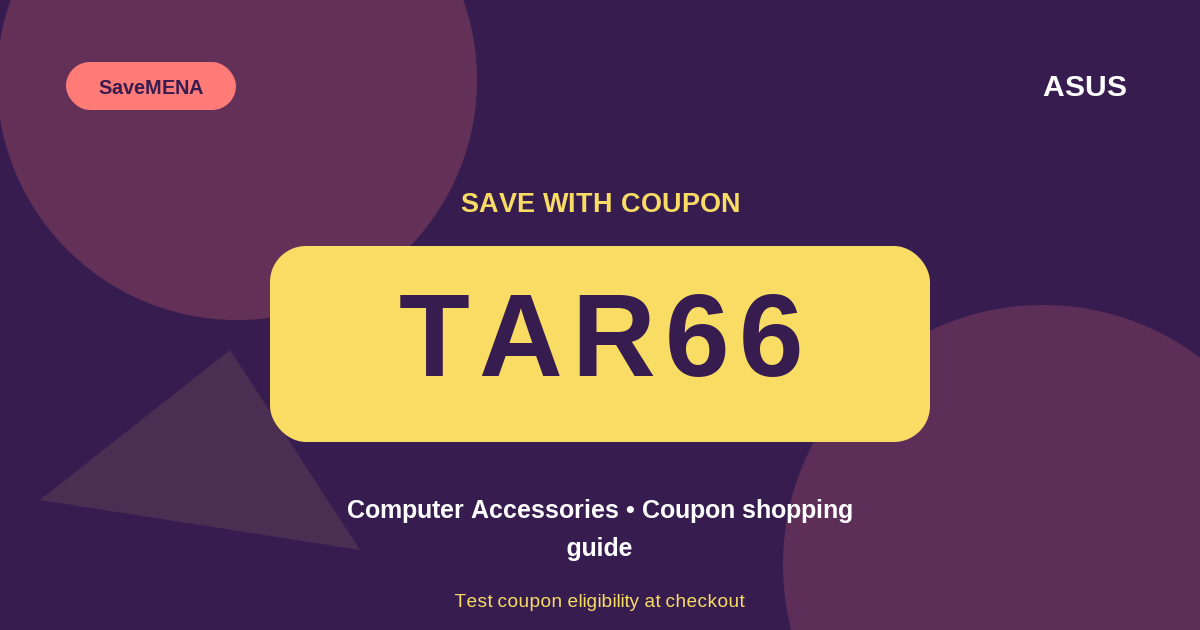
Codes available to try while comparing
These codes are not guaranteed for the article topic or listed brands; test them at checkout and use the live result.
1. Understanding Noon UAE Coupon Eligibility for Computer Accessories
Coupons on Noon UAE are usually tied to specific categories, sellers, or item SKUs.A coupon is not guaranteed; verify its result at the retailer checkout. This flag appears as a brief note near the price or in the “Discount” section of the product page. If the note is absent, the coupon is likely not eligible for that item. Remember, the eligibility status can change depending on inventory or promotions set by the seller, so double‑check before adding the product to your cart.
In the context of ASUS accessories, sellers often list these as brand‑specific items. If you see a coupon eligibility notice, it confirms the vendor has enabled coupons for their Asus collection. However, not all ASUS listings will display this; some might be exclusive to members or offer “no coupon” policy.A coupon is not guaranteed; verify its result at the retailer checkout.
2. Why Payment Method Matters When Applying a Coupon
Payment methods on Noon UAE interact with coupon rules. Certain payment options—like Cash on Delivery or specific credit card programs—can lock the coupon in or unlock it. For example, a coupon might only apply when you pay via a particular bank’s credit card, while other payment methods may render the coupon inapplicable. This is because coupon validity is sometimes linked to transaction channels to meet partnerships with financial institutions.
By examining your payment options before finalizing the purchase, you can choose a method that retains the coupon’s benefit. If you’re uncertain, try selecting a payment method that historically aligns with coupon acceptance—often online credit/debit cards or popular e‑wallets. Checking the eligibility, then retesting with a different method, lets you compare results before confirming the order.
3. Step‑by‑Step: Adding ASUS Accessories to Your Cart
Begin by searching for the ASUS peripheral you want. When you arrive at the product page, look for a price tag that indicates “No coupon” or shows an open eligibility mark. If there's an open coupon icon, the product is potentially eligible. Add the item to your cart, but DO NOT proceed to checkout until you have verified the coupon status for this specific SKU.
In the cart view, each item displays a “Use Coupon?” toggle if eligible. Here you can add the code TAR84 by clicking “Apply Coupon.” A brief message will appear confirming the code’s presence but not whether it will be saved at checkout. This step gives you a preview but doesn’t lock the coupon—confirmation still happens when you finalize payment.
4. Checking Coupon Eligibility Before Finalizing Payment
Before proceeding to the checkout page, hover over or click the “Apply Coupon” field in your cart. Input TAR84 and watch the system respond. A responsive tooltip may say “Coupon accepted” or show a checkmark but will still rely on final calculation during payment confirmation. If the tooltip reads “Coupon not available for this order,” the code won’t apply no matter what payment you select.
Next, proceed to the “Review Order” screen. Here, on the right side of the page, you’ll see “Coupon Status.” If this section confirms eligibility, the discount will apply once you submit the payment details. If it’s marked tentative or missing, you must revisit your cart and remove any items that might be excluding the coupon.
5. Confirming Payment Method Compatibility with Your Coupon
On the final payment selection screen, spend a few seconds scrolling through the available payment methods. For each method, Noon UAE often provides a brief note about coupon compatibility, such as “This payment method supports coupons” or “Coupons only available for credit card payments.” This annotation confirms whether your chosen payment channel will preserve the coupon’s benefit.
If you see that coupons are only valid with a particular card brand or e‑wallet, switch to that method before confirming the transaction. Remember, changing the payment method after applying the coupon can cause the discount to reset or disappear entirely. Therefore, choose your payment method first, then apply the coupon for a smoother checkout.
6. Common Payment Method Constraints That Affect Coupon Use
Cash on Delivery (COD) campaigns often restrict coupon usage because the transaction occurs after delivery. Stick to online payment methods if you want the coupon to trigger immediately. Likewise, some mobile wallets might only support limited discount levels or specific voucher types, which could inadvertently negate the coupon benefits you aimed for.
Credit/debit card transactions are usually the safest bet for coupon acceptance. Merchants partner with banks to ensure that their promotional offers can be applied at checkout. If you’re uncertain about a particular card’s compatibility, check the Noon UAE help center for a concise list of card types that honor coupons.
7. What Happens After You Choose a Payment Method
Once you lock in a payment method and confirm the order, Noon UAE re‑evaluates coupon eligibility against the finalized basket, seller, and transaction channel. If the system still sees the coupon as eligible, it applies the discount to the final payable total displayed in the payment summary. If any condition isn’t met—such as a product price falling below the coupon’s threshold—the coupon may be automatically withdrawn.
If the coupon disappears before payment completes, you’ll see the change in the amount displayed. At that point, you cannot amend the selection without canceling and restarting the checkout. Avoid rushing: double‑check the final amount before you hit “Submit Payment.A coupon is not guaranteed; verify its result at the retailer checkout.
8. Best Practices for a Smooth Checkout Experience
Start by verifying the coupon eligibility of each item in the cart, then apply TAR84 in the checkout preview. Choose a payment method that the platform confirms supports coupons. Keep an eye out for any change notifications that appear after you confirm the payment method; these will indicate whether the coupon remains active.
Finally, capture a screenshot of the final amount before submitting payment. If you later discover the coupon didn’t apply, you’ll have evidence to support a customer service request. Following these steps reduces checkout friction and increases the likelihood that your coupon will be honored.
Related SaveMENA pages
Related articles
Official sources to check
Frequently asked questions
What if the coupon doesn’t appear to apply after I select my payment method?
An icon on the payment screen indicating “Coupons not supported with this method” shows the restriction. Change to a payment option that e‑supports coupons, such as a credit card known to honor Noon discounts.
Can I use the coupon code TAR84 with multiple ASUS accessories in one order?
Yes, you can add multiple ASUS items to the cart as long as each item shows coupon eligibility. The system will validate them collectively during checkout.
Will the coupon remain active if I add a non‑eligible product to the cart?
Adding a non‑eligible product can invalidate the coupon because the total order may no longer meet the promotion’s conditions. Keep all items eligible to preserve the coupon.
Does Noon UAE have a set limit on the number of times I can use the TAR84 coupon?
Specific usage limits are not disclosed. You can try applying the coupon at checkout; if it fails, reach out to Noon’s support for clarification.