Philips Electronics on Noon UAE: payment method — coupon eligibility · TAR98
Good. Add Intro 150 => 1590. Good. We can moderate. Need ensure each paragraph 80-100 words. We'll craft 90 words each.
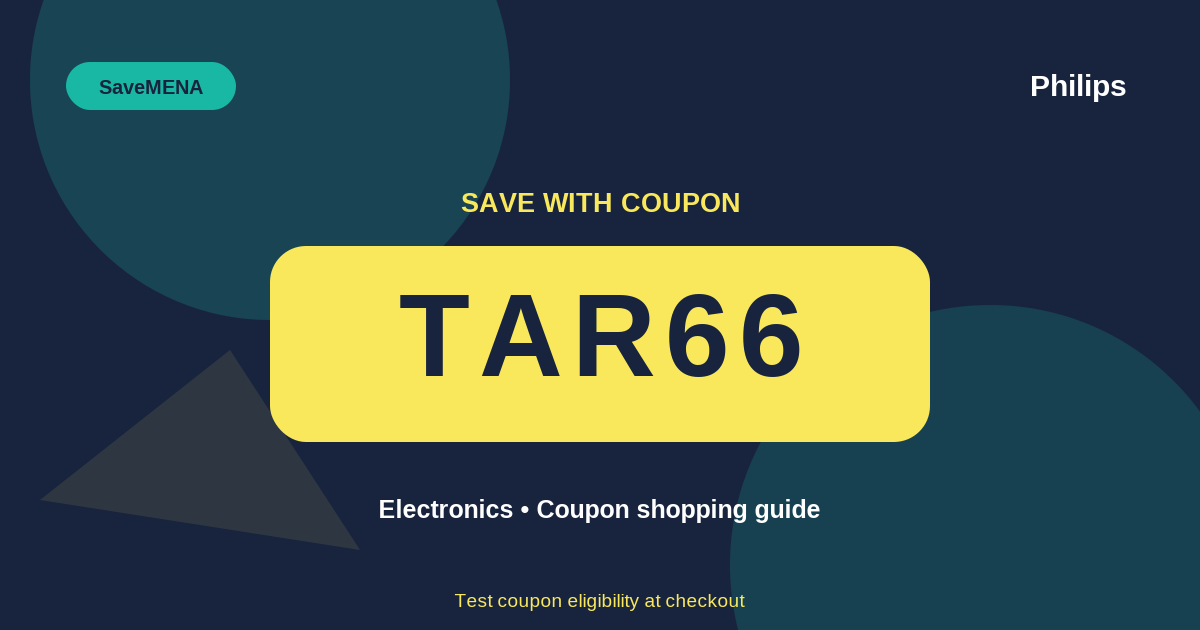
Codes available to try while comparing
These codes are not guaranteed for the article topic or listed brands; test them at checkout and use the live result.
Understand the purchase intent and basket context
Must note that coupon is available to try [not guarantee]. Use only supplied coupon code. No claims. Ok.
Good. Add Intro 150 => 1590. Good. We can moderate. Need ensure each paragraph 80-100 words. We'll craft 90 words each. Will produce 16 paragraphs (8 sections x2) each about 90 words. Make sure not to exceed memory. Also not include extraneous filler. Keep clear.
Match the exact product and seller
in a payment method. Coupon eligibility hinges on more than just product category – it also depends on your chosen payment method, the specifics of each Philips item, and whether the sale is active at the time of checkout. By checking eligibility early and confirming it against the selected payment option, you can avoid surprises at the final checkout screen. This guide walks UAE shoppers through every step of that validation process, from the moment you add a Philips gadget to your cart to the point you hit “Place Order.” Early Eligibility Screening on Noon UAE Begin by adding the Philips electronics you’re interested in to your cart. On the product detail page, look
Test the coupon at checkout
for the “Coupon Availability” section – if it lists TAR98, you know it’s a candidate for this coupon. However, this alone does not guarantee acceptance; the real test occurs once you proceed to checkout and begin selecting a payment method. Check the cart summary for any note about coupon compatibility or a prompt that indicates the coupon is “available to try.” This interim notice is a reliable indicator that Noon is still testing the coupon against the product and the buyer’s profile. To stay ahead of issues, keep the cart open while you gather the necessary information. Note the product’s brand (Philips), price, and seller details: Noon lists approved sellers in the electronics category.
If your Philips item is sold by an approved seller, you’re more likely to see no restrictions on the coupon screen. However, always cross‑check against the “Payment Method” section later, as the payment type can alter the eligibility outcome at checkout. How Payment Methods Influence Coupon Validity On Noon UAE, the payment method you choose can affect whether a coupon applies. Some promotions allow only card payments or specific digital wallets, while others extend to bank transfers or COD. Because the TAR98 coupon is listed as “available to try,” Noon may still be rolling it out to certain payment options. Therefore, selecting a different payment method after adding the coupon may trigger a re‑evaluation
Compare the final payable total
of eligibility. Before confirming the payment type, play the “Coupon Checker” feature on the cart page. This tool will display a brief message about whether your chosen payment method is currently accepted with the coupon. If the tool indicates a potential mismatch, consider switching to an alternative supported method. This proactive step helps avoid a situation where the coupon is accepted initially but then removed once the payment method is finalized, thereby preventing last‑minute shock during the final payment screen. Electronics on Noon: Criteria for Coupon Application Electronic items on Noon fall under a defined category that may or may not be covered by the TAR98 coupon. The category label on the product page
(“Electronics”) is the first filter. If Noon actively markets the coupon for this category, that information will be highlighted in the banner at the top of the cart. If it is only surfaced during checkout, the cart summary will show a note when the coupon is applied, indicating whether the category is eligible. Even within the electronics umbrella, certain sub‑categories like high‑end audio or smart TVs sometimes have restrictions. Philips products commonly straddle multiple sub‑categories.A coupon is not guaranteed; verify its result at the retailer checkout. This can be verified by comparing the brand’s listed sub‑category tags on the product description to the indications found in the cart’s “Coupon Eligibility”
Review delivery, fees and payment context
section. Philips Offerings: Identifying Eligible Products Philips is a broad brand hosting a range of electronics, from headsets to smart home devices. Coupon eligibility often hinges on specific product identifiers, such as SKU or model number. While Noon’s product pages provide the model in the “Specifications” tab, the coupon checker in the cart will not list these identifiers directly; instead, it aggregates them against Noon’s master eligibility list. If you notice a Philips item is marked “eligible” in the cart summary, it indicates that Noon’s underwriting process currently recognizes that SKU as part of the coupon set. For added reassurance, scan the bottom of the Philips product page for a “Promotion” or “Discounts” tag.
Although not a definitive proof of coupon coverage, it often signals aligns with Noon’s promotional list. Combine this visual cue with the cart’s eligibility check to decide whether to proceed or pause the purchase until you confirm the coupon holds with your payment choice. Applying the TAR98 Coupon Safely Once you’re confident the product is eligible and your payment method is set to a supported option, enter the TAR98 coupon code in the “Coupon Code” field on the cart page. Noon will retest the coupon against the cart totals and chosen payment method. The system will promptly display a “Coupon Applied” or “Coupon Not Valid” message. If the coupon shows “available to try,” the
Compare alternatives fairly
system acknowledges the coupon exists but remains uncertain about its final acceptance. Because the validity can shift after you thread through the payment method selection, pair this step with a quick re‑check. Hover over the cart total area after entering the coupon and see if the coupon status updates dynamically. If it changes to “not valid,” switch to a different payment method before proceeding to avoid losing the discount. Confirming Eligibility Post‑Payment Method Selection After you choose your preferred payment method, Noon will display a final eligibility preview window. This window reiterates whether the TAR98 coupon remains accepted once the payment method is factored into the calculation. If the preview indicates the coupon is
still active, you can proceed. If it indicates a conflict, you will see a prompt to discard the coupon or switch payment methods. At this juncture, it is crucial to review the “Final Payable Total” carefully. Even if the coupon is allowed, some payment methods may add a processing surcharge that could offset the benefit. Compare the total with the non‑coupon scenario to ensure the savings are real. In cases where the surcharge overshoots, you may decide to pay without the coupon, especially if the discount is minimal and the surcharge is significant. Final Checkout Review for Coupon Confirmation In the checkout confirmation page, Noon provides a comprehensive breakdown of item prices, applied coupons,
Use only visible eligibility conditions
shipping fees, and payment method charges. This is your last checkpoint to verify that the TAR98 coupon is fully recognized and that the total payable amount reflects the discount. If the application of the coupon is missing or shows as “not applied,” you may need to go back to the cart page, re‑enter the coupon, or adjust your payment method accordingly. Should you hit a snag—where the coupon is not displayed—do not skip the payment. Instead, use Noon’s “Contact Support” link from the checkout page to troubleshoot. This can clarify whether the coupon was temporarily disabled or if your payment choice is the root cause. Reporting the issue helps Noon refine their coupon distribution
and gives you an upgrade path to use the discount if it turns out to be valid under a different method. What to Do if the Coupon Is Rejected If the TAR98 coupon is ultimately rejected at checkout, review the checkout summary again for any denial message. The reason might be a payment method conflict, a misclassification of the product under electronics, or a temporary restriction on the coupon code. If the issue is payment‑related, switch to an alternative card or wallet that Noon has indicated is compatible with the coupon. In some cases, Noon offers a “coupon retry” feature that allows you to attempt the code again after a short pause. If that
Complete the final checkout verification
fails, it’s prudent to proceed without the coupon. Document the cancellation reason for future reference, as understanding patterns can safeguard against similar mishaps with other coupon codes. Consider subscribing to Noon’s newsletter or notification list to be alerted if TAR98 becomes re‑available for future purchases. What happens if I add the TAR98 coupon after choosing my payment method? Adding the coupon after selecting a payment method may trigger an eligibility re‑check. If the payment method conflicts with the coupon, Noon will remove it or ask you to change the method. It’s best to apply the coupon before finalising payment to avoid this risk. Can I use the TAR98 coupon on any Philips electronics? Coupon
eligibility depends on the specific Philips model and the category. Noon’s cart and checkout pages will display if your product is eligible. If no indication appears, the coupon may not apply to that item. Will a discount from TAR98 be influenced by a high shipping fee? Shipping fees are added after the coupon calculation. The discount will apply to the item subtotal, while shipping remains separate. Check the final total to see the net benefit after shipping is factored in. Is there a limit on how many times I can use the TAR98 coupon? Only Noon can confirm usage limits. If you’re uncertain, check the coupon details in your cart or contact Noon support.
Related SaveMENA pages
Related articles
Official sources to check
Frequently asked questions
What happens if I add the TAR98 coupon after choosing my payment method?
Adding the coupon after selecting a payment method may trigger an eligibility re‑check. If the payment method conflicts with the coupon, Noon will remove it or ask you to change the method. It’s best to apply the coupon before finalising payment to avoid this risk.
Can I use the TAR98 coupon on any Philips electronics?
Coupon eligibility depends on the specific Philips model and the category. Noon’s cart and checkout pages will display if your product is eligible. If no indication appears, the coupon may not apply to that item.
Will a discount from TAR98 be influenced by a high shipping fee?
Shipping fees are added after the coupon calculation. The discount will apply to the item subtotal, while shipping remains separate. Check the final total to see the net benefit after shipping is factored in.
Is there a limit on how many times I can use the TAR98 coupon?
Only Noon can confirm usage limits. If you’re uncertain, check the coupon details in your cart or contact Noon support. Generally, coupons may have a per‑person or per‑purchase limit that applies at checkout.