Apple Headphones on Noon UAE: payment method — coupon eligibility · TAR84
When assessing headphones on Noon UAE, pay close attention to the product description and any highlighted seller notes.
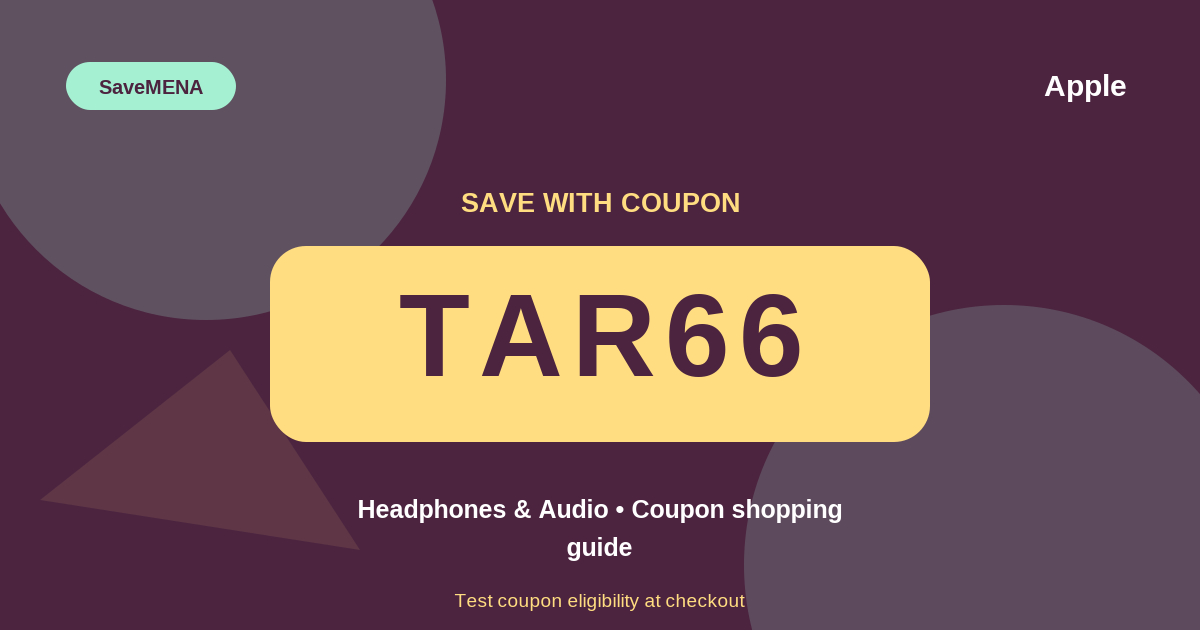
Codes available to try while comparing
These codes are not guaranteed for the article topic or listed brands; test them at checkout and use the live result.
heading
para1
para2
Choosing Headphones That Align With Your Payment Preferences
When assessing headphones on Noon UAE, pay close attention to the product description and any highlighted seller notes. Some listings might state special conditions for exchange or warranty services that could influence whether certain coupons apply. Even if the coupon policy appears generic, variance can come from manufacturer-specific restrictions, so reviewing the product’s own guidelines is essential. Checking these details before adding the item to your cart places you in a stronger position to anticipate coupon compatibility.
Once you confirm the headphone model meets any assignment guidelines, add the product to your cart while still browsing. At this point, you can begin the coupon eligibility test by entering the TAR84 code in the designated field. Without a confirmed match, the code should fail to register a deduction, warning you early of ineligible combinations. It’s the simplest way to catch any mismatch before you tie the transaction to Apple Pay.
Understanding Noon UAE Coupon Framework
Noon UAE’s coupon framework is built so that codes are applied right before the final payment step. This allows the platform to validate eligibility against both product listings and current cart contents. The TAR84 code, like many other coupons, will trigger a comparison between your chosen headphones and the coupon’s activation rules. If the code does not match the criteria it will simply fade from the cart, preserving the original price until an applicable code is entered.
Because the code is evaluated in the same session as the payment method is chosen, merchants match the retailer’s ability to honor the coupon with the payment options available. When using Apple Pay, the system will check that the vendor supports that payment method. Thus, a coupon that works for a credit card would not automatically guarantee a discount if Apple Pay is the only chosen method.
Pre-Purchase Coupon Eligibility Checklist
A coupon is not guaranteed; verify its result at the retailer checkout. This checklist must be completed while the cart still includes the coupon; otherwise the platform may disregard it.
When the checkout page loads, it will present the current payable total. At this stage, compare the pre-discount value you saw with the discounted figure shown. If the numbers match the expected deduction pattern, you can trust that the coupon is active. If the figures remain unchanged, the coupon has likely been flagged as ineligible for that headphone model or payment method. A quick audit here can save time before you finalize the transaction.
Payment Method Choices: Why Apple Pay Matters
Apple Pay offers a secure, convenient way to pay for headphones. However, while it streamlines the checkout, it also imposes constraints. Some vendors or coupon systems may only recognize certain payment flows for their redemption processes. The integration of Apple Pay requires a seamless handoff from Noon UAE to your wallet, which can affect real-time validation of discount codes.
To avoid a situation where your coupon is rejected at the last minute, confirm that the vendor in your chosen headphone’s listing lists Apple Pay among accepted methods. Usually, a “Payment Options” section in the product page will reveal this. If Apple Pay is available, the chance that your coupon will be processed without issues increases.A coupon is not guaranteed; verify its result at the retailer checkout.
Applying TAR84 Safely During Checkout
On the payment success page, you’ll often see a field for a coupon code. It’s crucial to type TAR84 precisely, observing any capitalization rules that may apply. The system will then re‑evaluate eligibility against the selected headphones and the chosen payment method, which is now Apple Pay.
If the code registers successfully, the discount should reflect in the final payable total instantly. At this moment, the platform links the coupon’s value to the payment gateway, ensuring that the machine‑checks still meet the vendor’s terms. If the code fails to show, it signals that at least one rule – either from the headphone model, the seller, or the Apple Pay integration – does not match the coupon’s eligibility parameters.
Verifying Payment Method Compatibility
During the same checkout step, you’ll also see a list of payment methods with icons. If Apple Pay is not selected by default, you need to manually switch to your Apple Pay card. Once chosen, watch for any warning prompts that suggest coupon incompatibility specific to that method.
Some platforms automatically disable the coupon option when certain payment methods are active. In such cases, the system’s UI will inform you that the code cannot be applied with Apple Pay. Recognizing these indicators means you can immediately modify your selection, perhaps switching to a credit card that the coupon supports, if flexibility exists for your purchase.
Verifying Your Final Payable Total
After choosing Apple Pay and applying TAR84, scroll through the final summary to confirm the amount you will owe. This step is the last gate; it shows the updated figure after both the coupon and payment method are set.
If the final display matches the expected discount pattern, the coupon worked alongside Apple Pay, and you’re ready to complete the transaction. If instead the discount appears absent or the total remains unchanged, re‑check your previous steps: tap the coupon again, ensure the headphone is present, confirm Apple Pay is the selected method, and that you have not exceeded any subtotal thresholds requiring extra validation.
Related SaveMENA pages
Related articles
Official sources to check
Frequently asked questions
Can I use the TAR84 coupon with other headphone brands?
Only if the headphone listing lists that the coupon is applicable. Before adding the item, check the product description or seller notes for any coupon restrictions. If it’s not stated as eligible, the code will likely not apply.
What happens if the coupon fails during checkout?
If Spotify appears unapproved, the platform will keep the original price. In this case, confirm that the product and payment method match the coupon’s rules, then try re-entering or, if needed, choose a different payment method.
Will using Apple Pay negate the coupon?
Not necessarily. Apple Pay can work with the coupon if the vendor’s rules allow both. The key is that the coupon must still qualify for the selected headphones and that Apple Pay is an accepted payment method for that transaction.
Is there a way to see which payment methods work with the coupon?
During checkout, look for a “Payment Options” or similar section. It will list the methods the vendor accepts. If Apple Pay is shown, the platform will attempt to merge the coupon with that payment flow automatically.