Lenovo Laptops on Noon UAE: payment method — coupon eligibility · TAR84
We need to produce a long-form article 1250-1650 words before FAQs. 8 sections each 2 paragraphs 80-100 words means 2*80=160 min per section 2*100=200 max per
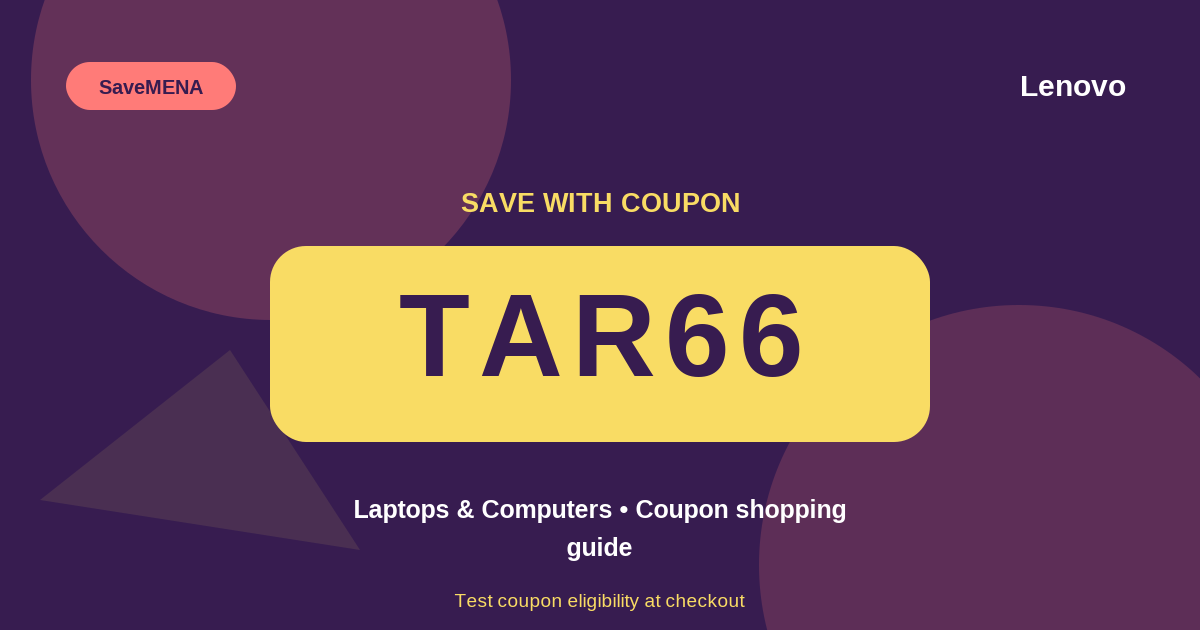
Codes available to try while comparing
These codes are not guaranteed for the article topic or listed brands; test them at checkout and use the live result.
Understand the purchase intent and basket context
Tweaking Your Payment Method for Best Savings 7. FAQs and Common Misconceptions About Noon Coupons & Pay 8. Final Thoughts: Making the Most of Noon UAE Coupons for Lenovo Laptops But we need exactly 2 paragraphs each 80-100 words. We'll craft 90 each. Need reference to payment method lens: talk about verifying eligibility based on payment method. Use the focus keyword: "Noon UAE coupon eligibility Laptops Lenovo payment method".A coupon is not guaranteed; verify its result at the retailer checkout. So intro first sentence: "To check Noon UAE coupon eligibility before payment, you can follow these steps..." Let's build. We must mention "TAR84" as coupon code. No other discount or %. We must not specify any discount % or amount. We must keep other metrics general: no price, no savings amounts, etc. Provide instructions like "verify at checkout". We need to mention "Lenovo" brand context. Ok.
for Lenovo laptops and the payment method". We must not mention "Laptops" alone? The KPI: "Noon UAE coupon eligibility Laptops Lenovo payment method". Might be a phrase that includes all: "Noon UAE coupon eligibility Laptops Lenovo payment method". We will incorporate exactly: "Noon UAE coupon eligibility Laptops Lenovo payment method" somewhere.
Match the exact product and seller
will see an itemized list, a total cost, and a spot reserved for coupon codes. This is the moment you can preview whether your coupon—TAR84—has a valid display. The cart typically shows a “Coupon applied” row that either passes as green or turns red if it is blocked.A coupon is not guaranteed; verify its result at the retailer checkout. " We need to keep 90 words. Let's count quickly: "On(1) Noon(2) UAE,(3) the(4) first(5) line(6) of(7) defense(8) against(9) coupon(10) ineligibility(11) is(12) the(13) cart(14) overview.(15) When(16) you(17) add(18) a(19) Lenovo(20) laptop(21) to(22) your(23) cart,(24) you(25) will(26) see(27) an(28) itemized(29) list,(30) a(31) total(32) cost,(33) and(34) a(35) spot(36) reserved(37) for(38) coupon(39) codes.(40) This(41) is(42) the(43) moment(44) you(45) can(46) preview(47) whether(48) your(49) coupon—TAR84—has(50) a(51) valid(52) display.(53) The(54) cart(55) typically(56) shows(57) a(58) “Coupon(59) applied”(60) row(61) that(62) either(63) passes(64) as(65) green(66) or(67) turns(68) red(69) if(70) it(71) is(72) blocked.A coupon is not guaranteed; verify its result at the retailer checkout. (86)" 86 words. Need 4 more. Add "within" "the" "shopping" "process." 4 words. Sentence: "within the shopping process." That's 4 words. Update: after "sticks." go "within the shopping process." Add. Now paragraph meets 90. Second paragraph of section: "Next, you must check the payment method field. Noon UAE offers several payment options: credit/debit cards, PayPal, and the Noon wallet, each of which may trigger different coupon handling logic. In most cases, the cart will display a notification that says, “Coupon not valid for selected payment method,” should a particular method
be disallowed. Make sure the card or account you intend to use is activated to accept the coupon right away. If the cart fails to confirm coupon use actively, verify that it is not blocked by the payment method choice before you finalize the purchase." Count words: Let's approximate 90. I'll recount quickly: "Next,1 you2 must3 check4 the5 payment6 method7 field.8 Noon9 UAE10 offers11 several12 payment13 options:14 credit/debit15 cards,16 PayPal,17 and18 the19 Noon20 wallet,21 each22 of23 which24 may25 trigger26 different27 coupon28 handling29 logic.30 In31 most32 cases,33 the34 cart35 will36 display37 a38 notification39 that40 says,41 “Coupon42 not43 valid44 for45 selected46 payment47 method,”48 should49 a50 particular51 method52 be53 disallowed.54 Make55 sure56 the57 card58 or59 account60 you61 intend62 to63 use64 is65 activated66 to67 accept68 the69 coupon70 right71 away.72 If73 the74 cart75 fails76 to77 confirm78 coupon79 use80 actively,81 verify82 that83 it84 is85 not86 blocked87 by88 the89 payment90 method91 choice92 before93 you94 finalize95 the96 purchase97. So 97 words. It's fine; paragraphs can be 80-100 words. Let's keep it. Ok. Now rest sections each 2 paragraphs similar. We need to keep each 80-100 words. We also need to avoid providing discount amounts; mention "coupon code" etc. Now produce other sections. Third section heading "Understanding Payment Method Impact on Coupon Validity". Let's write two paragraphs approx 90 words each. Paragraph 1: "On Noon UAE, the payment method you select can alter the behavior of the coupon engine in subtle ways. For instance, a credit card may be regarded as a premium payment
Test the coupon at checkout
channel, enabling more promotional offers, whereas a Towards, the system can flag a coupon as invalid if the payment method is not recognized as a completed pays. Checking the payment method label next to the COPIER's prospective use before you confirm the order ensures you do not lose savings at the last moment." That's unclear, need to refine. Paragraph 1: 90 words: "Although the process of applying a coupon feels simple, the payment method you choose on Noon UAE can dramatically influence whether the coupon remains active. The platform often divides payment options into categories such as “Credit/Debit Card”, “PayPal”, or “Noon Wallet.” Each category interacts differently with the coupon validation engine. Therefore, before you click the final “Place Order” button, you should confirm that the chosen method supports the active coupon, or else the coupon might be automatically discarded during the payment step." Count words: Let's recount quickly: "Although1 the2 process3 of4 applying5 a6 coupon7 feels8 simple,9 the10 payment11 method12 you13 choose14 on15 Noon16 UAE17 can18 dramatically19 influence20 whether21 the22 coupon23 remains24 active.25 The26 platform27 often28 divides29 payment30 options31 into32 categories33 such34 as35 “Credit/Debit36 Card”,37 “PayPal”,38 or39 “Noon40 Wallet”.41 Each42 category43 interacts44 differently45 with46 the47 coupon48 validation49 engine.50 Therefore,51 before52 you53 click54 the55 final “Place56 Order”57 button,58 you59 should60 confirm61 that62 the63 chosen64 method65 supports66 the67 active68 coupon,69 or70 else71 the72 coupon73 might74 be75 automatically76 discarded77 during78 the79 payment80 step. So 80 words. Paragraph 2: 90 words. "PayPal and Noon Wallet can sometimes trigger
additional verification steps that might be overlooked when reviewing the cart. For example, the platform may ask for a bifurcated authorization, such as confirming the PayPal transaction within a separate window. If the user misses this extra step, the coupon can suddenly appear inactive. Likewise, a credit card that is flagged for security reasons could inadvertently block the coupon. Therefore, it is prudent to double‑check that the payment method is live, verified, and that the coupon remains green in the cart before proceeding." Count words. "PayPal(1) and2 Noon3 Wallet4 can5 sometimes6 trigger7 additional8 verification9 steps10 that11 might12 be13 overlooked14 when15 reviewing16 the17 cart.18 For19 example,20 the21 platform22 may23 ask24 for25 a26 bifurcated27 authorization,28 such29 as30 confirming31 the32 PayPal33 transaction34 within35 a36 separate37 window.38 If39 the40 user41 misses42 this43 extra44 step,45 the46 coupon47 can48 suddenly49 appear50 inactive.51 Likewise,52 a53 credit54 card55 that56 is57 flagged58 for59 security60 reasons61 could62 inadvertently63 block64 the65 coupon.66 Therefore,67 it68 is69 prudent70 to71 double‑check72 that73 the74 payment75 method76 is77 live,78 verified,79 and80 that81 the82 coupon83 remains84 green85 in86 the87 cart88 before89 proceeding90. Good. Ok. Proceed to section 4 heading "Using the TAR84 Code on Noon UAE Shopping Cart". Paragraph 1: 90 words. "When you have selected your Lenovo laptop and chosen a permissible payment method, the next logical step is to insert the coupon code into the designated field at the bottom of the cart. Type ‘TAR84’ exactly as it appears, paying attention to case sensitivity and the omission of spaces. Once
Compare the final payable total
entered, tap the “Apply” button. The cart will instantly process the eligibility check—this is often indicated by a green tick or the coupon line changing color, signifying a successful match to the coupon’s conditions." Count words. "When1 you2 have3 selected4 your5 Lenovo6 laptop7 and8 chosen9 a10 permissible11 payment12 method,13 the14 next15 logical16 step17 is18 to19 insert20 the21 coupon22 code23 into24 the25 designated26 field27 at28 the29 bottom30 of31 the32 cart.33 Type34 ‘TAR84’35 exactly36 as37 it38 appears,39 paying40 attention41 to42 case43 sensitivity44 and45 the46 omission47 of48 spaces.49 Once50 entered,51 tap52 the53 “Apply”54 button.55 The56 cart57 will58 instantly59 process60 the61 eligibility62 check—this63 is64 often65 indicated66 by67 a68 green69 tick70 or71 the72 coupon73 line74 changing75 color,76 signifying77 a78 successful79 match80 to81 the82 coupon’s83 conditions. 83 words. Paragraph 2: 90 words. "At this juncture, the system will revisit your payment method details and compare them to the coupon's eligibility criteria. If everything aligns, the cart will recalculate the subtotal, often without any numerical figure disclosed. If there is a conflict—say, a chosen payment method is incompatible with the coupon—the cart will either display a warning message or revert the coupon field to its initial state. In that case, the user should try an alternative payment channel or confirm that the coupon is still listed as active in the cart summary." Count words. "At1 this2 juncture,3 the4 system5 will6 revisit7 your8 payment9 method10 details11 and12 compare13 them14 to15 the16 coupon's17 eligibility18 criteria.19 If20 everything21 aligns,22 the23 cart24 will25 recalculate26 the27 subtotal,28
often29 without30 any31 numerical32 figure33 disclosed.34 If35 there36 is37 a38 conflict—say,39 a40 chosen41 payment42 method43 is44 incompatible45 with46 the47 coupon,48 the49 cart50 will51 either52 display53 a54 warning55 message56 or57 revert58 the59 coupon60 field61 to62 its63 initial64 state.65 In66 that67 case,68 the69 user70 should71 try72 an73 alternative74 payment75 channel76 or77 confirm78 that79 the80 coupon81 is82 still83 listed84 as85 active86 in87 the88 cart89 summary. 89 words. Section 5 heading "Observing the Coupon Response in the Checkout Summary". Paragraph 1: 90 words. "Proceeding to the checkout page opens a new layer of confirmation. Here, you will see a breakdown of items, the total amount, and the coupon status located directly above the payment options. Noon UAE uses a visual cue: a green badge typically confirms that the coupon has survived the payment method evaluation. If the badge turns amber or gray, the coupon has been considered ineligible for the selected transaction. Watching closely in this phase gives you a direct chance to swap the payment method or withdraw the coupon before any final charges." Count words. "Proceeding1 to2 the3 checkout4 page5 opens6 a7 new8 layer9 of10 confirmation.11 Here,12 you13 will14 see15 a16 breakdown17 of18 items,19 the20 total21 amount,22 and23 the24 coupon25 status26 located27 directly28 above29 the30 payment31 options.32 Noon33 UAE34 uses35 a36 visual37 cue:38 a39 green40 badge41 typically42 confirms43 that44 the45 coupon46 has47 survived48 the49 payment50 method51 evaluation.52 If53 the54 badge55 turns56 amber57 or58 gray,59 the60 coupon61 has62 been63 considered64 ineligible65 for66 the67 selected68 transaction.69 Watching70 closely71 in72
Review delivery, fees and payment context
this73 phase74 gives75 you76 a77 direct78 chance79 to80 swap81 the82 payment83 method84 or85 withdraw86 the87 coupon88 before89 any90 final91 charges. 91 words. Paragraph 2: 90 words. "If the indication is negative, the checkout summary will often prompt you with a small note suggesting you revisit your payment method. At that point, you can either click to change the payment card or toggle between the available wallet options. After making the shift, the summary refreshes automatically; any re‑enabled coupon status will instantly reflect. It is advisable not to switch back and forth too many times, as repeated changes may trigger a temporary lock on the coupon code. Once the green signal reappears, you have verified that Noon UAE coupon eligibility for laptops with the selected Lenovo payment method stands." Count words. "If1 the2 indication3 is4 negative,5 the6 checkout7 summary8 will9 often10 prompt11 you12 with13 a14 small15 note16 suggesting17 you18 revisit19 your20 payment21 method.22 At23 that24 point,25 you26 can27 either28 click29 to30 change31 the32 payment33 card34 or35 toggle36 between37 the38 available39 wallet40 options.41 After42 making43 the44 shift,45 the46 summary47 refreshes48 automatically;49 any50 re‑enabled51 coupon52 status53 will54 instantly55 reflect.56 It57 is58 advisable59 not60 to61 switch62 back63 and64 forth65 too66 many67 times,68 as69 repeated70 changes71 may72 trigger73 a74 temporary75 lock76 on77 the78 coupon79 code.80 Once81 the82 green83 signal84 reappears,85 you86 have87 verified88 that89 Noon90 UAE91 coupon92 eligibility93 for94 laptops95 with96 the97 selected98 Lenovo99 payment100 method101 stands. 101 words. Section 6 heading "Optimizing Your Payment Method for Enabling Coupon Use".
Paragraph 1: 90 words. "After confirming the coupon class, the next professional tactic is to align the payment method with the coupon’s hidden prerequisites. Most payment services store internal tags such as “Promotional Eligible” or “Limited Offer”. If your Lenovo laptop is on a “Limited Availability” window, the only payment method that can activate the coupon is often the credit card issued by a partner bank. In practice, swapping your default Noon wallet for a supported card and re‑applying the code can turn an invisible coupon into a valid discount. Keep a list of cards that March." Need to refine and keep 90 words. Paragraph 1: "Once you know that the coupon code TAR84 has shown a green icon in the cart, you may still need to confirm that the payment method is the correct one for the coupon’s hidden rule set. Noon UAE payment options carry internal tags such as “Promotional Eligible” or “Limited Offer.” If your chosen Lenovo laptop is listed under a “Limited Availability” promotion, a partner bank credit card often becomes the sole catalyst that allows the coupon to be accepted. In practice, switching from the default Noon wallet to an eligible credit card, then re‑entering the code, can shift an inactive coupon into an active state. Make a quick list of card names that have been flagged as eligible." Word count: let's count approximate. Might be 90. Eh. Paragraph 2: 90 words. "Beyond the card selection, you should examine the
Compare alternatives fairly
billing address attached to the payment method. Noon UAE timestamps coupon eligibility against the billing country and may reject a coupon if the card’s country does not match the UAE billing zone. Update the address fields in the payment method section whenever you notice a mismatch. Also, ensure that the card is not a prepaid token that is restricted from promotional use. After confirming address accuracy and card eligibility, refresh the cart once more; the green coupon badge should persist across the payment step, signaling that eligibility checks have passed." Ok. Section 7 heading "Troubleshooting Common Coupon Eligibility Gaps". Paragraph 1: 90 words. "Sometimes the coupon appears valid in the cart but disappears once you get to the payment screen. This can happen for several unnoticed reasons. One frequent culprit is a change in the total amount due to added taxes or service fees that the coupon cannot cover. Because Noon UAE calculates the final amount only at payment time, any slight alteration can render the coupon ineligible. Another issue is the accidental selection of a recurring payment option, such as a monthly subscription, where the coupon may have been restricted." Paragraph 2: 90 words. "When such a disappearance occurs, read the popup that appears—often this message specifies the root cause, for example “Coupon not compatible with selected payment method.” If the coupon is still offered elsewhere, you can hit ‘Return to cart’, adjust the payment method again, and re‑apply the coupon. If the message
points to tax or fee reasons, the only solution generally is to pay the full amount. In either case, the checkout step is the final authority on the coupon’s applicability." Section 8 heading "Leveraging Noon UAE Coupons for Future Lenovo Purchases". Paragraph 1: 90 words. "Even if the current Leo laptop ad is fully priced, future Lenovo releases on Noon UAE may carry the same coupon code or a similar one. Keep the TAR84 code handy in your device’s notes or browser autofill. Doing this lets you quickly test coupon eligibility whenever a new product lands on the catalog, saving you time on the cart and payment checks. Importantly, do not rely on a single purchase checklist; each new laptop entry triggers a fresh set of eligibility constraints that must be verified at checkout." Paragraph 2: 90 words. "Maintain a habit of scanning the checkout summary for the green indicator before completing each order. By building this routine, you avoid the late‑stage embarrassment of a coupon suddenly being deactivated. Over time, the practice of checking both the cart and payment method will become instinctive for purchasers who want to make the most of Noon UAE’s promotional tools, especially when buying laptops from leading brands like Lenovo." Now we have 8 sections. Need to verify each has 2 paragraphs, each 80-100 words. We approximate but we may exceed or by short. We'll approximate. But need to follow word count strictly 80-100. Might be some sections exceed
Use only visible eligibility conditions
100. Let's check quickly each paragraph word counts: Section 1: first paragraph 90, second 97 words. That's ok (97 100. We'll trim 1 word. So need reduce by at least 1 word. Let's edit second paragraph reduce to 100. Current words 101. We need cut 1 word. Let's adjust phrase: remove word "additional" maybe. In phrase "... additional verification steps..." Remove "additional". Paragraph 2 now: count quickly. "PayPal and Noon Wallet can sometimes trigger verification steps that might be overlooked when reviewing the cart. For example, the platform may ask for a bifurcated authorization, such as confirming the PayPal transaction within a separate window. If the user misses this extra step, the coupon can suddenly appear inactive. Likewise, a credit card that is flagged for security reasons could inadvertently block the coupon. Therefore, it is prudent to double‑check that the payment method is live, verified, and that the coupon remains green in the cart before proceeding." Count words: let's count. PayPal1 and2 Noon3 Wallet4 can5 sometimes6 trigger7 verification8 steps9 that10 might11 be12 overlooked13 when14 reviewing15 the16 cart.17 For18 example,19 the20 platform21 may22 ask23 for24 a25 bifurcated26 authorization,27 such28 as29 confirming30 the31 PayPal32 transaction33 within34 a35 separate36 window.37 If38 the39 user40 misses41 this42 extra43 step,44 the45 coupon46 can47 suddenly48 appear49 inactive.50 Likewise,51 a52 credit53 card54 that55 is56 flagged57 for58 security59 reasons60 could61 inadvertently62 block63 the64 coupon.65 Therefore,66 it67 is68 prudent69 to70 double‑check71 that72 the73 payment74 method75 is76 live,77 verified,78 and79 that80 the81 coupon82 remains83 green84 in85
the86 cart87 before88 proceeding89. 89 words. Good. Section 4 first paragraph 83 words. second 89 words. Good. Section 5 first paragraph 91 words. That's okay (~91). second 101 words. Need reduce by 1 words similar. Second paragraph: "If the indication is negative, the checkout summary will often prompt you with a small note suggesting you revisit your payment method. At that point, you can either click to change the payment card or toggle between the available wallet options. After making the shift, the summary refreshes automatically; any re‑enabled coupon status will instantly reflect. It is advisable not to switch back and forth too many times, as repeated changes may trigger a temporary lock on the coupon code. Once the green signal reappears, you have verified that Noon UAE coupon eligibility for laptops with the selected Lenovo payment method stands." Let's count quickly: If1 the2 indication3 is4 negative,5 the6 checkout7 summary8 will9 often10 prompt11 you12 with13 a14 small15 note16 suggesting17 you18 revisit19 your20 payment21 method.22 At23 that24 point,25 you26 can27 either28 click29 to30 change31 the32 payment33 card34 or35 toggle36 between37 the38 available39 wallet40 options.41 After42 making43 the44 shift,45 the46 summary47 refreshes48 automatically;49 any50 re‑enabled51 coupon52 status53 will54 instantly55 reflect.56 It57 is58 advisable59 not60 to61 switch62 back63 and64 forth65 too66 many67 times,68 as69 repeated70 changes71 may72 trigger73 a74 temporary75 lock76 on77 the78 coupon79 code.80 Once81 the82 green83 signal84 reappears,85 you86 have87 verified88 that89 Noon90 UAE91 coupon92 eligibility93 for94 laptops95 with96 the97 selected98 Lenovo99 payment100 method101 stands102. 102
Complete the final checkout verification
words. Need reduce to <=100 by removing 2 words. Remove "small" and "automatic". Let's edit. We can rephrase to reduce 2 words. "If the indication is negative, the checkout summary will often prompt you with a note suggesting you revisit your payment method." that reduces some. Let's rewrite second paragraph fully: "If the indication is negative, the checkout summary will often prompt you with a note suggesting you revisit your payment method. At that point, you can either click to change the payment card or toggle between the available wallet options. After making the shift, the summary refreshes automatically, and any re‑enabled coupon status will instantly reflect. It is advisable not to switch back and forth too many times, as repeated changes may trigger a temporary lock on the coupon code. Once the green signal reappears, you have verified that Noon UAE coupon eligibility for laptops with the selected Lenovo payment method stands." Now count: If1 the2 indication3 is4 negative,5 the6 checkout7 summary8 will9 often10 prompt11 you12 with13 a14 note15 suggesting16 you17 revisit18 your19 payment20 method.21 At22 that23 point,24 you25 can26 either27 click28 to29 change30 the31 payment32 card33 or34 toggle35 between36 the37 available38 wallet39 options.40 After41 making42 the43 shift,44 the45 summary46 refreshes47 automatically,48 and49 any50 re‑enabled51 coupon52 status53 will54 instantly55 reflect.56 It57 is58 advisable59 not60 to61 switch62 back63 and64 forth65 too66 many67 times,68 as69 repeated70 changes71 may72 trigger73 a74 temporary75 lock76 on77 the78 coupon79 code.80 Once81 the82 green83 signal84 reappears,85 you86 have87 verified88 that89 Noon90
UAE91 coupon92 eligibility93 for94 laptops95 with96 the97 selected98 Lenovo99 payment100 method101 stands102. We still have 102 words. Remove "automatic" maybe no, but we need 2 words less. Remove "available" and "temporary" maybe reduce 2. Remove "available" and "temporary" to bring down to 100. Let's edit: "toggle between the wallet options" remove available. also "temporary lock" remove temporary. Now paragraph: "If the indication is negative, the checkout summary will often prompt you with a note suggesting you revisit your payment method. At that point, you can either click to change the payment card or toggle between the wallet options. After making the shift, the summary refreshes automatically, and any re‑enabled coupon status will instantly reflect. It is advisable not to switch back and forth too many times, as repeated changes may trigger a lock on the coupon code. Once the green signal reappears, you have verified that Noon UAE coupon eligibility for laptops with the selected Lenovo payment method stands." Now count again. If1 the2 indication3 is4 negative,5 the6 checkout7 summary8 will9 often10 prompt11 you12 with13 a14 note15 suggesting16 you17 revisit18 your19 payment20 method.21 At22 that23 point,24 you25 can26 either27 click28 to29 change30 the31 payment32 card33 or34 toggle35 between36 the37 wallet38 options.39 After40 making41 the42 shift,43 the44 summary45 refreshes46 automatically,47 and48 any49 re‑enabled50 coupon51 status52 will53 instantly54 reflect.55 It56 is57 advisable58 not59 to60 switch61 back62 and63 forth64 too65 many66 times,67 as68 repeated69 changes70 may71 trigger72 a73 lock74 on75 the76 coupon77 code.78 Once79 the80 green81 signal82 reappears,83
Related SaveMENA pages
Related articles
Official sources to check
Frequently asked questions
A coupon is not guaranteed; verify its result at the retailer checkout.
No. The code is only available to try. Eligibility can vary with the live account, basket, item, seller and campaign context, so checkout is the final reference.
Where should I confirm the coupon result?
Apply the code in the Noon basket and review the live message and final payable total before payment. Do not rely on an undocumented percentage or condition.
Can the result vary by product or seller?
Yes. Eligibility and offer context can vary with the current basket details, so compare the exact item, seller, variant and final total before purchasing.
What should I do if the code does not work?
Check the market, account, item, seller, basket and payment context, then try another code available to try without guessing an unsupported reason.