Men’s Fashion on Noon UAE: payment method — coupon eligibility · TAR84
When you’re set to apply a Noon UAE coupon, the first thing you’ll need to do is check its eligibility before you hit the payment button.
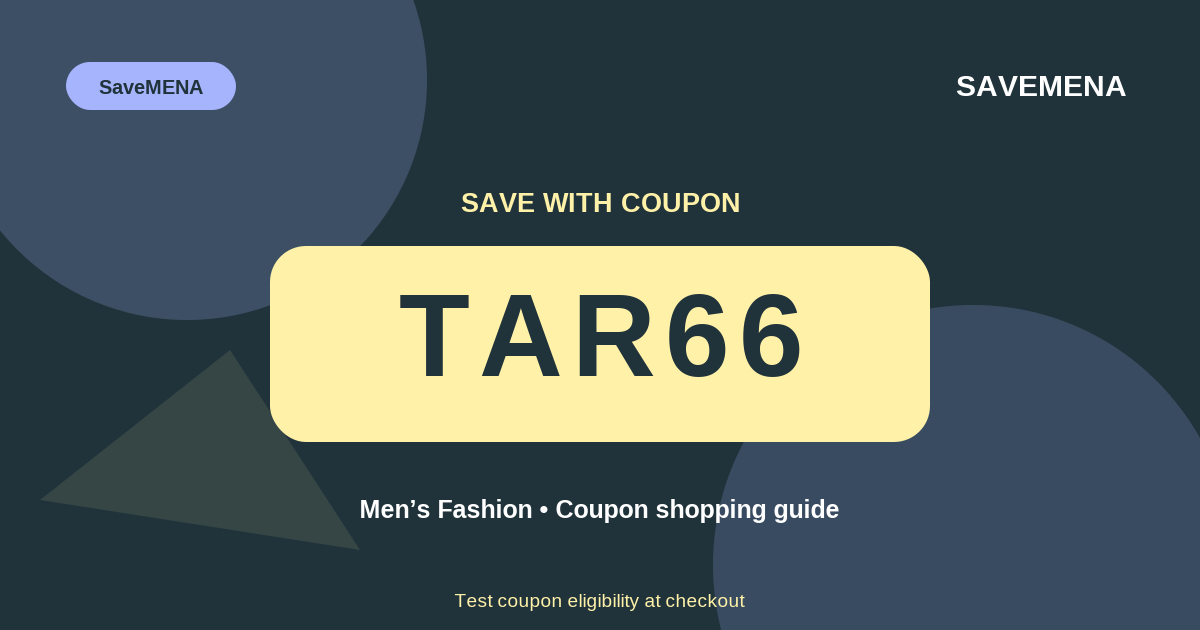
Codes available to try while comparing
These codes are not guaranteed for the article topic or listed brands; test them at checkout and use the live result.
Understanding Coupon Eligibility on Noon UAE
Before you pick a dealer or a product, the first hurdle is determining whether a coupon can be applied to the items you intend to buy. Coupon eligibility is governed by the list of supported categories and any underlying merchant restrictions. In the case of Noon UAE, when you locate a coupon code like TAR84, the system will validate whether the selected Men’s Fashion items fall within the permissible types for that code during the cart review phase. This validation step ensures you’re not wasting time by proceeding with a coupon that the website will reject at checkout.
The benefits of making this check early stem from two key points: you save the effort of re‑adding items if the coupon is ineligible, and you confirm that the payment method you plan to use will support the coupon credit. Since Noon treats each payment channel distinctly, certain conditions might apply—such as card type restrictions or wallet authentication steps—that could affect eligibility. Hence, a pre‑checkout scan is a proactive safeguard against last‑minute surprises.
The Role of Payment Methods in Coupon Application
Once coupon suitability is confirmed, the next critical decision revolves around the payment method you’ll use to finalize the deal. Noon UAE offers a variety of payment channels—credit/debit cards, digital wallets, and installment plans. Each of these carries its own rules on how coupon credits are incorporated, which affects the final payable amount that appears after you confirm your payment method selection.
In practice, if you choose a card that requires a two‑factor authentication step, the site will temporarily lock the coupon’s benefit until authentication passes. Conversely, a digital wallet may provide instant credit verification, instantly reflecting the discount on your subtotal. There is no single universal rule; thus, shoppers should verify the coupon impact alongside each payment method during checkout.
Step‑by‑Step: Logging into Noon and Selecting Men’s Fashion Items
Begin by opening Noon UAE’s website or app on a device you trust. Sign into your account with your username and password, then navigate to the Men’s Fashion section by selecting the appropriate category from the main menu. When you browse, each item’s detail page indicates whether the product is eligible for coupons; look for an explicit note or check your cart status after adding.
For maximum control, add items one by one, pausing after each addition to review the cart. This approach allows you to see how the cart subtotal changes and whether any automatic eligibility warnings appear before you even hit the coupon field. By reaffirming this process early, you establish a solid baseline for the payment method decision later on.
Adding Items to Cart and Reviewing Eligibility Conditions
In the cart view, scroll to discover the “Apply Coupon” field. Here, paste the TAR84 code—in case you have it ready—and trigger the check. Noon will immediately declare whether the code is valid for your current Min’s Fashion mix. If the code is instantly accepted, you’ll see a reduced subtotal; if it returns an error, review the message that should point out an incompatibility such as a mix of categories.
At this juncture, also verify that the items meet any potential minimum spend criteria highlighted by the platform (if any). It’s also useful to confirm that the items are not part of a “no‑coupon” or “special offer” listing, as these may override standard coupon logic. Making these interim checks eliminates confusion once you proceed to payment steps.
Applying the TAR84 Coupon Before Selecting a Payment Method
With the coupon already validated in the cart, you should then focus on the payment method list. Noon provides the ability to choose a card, PayPal, or a local wallet before the final payment confirmation. Since each device or browser can handle payment differently, record the current cart subtotal under the coupon’s influence for reference.
Select a payment method that is most convenient. For example, a credit card that you’ve linked via the app will auto‑populate with the coupon’s benefit, while a minimal‑verification wallet might give you instant feedback on your final pay‑as‑you‑choose amount.A coupon is not guaranteed; verify its result at the retailer checkout.
Verifying Eligibility at Checkout: What to Look For
When the checkout page loads, the system will reconfirm coupon eligibility based on the selected payment method. Pay close attention to the “Discount” or “Coupon” line item that appears in the order summary. If TAR84 is still applicable, the discount should be reflected accurately against the gross items total.
If there’s any discrepancy, such as a missing discount or an error note, you’ll need to re‑apply the coupon or consider switching your payment method. In cases where the coupon is deemed ineligible at this final stage, Noon will usually prompt you to remove the code and proceed. This is the only moment where an eligible code could be invalidated due to backend policy or payment channel restrictions.
Common Payment‑Related Issues and Troubleshooting Tips
Shoppers sometimes encounter situations where an otherwise valid coupon becomes inapplicable after choosing a specific payment method. This can happen if the chosen method falls under a category that restricts coupon usage—such as certain installment plans or multi‑card splits. If this occurs, switch to a simpler payment method (e.g., one single debit card) to test if the discount applies.
Another frequent hiccup is session timeouts or browser cache issues causing the coupon to drop. Clearing cookies, logging out and back in, or refreshing the cart can resolve this.A coupon is not guaranteed; verify its result at the retailer checkout. If problems persist, contacting Noon customer support, citing the TAR84 code, tends to speed up resolution.
Making the Most of Your Men’s Fashion Purchase with the Right Payment Choice
When you’ve confirmed the Tanz84 code is still live after selecting your payment method, you’re ready to finalize your order. Your last chance to tweak payment details is at the final payment authorization stage. Check that the applied discount echoes the same amount in the settlement screen that appears once you “Place Order.” That consistency guarantees you’re not losing the coupon at the last moment.
Post‑purchase, keep an eye on the receipt email or app notification for a confirmation that the coupon benefited the total you paid. If the confirmation differs, revisit your payment details.A coupon is not guaranteed; verify its result at the retailer checkout.
Related SaveMENA pages
Related articles
Official sources to check
Frequently asked questions
How do I know if TAR84 is valid for my selected Men’s Fashion items?
After adding items to your cart, paste TAR84 in the “Apply Coupon” field. Noon will instantly confirm eligibility. If the coupon is accepted, a discount appears in the cart summary; otherwise, an error message explains why it’s ineligible.
Can I use TAR84 if I pay with a digital wallet instead of a credit card?
Yes, you can typically use the code with a digital wallet. However, the coupon’s application may vary depending on the wallet’s policies. Verify the discount amount at checkout to ensure it’s applied.
What happens if the coupon disappears after choosing a payment method?
If the coupon is no longer applied, the checkout screen will display a missing coupon message. Try switching payment methods or re‑applying the code. If the problem persists, contact Noon support for assistance.
Do I need a Noon UAE account to use the TAR84 coupon?
A Noon UAE account is required to enter a coupon code at checkout. Log in with your credentials before adding items and applying TAR84 to validate and apply the discount.