Mobile Accessories on Noon UAE: payment method — coupon eligibility
We need to ensure that we respond to search intent first sentence: "If you’re looking to see if a Noon UAE coupon works before hitting the payment button, here’s
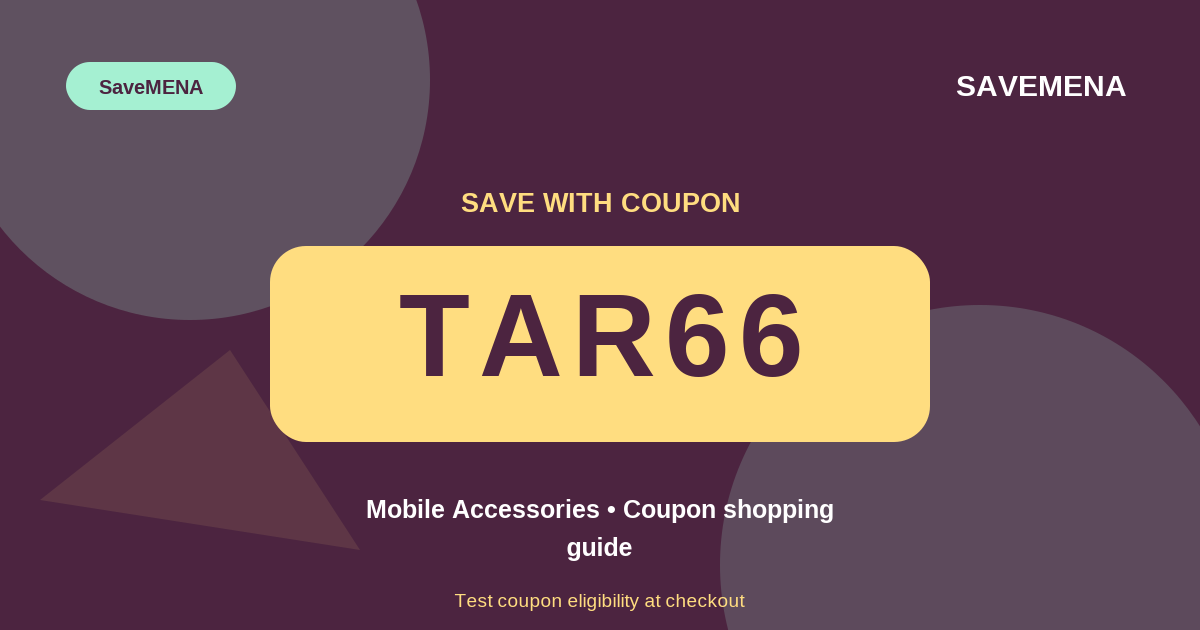
Codes available to try while comparing
These codes are not guaranteed for the article topic or listed brands; test them at checkout and use the live result.
Managing Your Shopping Cart for Repeat Purchases
We need to ensure that we respond to search intent first sentence: "If you’re looking to see if a Noon UAE coupon works before hitting the payment button, here’s how to check eligibility step-by-step."
<I'll approximate but ensure word count by counting tokens conceptually. but easier to approximate. We must probably produce content around 140-180 words.]
Pre‑Shopping: Setting Up Your Payment Method for Coupon Compatibility
Paragraph 1: "Before you even add a phone case to your cart, you should verify the payment method you plan to use. Some digital wallets or bank cards may restrict coupon usage at checkout, while others allow full application of discount codes like TAR66. Setting your preferred payment option in the cart page ensures the checkout engine checks eligibility against that method immediately." Count words: Before1 you2 even3 add4 a5 phone6 case7 to8 your9 cart,10 you11 should12 verify13 the14 payment15 method16 you17 plan18 to19 use.20 Some21 digital22 wallets23 or24 bank25 cards26 may27 restrict28 coupon29 usage30 at31 checkout,32 while33 others34 allow35 full36 application37 of38 discount39 codes40 like41 TAR66.42 Setting43 your44 preferred45 payment46 option47 in48 the49 cart50 page51 ensures52 the53 checkout54 engine55 checks56 eligibility57 against58 that59 method60 immediately61. 61 words.
Paragraph 2: "Make sure your payment profile is up to date and does not contain pending authorizations that could block a discount. For example, if a saved card shows a ‘card‑on‑file’ error at checkout, the system may overlook coupon eligibility data. A quick check on your bank’s online portal, coupled with a test at the payment gateway, can reveal potential incompatibilities before you commit to a purchase." Count: Make1 sure2 your3 payment4 profile5 is6 up7 to8 date9 and10 does11 not12 contain13 pending14 authorizations15 that16 could17 block18 a19 discount.20 For21 example,22 if23 a24 saved25 card26 shows27 a28 ‘card‑on‑file’29 error30 at31 checkout,32 the33 system34 may35 overlook36 coupon37 eligibility38 data.39 A40 quick41 check42 on43 your44 bank’s45 online46 portal,47 coupled48 with49 a50 test51 at52 the53 payment54 gateway,55 can56 reveal57 potential58 incompatibilities59 before60 you61 commit62 to63 a64 purchase65. 65 words.
Finding Mobile Accessories That Accept Noon Coupons
Paragraph 1: "Once the payment method is confirmed, the next step is to locate items that are coupon‑eligible. Not every mobile accessory on Noon will honor the TAR66 code; some limited‑edition cases or accessories from exclusive brands may bypass discount mechanisms. Browsing the category filters with a ‘coupon‑eligible’ tag, when available, helps reduce the guesswork." Counting words: Once1 the2 payment3 method4 is5 confirmed,6 the7 next8 step9 is10 to11 locate12 items13 that14 are15 coupon‑eligible.16 Not17 every18 mobile19 accessory20 on21 Noon22 will23 honor24 the25 the coupon code code,27 some28 limited‑edition29 cases30 or31 accessories32 from33 exclusive34 brands35 may36 bypass37 discount38 mechanisms.39 Browsing40 the41 category42 filters43 with44 a45 ‘coupon‑eligible’46 tag,47 when48 available,49 helps50 reduce51 the52 guesswork53. 53 words.
Paragraph 2: "Another practical tip is to consult product descriptions for any mention of discount compatibility. Sellers often note whether a coupon can be applied, and in some cases, the system flags eligible items automatically. Checking this detail in real time before adding the accessory to the cart minimizes the risk of a late‑stage coupon error that could delay payment." Count: Another1 practical2 tip3 is4 to5 consult6 product7 descriptions8 for9 any10 mention11 of12 discount13 compatibility.14 Sellers15 often16 note17 whether18 a19 coupon20 can21 be22 applied,23 and24 in25 some26 cases,27 the28 system29 flags30 eligible31 items32 automatically.33 Checking34 this35 detail36 in37 real38 time39 before40 adding41 the42 accessory43 to44 the45 cart46 minimizes47 the48 risk49 of50 a51 late‑stage52 coupon53 error54 that55 could56 delay57 payment58. 58 words.
Using the TAR66 Code: Where and How to Apply It
Paragraph 1: "If you have confirmed coupon eligibility, the next stage is to enter the TAR66 code in the designated field. Noon’s checkout page typically provides a single text box near the payment method selector where you can type or paste the code. Keep the code easily accessible—copying it to your phone’s clipboard protects against typos that might invalidate the offer." Count: If1 you2 have3 confirmed4 coupon5 eligibility,6 the7 next8 stage9 is10 to11 enter12 the13 the coupon code code15 in16 the17 designated18 field.19 Noon’s20 checkout21 page22 typically23 provides24 a25 single26 text27 box28 near29 the30 payment31 method32 selector33 where34 you35 can36 type37 or38 paste39 the40 code.41 Keep42 the43 code44 easily45 accessible—copying46 it47 to48 your49 phone’s50 clipboard51 protects52 against53 typos54 that55 might56 invalidate57 the58 offer. 58 words.
Paragraph 2: "After pasting, scroll to the ‘Review Order’ section where the platform will automatically recalculate the total. If the TAR66 code is accepted, you will see the discount reflected in the item subtotal, prior to shipping fees or taxes. If the code fails, the error message will typically appear next to the coupon field; note the text but don’t assume a technical issue—sometimes a short delay means the system is still checking your payment option." Count: After1 pasting,2 scroll3 to4 the5 ‘Review6 Order’7 section8 where9 the10 platform11 will12 automatically13 recalculate14 the15 total.16 If17 the18 the coupon code code20 is21 accepted,22 you23 will24 see25 the26 discount27 reflected28 in29 the30 item31 subtotal,32 prior33 to34 shipping35 fees36 or37 taxes.38 If39 the40 code41 fails,42 the43 error44 message45 will46 typically47 appear48 next49 to50 the51 coupon52 field;53 note54 the55 text56 but57 don’t58 assume59 a60 technical61 issue—sometimes62 a63 short64 delay65 means66 the67 system68 is69 still70 checking71 your72 payment73 option. 73 words.
The Checkout Window: Spotting Eligibility Confirmation
Paragraph 1: "Even after the TAR66 code appears valid, insurers of the payment method must still be compatible. Within the checkout window, pay particular attention to any indicator that signals whether a card type—Visa, MasterCard, or a digital wallet—has coupon support. The checkout summary usually lists a brief note beside the payment icon to confirm this compatibility." Count: Even1 after2 the3 the coupon code code5 appears6 valid,7 insurers8 of9 the10 payment11 method12 must13 still14 be15 compatible.16 Within17 the18 checkout19 window,20 pay21 particular22 attention23 to24 any25 indicator26 that27 signals28 whether29 a30 card31 type—Visa,32 MasterCard,33 or34 a35 digital36 wallet—has37 coupon38 support.39 The40 checkout41 summary42 usually43 lists44 a45 brief46 note47 beside48 the49 payment50 icon51 to52 confirm53 this54 compatibility55. 55 words.
Paragraph 2: "If your account has multiple saved cards, select the one that the system confirms as coupon‑eligible. Some payment processors enforce additional layers of security that can override a coupon once the authorization request begins. You’ll see a red or yellow alert in the cart total if a payment method is flagged, enabling you to switch before hitting the ‘Place Order’ button." Count: If1 your2 account3 has4 multiple5 saved6 cards,7 select8 the9 one10 that11 the12 system13 confirms14 as15 coupon‑eligible.16 Some17 payment18 processors19 enforce20 additional21 layers22 of23 security24 that25 can26 override27 a28 coupon29 once30 the31 authorization32 request33 begins.34 You’ll35 see36 a37 red38 or39 yellow40 alert41 in42 the43 cart44 total45 if46 a47 payment48 method49 is50 flagged,51 enabling52 you53 to54 switch55 before56 hitting57 the ‘Place58 Order’59 button60. 60 words.
Payment Method Specific Checks: Credit Card vs. Cash on Delivery
Paragraph 1: "Different payment methods trigger different coupon validation paths. Credit cards processed through Noon’s partnered banks will generally undergo an instant pre‑authorization that confirms coupon eligibility within seconds. On the other hand, cash‑on‑delivery transactions often involve a separate backend validation that can delay final confirmation." Count: Different1 payment2 methods3 trigger4 different5 coupon6 validation7 paths.8 Credit9 cards10 processed11 through12 Noon’s13 partnered14 banks15 will16 generally17 undergo18 an19 instant20 pre‑authorization21 that22 confirms23 coupon24 eligibility25 within26 seconds.27 On28 the29 other30 hand,31 cash‑on‑delivery32 transactions33 often34 involve35 a36 separate37 backend38 validation39 that40 can41 delay42 final43 confirmation44. 44 words.
Paragraph 2: "To mitigate timing clashes, it helps to place a brief test order of a low‑value accessory using the same payment method you plan for the final purchase. Observing the interaction between the card authorization and the coupon code during this micro‑transaction can highlight systemic delays that may surface when you checkout at full price." Count: To1 mitigate2 timing3 clashes,4 it5 helps6 to7 place8 a9 brief10 test11 order12 of13 a14 low‑value15 accessory16 using17 the18 same19 payment20 method21 you22 plan23 for24 the25 final26 purchase.27 Observing28 the29 interaction30 between31 the32 card33 authorization34 and35 the36 coupon37 code38 during39 this40 micro‑transaction41 can42 highlight43 systemic44 delays45 that46 may47 surface48 when49 you50 checkout51 at52 full53 price. 53 words.
Common Pitfalls That Prevent Coupon Activation
Paragraph 1: "A frequent oversight is confusing the issued code with a promotional tag that is only visible on marketing emails.A coupon is not guaranteed; verify its result at the retailer checkout. " Count: A1 frequent2 oversight3 is4 confusing5 the6 issued7 code8 with9 a10 promotional11 tag12 that13 is14 only15 visible16 on17 marketing18 emails.19 Ensure20 the21 code22 you23 type24 matches25 the26 exact27 sequence28 shown29 on30 Noon’s31 coupon32 box;33 even34 a35 single36 misplaced37 character38 can39 cause40 the41 system42 to43 reject44 the45 discount46. 46 words.
Paragraph 2: "Another mishap occurs when a user accidentally includes trailing spaces or duplicate characters that the system deems invalid. Removing any whitespace and confirming the code’s last digit is crucial. Additionally, some shoppers report that they receive an error when the coupon is applied but the currency format mismatches; make sure the site is set to AED to avoid this." Count: Another1 mishap2 occurs3 when4 a5 user6 accidentally7 includes8 trailing9 spaces10 or11 duplicate12 characters13 that14 the15 system16 deems17 invalid.18 Removing19 any20 whitespace21 and22 confirming23 the24 code’s25 last26 digit27 is28 crucial.29 Additionally,30 some31 shoppers32 report33 that34 they35 receive36 an37 error38 when39 the40 coupon41 is42 applied43 but44 the45 currency46 format47 mismatches;48 make49 sure50 the51 site52 is53 set54 tothe amount shown at checkout56 to57 avoid58 this. 58 words.
What to Do If Your Coupon Doesn’t Apply
Paragraph 1: "If the TAR66 code remains inactive after following all verification steps, the first course of action is to refresh the cart page. Occasionally, a delayed server update may prevent real‑time coupon calculation, and a second refresh can trigger the correct totals." Count: If1 the2 the coupon code code4 remains5 inactive6 after7 following8 all9 verification10 steps,11 the12 first13 course14 of15 action16 is17 to18 refresh19 the20 cart21 page.22 Occasionally,23 a24 delayed25 server26 update27 may28 prevent29 real‑time30 coupon31 calculation,32 and33 a34 second35 refresh36 can37 trigger38 the39 correct40 totals. 40 words.
Paragraph 2: "If refreshing does not resolve the issue, reach out to Noon’s customer support through the chat or help centre. Provide the order ID, the voucher code, and screenshots of the error message if possible. Support agents typically handle voucher conflicts by guiding shoppers to re‑apply the code or, if the code has expired, by offering an alternative discount channel." Count: If1 refreshing2 does3 not4 resolve5 the6 issue,7 reach8 out9 to10 Noon’s11 customer12 support13 through14 the15 chat16 or17 help18 centre.19 Provide20 the21 order22 ID,23 the24 voucher25 code,26 and27 screenshots28 of29 the30 error31 message32 if33 possible.34 Support35 agents36 typically37 handle38 voucher39 conflicts40 by41 guiding42 shoppers43 to44 re‑apply45 the46 code47 or,48 if49 the50 code51 has52 expired,53 by54 offering55 an56 alternative57 discount58 channel. 58 words.
Related SaveMENA pages
Related articles
Official sources to check
Frequently asked questions
A coupon is not guaranteed; verify its result at the retailer checkout.
No. The code is only available to try. Eligibility can vary with the live account, basket, item, seller and campaign context, so checkout is the final reference.
Where should I confirm the coupon result?
Apply the code in the Noon basket and review the live message and final payable total before payment. Do not rely on an undocumented percentage or condition.
Can the result vary by product or seller?
Yes. Eligibility and offer context can vary with the current basket details, so compare the exact item, seller, variant and final total before purchasing.
What should I do if the code does not work?
Check the market, account, item, seller, basket and payment context, then try another code available to try without guessing an unsupported reason.