Adidas Shoes on Noon UAE: payment method — coupon eligibility · TAR98
If you’re planning to use a Noon UAE coupon while shopping for shoes, the first question you’ll ask yourself is, “How do I know if the coupon is still valid before
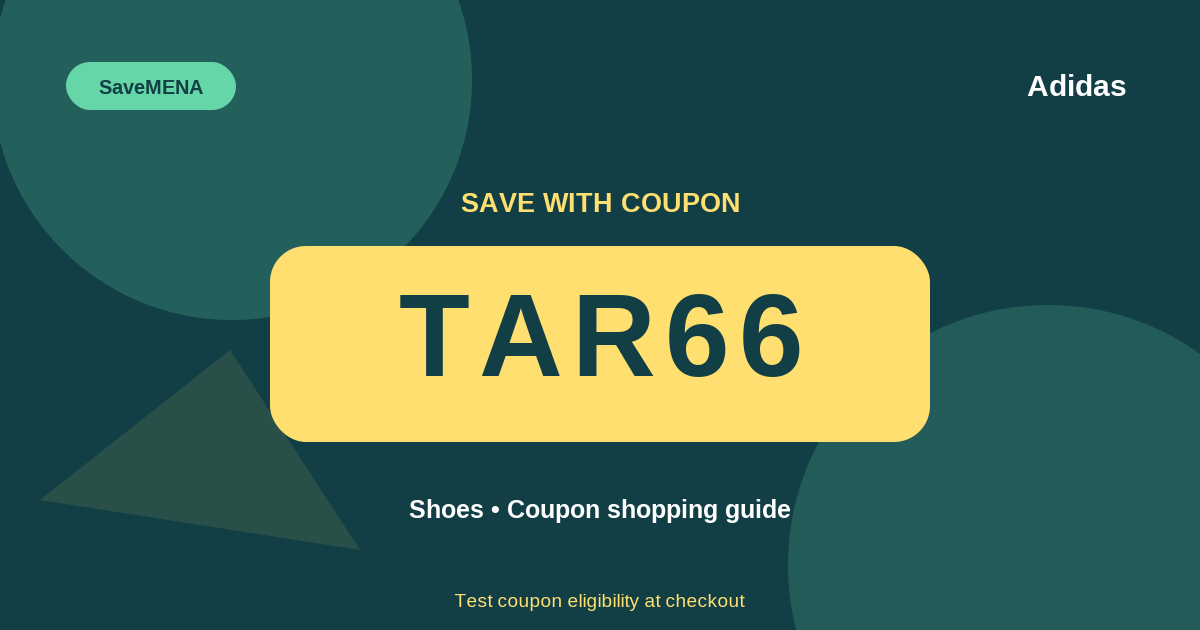
Codes available to try while comparing
These codes are not guaranteed for the article topic or listed brands; test them at checkout and use the live result.
Understanding Noon UAE Coupon Eligibility for Shoes
A coupon on Noon typically surfaces as an eligibility notification as soon as you add a qualifying product to the cart. For shoes, buyers should first confirm that the footwear brand, model, and size fall within the broader “Shoes” category, as the platform may auto‑filter non‑eligible items. During the cart review, Noon highlights any coupon conflicts—such as incompatible offers or purchase‑limit exceedances—thereby giving the shopper a chance to adjust the selection or size before proceeding further.
Once you see the notification that a coupon is available, the next checkpoint is to verify that the item’s seller and stock status support the discount. Occasionally, third‑party sellers have distinct discount rules, meaning the platform may show a different discount or even exclude the coupon. Checking these details early helps avoid the last‑minute snag when you try to apply the code at checkout.
Selecting the Right Shoes and Adapting the Coupon
Even if you’re eyeing an Adidas pair, the coupon can be applied only if the particular shoe variant meets the category requirement. Most sellers list the shoe type—running, casual, or tennis—in their product description, and this is exactly where the shopper should confirm that the item sits under the ‘Shoes’ umbrella.A coupon is not guaranteed; verify its result at the retailer checkout.
Simultaneously, consider setting the desired quantity. In many cases, coupons apply only to a single unit or become invalid if the quantity exceeds a set threshold. By selecting the exact quantity before moving to checkout, you eliminate the risk that the coupon will no longer be recognized, which could otherwise lead to unexpected cost changes.
The Role of Payment Method in Coupon Validation
At Noon, the final confirmation of a coupon’s validity often occurs just before the payment selection screen. When you choose a payment method—be it credit card, bank transfer, or a digital wallet—the system re‑evaluates the cart. Certain payment types have specific promotional rules that may affect the discount’s applicability. Understanding this interaction is crucial for staying within the coupon’s scope.
If the selected payment method is marked “restricted” for promotional codes, the system will usually display an icon or warning near the payment options. In such cases, the shopper can switch to an alternative method that preserves the coupon benefit, or the platform may automatically adjust the total cost to reflect the coupon’s value.
Verifying Eligibility: What the System Displays
During the payment method screen, Noon may show a small eligibility badge next to the final payable amount. This badge confirms that the coupon remains valid given the chosen payment method and final cart composition. It typically includes a brief statement, such as “Coupon applied,” ensuring that shoppers see the discount in real time.
If the badge is absent or shows a warning, this signals either that the coupon has been invalidated by the payment choice or that the shopper overlooked a cart eligibility rule. In such scenarios, the only way forward is to modify the cart—either by removing or adding items—or to pick another payment option that the coupon supports.
Common Payment Method Pitfalls and How to Avoid Them
Some payment methods, particularly those that involve offline transfers or third‑party processors, may trigger a temporary suspension of coupon eligibility until the transaction is verified. Timing the discount – applying the coupon well before committing to the payment – helps prevent this lag. The shopper can read any on‑screen alerts to decide whether to proceed or wait for verification.
Additionally, keep an eye on the “promo validation” status that appears beneath the payment button. If the status indicates “pending,” the coupon hasn't been fully validated for that payment method yet. Choosing a different payment method—such as a credit card that the store prioritizes for promotions—can often resolve the pending state within seconds.
Using TAR98 with Adidas Shoes: Practical Tips
When shopping for Adidas shoes, the Good packaging page often lists the brand explicitly, but it’s essential to confirm that the shoe falls under the general “Shoes” category.A coupon is not guaranteed; verify its result at the retailer checkout.
Because Adidas models vary from limited editions to standard releases, they sometimes come with exclusive retailer coupon restrictions. If the “TAR98” code does not display immediately after adding an Adidas shoe to the cart, double‑check the product page for any mention of “coupon disabled” or “special pricing.” Adjusting the size or scrolling to the purchase terms can reveal hidden compatibility.
Final Checklist Before Completing Payment
Before finalizing the checkout, the shopper should reconfirm three primary points: the shoe type and quantity remain as intended, the “TAR98” code is still displayed in the eligibility badge, and the chosen payment method is flagged as compatible. Re‑visiting the cart summary ensures any hidden taxes or shipping fees are accounted for.
Once these confirmations are satisfied, the shopper can safely proceed to enter payment details. The checkout page will only show the final amount to be charged after invoking the payment gateway. At that point, the coupon’s validity is locked in, and the shopper can confidently complete the transaction knowing they received the intended discount.
Compare alternatives without guessing
When you compare another option in adidas, keep the specifications, quantity and seller as consistent as possible and compare the total shown at checkout. A different coupon does not automatically make a deal better because delivery, fees and the live basket context can change the outcome. Use the final payable total as the practical comparison point.
If the retailer shows a specific condition, rely on that visible message; if it does not, do not turn an assumption into a general rule. Test available options one at a time and note any real change in the total or eligibility message. That creates a verifiable shopping comparison instead of a recommendation built on an unsupported marketing claim.
Related SaveMENA pages
Related articles
Official sources to check
Frequently asked questions
Do I need to use a specific payment method to apply the TAR98 code?
Not necessarily, but some payment types may support or restrict promotional codes. Check the eligibility badge next to the total on the payment method screen; if it’s absent, try switching to another card or digital wallet.
Will the TAR98 code work for every adidas shoe available on Noon?
The code applies only if the adidas shoe falls under the general “Shoes” category and meets any shelf‑stock conditions. Verify the product’s category tag in the description before adding it to your cart.
What happens if my coupon appears to be invalid during checkout?
Re‑review your cart for quantity or brand restrictions and ensure the chosen payment method isn’t flagged as disallowed for promo codes. Correcting either element typically restores eligibility.
Can I use the TAR98 code more than once on the same order?
Use the code once per order. Multiple applications are not supported, and the platform will notify you if you try to enter the code a second time.