LG TVs on Noon UAE: payment method — coupon eligibility · TAR84
Begin by searching for the specific LG TV model you want on Noon UAE. Once you find the product listing, scroll to the coupon section usually located under the
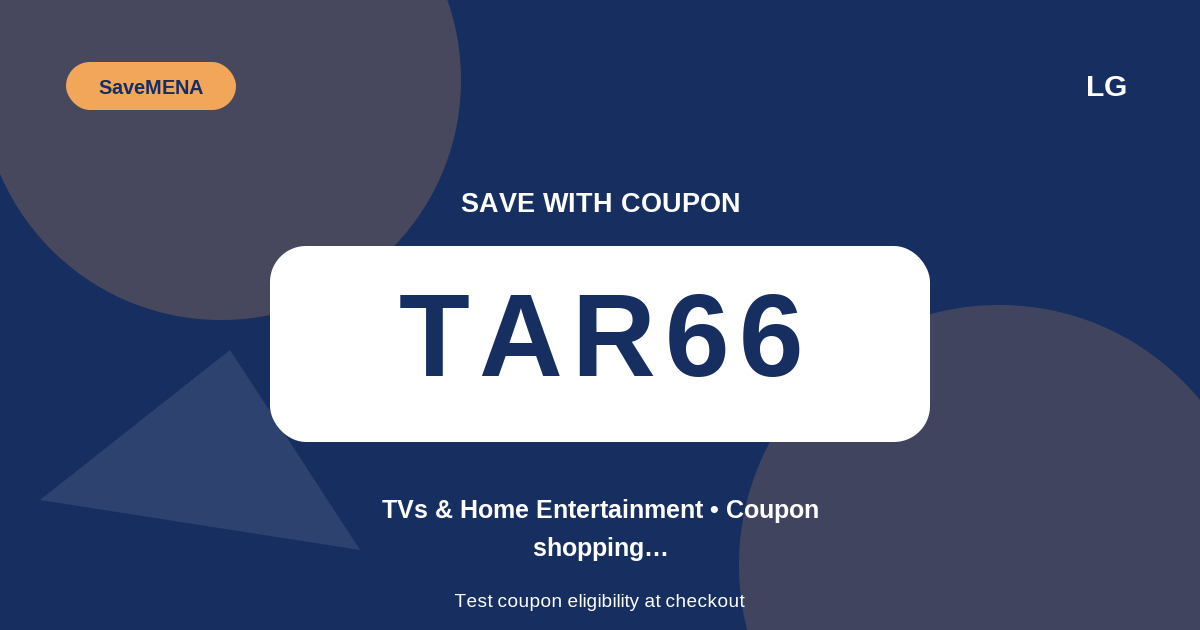
Codes available to try while comparing
These codes are not guaranteed for the article topic or listed brands; test them at checkout and use the live result.
1. Locating Your LG TV on Noon UAE and Evaluating Coupon Eligibility Early
Begin by searching for the specific LG TV model you want on Noon UAE. Once you find the product listing, scroll to the coupon section usually located under the price. Here, you may see a prompt such as “Apply Coupon” with a field for your code. Enter “TAR84” into this field; Noon will instantly display whether the coupon is currently eligible on this item, before the item is added to the cart. If the offer says “Coupon active” you’ve confirmed a provisional match – but keep in mind that final approval will happen at checkout.
Even if the product page shows the coupon as active, it does not guarantee success once you proceed to payment. Markets, stock levels, or cart totals can affect eligibility.A coupon is not guaranteed; verify its result at the retailer checkout. This early check saves time and helps you validate that your LG TV qualifies before you lock in shipping costs.
2. Understanding the Model-Specific Terms That Impact Coupon Use
Different LG TV models might have distinct pricing tiers, colour variants, or bundled accessories. Noon’s coupon engine may attach conditions to certain variants only, which can be visible in the “Product Variants” table. For instance, if you select a 55” 4K OLED LG instead of a 4K LED, the coupon code may still appear eligible during the product page check but then become ineligible during checkout if the variant changes. Always leave the same variant selected until the payment step to avoid these fluctuations.
Additionally, the shop’s policy might require that the order total meets a minimum threshold, or excludes certain third-party sellers. Since you are buying from Noon, review the “Seller” badge – if it says “Powered by Noon,” eligibility stays consistent. If you see “Merchant,” double-check that Merchant’s seller profile accepts coupons at checkout, because some independent sellers configure coupon applicability differently.
3. Choosing a Noon Payment Method that Supports Coupon Redemptions
Noon allows multiple payment options, including credit/debit cards, debit cards, Apple Pay, and Noon Pay. Some coupons on Noon are limited to specific payment methods; some work only with credit cards, while others allow any offline payment. Though the public details for “TAR84” are not disclosed, you can determine the permissible methods by watching the checkout progress. When you reach the “Payment” screen, navigate each option and see if the coupon discount is reflected in the order summary for that method.
If you notice that the discount appears only with one payment option, consider allocating your card or digital wallet accordingly. Keep in mind that using a method that automatically applies the coupon (e.g., a “First‑time Noon Pay” credit card) may increase your verification speed and reduce the chance of the discount being stripped due to method incompatibility. Prioritising a method that shows the coupon at order summary is the safest route.
4. Real-Time Eligibility Verification During Checkout
Upon adding the LG TV to your cart, click “Proceed to Checkout”. The shopping cart page will display the chosen items, quantity, and a field for coupons. Input “TAR84” again here and watch whether the discount value updates. This final check is critical because differences in shipping destination, coupon stock, or items in your cart may render the offer invalid at this point.
If the discount disappears or a message says “Coupon not eligible”, you still have the option to change your payment method or check if additional cart items are causing the issue. If the number displayed remains unchanged, the coupon is still active. This real‑time feedback is your last resort to confirm that Noon accepts “TAR84” for your specific LG TV with the chosen payment method.
5. Common Obstacles: Overcoming Eligibility Fall‑backs
Coupons can fail for a number of reasons, such as a mismatch between the TV’s variant and the coupon’s the coupon code variant. Another common issue involves combining the coupon with other active discounts or promotional codes that Noon may deem ineligible simultaneously. If you notice that “TAR84” is in conflict, remove other discount codes or choose a different product version that matches the coupon’s specified category.
Payment‑method restrictions can also intervene. For instance, some coupons only apply to credit cards issued in the UAE, and may not work with foreign debit cards or Apple Pay. If you attempt a payment method that is incompatible, the coupon might be waived and you’ll see a price increase on the summary screen. In such cases, switch to an accepted method before proceeding to final payment.
6. Managing Payment Method Choices for Coupon Effectiveness
After confirming the coupon’s presence in the cart and on the payment screen, double-check your saved payment methods in Noon’s account settings. Updating or adding a new card that supports NFC or chip transactions can sometimes unlock coupon usage, especially if the original card is flagged for security. Ensure the billing address on the card matches the shipping address to avoid additional verification steps that could invalidate the coupon at the last minute.
Considerations also extend to using Noon Pay, which sometimes offers instant coupons for enrolment. If you’re not registered for Noon Pay, installing and linking an existing card through the Noon app may enable instant coupon validations, keeping the “TAR84” discount intact.A coupon is not guaranteed; verify its result at the retailer checkout.
7. Practical Tips for Moving Forward After Coupon Verification
Once you confirmed the coupon appears in the final order summary and your chosen payment method is accepted, it’s still prudent to keep a snapshot of the summary page. Noting the final total, discount applied, and payment method details offers a quick reference in case of late‑day anomalies. This documentation can be handy for disputes or refunds if the discount is not applied after the order is processed.
After submitting payment, Noon typically sends an order confirmation email. Scan this email for the coupon mention and order number. If the “TAR84” discount is missing from the email summary, contact Noon’s support side‑by‑side referencing both your order number and the coupon code, and ask for clarification. Experienced shoppers have found that last-minute confirmations may still be salvaged if processed swiftly.
8. Summarizing Steps and Ensuring Zero Coupon Loss
In conclusion, to verify that the Noon UAE coupon “TAR84” is eligible for your LG TV before you pay, start by checking the product page, add your exact variant to the cart, apply the code in the cart and payment screens, and confirm it remains active after selecting your payment method. Follow the order summary closely; any changes at checkout are your sign that the coupon has been revoked. By locking in these checks, you protect yourself from a coupon that only appears valid in theory but disappears at the last step.
Each time you plan a TV purchase with coupons, repeat this step‑by‑step verification. This systematic approach builds confidence that your savings show up on the receipt and that Noon’s coupon engine interpreted your order as you intended.A coupon is not guaranteed; verify its result at the retailer checkout.
Related SaveMENA pages
Related articles
Official sources to check
Frequently asked questions
How do I know if the coupon is still valid when I reach payment?
You can see real‑time validity as soon as you apply the code on the cart or payment screens. If the coupon discount icon appears or the total price reflects a reduction, it’s still valid. If it disappears, try a different payment method or double‑check your cart items for eligibility.
What if my payment method prevents the coupon from applying?
Switch to an alternative card or payment option by updating your Noon account settings or adding a new card. Some coupons only work with credit cards issued by UAE banks, and not with foreign debit cards or Apple Pay. Try a different method before finalising payment.
Will I lose the discount after I finalize payment?
Only if checkout processing invalidates it—rarely happens if all conditions are met. Keep the order confirmation email as proof. If the discount is missing, contact Noon customer support with your order number and coupon code for clarification.
Can I combine “TAR84” with other coupons?
Noon typically allows only one active coupon per order; using a second code or promo will usually override or nullify the first.A coupon is not guaranteed; verify its result at the retailer checkout.