Calvin Klein Women’s Fashion on Noon UAE: payment method — coupon eligibility · TAR98
Have you ever wondered how to confirm a Noon UAE coupon’s eligibility before you lock in your purchase?
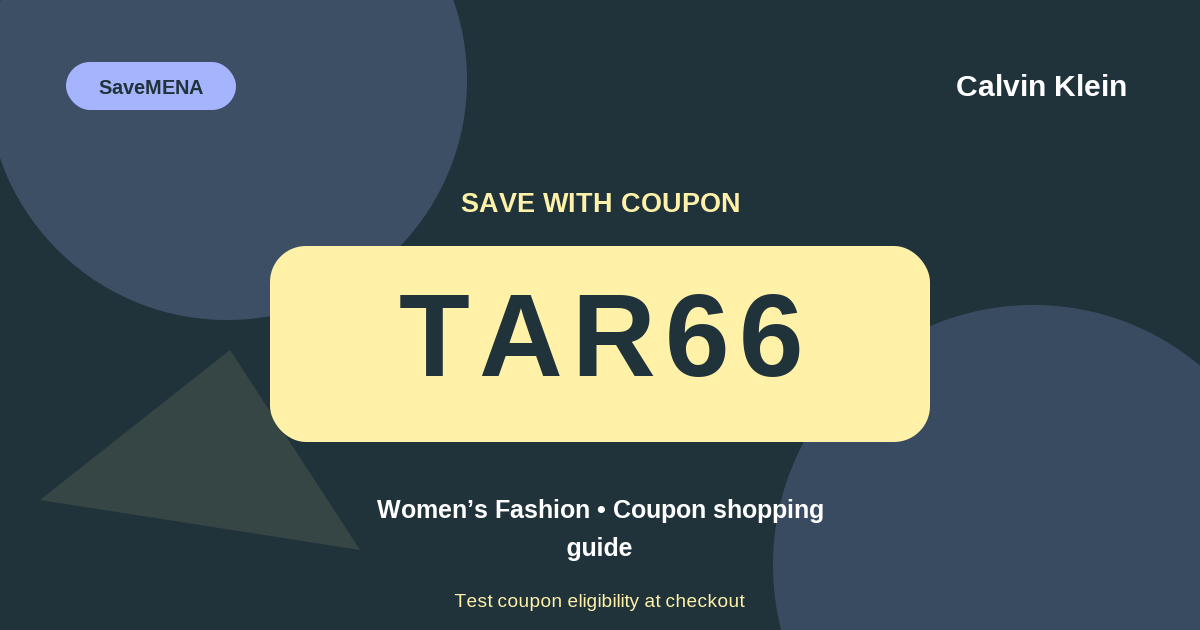
Codes available to try while comparing
These codes are not guaranteed for the article topic or listed brands; test them at checkout and use the live result.
Understanding Noon UAE Coupon Process
Sticking to the main aim, the first step is to locate the coupon field in Noon’s shopping flow; it usually appears after you have added an item to your cart but before you proceed to the payment summary. Once you paste the code TAR98, the platform will attempt to match it against its current catalogue of available offers. The system then flags whether the coupon behaves as eligible or remains inactive, regardless of any discount percentage or monetary value. Remember, although the code appears as a potential benefit, the checkout page is the authoritative source that confirms whether the coupon is valid for your cart.
After the code is entered, the interface will either show a success message or a generic error line. If the coupon remains unused at this point, you’re not yet determined about its final effect. Certain offers at Noon depend on multiple variables – such as the chosen payment method, the overall price point, or even the specific brand and season – so it’s prudent to confirm eligibility “in real time” during the checkout button flow. Always rely on the on‑screen status rather than any preliminary notices you might see earlier in the shopping process.
The Role of Payment Methods in Coupon Eligibility
When you reach the payment section, your choice of payment method can subtly influence whether a coupon stays active. Noon supports a variety of options, including credit card, debit card, PayPal, and several digital wallets. Some operators in the UAE, such as certain regional wallets, may trigger additional verification steps that could interfere with the immediate application of a coupon. If a wallet requires a secondary confirmation, the platform may temporarily disable the coupon status until final approval is received.
Because the checkout total is recalculated each time a payment method is selected, always watch for the “Final Amount” line after you pick your method. It should reflect any changes in coupon eligibility instantly. If you notice the offer banner disappears or a new prompt appears after you pick a card, this is a clear indicator that the payment method is affecting coupon validation, and a different method might preserve the code’s effect.
Step‑by‑Step: Adding Calvin Klein Women’s Fashion to Cart
Start by navigating Noon’s Women’s Fashion section and filtering brand or style to Calvin Klein. Products such as tops, dresses or bags appear with various sizes and colours. The system’s catalogue inventory will show each variant as available or out of stock; always ensure the selected option is in stock before adding it to the cart, otherwise the checkout may reject the purchase even if the coupon is valid.
Click the “Add to Cart” button once your chosen item (for example, a red knit dress) is on hand. The cart will automatically update the line items and propagate the total cost to the next screen. At this step, you can still adjust quantity or remove items, but the larger the basket, the more likely a coupon’s terms may hinge on the amount spent or the product category, so keep the selection simple and focused if you’re relying on a single coupon.
Applying TAR98: Timing and Visibility
The coupon code TAR98 gets its first real verdict when you paste it in the designated field just before proceeding to the payment summary. Noon’s system will recognise the entry and immediately flag its acceptance status. If the banner says “Coupon applied” or “Code valid,” you’ve met the first threshold. If the message reads “Invalid code” or “Not eligible for this product,” the code is still a candidate but continues to be tested against the chosen payment method specifics.
Once you hit the “Continue to Payment” button, the platform treats your coupon as a live input for the entire checkout flow. It’s during this step that you should re‑check the visual cue next to your total: many stores re‑validate coupon eligibility or drop the discount if further condition checks fail. Keep an eye on that spot; if the applied banner disappears, you’ll need to revisit the payment method or shopping list before payment.
Confirming Eligibility: The Checkout Checklist
At the checkout screen, the surface line “Coupon: Applied” confirms your coupon’s standing. If the text changes to “Coupon: not applied,” the platform has built‑in filters that disallow the code given the present purchase conditions, such as bank‑card restrictions or vendor limitations. The best practice is to review the projected final amount immediately after selecting your payment method; that’s when any hidden clauses lock in or release the coupon.
After confirming the amount, type in your payment details. If the chosen method triggers a two‑step authentication, the checkout will pause, but once authorization completes, the final amount displayed will incorporate the coupon status. If you see the same “Coupon: Applied” text, you’re clear to press the final “Pay” button, which seals the transaction. Always do a final glance at the “Order Summary” panel before you reach the last step.
Payment Method Choices and Their Impact on Savings
When your list includes a range of payment options, it’s helpful to understand which ones tend to preserve coupon eligibility without extra verification. Traditional credit cards tend to allow a smoother flow because the platform treats them as pre‑verified for most merchants. Wallets, while convenient, may trigger a re‑check that could nullify a code.
Notice that during the payment option drop‑down, there is often a tooltip or small note that indicates any special conditions for that method. If a particular type mentions “may affect coupon application during checkout,” it’s wise to switch to an alternative. This clarity can save you from a last‑minute reversal of the discount you were banking on.
Common Pitfalls When Using Coupons in Noon UAE
One recurring issue is routing the coupon into the cart before adjusting the quantity or size. If the item changes after applying the coupon, the platform may re‑evaluate the eligibility, causing the discount to vanish. Double‑check the cart before locking in the code and watch for any subsequent notification about changes to coupon status.
Another pitfall is overlooking the “delivery fee” line that appears after payment method selection. While the platform may treat the fee separately, some coupons sync only with products, not fees. If you see the fee added without the discount surface, it’s usually because the coupon is product‑specific. In that case, reviewing the cart and adjusting your delivery settings can help match eligibility constraints.
How to Escalate Issues If Your Coupon Won’t Apply
If the coupon seems to fail permanent spite of meeting all shown criteria, reach out to Noon’s customer support through the app’s chat or phone line. Provide the specific code (TAR98) and a screenshot of the final amount where the discount is missing. The support team can verify whether your purchase falls under any hidden restrictions or a temporary disallowance.
Do not try to force the application by re‑entering the code or switching payment methods manually, as this can lead to order cancellation. Instead, wait for the support confirmation or guidance, ensuring that the final signed‑off payment remains consistent with the coupon’s intended benefit.
Related SaveMENA pages
Related articles
Official sources to check
Frequently asked questions
When should I enter the TAR98 coupon code?
Right before you review your payment details. Place it in the coupon field on the cart page and confirm it shows as “applied” before selecting your payment method, so the system won’t nullify it later.
Does the choice of payment method affect the coupon?
Yes. Some payment options, especially digital wallets, might trigger extra verification steps that can alter or remove the coupon’s effect. Prefer card payments for more consistent results.
What if the coupon disappears after I pick a payment method?
Check the order summary again. If the code banner vanishes, either the chosen payment method conflicts with the coupon or the cart’s total has changed beyond eligibility. Switch methods or adjust cart items.
Can I use TAR98 on any Women’s Fashion item?
The coupon can technically be applied at checkout; however, its final validity depends on Noon’s current terms. Check the “Coupon applied” status post‑payment selection for confirmation.