Women’s Fashion on Noon UAE: payment method — coupon eligibility
Before you even open the Noons app, it’s useful to grasp how coupon codes work on the site. On average, a coupon will be accepted if the combination of items and
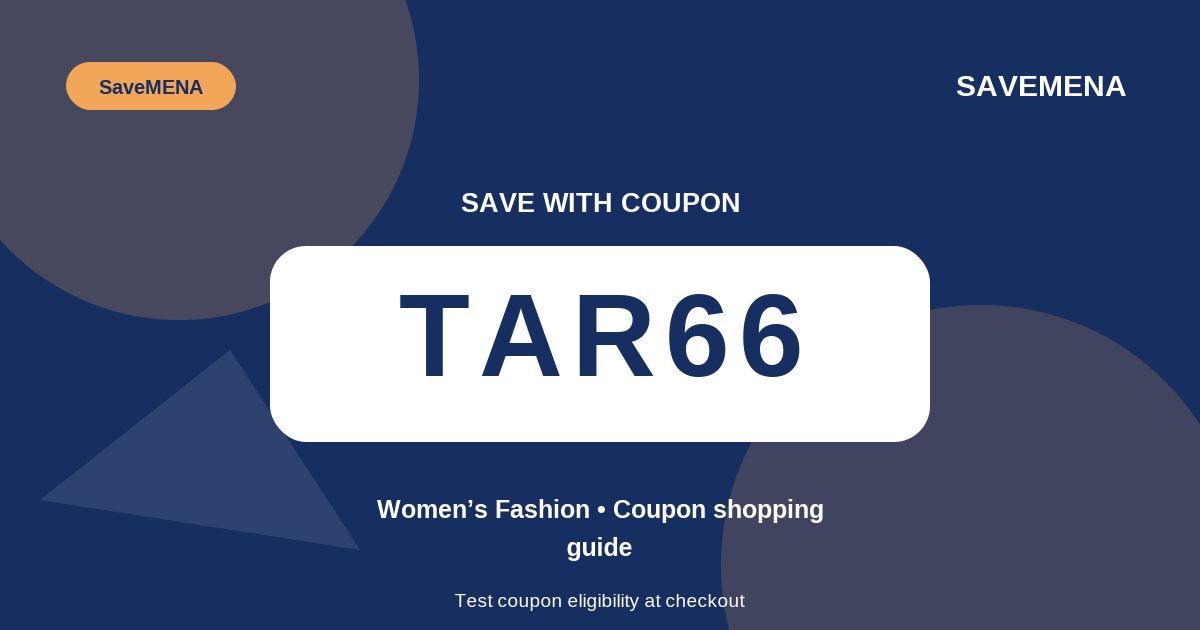
Codes available to try while comparing
These codes are not guaranteed for the article topic or listed brands; test them at checkout and use the live result.
Understanding Coupon Eligibility on Noon
Before you even open the Noons app, it’s useful to grasp how coupon codes work on the site. On average, a coupon will be accepted if the combination of items and the chosen payment method satisfies the seller’s preset conditions. Because the platform calculates eligibility at the moment of checkout, users should anticipate that the final amount may change once the payment method is specified. While the coupon code in focus is TAR66, it is not guaranteed for every product. Thus, the first level of verification is to view the “Discount & Offers” badge on the product page, which indicates whether the offer is active for that item at the time you add it to your cart.
Hovering over or clicking the “Apply Coupon” field during checkout often triggers a quick real‑time check. If the system flags the code, specific reasons—such as the payment method not being supported—are displayed. On Noon, some sellers reserve discounts for credit cards, while others trigger them only with digital wallets. Checking this status before confirming the payment keeps you from encountering a sudden loss of savings on the order summary.
Selecting the Right Women’s Fashion Products for Savings
Choosing items that are eligible for coupons is a strategic move that directly ties into payment method considerations. For instance, a designer dress listed under a sale banner might still restrict discounts to full‑price payment methods. When using the TAR66 code, you want to make sure the products you add have no “Payment‑Method‑only” restrictions. Sellers often indicate these conditions in the product description or “Shopper info” section. Simply browsing for items with the “Coupon available” icon in the cart helps confirm that the coupon applies regardless of the payment method you select later.
Moreover, product bundles and kits sometimes contain a mix of eligible and ineligible items. By consolidating items into a single cart, you maintain a clear overview of the total that will be evaluated for coupon eligibility. Checking the “Total eligible for coupon” line in the cart (if visible) will better inform your decision on whether to alter your selection, especially when a high‑value item may block the code from applying to the entire order.
The Role of Payment Method in Coupon Verification
Payment method acts as a key factor in determining whether a coupon code is accepted. On Noon, certain sellers use merchant‑specific payment gateways that unlock discounts only if a particular method is chosen. Common methods—credit/debit cards, FWD wallet, Apple Pay, and various e‑wallets—each trigger a different verification pathway. The coupon code TAR66 may be honored only with a specific subset of these options; if you link to a method that activates a seller’s restriction, the discount will not be applied.
Because payment method decisions are made after adding items to the cart, but before finalizing the transaction, it is crucial to confirm the accepted payment options listed in the “Payment Method” section during checkout. The platform typically flags incompatible methods with a brief note, such as “Coupon not available with this payment option.” This heads‑up allows you to switch instantly—say from a generic credit card to a partner e‑wallet—to secure the coupon’s benefit before committing to the purchase.
Step‑by‑Step Guide to Checking Eligibility Before Checkout
Start by selecting your Women’s Fashion items and add them to your cart. At this point, the cart page displays the base total and any store‑level discounts that apply automatically. Next, enter the TAR66 code into the “Apply coupon” box. If the code is valid, a provisional discount will appear instantly. This provisional figure factors in the items, but not yet the payment method, so you will see a potential savings estimate.
Proceed to the “Payment Method” selection step. Here, the platform re‑evaluates the coupon against your chosen method. If an incompatibility arises, the provisional discount is removed and a warning appears. Should this happen, switch to a supported method—consult the seller’s payment guidance if visible. When the method aligns, the coupon is confirmed, and the final payable total appears in the order summary for your confirmation before you hit the “Place Order” button.
Common Payment Methods on Noon and Their Impact on Discounts
Credit and debit cards issued by UAE banks are frequently accepted across most sellers, but some high‑margin brands reserve their discount codes for cards linked to specific corporate accounts or premium card tiers. Digital wallets such as FWD and PayTabs offer a seamless experience, yet sellers may explicitly list their compatibility with coupon codes. If a seller’s terms mention “discount applicable only with FWD,” you may discover that other wallet options disallow the TAR66 code.
Apple Pay, Google Pay, and traditional banking apps each offer a distinct verification process. In use, Apple Pay prompts a quick authentication that sometimes bypasses the seller’s promo restrictions, while Google Pay can surface a message stating “Coupon only available with Google Pay.” For UAE shoppers, collaborating with local payment solutions that integrate smoothly with Noon’s checkout algorithm is often the most reliable way to preserve discounts during the transaction.
Practical Tips for Using TAR66 When Paying
Once the coupon is confirmed, double‑check the final total in the order summary. The display will now show the discounted amount alongside the shipping and any additional fees that might apply. If you still see a discrepancy compared to the provisional estimate, revisit the payment method and confirm that the system remained consistent. Especially for larger bulk orders, small manual adjustments can happen; an honest review at this stage brings peace of mind.
A coupon is not guaranteed; verify its result at the retailer checkout. If the items require an additional verification step—such as a 3D Secure prompt—you will see a completion banner immediately after payment. This banner reiterates the final charged amount, which confirms that your coupon has paid off without hidden fees. Skipping ahead to the next step without confirming this information forfeits the chance to catch any last‑minute errors.
What to Do If Your Coupon Appears Ineligible
Encounter a “Coupon not applicable” message? Begin by verifying that you typed the code correctly, ensuring there are no spaces or misspellings. If the system still rejects it, consult the seller’s FAQ section for any specific “Payment‑Method‑only” restrictions that might have changed recently. Occasionally, seasonal promotions temporarily alter conditions, so reaching out to Noon’s customer support can sometimes clarify the current status.
If the coupon is genuinely ineligible for the eligible items or chosen payment method, consider switching to an alternate payment option—such as a different wallet or card—if the seller’s terms allow. A practical approach is to move the items to a separate cart and apply the coupon again after selecting the new method. This repeated attempt often resolves the issue, confirming the compatibility between the coupon and the chosen payment strategy.
Related SaveMENA pages
Related articles
Official sources to check
Frequently asked questions
Will TAR66 work with any card on Noon?
The code’s applicability can differ by seller; some accept all credit cards, others only specific ones. After entering TAR66, check the confirmation step—if it’s rejected, switch cards or consider other payment methods that meet the seller’s discount terms.
What if I change my payment method after applying the coupon?
Changing the payment method triggers a real‑time re‑validation. If the new method isn’t compatible, the discount will drop and a warning appears. Switching back to a compatible option restores the coupon before final confirmation.
Can I use TAR66 on multiple items in the same cart?
Yes, as long as each item’s seller permits the coupon and the chosen payment method satisfies all conditions. Verify the “Discount available” badge for each product before adding it to the cart.