Sony Cameras on Noon UAE: price changes — coupon eligibility
Start by visiting the Sony camera's product page and confirm the listed price is the one you intend to pay.
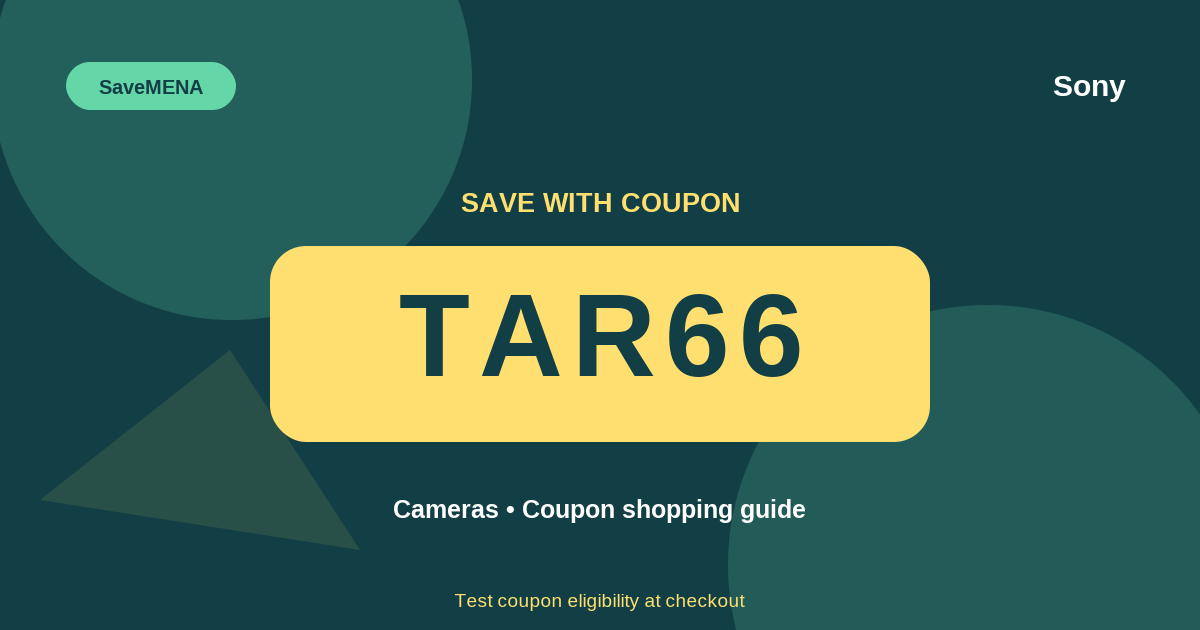
Codes available to try while comparing
These codes are not guaranteed for the article topic or listed brands; test them at checkout and use the live result.
Verify Sony Camera Price Before Adding to Cart
Start by visiting the Sony camera's product page and confirm the listed price is the one you intend to pay. Look for the billing currency dropdown; UAE shoppers should see AED as default. Above the “Add to Cart” button, you’ll see if any promotions or sales are indicated. A clear price shows the vendor hasn’t applied an extra fee or hidden cost. If the price shows as dynamic—represented by a slider or a range—write down the exact figure shown for later reference. This early snapshot will help you identify any change that could impact your coupon eligibility once you move past this step.
After you note the initial price, keep an eye on the page’s status banner or product notes. e‑commerce sites sometimes adjust prices based on stock levels or inventory turnovers. If you notice any note such as “Prices subject to change,” be prepared to re‑evaluate the coupon after you commit. That way, when you’re later in the checkout flow, you already understand whether the discount you hoped for remains valid under the new price point.
Add the Sony Camera to Your Cart and Keep the Cart Open
Click the “Add to Cart” button to place the camera in your virtual basket. Afterward, avoid navigating away; the most reliable way to preserve the state of your choice is to remain on the same browser tab. Many users click “Continue Shopping” only to find their items removed due to site lag. Instead, click the cart icon prominently located at the top right to open the cart modal or page. Confirm that the listed price inside the cart matches what you recorded earlier. Minor discrepancies commonly arise from promotional labels or time‑sensitive discounts that shift in the background.
While in the cart view, adjust the quantity if you’re ordering more than one unit. Some stores offer quantity‑based discounts, which will appear as a reduced unit price or a separate line item. The final cart total, before any coupon application, is the figure that the coupon code will compare against. Keep this total in view as you prepare to try the TAR66 code; if the cart figure changes here, your next step will need to revalidate coupon eligibility.
Apply TAR66 Coupon Code Prior to Proceeding
Locate the coupon field usually situated under the subtotal in the cart summary. Enter “TAR66” exactly as shown, preserving capitalization. If the field is hidden or requires clicking a “Add coupon” link, ensure you reveal it before typing. After submission, observe the immediate response. A success message may appear, indicating the code is accepted; this does not guarantee the discount will be applied at checkout but it signals nominal eligibility.
Push the “Continue to Checkout” button only after confirming the coupon field has been processed. Once on the checkout page, additional validations occur, such as payment options and shipping recalculations. The dough of the final price will be recalculated after these steps, potentially altering the coupon’s affectiveness. Maintaining the cart open before moving to payment keeps the system from autosaving a stale price that the coupon cannot apply.
Re‑validate Coupon After Any Price Readjustment
After hitting “Continue to Checkout,” the platform may refresh the total based on real‑time inventory or newer promotions. At this point, scroll to the bottom of the cart summary where the coupon status is typically displayed. A note like “Coupon not applicable” will appear if the price deviated beyond the threshold defined by the coupon. If you perceive a mismatch, it may signal a price change that overcame your earlier approval.
In such cases, clear the existing coupon field and re‑enter “TAR66.” The system will run a second eligibility check against the updated price. Depending on platform logic, you may see the discount restored with a new amount or receive a failure notice. If the coupon is refused, consider saving the cart and retesting after any price drop or promotional reminder that the vendor may send via email or push notification.
Review Updated Cart Summary With Potential Discounts
Once you see the retail price reconciled with any applied discount, examine each line item. The subtotal should clearly list the base price of the camera, tax, and shipping. If a discount appears, it is displayed separate from tax. No assumptions should be made about the exact amount—only that the displayed final total reflects all applicable deductions. Check for any hidden fees that may arise, such as buyer protection or storage charges, especially for high‑value electronics.
Time the review before proceeding to payment confirmation. The figurative “up‑to‑the‑second” nature of e‑commerce pricing means a delayed update could misrepresent the real cost. If you notice a discrepancy compared to earlier screenshots or notes, re‑open the cart, adjust quantities, and re‑apply the coupon. Only when the displayed final figure aligns with your expectations should you move to the next step.
Confirm Coupon Effectiveness on the Checkout Total
Navigate to the payment page and witness the final payable amount in the summary section. Typically, the platform recalculates after tax and shipping inclusion. The coupon’s effect should be reflected here; the discount will reduce the total. Verify that the coupon code is listed among the applied promotions. If the discount line is absent, the system may have flagged the coupon as ineligible based on the final cart value.
Before submitting payment, read the terms displayed for the coupon—often a small link or tooltip. It will outline conditions, such as “applies only to items above a certain price” or “cannot be combined with other discounts.” This information is critical because it determines whether the coupon can be redeemed at all. A lack of visibility may signal an error or a support required action; contact the site’s customer service or use their chat function for clarity. Once you confirm the coupon is indeed active, proceed to the payment method.
Assess Payment Method Constraints That May Affect Coupon
Certain payment options on Noon UAE may restrict coupon usage. For example, cash on delivery or specific debit cards might not honor applicable discounts. While selecting your payment method, look for a warning icon or note that indicates coupon eligibility. If you select a method that is incompatible, the system may automatically remove the discount or adjust the total.
If the coupon is vital to your purchase, choose an electronically validated payment type such as credit card, debit card, or prepaid balance. These methods are standard for capturing discounts accurately. After choosing the payment method, confirm once more that the discounted total persists. If the coupon is removed, revisit the payment section, select a different method, or consider saving the order to retry later, as some delays in payment processing can cause eligibility resets.
Finalize Shipping Fees and Total After All Adjustments
Before the final click, lie on a close inspection of shipping and delivery charges within the checkout page. Sometimes a high‑value camera incurs a premium shipping fee that might negate the coupon’s benefit. Make sure the selected delivery options are clearly listed, and double‑check the fee amount. A shipping surcharge could push the price upward, potentially invalidating the condition that allowed TAR66 to apply.
Once satisfied with the shipping fee, look at the confirmed final amount again. The total must match what you expect after discount, tax, and shipping have been applied. No hidden fees should remain unknown. If all numbers are accurate, you can confidently place the order knowing the coupon code worked where possible. Celebrate your careful checkout process—your savings are only valid if the final amount reflects the intended discount.
Related SaveMENA pages
Related articles
Official sources to check
Frequently asked questions
How can I confirm that the TAR66 coupon was applied successfully?
During checkout, the summary section lists all discounts under ‘Applied promotions’. If TAR66 is displayed there and the final total shows a deduction, the coupon was successfully applied. If it’s missing, the coupon was either ineligible or removed.
If the camera price changes after adding it to my cart, do I need to apply the coupon again?
Yes. Whenever the price is refreshed, re-enter the QR or typing the code again. The platform will re‑evaluate eligibility based on the new price before finalizing the discount.
Can I use TAR66 with other discounts or coupons on Noon?
Noon’s policies typically restrict combining coupons. If the checkout page indicates a ‘cannot be combined’ notice, you’ll need to choose one promotion at a time.
What happens if my payment method doesn’t support coupon usage?
Some payment options may prevent discounts. Switch to a card, wallet, or instant payment method that supports coupon application and verify the discount appears before finalizing the purchase.