HP Computer Accessories on Noon UAE: offer combinations — coupon eligibility
Noon UAE coupon eligibility Computer Accessories HP coupon interaction with visible promotions: To know whether the Noon UAE coupon TAR66 will save you during your
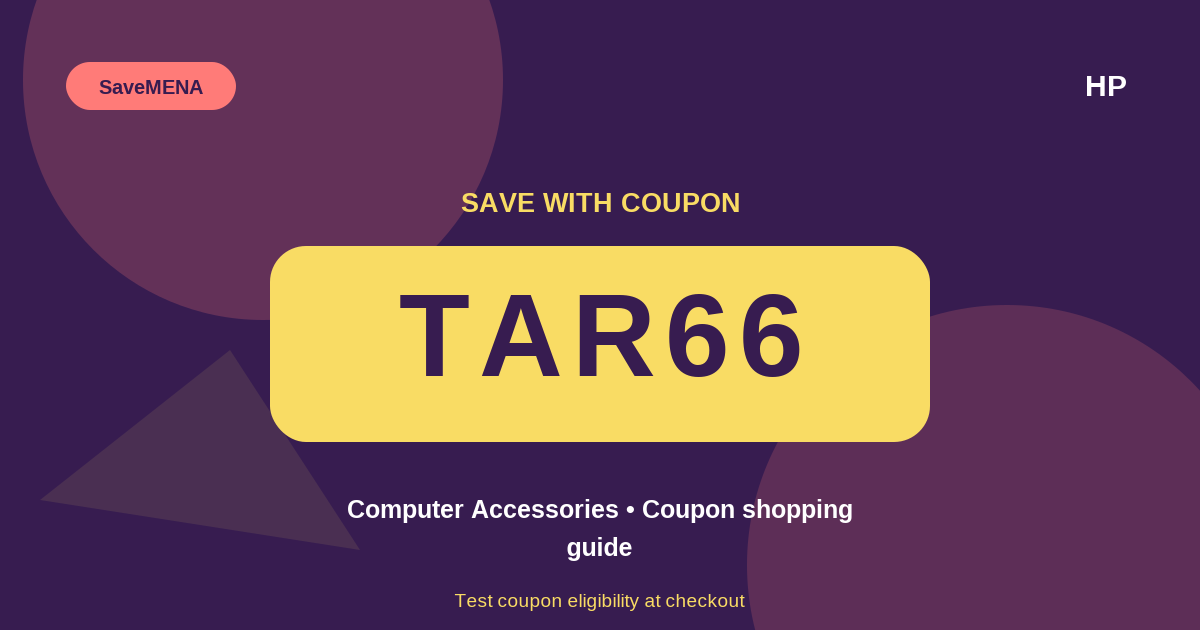
Codes available to try while comparing
These codes are not guaranteed for the article topic or listed brands; test them at checkout and use the live result.
1. Identify Eligible Items and Product Categories
Begin by selecting the Computer Accessories you intend to buy—headphones, mouse, external drives, or HP branded peripherals fit the category. On Noon’s search result for each item, scan the brief product description for brand or category tags; a mention of HP in the title or brief can indicate it falls under the the coupon code brand context. Make a note of any visible badges that denote the product’s category, as coupon eligibility often hinges on specific categories. This first step is purely exploratory; it sets the stage for later confirmation without committing to purchase.
After you have a shortlist, simply click each product’s page. When reviewing, seek a visual cue—a small icon or text—displaying the category or brand name. Avoid relying on the search engine’s filter labels; instead, confirm the presented information on the item’s own listing. Keeping a clipboard or note of the item’s URL helps you return quickly if you need to cross‑check the listing against later cart or checkout screens.
2. Verify Seller Credentials and Brand Representation
On each product page, look for an entry under “Seller” or “Sold By.” A legitimate seller’s profile link often presents a badge or rating widget; this is informative but not decisive for coupon eligibility. Focus on the seller’s stated brand association—if HP is listed as the supplier or manufacturer, the item is likely a true HP accessory. Should the seller’s name differ from next‑door retailer conventions, proceed cautiously; mismatches may signal a third‑party offering that might ignore in‑app coupons.
To further corroborate, check any “About the seller” text beneath the product image. If HP is mentioned as a vendor partnership, that strengthens confidence in the brand context. Regardless, remember that this indicator does not guarantee the coupon will apply—only that you have a plausible baseline for later checks.
3. Spot Visible Promotions in the Product Listing
When a coupon is valid, Noon typically displays a short promotional banner on the right‑hand side of the product page. For instance, a “Use TAR66 at checkout” caption may appear next to the price or within a savings box. Locate any text or icons suggesting a pair‑with‑coupon offer, and note its wording, such as “Apply coupon code at payment.” This visual cue indicates the platform recognizes a potential discount pathway.
In addition to the banner, look for a “Check Deals” button that may appear when a coupon is active. Clicking it can display a brief summary of applicable offers, confirming that the coupon code exists for the item. Record any references that mention the code, so you have a reference point when adding the item to your cart. Be sure not to assume inclusion if the promotion panel is absent; absence may mean the coupon is not currently linked to the product.
4. Add to Cart and Monitor Cart‑Ready Promos
Upon adding the accessory to your cart, you should receive a real‑time modal or page change indicating the cart contents. Some sellers flag a promo tag at the bottom of the cart column—an icon with text indicating “TAR66 ready” or “Coupon available.” This visual cue is stronger evidence than the product listing alone, as it confirms the platform recognized the coupon during the add‑to‑cart action.
While on the cart page, look for a drop‑down or field labeled “Enter coupon code.” If the platform pre‑loads the code in this field, it often hints at an automatically eligible coupon. In contrast, if the field is empty, you may still manually provide the code; however, manual entry may not guarantee application, especially if the coupon is tied to specific cart conditions.
5. Review Cart Summary for Coupon Indication
Before proceeding to checkout, examine the cart summary section. A visible “Discount” line that references the coupon code appears if the coupon is recognized. The line typically displays the code itself—e.g., “TAR66” alongside an implied deduction. If the discount line is absent, you cannot be certain the coupon will accept; the code might still be valid for checkout but won't reflect until you enter it.
In addition to the discount line, check whether the wallet or wallet‑saved offers panel shows any new promotion activated by the coupon. Even if the discount amount remains unknown, the presence of a “Matched” status signals that the checkout process has acknowledged the voucher. This step is crucial; it’s the first place you can see tangible proof the coupon is tied to the cart’s total.
6. Navigate to Checkout and Confirm Final Totals
Reached the checkout page, the platform aggregates the payable amount, shipping fees, and any taxes. Here, a final “Coupon Applied” line appears where the code is referenced. The line may include the code, the title of the promotion, and a note that it is awaiting final processing. This is the first point where the system definitively states the coupon will be applied upon payment.
Subsequently, confirm the subtotal displayed matches the previous cart total. The presence or absence of the promotion at this stage is decisive—if the code is missing from the coupon section, the platform cannot apply it even if the cart indicated eligibility. If the code fails to appear, note the omission so you can notify customer support or reapply the code elsewhere.
7. Handle Potential Coupon Discrepancies
If you discover the coupon code has not taken effect at final checkout—despite earlier indications—you have a few options. First, manually enter the code in the “Apply coupon” field; doing this right before payment may trigger the discount. Platform rules sometimes require explicit citizen entry rather than automatic recognition.
Should manual entry still not register, it signals a mismatch or restriction you were unaware of. Check for any subtle cart conditions: product combinations, minimum quantity, or shipping destination that may hinder the coupon. You can also reach out to Noon’s customer service chat on the checkout screen and report the issue, referencing the code and the product details for quicker assistance.
8. Verify Post‑Purchase Confirmation and Support Channels
Once the payment is processed and you receive order confirmation, examine the messaging for a reference to the coupon code used. The confirmation email or order summary usually lists the applied coupon and the resulting discount. If the line is absent, it indicates the code was not processed, and you may need to request a refund or dispute the charge for missed savings.
SaveMENA can help by advising you to track the reference number and contact Noon’s support if you notice discrepancies. Most platforms allow you to open a ticket from the order page where you can detail the coupon usage attempt and attach any screenshots from cart and checkout for faster resolution.
Related SaveMENA pages
Related articles
Official sources to check
Frequently asked questions
How do I know if my Noon cart will accept a coupon before I proceed to checkout?
Check the cart’s discount line for the coupon code after adding an item. If the code appears, the platform has recognized eligibility. However, final confirmation is only at checkout – keep an eye on the Coupon Applied line before payment.
Can I use the same Noon coupon with multiple computer accessories in one order?
Coupon rules may vary; often such codes are single‑use per transaction. If you add multiple qualified items, ensure the code still appears in the cart summary after each addition to confirm continued eligibility.
What happens if the coupon code isn’t visible during checkout?
Try entering the code manually in the Apply coupon box on the checkout page. If it still doesn’t appear, the product or cart may not meet hidden restrictions—contact Noon customer support for clarification.
Is there a way to confirm that a particular HP accessory is eligible for the TAR66 coupon?
Verify the product page displays the “TAR66” promotion banner and that the seller identifies HP. Then confirm the coupon code appears in the cart and checkout summaries before final payment for best assurance.