Gaming on Noon UAE: offer combinations — coupon eligibility
Noon UAE coupon eligibility Gaming coupon interaction with visible promotions: Finding the right Noon UAE coupon eligibility for gaming gear can feel like a treasure
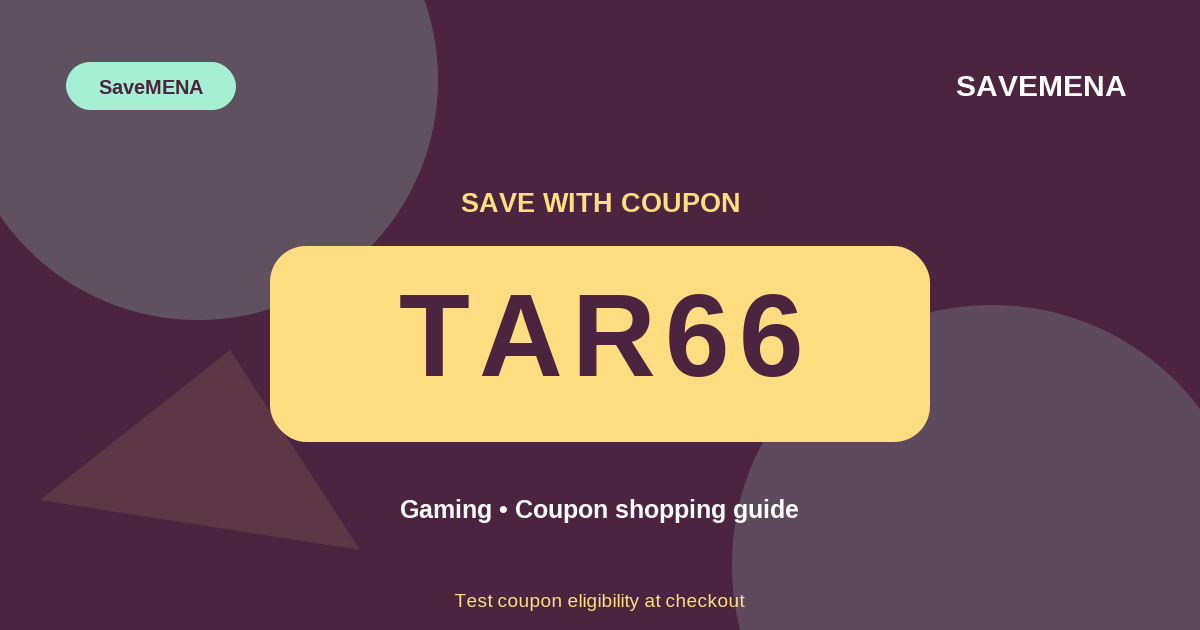
Codes available to try while comparing
These codes are not guaranteed for the article topic or listed brands; test them at checkout and use the live result.
Analyze Visible Promotional Tags on Individual Items
Every gaming product on Noon flaunts a banner or tag that highlights its current promotion—be it a flash sale, a daily deal, or a bundle discount. Before adding an item to your cart, pause to review that tag, noting its wording and expiry. In most cases, these banners display a “Deal of the Day”, “Today’s Offer”, or a numeric discount, and they form the first layer of price calculation that the platform will apply automatically.
After observing the tag, check if the promotion is marked as “eligible for coupons”. Some sellers display a small note or an icon indicating that their promo can be combined with coupons, while others explicitly label it “cannot be combined”. By cataloging items with this pre‑emptive view, you reduces the risk of a surprise during checkout where the TAR66 code fails to apply because it conflicts with a bundled offer.
Inspect Cart Breakdown Before Checkout
Once your gaming selections are in the cart, stare at the subtotal line that appears under the product list. It often shows the base price, individual promo deductions, and the final cart total before any coupons. Notice whether the list displays a separate “Coupon Applied” row or if the total appears without any drop. This visual cue tells you whether the system has recognised a coupon code at this point.
At this stage, hold your position. If no visible sign of a coupon row exists, attempt to apply a test code, like TAR66, on an experimental card. If the cart total remains unchanged, the code may be ineligible for the selected items or conflicting with another visible promo. Record your observations: this iterative check will help you make a final decision later.
Confirm Promotional Overlay Visibility After Code Input
When you slot TAR66 into the coupon field, a subtle overlay often slides into view near the input box. This overlay announces success with phrases such as “Coupon Applied” or indicates an error if the code isn’t valid. Pay close attention to the overlay’s colour coding—green typically signals success, while red denotes failure.
If the overlay flashes a valid banner but the cart total remains unchanged, it’s a red flag. The overlay indicates recognition by the system, yet a hidden rule—perhaps the product’s seller or an active bundle—could be blocking the discount. In that case, capture a screenshot before moving to the next step for troubleshooting.
Refresh Cart After Applying the Code
Following code entry, standard practice is to hit the cart’s refresh or “Update” button so the platform recomputes pricing. This triggers a minor animation that shows a countdown to the final amount, which can reveal whether the discount is now reflected. A noticeable drop in the grand total is a clear sign that TAR66 was accepted.
Absence of any change after refreshing suggests that the code is either blocked or superseded by a higher‑priority promotion. Reapply the voucher after a few seconds to confirm that the system consistently rejects or accepts it. This repeated cycle is essential when you’re juggling multiple gaming items and multiple visible promos.
Check Coupon Status in the Payment Summary
When you proceed to the payment screen, the last chance to verify eligibility is the payment summary. This layer typically lists subtotal, shipping fees, applied coupons, and the final payable amount. The coupon row should enumerate the code name and the absolute discount value that it contributed.
Important to note, the payment summary can override any earlier cart total by recalculating at penetration of transaction. If you see the discount row missing or replaced by a “Not applied” line, the TAR66 code didn’t pass the final validation. In such a scenario, consider toggling the visibility of any visible bundle promotions that may be interfering before re‑applying the code.
Consider Cart's Subtotal and Eligible Items
The the coupon code code may have specific eligibility criteria linked to a minimum cart value or to distinct product categories. In many instances, gaming bundles with high nominal prices trigger the automatic stop of coupon application. First, break down the cart subtotal into individual constructs—e.g., base price, bundle price, and separate items each with its own promotional tag.
From here, decide whether any item should be temporarily removed or relegated to a separate cart if it stifles the coupon’s applicability. Even though this step feels counterintuitive, a small shopping list may prevent the code from sliding in, so a brief recalculation with the altered items can affirm the coupon’s eligibility.
Validate Seller’s Promotion Compatibility
Each gaming product on Noon is usually associated with a seller who can set special promotions or paywalls. Some sellers explicitly annotate their listing with a “Exclusive for this seller” tag, which may override platform‑wide coupons. Scanning the seller’s name and tags at the bottom of the product page gives a clear indication of whether the TAR66 code is pre‑blocked.
When you find a seller‑only promotion, double‑check the product description for a line such as “No coupon accepted” or “Exclusive discount applied”. If present, your code must be used on the cart page itself, not during product selection. In some cases, the seller’s promo may be the only discount at the Meraki level, so you’ll have to weigh the combination strategy carefully.
Plan for Multiple Gamer Bundles
Gaming enthusiasts often purchase bundles—say a console with a game pack or a headset with a sound card. These bundles come with their own collective discounts, and many times, the TAR66 code may produce a zero net addition, or the bundle’s built‑in discount may supersede the code. To navigate this, split the bundles into each item’s components where possible.
After separating, apply TAR66 to the combined amount of the components; then let the platform auto‑re‑bundle them, confirming whether the code sits on the final amount. This method ensures that you capture the coupon’s opportunity without missing the bundle’s own discount.
Related SaveMENA pages
Related articles
Official sources to check
Frequently asked questions
How do I apply the TAR66 coupon on Noon?
You enter TAR66 in the coupon field found on the cart page or the payment summary. After typing, hit the apply button. A confirmation banner will appear if the code is valid, and the cart total will adjust accordingly.
What if TAR66 doesn’t work even though it’s listed?
If the code seems ineffective, double‑check visible promotions that might block coupons, refresh the cart, and ensure the total meets any minimum spend requirement. If still undetermined, reach out to Noon’s help center for clarification.
Can I use TAR66 alongside other promotions?
Eligibility depends on each promotion’s terms. Some promotions prohibit coupon usage and others allow stackability. Check each item’s tag for “eligible for coupons” or a “Cannot be combined” note before applying TAR66.
How do I confirm eligibility before payment?
Review the cart breakdown, look for a coupon row, verify the overlay after applying the code, refresh the cart, and finally check the payment summary for a “Coupon Applied” line. These steps catch conflicts before checkout.