Calvin Klein Women’s Fashion on Noon UAE: offer combinations — coupon eligibility
Noon UAE coupon eligibility Calvin Klein coupon interaction with visible promotions: When you’re planning to add a chic Calvin Klein piece to your wardrobe, you’ll
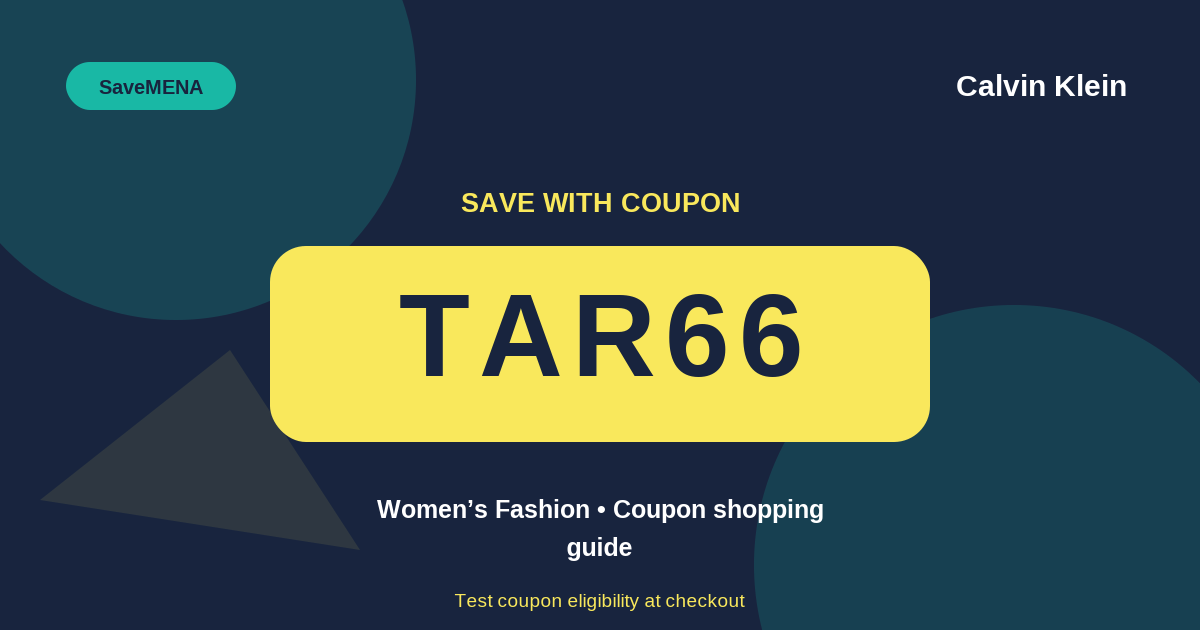
Codes available to try while comparing
These codes are not guaranteed for the article topic or listed brands; test them at checkout and use the live result.
1. Understanding the Importance of Coupon Visibility
The first point to keep in mind is that coupons, unlike permanent store discounts, can be invisible until the payment screen arrives. When a marketer promotes a coupon code on a product page or during the checkout process, the actual rule that decides whether it applies is usually applied much later. For UAE shoppers, this means reading the small note that often accompanies the code – for instance, “use at checkout” – to confirm you haven’t missed a requirement hidden in the terms. CPR69, for example, might incur a minimum spend that isn’t immediately obvious. In plain terms, a visible promotion tells you that the coupon exists; it does not prove it will be accepted. Therefore, one of the first steps in any coupon‑check routine is to make sure that the code is indeed listed alongside the other visible promotions.
In practice, you should ask yourself: is the code already highlighted while I am adding items to the cart? If the site offers a “Show All Coupons” button, click it now and look for TAR66 in the resulting panel. Letting the platform expose the code before checkout gives you a chance to decide if you want to pursue that discount route. In some cases, a visible promotion may also outline if the code only works with certain product categories or specific brands. By confirming these attributes early, you limit the risk of discovering that the coupon does not apply after you’ve spent time customizing your size, color, or bundle.
2. Identifying Relevant Promotions While Browsing
While you shop, take note of any banners that spotlight a coupon for Women’s Fashion or Calvin Klein specifically. These banners typically come with a short tagline, such as “Apply the code only on fashion items.” This extra clue indicates whether the coupon interacts with the brand or a broader assortment. Some platforms allow a single coupon to stack with regular store offers; others explicitly forbid it. In the UAE, you’ll usually see a small icon or a note near the product price that says “Coupon can be applied.” Read this accompanying phrase to confirm you’re not overlooking a self‑interacting promotion that is mistakenly listed as visible. This vigilance reduces the chance of having to re‑order due to an inapplicable coupon at the final phase.
Once you spot a visible coupon, the next practical step is to add a product from the same category or brand to your cart. For example, if you discover a Calvin Klein promotional banner referencing a discount code, add a compatible top or skirt to your cart. Some promotions may require that the product truly matches a particular collection. Adding a non‑matching item would mean the coupon will not be triggered, and you might be tempted to abandon or re‑check your cart. Verifying brand and category relevance early keeps the entire purchasing process tidy, sparing the unnecessary disappointment that can arise from a coupon that never activates.
3. Adding Items and Watching the Cart Dashboard
After entering a single item into your bag, observe the cart icon in the header. When a coupon is present, you’ll usually see a small “+1” badge or an outlined icon in the cart. In your UAE shopping environment, the icon may be grey until a specific amount or certain type of item triggers it. At this stage, only the presence of the icon tells you that the platform has registered the possibility of this coupon, not that it applies automatically. This visual cue can serve as your first reminder to maneuver the content of the cart so the coupon can be processed later.
During this phase, it may be wise to add more items from the same fashion line or brand to reach a higher cart value or to meet a possible minimum spend. When you extend the cart, pay attention to how the subtotal changes. If you see a small tag showing a “Discount pending” or “Code ready,” it indicates another layer of verification – that the coupon could now be usable. Reaching this threshold ensures that, when you hit checkout, the coupon is not just theoretically available but practically active. This step is crucial because many platforms remain silent until you actively trigger the coupon threshold.
4. Pre‑Checkout Review of Applied Discounts
On the checkout page, a list of “Active Offers” appears just above your payment options. Here, you should confirm that TAR66 is shown among the applied discounts. If the code doesn’t appear, think back to earlier conditions: did you add the right product or reach the right cart total? Some coupons have a “requires coupon entry” field, meaning you need to type it in manually. If you left this field blank, the system will not display the coupon until you submit it. After entering the code, the discount will be deducted from the subtotal, and a new total will appear instantly for you to verify.
Beside the discount amount, the page usually offers a note indicating the terms: “Minimum product not applicable” or “Limited to new customers.” While these notes do not guarantee that the coupon will stick, they help you plan the next steps. For instance, if you see a warning about “exclusive to prime members,” you may decide to proceed with the purchase but be prepared to discard the coupon if a final check says it is invalid. Consequently, this section of the checkout allows for a final opportunity to catch any discrepancies before locking in the payment.
5. Applying TAR66 and Observing Interaction
To apply the TAR66 code, type it into the field marked “Coupon Code” and press “Apply.” Within a few seconds, the checkout should update as it recalculates the discounted subtotal. This update is your visual confirmation that the platform has processed the coupon rule. In most UAE retail setups, the discount amount will show in a distinct color to stand out. Ensure that the discount is not simply a placeholder that disappears once you hit “Continue.” The presence of a tentative discount indicates that the platform sees the coupon as eligible on the current set of cart items, but it is still subject to the final verification by the payment gateway.
If the discount disappears or is replaced by an error message – for example, “Coupon expired” or “Not eligible for this product” – you must identify the cause. This could result from an overlap with another promotion, a mis‑type in the coupon code, or a deliberate restriction that you may have overlooked. The key is to review the message and refer to the terms displayed next to the error. This process will tell you if you need to adjust your cart or if the coupon in question is indeed ineligible for the selected article, thereby avoiding an unexpected charge difference post‑payment.
6. Handling Exceptions and Hidden Fees
While you are checking the final totals, examine any extra lines labelled “Handling Fees,” “Service Charges,” or “Taxes.” Coupons sometimes do not apply to these fees, meaning the discount is calculated only against the product subtotal. In UAE contexts, there is no universal rule that all fees bypass coupon application, but many platforms will clearly state this near the fee line. So, if you see a separate “Delivery Fee: AED 30” after choosing a shipping option, this fee will likely add to your final total regardless of the coupon. Understanding this distinction clarifies why product discounts may appear but the final amount still seems less than expected.
Similarly, some online retailers apply a “none‑stocked” add‑on such as a protective pack or a gift card that only flashes after the coupon when considering the final cart. When such items appear, check whether the coupon’s eligibility notes include “excludes add‑ons.” If they do, you may want to remove the additional items or accept that the total will not be reduced. Keep a log of all such added items, as they often make the margin between a zero‑coupon and a discounted order quite large and not immediately obvious from the product list alone.
7. Final Checks Before Confirming the Order
Before you tap “Place Order,” scroll through the cashier’s summary one last time. The total amount, the discount shown for TAR66, the applied shipping charges, and any additional fee should all be clear. At this point, you will have a full view of the final payable amount; this is the only moment when the coupon’s eligibility is last verified by the system’s backend. Confirmation aside, it is wise to double‑check that the calculation matches the screen – a quick visual cross‑check helps detect any discrepancy before the transaction is finalized.
If you find a mismatch—say, the discount amount differs from earlier or the total is not as expected—contact customer support or cancel the order for a brief second. Often platforms will allow a brief window to correct any small errors before the payment gateway locks the transaction. By acting quickly within that window, you can still benefit from TAR66 or resolve an issue that might have passed unnoticed otherwise. Waiting until after payment to discover a mismatch can complicate any refund or ticket‑edging process, which is why this final check is paramount.
8. Troubleshooting Common Eligibility Confusions
If you repeatedly find that the TAR66 code does not appear in the final total, try re‑entering it after clearing your cart and adding the item again. In some online UAE marketplaces, an earlier coupon code entry can be stored within the browsing session and carried forward unintentionally, leading to an “already used” declaration even though the product is new. Clearing the cart and ensuring a fresh entry eliminates this hidden carry‑over and gives the platform a clean chance to evaluate eligibility anew.
Another common issue is the presence of overlapping promotional emails or coupons that may conflict. For instance, if you received a promotional slip that is only valid for “not discounted items,” the TAR66 may no longer apply. The solution is to check the platform’s FAQ or “coupon terms” section. Often, the platform will explicitly state whether multiple coupon codes can stack. If the policy prohibits stacking, adjust expectations accordingly or try a different coupon that aligns with your product and brand preference.
Related SaveMENA pages
Related articles
Official sources to check
Frequently asked questions
What does the TAR66 coupon code apply to?
TAR66 is a promotional code intended to provide a discount on selected items. The specific items, brands, or categories to which it applies are defined by the platform’s terms and will be visible in the coupon conditions during checkout. The code’s applicability can change, so always verify with the final total before purchase.
Can I use TAR66 together with other coupons or discounts?
Overlapping offers depend on the platform’s rules. Some regions allow one discount to sit alongside a promotional coupon, while others restrict stacking. In your checkout, look for messages indicating “excludes other coupons.” If the message appears, you should avoid combining them to preserve the discount.
Will TAR66 cover the delivery fee?
Coupons typically discount only the product price. Delivery and other related charges are usually applied after coupon calculation. Check the final order summary for a line titled “Delivery Fee” to see whether it remains unaffected by the discount.
How do I confirm that the code was applied before payment?
A clear confirmation appears in the checkout summary as soon as you tap "Apply." The discount will be listed next to your subtotal, along with a note if any conditions are breached. If the line disappears after submission, the code has been rejected.