Samsung Electronics on Noon UAE: size and quantity — coupon eligibility
Noon UAE coupon eligibility Electronics Samsung quantity and size: How can you be sure that the Noon UAE coupon code TAR66 will actually apply to your Samsung
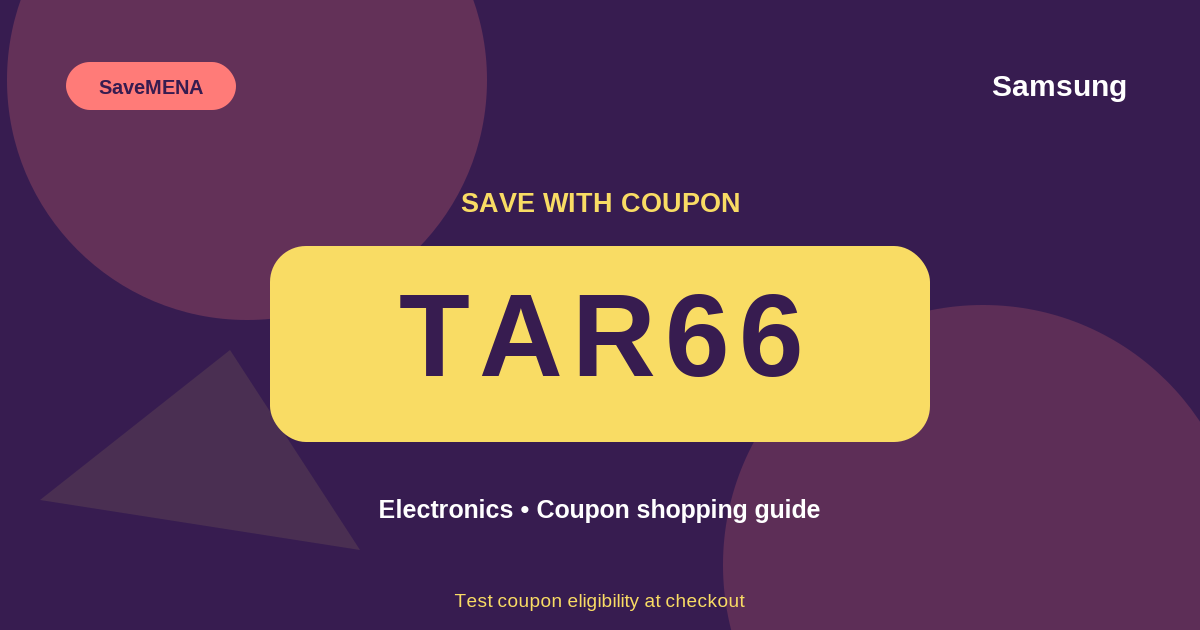
Codes available to try while comparing
These codes are not guaranteed for the article topic or listed brands; test them at checkout and use the live result.
1. Review Your Cart for Quantity Accuracy
Begin by opening the cart icon on Noon’s app or website. Scroll through each listed Samsung product and double‑check the quantity field. If you added more than one unit of the same model, confirm that the count entered matches your intention. One common oversight is accidentally adding an extra item when selecting a size, which may unintentionally alter the total quantity and, consequently, the coupon’s eligibility threshold. Ensuring that the quantity displayed matches what you intended to purchase is the first safeguard against discount misapplication.
Bear in mind that certain coupons on Noon activate only when a minimum number of items is present. Even if the coupon code itself does not specify conditions, the platform’s internal logic may trigger a "quantity requirement" rule. By confirming the quantity before moving forward, you lay a clear foundation that subsequent checks will build upon, reducing the likelihood of seeing a discount visibly disappear during the final payment screen.
2. Verify the Size or Variant of Each Samsung Item
Samsung’s electronics range—from TVs to smartphones—often comes in multiple sizes or storage variants. Use the product page’s “Specifications” section to identify the exact size you are adding. Then, match this specification to what appears in your cart under the “Size” or “Variant” label. A mismatch, such as mixing a 55-inch TV with a 55-inch soundbar, can trigger quantity‑or‑size based restrictions on coupon applicability. This step is vital because coupon conditions sometimes the coupon code specific sizes only.
If you’re unsure whether the variant is correct, tap the edit icon next to the item in the cart to confirm its details. Seeing the concise size description—whether it says “55-inch Full HD” or “50GB storage” for a phone—lets you cross‑check against the coupon’s potential eligibility. A clear alignment here means that the size component of the decision lens is satisfied before even attempting to apply the code.
3. Confirm the Seller’s Coupon Policy
Not every seller on Noon accepts the same discount coupons. Hover over the seller badge beside your Samsung product and read the “Coupon Eligibility” note where available. Some vendors implement their own coupon rules that can override a platform‑wide code like TAR66. Verify that the seller explicitly lists TAR66 as an eligible coupon or that no restriction is mentioned at all.
If the seller’s page does not mention the coupon, proceed with caution. The absence of a note does not guarantee eligibility; it merely indicates no conflicting policy is displayed. By confirming this seller‑specific detail early, you avoid a costly last‑minute misstep where the code is silently rejected despite appearing in the cart.
4. Check for a Minimum Quantity Requirement
Some coupons, though not publicly advertised, include hidden mandates that require a certain quantity of the same product or a combined number across the basket. After you confirm the cart’s quantity and size, scroll further down on noon’s checkout page to the “Applied Coupons” preview area. If a minimum quantity is set, it normally appears as a warning or a requirement note. If the note reads “minimum 2 items”, you can instantly see whether you meet or exceed the threshold.
Even in the absence of a visible rule, suppose you plan to add a second Samsung television. By looking ahead—anticipating the quantity when you might be tempted to add more—you secure a proactive check. This step ensures that you are not reliant on the final payment prompt for eligibility confirmation, which sometimes can feel abrupt for impatient shoppers.
5. Validate Size‑Restricted Coupon Eligibility
Occasionally, a coupon like TAR66 may be tagged internally as “size‑restricted” within Noon’s system. This means it will only apply to certain product dimensions—say, Samsung 55-inch TVs but not 4K 65-inch models. To detect this subtle restriction, review the product’s end‑page or the seller’s note for any mention of “size‑specific coupons.” If the page states, for example, “eligible for 43‑44 inch models only,” you instantly recognize that your chosen variant falls outside this bracket.
If no explicit size restriction is listed, the coupon likely applies generically to the product category. Nonetheless, to be certain, you can reflect on the size you’ve selected versus commonly advertised sizes for that model. A quick mental check reduces the risk of missing a coupon that fails to activate because of a size mismatch at the final checkout screen.
6. Review Additional Fees That May Influence Coupon Applicability
Coupons on Noon sometimes do not cover extra charges such as delivery fees, convenience fees, or member‑only service fees. As you progress to the payment section, notice the “Fees” breakdown. If an additional fee is present, verify whether the coupon pause can persist after the fee is appended to the total. In some cases, a coupon may subtract from the subtotal but not from the additional fees, altering the net discount amount.
To be thorough, add a note in your cart or on a phone note about any fees that appear after adding items. This action assists you in verifying that the coupon’s deduction can still apply to the overall payable amount required for this specific quantity and size combination.
7. Execute a Trial Coupon Entry to Test Eligibility
At the checkout page, locate the “Enter Coupon Code” field. Carefully type "TAR66" exactly as shown, respecting capitalization. Hit “Apply” and observe whether the system instantly acknowledges the code or shows an error regarding quantity or size. If the coupon fails to activate, look for a brief explanation that often clarifies whether the issue is due to a quantity shortfall or an incorrect size selection.
Should the code apply but show a reduced total that appears inconsistent with your expectations, double‑check the cart’s quantity and size again—there may still be a hidden condition not yet caught. This trial run serves as a live test, confirming or refuting coupon eligibility before you commit to payment.
8. Final Confirmation and Order Placement
Before you hit “Place Order,” scroll through the final payment summary on Noon. Verify that the subtotal reflects the number of items and their selected sizes, that the tax and any extra fees are correctly added, and that the coupon’s discount—if applied—is deducted from the accurate baseline. This final snapshot shows the exact amount you will be charged. If the discount is present and matches your expectation based on quantity and size, you can confidently proceed to the payment gateway.
However, if the discount has vanished or is lower than anticipated, the system will display a note indicating why. This disclosure will usually point to a quantity or size issue that slipped through earlier checks. In such a scenario, adjust the cart accordingly or consider placing a new order that meets the coupon’s implicit conditions. Only once the final total aligns with your pre‑payment verification can you safely assume the coupon’s eligibility for your Samsung gadget purchase on Noon UAE.
Related SaveMENA pages
Related articles
Official sources to check
Frequently asked questions
Does the TAR66 coupon apply automatically after adding Samsung electronics to my cart?
No automatic application occurs. You must manually enter the code during checkout and check for a qualifying message that confirms the coupon has been accepted based on your cart’s quantity and size specifics.
Can I use TAR66 on multiple Samsung devices in one order?
Eligibility depends on the quantity rules that Noon enforces internally. If a minimum or maximum quantity is set for that coupon on that product type, it must be satisfied to activate fully.
Will extra fees like delivery or convenience fees affect whether TAR66 applies?
These additional charges are evaluated after the coupon application. If the coupon doesn't cover total fees, the discount will apply only to the eligible portion, often the product subtotal.
What should I do if TAR66 fails to apply despite meeting quantity and size criteria?
Re‑enter the code exactly as "TAR66" and confirm the cart’s contents again. If the issue persists, it may indicate a hidden restriction or a temporary technical glitch; contacting Noon support can clarify.