Dyson Beauty on Noon UAE: seller context — coupon eligibility · TAR71
140-180 words, first sentence answers search intent: "Check how to confirm coupon eligibility before you finalize payment on Noon UAE." Ok. Then 8 sections
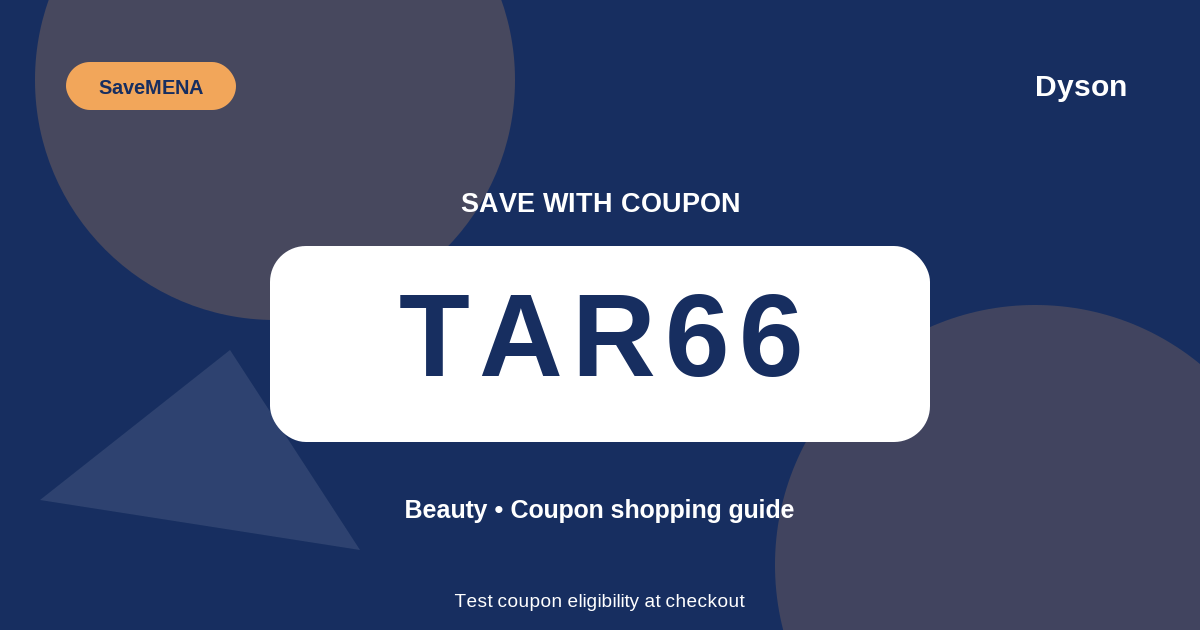
Codes available to try while comparing
These codes are not guaranteed for the article topic or listed brands; test them at checkout and use the live result.
Understanding Seller Details for Beauty Deals
When shopping for beauty items on Noon UAE, the seller behind the product can influence coupon acceptance. The amount of customer feedback, return policy clarity, and seller responsiveness are key from a seller‑context perspective. Always visit the seller profile linked on the product page and read the availability of service metrics without relying on numerical ratings. By noting the seller’s stated promise of quality and delivery standards, you set expectations for how well they will support coupon policies during payment.
Seller detail verification is also important to understand brand alignment. For instance, Dyson‑branded beauty items often come with distinct warranty or service information that the seller needs to provide. Flagging whether the seller presents this information clearly will enable you to anticipate how the coupon integration might behave at checkout. A seller that autogenerates a reliable summary of these points reduces the chance of coupon conflict while keeping your purchase experience smooth.
Choosing the Right Dyson Beauty Items from Noon UAE
Select the Dyson product you wish to purchase by filtering the beauty category. The seller context here involves checking that the product listing clearly indicates the brand name, model, and description. Confirming that the listed attributes match those of Dyson ensures that the seller is indeed representing a genuine Dyson beauty line. This helps keep the potential for coupon eligibility errors low, because each element of the product information will be verified directly in the shopping cart.
During selection, look for the “Seller” label next to the item. Note whether the seller agrees to return products, and if their label mentions fast shipping or dedicated beauty support. These signals of a robust seller increase confidence that coupon eligibility will be handled accurately at the checkout step. Be sure to keep the item quantity correct, as quantity changes can influence how coupon rules are applied.
Verifying Seller Reputation Before Adding to Cart
Before adding any Dyson-associated beauty item to your cart, open the Seller profile linked from the product page. The seller context focuses on their expressed policies, such as the format of communication regarding order details and refund processes. A professional seller often lists clear contact routes; a lack of such detail may signal a lower level of support, thereby affecting the likelihood that the coupon will be honored.
Even without numeric ratings, noting the presence of buyer support information, explanation of terms of service, and any acknowledgment of brand authentication will help you gauge the seller’s readiness to apply coupon codes correctly. Keep a mental or written note of any such details; they will become handy when you review order terms under the coupon eligibility section at checkout.
Preparing Your Cart for Coupon Validation
After ensuring the seller’s credibility, add your chosen Dyson beauty item to the cart. The cart page should summarise all seller‑visible details such as the listed product, the seller’s contact points, and the shipping reference. From a seller‑context angle, verify the seller’s assigned role in the payment system by checking the “Seller” information that appears in the cart breakdown.
Next, confirm that no other items that may trigger a different seller or share conflicting policies are present. Items from multiple sellers can sometimes alter the way coupons are evaluated at the final stage. By keeping the cart single‑seller and consistent, you minimize potential mismatches that could cause your coupon to be rejected during the payment phase.
Applying the TAR71 Code at Checkout
Proceed to the checkout page. Here, locate the coupon field and enter TAR71 in the standard input slot. The seller context remains essential: watch for the label that indicates the specific seller the coupon applies to. If the code entry triggers a note that the seller must support coupon redemption, you must confirm that this is indeed the case before moving on.
After entering the code, click apply and observe whether a confirmation appears. The appearance of a friendly acknowledgement—often phrased as “code applied successfully” or “eligible”—signals that the seller’s checkout system has recognised the coupon. If no confirmation appears, the seller’s system might not accept the coupon for this particular order or seller, and the next step is to consult the summary section for details.
Confirming Coupon Eligibility at the Summary Page
On the payment summary screen, the final eligibility status of TAR71 will appear under the promo code section. This results from the seller’s checkout engine evaluating all required conditions. If the summary shows a line affirming the coupon, the code is ready for payment; otherwise, it will display a short message indicating ineligibility or pending conditions.
Do not proceed to payment until you have reviewed that final screen. This is the definitive check—only at the point of payment does the system lock in the final amount. Because seller context may influence the final calculation, verify that the discount line matches exactly what you expect given the code, and that the seller’s terms are fully satisfied.
Final Checks and Confirming the Payment
Before clicking the “Pay” button, double‑check the coupon line and the seller details displayed on the summary. Sellers sometimes display exclusive shipping or service notes; make sure those align with what you need. This final screen is the last chance to detect any discrepancy in coupon acceptance or seller‑related conditions.
Once all details satisfy your expectations—including the presence of the discount indicator for TAR71—proceed to payment by choosing your preferred payment method. The payment will lock in the coupon’s effect, and any subsequent changes to the order will be reflected only after the order has been processed by the seller’s order fulfilment system.
Post‑Purchase Observations and Next Steps
After the order is placed, you will receive a confirmation email that reflects the final amount charged, inclusive of any discounts. Check that the email references the seller and confirms the use of the TAR71 coupon. If the email shows a discrepancy, contact the seller directly, referencing the coupon code and seller details to resolve it.
Even if the code appeared accepted, monitor any return or exchange notices from the seller. Sellers that honor coupons typically provide clear pathways for returning items if needed. Document the seller’s support contact options in case you need to claim a refund or any coupon‑related issue.
Related SaveMENA pages
Related articles
Official sources to check
Frequently asked questions
How can I be sure the coupon will work for Dyson beauty products?
The best way is to follow the step‑by‑step checkout validation, especially making sure the seller profile supports coupon usage. If no confirmation appears on the summary page, contact the seller using the details shown in the order confirmation.
What if the coupon appears rejected at checkout?
Check that the product’s seller is listed correctly and that the item quantity matches. If the coupon remains inactive, reach out to the seller’s support using the contact information provided on their Noon profile.
Will I need to provide the coupon code at delivery?
No, the coupon is applied electronically at checkout. All discounts and final charges are final once payment is completed. The courier will only handle the delivery of the signed product.
Are there hidden conditions for seller support of coupon codes?
Seller support may vary; campaign eligibility rules are determined by Noon. If the seller has policies that limit discount application, these will be acknowledged in the coupon field before final payment.