HP Computer Accessories on Noon UAE: seller context — coupon eligibility · TAR71
If you’re trying to figure out how to check coupon eligibility before payment on Noon UAE, this guide covers everything you need to know.
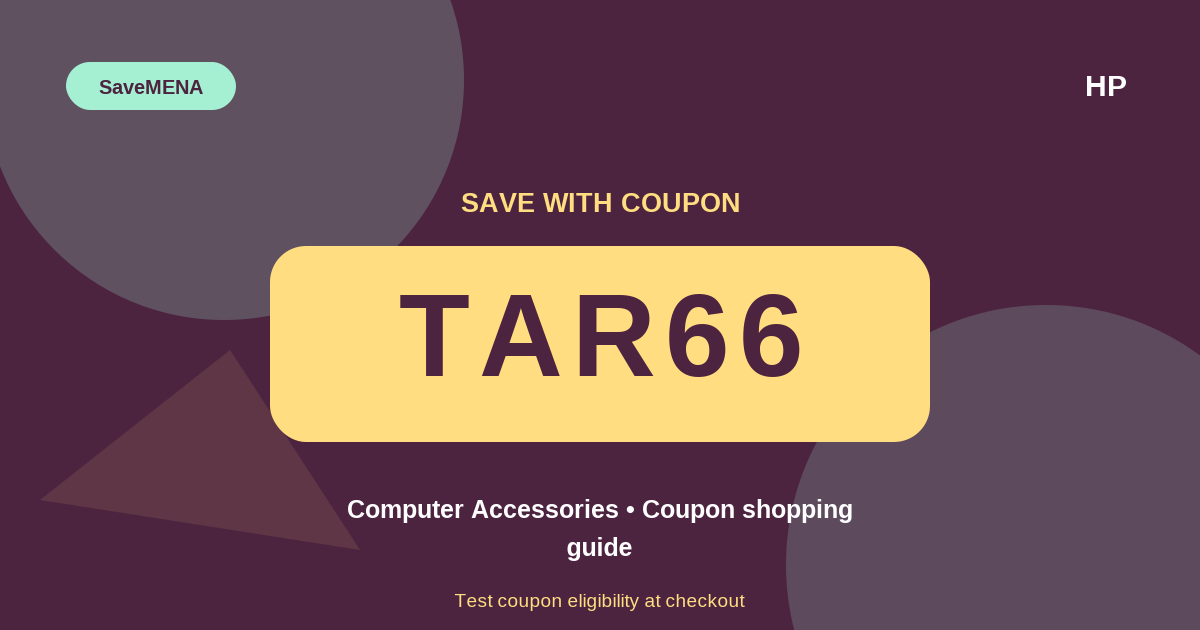
Codes available to try while comparing
These codes are not guaranteed for the article topic or listed brands; test them at checkout and use the live result.
Laying the Foundation: Coupon Eligibility Basics on Noon UAE
Before you even add an HP computer accessory to your cart, it’s helpful to understand how Noon’s coupon system presents eligibility. Coupons display a brief eligibility banner, usually stating “limited to specific products and sellers.” This banner is offline, meaning you’ll only see a live “yes” or “no” at the cart page. The process begins with confirming that the item is in a list of eligible categories and that you’re purchasing from a recognized seller. This knowledge helps you make an informed decision on whether to add the product at all.
In practice, the first visible sign of coupon eligibility appears on the product detail page with a “TAR71” tag adjacent to the price. This tag indicates the coupon is available to try—but it also signals that the final test will still happen at checkout. Since coupons on Noon do not automatically apply, you must verify eligibility before payment. By acknowledging this possibility upfront, you can avoid the frustration of discovering a coupon is inapplicable only after you’ve committed to buying.
Choosing the Right HP Seller for Your Accessory
On Noon UAE, HP computer accessories can be sourced from multiple sellers, each with varying stock levels and shipping terms. To maximize your chance of coupon eligibility, start by filtering results to show only reputable sellers—usually those with higher positive feedback scores and ample item reviews. Sellers marked “Verified” or “Beikh” tend to maintain consistent item listings and live stock, both factors favouring coupon acceptance because the likelihood of a stock‑out or price change is reduced.
After selecting a seller, scroll to the seller’s profile page to confirm they have a long history of selling HP products. This history can be a subtle indicator that the seller’s listings comply with Noon’s coupon policies. Above all, ensure the seller offers the exact variant of the accessory you need—such as a specific USB‑C hub or docking station—because mismatches can render a coupon invalid during the final validation step.
Embedding the Coupon in Your Cart Review
Once the HP accessory is placed in your cart, the cart summary page is where the first real eligibility check takes place. On this screen, the coupon code field will reveal whether the TAR71 code is ready for application. If the code appears greyed out, it’s a sign that the system has flagged it as ineligible for the selected product or seller. Conversely, a green “apply” button will show that your cart passes the initial eligibility test.
Check that the cart summary lists “No discount” or a small “Coupon applied” section. A label stating “TAR71” is present will confirm the coupon is recognized. This status, however, remains provisional; it only guarantees that the cart meets the hard criteria required for the code to be engaged during the checkout phase.
Final Validation: Eligibility Check at Checkout
At the checkout page, you’ll be prompted to enter your payment details and confirm the final order total. This stage is the point where Noon performs the real eligibility assessment. The system cross‑references the coupon code, product, seller, and any running promotional thresholds before generating the final payable amount.
Watch closely for a banner that says “This order is eligible for TAR71” or a similar confirmation. If you see “Coupon code invalid” or “This coupon is not applicable to your selected items,” it signals the coupon failed the final test. In that instance, you’ll need to adjust your cart—perhaps by selecting a different HP accessory or seller—to recover eligibility.
Handling Ineligible Cases: What to Do Next
If Noon declares the coupon ineligible during checkout, there are a few responsible next steps. First, double‑check the product variant and seller.A coupon is not guaranteed; verify its result at the retailer checkout. If the item has changed (e.g., published under a different seller after you added it to the cart), refresh the cart to fetch updated eligibility.
When refreshing the cart does not restore eligibility, consider replacing the item with a similar HP accessory that is explicitly listed as “eligible” on its detail page. Linking to comparable models guarantees the coupon is applied from the outset, and you’ll avoid the risk of being charged without the discount during the final transaction.
Tracking Coupon Usage and Limitations
Every time you apply the TAR71 code, Noon typically records the usage under your account profile. While the platform does not disclose precise limits, it’s useful to review your order history to confirm when and where a coupon was applied. This audit trail helps ensure you’re not double‑counting or inadvertently re‑using a code that has already been activated for a purchase.
Pay attention to the “Coupon Status” indicator in the order confirmation email. If the status reads “unused” or “applied,” you’ll know for sure whether the coupon counted in your final payment. This transparency clarifies whether your coupon attempt was successful without revealing exact discount figures.
Refresh and Re‑Verify: A Quick Before‑Payment Checklist
Before you finalize payment, revisit your cart to re‑verify eligibility. This quick check includes confirming the correct seller’s name, ensuring the listed variant matches what you intend to purchase, and verifying the cart reflects the highest current price. These steps mitigate the risk of price changes or shipping restriction updates that could disrupt coupon applicability.
Another useful tactic is to log out and back in. This clears any temporary session variables that might have stored an earlier coupon state. Once re‑logged, proceed to checkout to confirm the coupon remains active, and don’t forget to double‑check the “Coupon applied” status displayed at the bottom of the payment summary.
Saving Your Efforts: Leveraging SaveMENA’s Guidance
SaveMENA offers independent advice on using Noon UAE coupons for computer accessories, free from affiliate influence. By following the specific checkpoints above, you can reliably assess coupon eligibility without over‑relying on external promotional data. Remember, the TAR71 code’s availability is subject to Noon’s real‑time logistical constraints, so SaveMENA’s systematic approach fosters informed decisions.
When you encounter any uncertainty—such as a sudden removal of coupon eligibility—turn toward Open‑source forums or the Noon community. Engaging other shoppers can clarify whether an issue is isolated or widespread, ensuring your purchasing strategy remains adaptable.
Related SaveMENA pages
Related articles
Official sources to check
Frequently asked questions
Can I use the TAR71 coupon for other products besides HP computer accessories?
The coupon code is not limited to HP or any single category at Noon. However, it must still meet the current eligibility conditions set by Noon, which could be tied to specific product groups or sellers. Check the code’s status before purchase for confirmation.
Will the coupon be applied if the product price changes after I add it to the cart?
Price changes after adding an item to the cart can affect eligibility at checkout. If the new price no longer meets the coupon’s threshold, Noon may not apply the discount. Verify the final price and eligible status right before completing payment.
Is there a maximum number of times I can use the TAR71 coupon?
Each coupon code on Noon typically has a usage limit, but that limit is not publicly disclosed. The best practice is to monitor your order history and ensure you did not exceed the implicit limit during previous uses.
Can I combine the TAR71 coupon with other Noon promotions?
Combining coupons with other promotions depends on Noon’s current policy for the specific order. Some promotions may not stack.A coupon is not guaranteed; verify its result at the retailer checkout.