Philips Electronics on Noon UAE: seller context — coupon eligibility · TAR73
If you’re wondering how to check coupon eligibility before payment on Noon UAE for Philips electronics, this guide gives you step‑by‑step instructions.
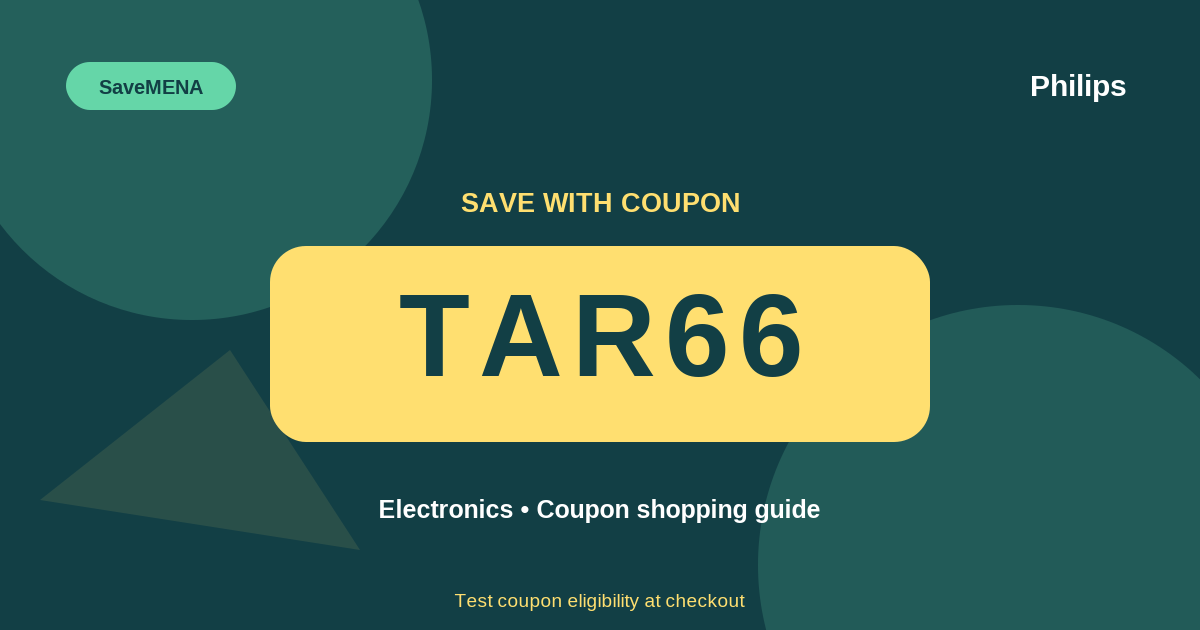
Codes available to try while comparing
These codes are not guaranteed for the article topic or listed brands; test them at checkout and use the live result.
Getting Started: Identifying Your Philips Need
Begin by deciding which Philips electronic you want to purchase, such as a smart speaker or a portable charger. Narrowing your choice helps you focus on listings that match the brand and category you’re interested in, ensuring that any coupon code you enter will be relevant to the item on your cart. A clear product vision also prevents accidental selection of unrelated items that might not honor the same coupon rules. With a specific Philips product in mind, you’ll be better equipped to spot eligibility cues once the code is entered.
While searching, pay attention to the product title and description for any reference to Philips. Some listings may include promotional text indicating compatibility with certain coupons, but only the final checkout step confirms whether your attempt is accepted. Keep your shopping list handy to avoid missing the right SKU, and note any variations such as size or color to match the exact item you intend to buy.
Browsing Noon UAE Electronics with Coupon Intent
When you browse Noon’s electronics section, use the advanced filters to show only Philips items. This reduces the clutter and brings relevant products to the forefront. Once you locate a Philips device, open its page to read the full specification and any seller‑provided details. The listing view often includes seller information, allowing you to begin evaluating the seller context before adding the item to your cart.
At this point, skip scrolling past reviews or stock status—those will be considered later. Instead, focus on ensuring the product’s brand and category match your earlier identification. If the page mentions “eligible for specific coupons,” that serves as a gentle reminder that checking at checkout remains essential. Take a quick screenshot or note the product name; the clearer you are, the smoother your subsequent steps will be.
Capturing the TAR73 Code in Your Cart
Add the Philips item to your cart and proceed to the cart view. Look for the field labeled “Enter coupon code” or a similar prompt. Here you can input TAR73—the code you wish to try. Some shoppers feel the urge to add multiple codes; however, only one code is processed at a time, and Noon’s interface will confirm right away whether the entered code is valid for the current order. If the system flags a problem, it will display a brief message, and you can try again later.
Do not rely solely on the cart notice: the real test happens after you move to the checkout page. Continue to the next section where you will verify seller credibility and confirm the coupon’s final applicability before any payment is made.
Evaluating Seller Credibility Before Applying
Seller context is a crucial factor in coupon eligibility. Within the cart, you can view the seller’s name and rating, which provides insight into past customer satisfaction. A higher rating often correlates with reliable shipping and responsive support, yet it doesn’t guarantee coupon acceptance. Always look for additional seller details such as the number of years in business or the count of completed orders; these can help you gauge experience level.
When you click on the seller’s profile, read any listed return policies or guarantees they offer. A clear policy can hint at stronger seller alignment with Noon’s standards, which may influence coupon reproducibility. Remember that your own account’s status does not replace the seller’s reliability in ensuring the coupon’s acceptance during checkout.
Running the Eligibility Check at Noon Checkout
Proceed to the checkout screen where you will see the final breakdown of items, shipping fees, and applicable taxes. Here you should revisit the coupon field to confirm that TAR73 is still listed. The platform will indicate whether the code is accepted, usually with a green check or a brief message. If accepted, the coupon will automatically adjust the payable amount; if rejected, a short note will explain that it cannot be applied to this purchase.
At this stage, inspect the seller details again. If the seller has recently received negative feedback related to coupon usage, note that as a potential barrier. This visibility helps you decide whether to retry the code later or adjust your order. The checkout page is the definitive reference for coupon eligibility, so any subsequent changes must be made before final payment.
Understanding the Coupon Outcome and Adjustments
If the TAR73 code successfully activates, the checkout page will reflect a revised total. This adjustment is visible before you confirm your payment method, giving you a chance to review the new amount. If the code does not apply, the page will still display the original price, and you can feel free to remove the coupon or look for an alternate merchant offering the same Philips item.
In either case, review the seller’s shipping details again to ensure that the selected courier meets your delivery timeframe expectations. A high‑rating seller may offer express delivery; if that is critical, check that it remains available after you have (or have not) applied the coupon. This final check guarantees that your purchase aligns with both your budget and time constraints.
What To Do If TAR73 Doesn’t Register
When the coupon fails to accept, your next step is to double‑check that you entered the code exactly as shown, including letter case and spacing. Minor mistakes can cause a rejection even though the coupon is otherwise valid. If the situation persists, consider reaching out to Noon support for assistance or checking whether the Philips item is listed under a different category that might alter coupon compatibility.
Alternatively, search for another Philips product from a seller with a stronger coupon history. Near the end of your cart, you can remove the current item or swap it with a comparable alternative that still meets your needs while potentially being eligible for the same coupon. This flexibility allows you to capitalize on any available savings whenever possible.
Finalizing Your Purchase With Confidence
Once you’ve confirmed the coupon’s status and verified all seller information, it’s time to proceed to payment. Select your preferred method—credit card, debit card, or Noon wallet—and follow the prompts. The platform will lock in the final total, ensuring you pay exactly what’s displayed before each transaction completes. Keep your confirmation screen open; this snapshot holds proof of the applied coupon and the seller details for any future reference.
After completing payment, watch for a confirmation email that lists the order details, including the seller and any coupon adjustments. This email serves as the official record of your purchase and confirms that the coupon, if applied, was processed correctly. With your transaction finalized, you can now enjoy your new Philips electronic with peace of mind.
Related SaveMENA pages
Related articles
Official sources to check
Frequently asked questions
Can I combine TAR73 with other promotions?
Noon currently allows only one coupon code per order. For best results, enter TAR73 first and finalize the item list before opting for any additional promotional offers.
What if I find the same Philips product listed by multiple sellers?
When choosing between sellers, compare their ratings and policies. A higher rating or more detailed return policy might increase the likelihood of coupon eligibility, though this isn’t guaranteed until checkout.
Will the coupon still work if I switch my cart to a different Philips model?
Coupon eligibility can change with product details. After replacing an item, revisit the cart and checkout screens to see if TAR73 remains valid for the new SKU.
How can I be certain my coupon was applied before I pay?
On the checkout page, the total amount after coupon application is displayed before you proceed to payment. This final preview confirms coupon acceptance and gives you a chance to adjust if needed.