Dyson Home Appliances on Noon UAE: seller context — coupon eligibility · TAR71
The first step in ensuring smooth coupon usage is to examine the seller profile that is offering the Dyson product.
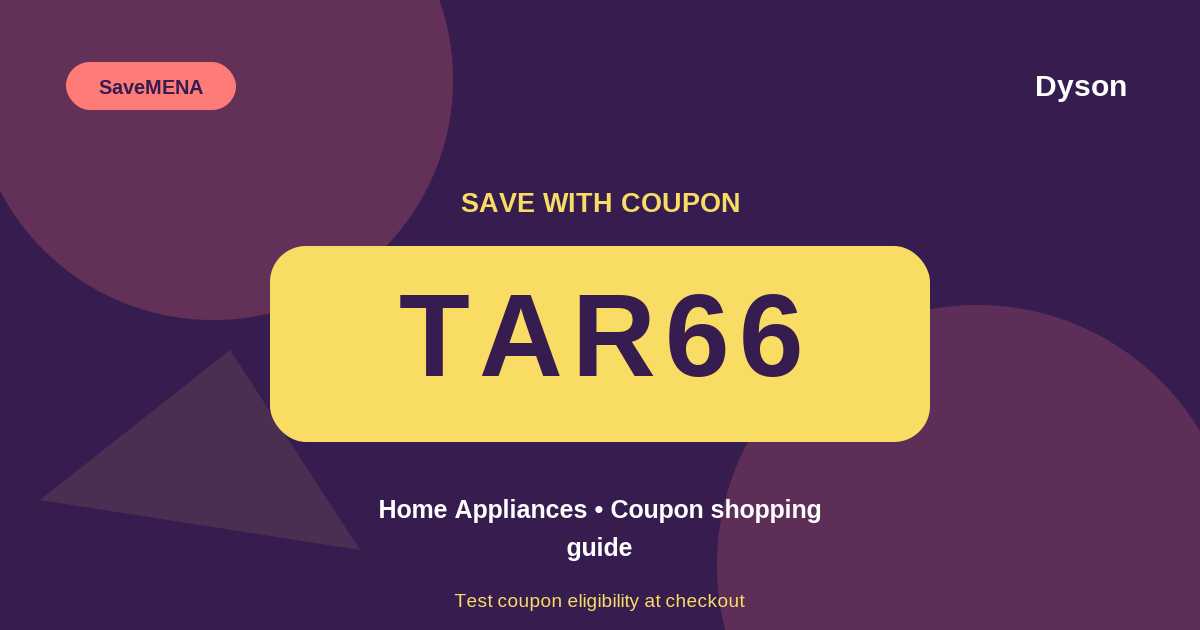
Codes available to try while comparing
These codes are not guaranteed for the article topic or listed brands; test them at checkout and use the live result.
1. Get to Know the Seller on Noon
The first step in ensuring smooth coupon usage is to examine the seller profile that is offering the Dyson product. Look for verified status, user ratings, and any return-policy details that note how the seller handles returns or warranty claims. A high seller rating can be an indicator of consistent service, which is especially crucial when you need to follow up after checkout if a coupon turns out not to be applied.
In the UAE, many sellers compete with similar product listings; however, the seller’s listed location can affect delivery times and shipping fees. Checking the seller’s delivery coverage helps confirm whether shipping to your area complies with your preferred timeframe. Seller context should always be the lens that keeps you from last‑minute surprises on your purchase.
2. Locate the Dyson Product Variant You Want
Dyson offers several vacuum or air purifying models, each with different specifications. Make sure you are selecting the exact model that fits your needs, such as the Dyson V11 or Dyson Pure Cool. Category tags on Noon help narrow the search, and you can scroll to find the variant's detailed description and seller-specific offers. The chosen variant will determine the price you’ll pay before any coupon is considered.
Each Dyson variant often has a distinct SKU and may show differing default shipping fees. Carefully note these figures on the product page, because they will carry through to your cart and influence the coupon eligibility check. Knowing the exact model also removes any ambiguous references when you confirm the seller’s terms of sale later in checkout.
3. Add the Item and Review Cart Totals
After selecting your Dyson variant, add it to your cart and proceed to the cart page. The cart will list the product price, any applicable shipping charges, and, if available, pre‑applied seller‑provided offers. This page is your control hub; it displays the subtotal before any coupon codes are entered. Checking this amount early in the process helps you gauge whether the coupon might apply or not.
If the subtotal appears unchanged from the product page, it is a sign the seller is not yet applying any extra discounts—yet. This is normal; you need to explicitly enter the coupon code on the same cart page. Take a screenshot of the cart total now so you have a reference if you need to dispute the final amount later.
4. Enter the Coupon Code TAR71
The Noontopia interface offers a field labeled “Coupon Code” on the cart page. Type TAR71 precisely as displayed. After entering, hit the “Apply” button. Notice the immediate feedback: either the platform confirms a discount, or it indicates the coupon isn’t valid for this transaction or seller. In either case, the page should show the updated total or a helpful message.
In some instances the coupon may be partially applied or may reduce only the product price while not affecting shipping. The seller’s terms define what the code can impact. Keep alert to any text that clarifies whether the code covers the entire order or a specific category—this reading will inform you if further verification is required.
5. Verify the Coupon Eligibility Screen
Immediately following the “Apply” action, an eligibility panel will outline the reason for acceptance or rejection. This panel often displays a message such as “Coupon applied” or “Coupon not applicable for this seller.” Pay attention to whether the seller’s name appears in this notice; the presence of the seller’s brand can confirm that the coupon is being evaluated in the correct context.
If the panel indicates ineligibility, inspect the stated reason—common causes include seller policies, product category limitations, or total order thresholds. Since we are focusing on seller context, confirm that the seller’s policies do not disallow coupons, as some sellers explicitly disable discount codes on certain items. Make a note of any red flags that may require adjustments to your cart.
6. Double‑Check Seller Obligations Before Going to Payment
At this juncture, it’s prudent to confirm seller obligations that can affect your purchase experience. Look for return policies, warranty terms, and delivery guarantee statements on the product or seller overview pages. These details often appear in a tab titled “Return Policy” or “Seller Information.” A trustworthy seller will list clear procedures for returns or warranty service.
During this review, also ensure that any seller‑specific add‑ons, such as extended warranties or protected delivery, are not neglected. If these speak to anything that might override the coupon calculation, you should sift through the seller’s FAQ links.A coupon is not guaranteed; verify its result at the retailer checkout.
7. Finalize Payment and Capture the Receipt
Proceed to the payment step once you are satisfied the coupon has been applied or declined. Enter your payment method—credit card, debit card, or any UAE‑accepted method. The checkout screen will display the final payable total, inclusive of any charged shipping fees and the coupon adjustment. Verify that the total aligns with the amount shown on the coupon eligibility screen.
After confirming payment, the receipt will be generated automatically and pushed to your Noon account and via email. Retain this evidence in case the seller disputes the coupon application after shipping. The receipt is the definitive proof of what the seller accepted as the final charge.
8. Post‑Purchase Tracking and Warranty Confirmation
Once your Dyson appliance is on its way, track the shipment using the Noon UAE tracking portal. The tracker will mention the seller’s name, which further confirms that your coupon eligibility review aligned with the seller’s process. Keep an eye on estimated delivery windows and any seller‑issued notifications.
To remain fully informed, revisit the seller’s warranty information after delivery. In the UAE, warranties are often pegged to seller identity. If a claim is needed, you’ll need to reference your receipt, which reflects the coupon usage status. Being organized on the seller side throughout purchase keeps your post‑purchase experience smooth.
Related SaveMENA pages
Related articles
Official sources to check
Frequently asked questions
Does the Noon UAE coupon TAR71 apply automatically or do I need to activate it?
The coupon must be typed into the “Coupon Code” field on the cart page. After you hit “Apply,” Noon will instantly notify you if the code is accepted or not, reflecting the seller’s eligibility rules before payment.
What if the coupon is not accepted after I apply it?
If the coupon is declined, the eligibility screen typically explains why—such as seller restrictions or order minimums. You can then adjust the order or choose a different seller that accepts the coupon.
Will the seller’s return policy change if I use the coupon?
No. The coupon only influences the purchase price. The seller’s return and warranty terms stay the same regardless of whether the coupon is applied.
Can I use the same coupon for multiple Dyson purchases from the same seller?
Coupons are usually single‑use at checkout.A coupon is not guaranteed; verify its result at the retailer checkout.